API-triggered delivery
API-triggered campaigns or server-trigger campaigns are ideal for more advanced transactional use-cases. Braze API-triggered campaigns allow marketers to manage campaign copy, multivariate testing, and re-eligibility rules within the Braze dashboard while triggering the delivery of that content from their own servers and systems. The API request to trigger the message can also include additional data to be templated into the message in real-time.
Setting up an API-triggered campaign
Setting up an API-triggered campaign takes a few steps. First, create a new multichannel or single-channel campaign (with multivariate testing).

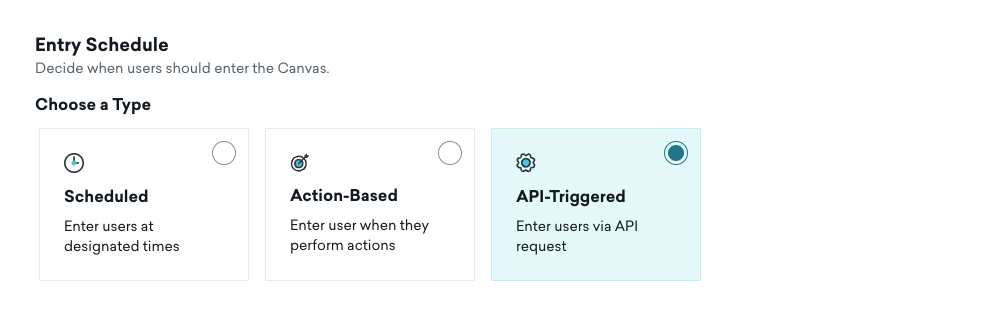
Next, configure your copy and notifications the same way as you would normally for scheduled notifications and select API-Triggered Delivery. For more information on the triggering of these campaigns from your server, check out this API-triggered campaign sending article.
Reducing delay between your API trigger and send
If messages take longer than expected to send after you call the trigger endpoint, check whether the user profile is ready at trigger time.
By default, send_to_existing_only is true on /campaigns/trigger/send. Braze sends only to existing users and does not create net-new profiles in that call. To create or update a user and send in the same request, set send_to_existing_only to false and include an attributes object on each recipient.
For email campaigns, also include email (and any other required delivery fields) inside attributes. If the profile has no email address when you trigger the send, Braze retries for up to approximately 2 hours while waiting for profile data to arrive. Including email in the same call avoids that delay.
For full request parameters, examples, and retry behavior, see Send API-triggered campaigns and the recipients object.
This guidance applies to API-triggered campaigns (/campaigns/trigger/send). The transactional email endpoint uses a different request shape (recipient, singular) and does not support send_to_existing_only. To create a user inline with transactional sends, pass attributes on the recipient object instead.
Using the templated content included with an API request
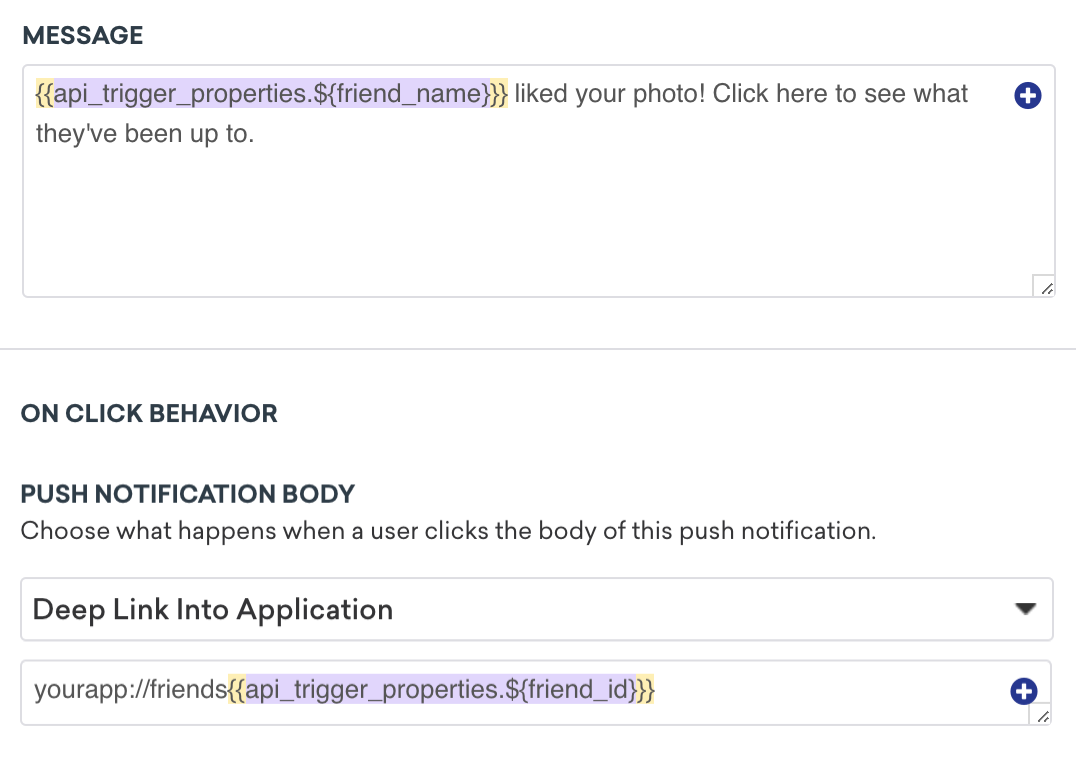
In addition to triggering the message, you can also include content with the API request to be templated into the message within the trigger_properties object. This content can be referenced in the body of the message.
Use exactly two curly braces per Liquid tag in trigger_properties and message copy. An example is: {{api_trigger_properties.${your_property}}}. An extra { or } is a common cause of API-triggered personalization failures.
See the following social notification example for additional context.
Re-eligibility with API-triggered campaigns
The number of times a user receives an API-triggered campaign can be limited using re-eligibility settings. This means the user receives the campaign only once or once in a given window, regardless of how many times the API trigger is fired.
For example, let’s say you’re using an API-triggered campaign to send the user a campaign about an item they recently viewed. In this case, you can limit the campaign to send a maximum of one message a day regardless of how many items they viewed while firing the API trigger for each item. If your API-triggered campaign is transactional, make sure that the user receives the campaign every time they do the transaction by setting the delay to zero minutes.
