Message Activity Log
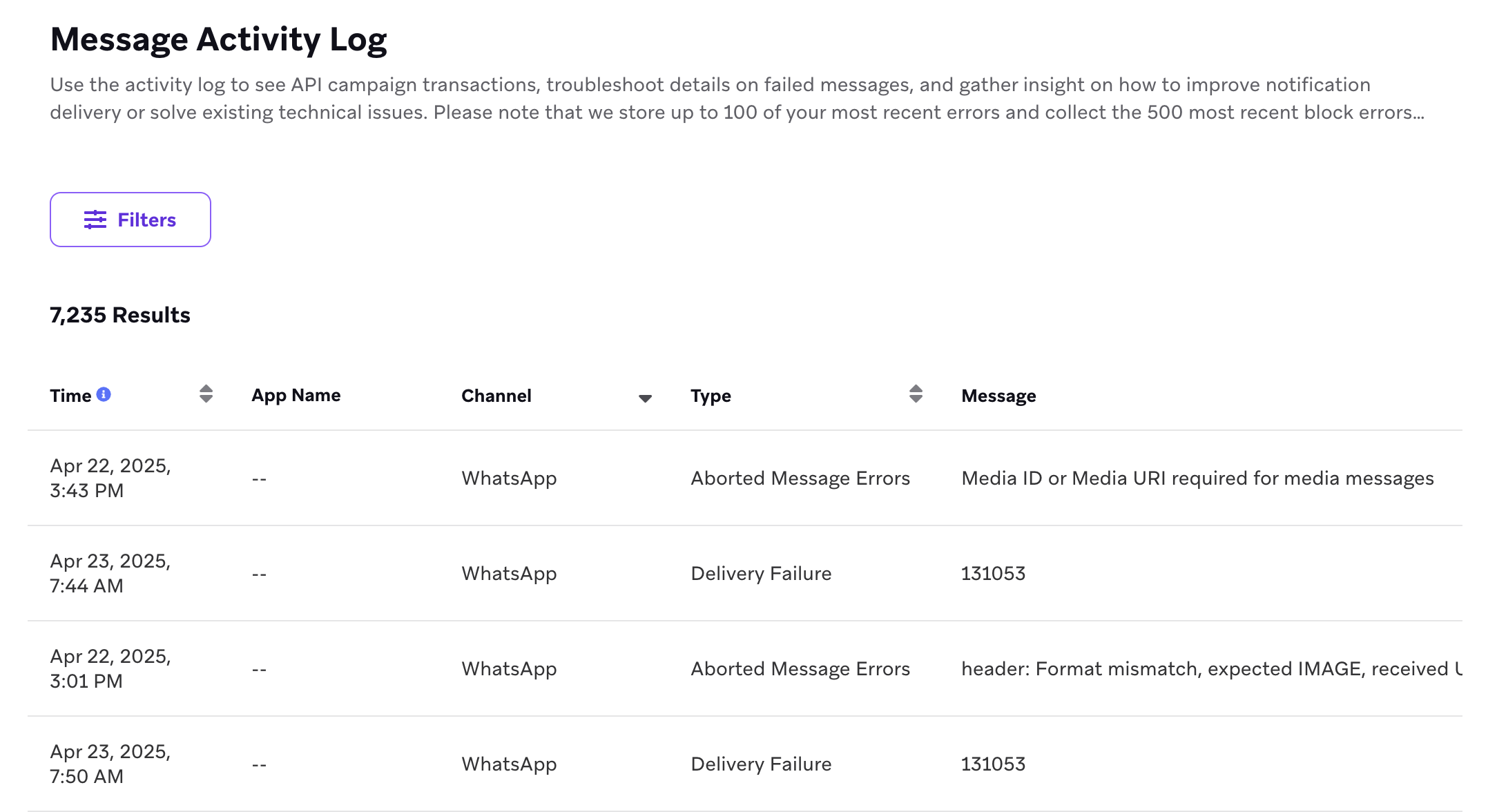
The Message Activity Log gives you the opportunity to see any messages (especially error messages) associated with your campaigns and sends.
You can see API campaign transactions, troubleshoot details on failed messages, and gather insight on how to improve notification delivery or solve existing technical issues.
To access the log, go to Settings > Setup and Testing > Message Activity Log.

In addition to this article, we also recommend checking out our Quality Assurance and Debugging Tools Braze Learning course, which covers how to use the Message Activity Log to conduct your own troubleshooting and debugging.
You can filter by the following content logged in the Message Activity Log:
- Push notification errors
- Aborted templated in-app message errors
- Webhook errors
- Mail errors
- API message records
- Connected Content errors
- REST API connected audience errors
- User aliasing errors
- A/B testing errors
- SMS/MMS errors
- WhatsApp errors
- Live Activity errors
- Bad user trigger errors
- Braze Agents daily invocation limit errors
- Braze Agents unavailable model errors
These messages can come from our own system, your apps or platforms, or our third-party partners. This can result in an infinite number of messages that can appear in this log.
Understanding log messages
To determine what your messages mean, pay attention to the wording of each message and the columns that correspond with it, as it can help you troubleshoot using context clues.
For example, Aborted Message Error entries can occur for many reasons, not only Liquid abort messages. Read the Message column for the specific reason:
- If the send was aborted by a Liquid
abort_messagetag, the Message column shows the exact Liquid snippet that was called, for example{% abort_message('Module count is less than or equal to 1') %} called. - For other abort reasons, the Message column explains why the send was aborted.
API campaign payloads
The Message Activity Log records different information depending on the type of API campaign. The /messages/send endpoint logs the message body (messages) in API message records, while the /campaigns/trigger/send endpoint does not log the request payload or api_trigger_properties in the Message Activity Log.
Common messages
There are some common message types you might see, and some might even provide troubleshooting links to help you diagnose and fix issues.
The following messages listed are for example purposes and may not exactly match what is displayed in your log’s Message column.
| Message Type | Potential Message | Description |
|---|---|---|
| Soft Bounce | The email address [email protected] soft bounced. | The email address was valid and the email message reached the recipient’s mail server, but was rejected for a “temporary” issue. Common soft bounce reasons include:
|
| Hard Bounce | The email account that you tried to reach does not exist. Try double-checking the recipient’s email address for typos or unnecessary spaces. | Your message never reached this person’s inbox because there was no inbox to reach. If you want to dig further in, messages like this can sometimes have links in the View Details column that allow you to view the intended recipient’s profile. |
| Block | Spam message is rejected because of anti-spam policy. | Your message got categorized as spam. This mail error is logged for a user if we’ve received an event from the ESP indicating the email was dropped. It might just be for that intended recipient, but if you’re seeing this message a lot, you might want to re-evaluate your send habits or the content of your message. Also, think back—did you warm up your IP? If not, contact Braze for advice on getting this going. |
| Aborted Message Error | {% abort_message('Module count is less than or equal to 1') %} called |
When a send is aborted by a Liquid abort_message tag, the Message column shows the exact Liquid snippet that was called. Other Aborted Message Error entries can have different messages that describe the abort reason. |
Why isn’t my message listed here?
The messages in the Message Activity Log can come from a variety of sources: Braze, your apps or platforms, or our third-party partners. This means there is an infinite number of messages that could possibly appear in this log—as you can imagine, we can’t list them all!
For example, some potential “Block” messages, in addition to the one listed in the preceding table, could be:
- Unfortunately, messages from [IP_ADDRESS] weren’t sent. Please contact your Internet Service provider since part of their network is on our block list.
- Message rejected due to local policy.
- The message was blocked by the receiver as spam.
- Service unavailable, Client host [IP_ADDRESS] blocked using Spamhaus.
Storage retention period
Errors from the last 60 hours are available in the Message Activity Logs. Logs that are more than 60 hours old are cleaned and no longer accessible.
Number of error logs stored
The number of saved logs is influenced by several conditions. For example, if a scheduled campaign is sent to thousands of users, we would potentially see a sample of the errors in the Message Activity Log instead of all errors. The following is an overview of conditions affecting how many logs are saved:
- Up to 20 error logs of the same error type are saved for the same campaign or Canvas step within one fixed clock hour for the following error types:
- Connected Content errors
- Abort Message errors
- Webhook errors
- SMS Rejection errors
- SMS Delivery Failure errors
- WhatsApp Failure errors
- A/B Testing errors
- Up to 20 push notification error logs of the same error type are saved for the same campaign or Canvas step and app combination for the following error types:
- Invalid Push Credential
- Invalid Push Token
- No Push Credential
- Token Errors
- Quota Exceeded
- Retries Timed Out
- Invalid Payload
- Unexpected Error
- Up to 100 error logs of the same error type are saved for the same app within one fixed clock hour for the following error types:
- Live Activity error (No push credential)
- Live Activity error (Invalid push credential)
- Other Live Activity errors
- APNS Feedback Removed Token errors
- Up to 100 error logs of the same error type are saved for the same campaign or Canvas step within one fixed clock hour for the following error types:
- Email Soft Bounce errors
- Email Hard Bounce errors
- Email Block errors
- Up to 100 user aliasing error logs are saved for the same workspace within one fixed clock hour.
Test sends
The Message Activity Log shows test logs for these messaging channels:
- SMS
- LINE
- KakaoTalk
- Webhook
Test send logs are not available for the following channels: email, Content Cards, in-app messages, and push.
Test send logs are prefixed with “[TEST SEND]”, but it’s not guaranteed that all test send logs have the prefix (for example, Connected Content errors don’t have the prefix).