CSS inlining
CSS inlining is a form of email preprocessing that moves styles in a CSS style sheet into the body of an HTML email. The term “inlining” refers to the fact that styles are applied “inline” to individual HTML elements.
For some email clients, CSS inlining can improve the way that emails render and help confirm that your emails look the way you expect. If you already have a majority of the CSS inlined or are confident that your HTML and CSS are compatible with the requirements of most mail clients, it may not be necessary to turn on this feature. It may cause dynamically embedded styles to conflict with your existing inline styles and may alter your expected preview and email rendering.
Using CSS inlining
You can control whether CSS inlining is turned on or off for any email message using the Enable inline CSS toggle in the Sending Info tab of the HTML editor.
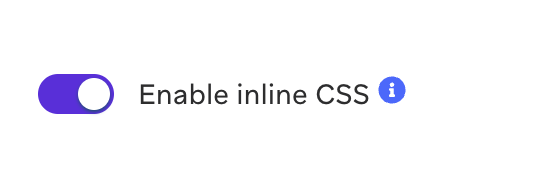
Default inlining state
You can set a default on or off state globally from Settings > Email Preferences. Locate the setting for CSS Inlining. This setting determines the desired default value that all new email messages start with. Note that changing this setting will not affect any of your existing email messages. You can also override this default at any time while composing email messages.

Connected Content and CSS inlining
CSS inlining runs before Connected Content is evaluated. HTML returned from Connected Content is not passed through the same inlining step. Put styles you need from Connected Content directly in the response (inline style attributes or embedded rules), or disable inlining for the message if that better matches your template.
Content Blocks in custom HTML templates
When you pull in a Content Block with Liquid inside a custom HTML email template or campaign, CSS rules in the parent template can override styles defined inside the Content Block. Check for conflicting selectors or global rules in the template wrapper.
Gmail CSS limitations
Gmail has specific CSS limitations that may cause emails to display in desktop view instead of mobile view in the Gmail app. This can occur due to the following reasons:
- Too much CSS: If your email contains excessive CSS, Gmail may remove the entire style block.
- Incompatible CSS: Any CSS that is incompatible with Gmail (including valid CSS that Gmail doesn’t support) can cause the style block to be removed.
- Non-Gmail accounts in Gmail app: CSS in the
<head>is not supported.
Media queries in Gmail
CSS media queries generally work in Gmail apps, but there are limitations. If you’re experiencing issues with media queries not working correctly in Gmail:
- Review Gmail’s supported CSS reference to ensure your CSS is compatible.
- Check Gmail CSS design guidelines for best practices.
- Consider mobile-first responsive design patterns that don’t rely solely on media queries for mobile rendering.