Migrate a WhatsApp phone number
Migrate your WhatsApp phone number between WhatsApp Business Accounts by using Meta’s Embedded Signup.
Prerequisites
Your phone number must meet Meta’s requirements to be eligible for migration:
- Your Meta Business Account is verified.
- Your existing WhatsApp Business Account is approved.
- Your existing WhatsApp Business Account has a valid payment method in Payment Settings.
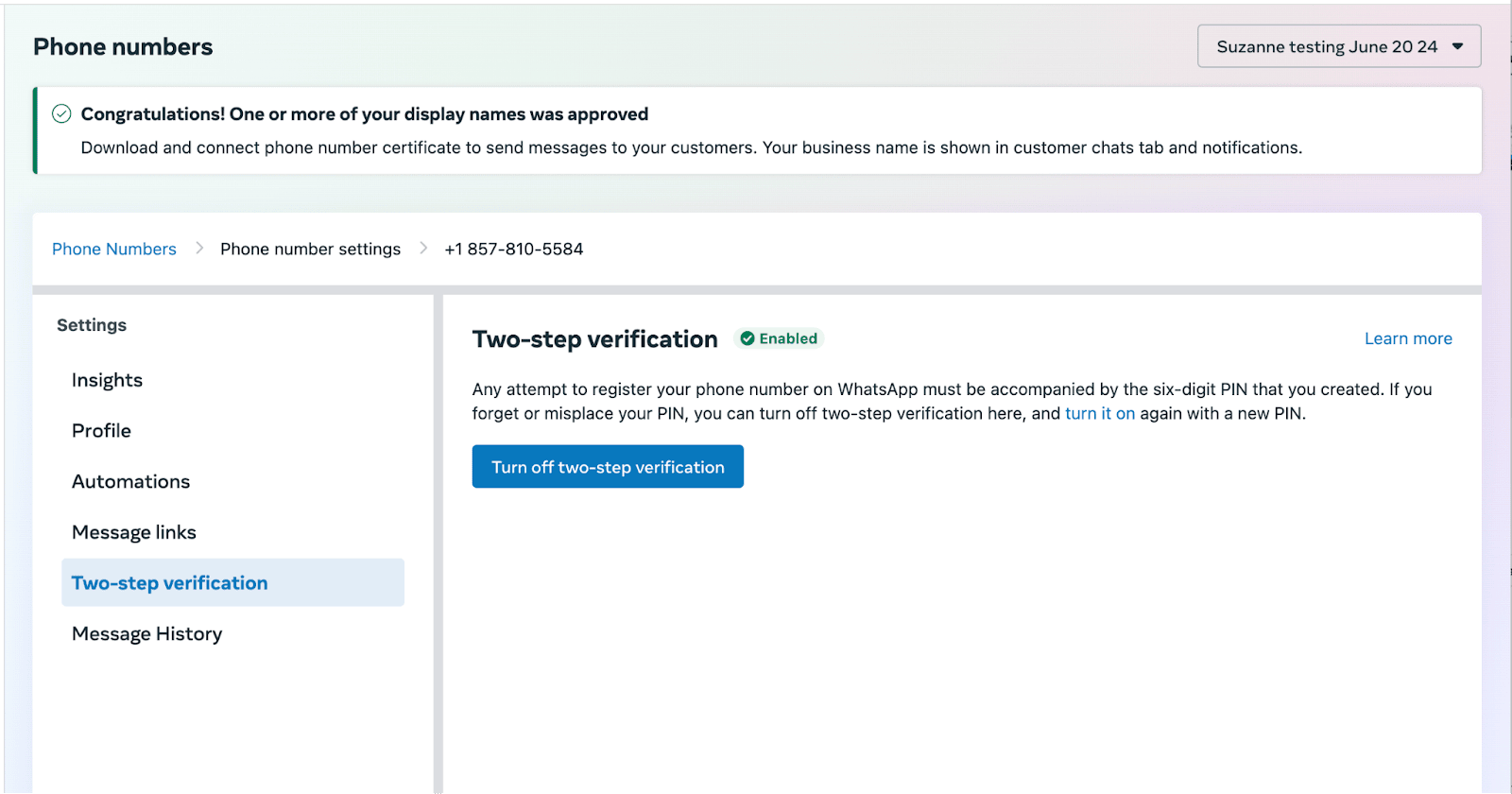
- Your business phone number has two-step verification turned off. If you own your WhatsApp Business Account, you can turn off two-step verification on their number in the WhatsApp Manager. Otherwise, you must ask your Solution Provider to turn it off for you.
For information on migrating your WhatsApp phone number, see Meta’s documentation for Migrating phone numbers between WhatsApp Business Accounts via Embedded Signup.
Migrate between WhatsApp Business Accounts
- In the WhatsApp Manager, select the WhatsApp Business Account (WABA) associated with your phone number, then go to Account tools > Phone numbers.
- Select Turn off two-step verification and complete the steps that follow.
If you’re migrating a phone number to a different WhatsApp Business Group and Meta’s embedded signup requires the display name to match, take note of the existing display name on the Phone Numbers page. You’ll enter that name during the next step.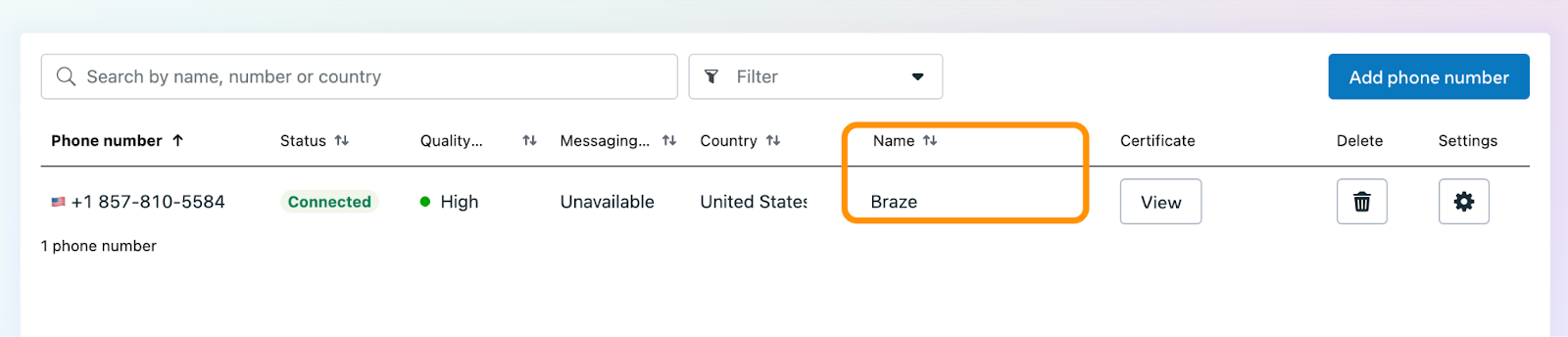
- Continue Meta’s embedded signup workflow to completion.
Migrate from another Business Solution Provider (BSP)
If your WhatsApp phone number is registered with another BSP, you must migrate the number to a Braze-connected WhatsApp Business Account before Braze can send on that number.
Before you migrate
- Know that a phone number can be active on one BSP at a time. Migrating moves sending to Braze; your prior BSP loses access to the number.
- Review contracts and billing with your current provider. Message history and templates may not transfer automatically.
- Turn off two-step verification on the number per Meta’s requirements.
- If you need separate support and marketing numbers, see Integrations, data, and reporting in the WhatsApp FAQ.
Migration paths
| Current setup | Recommended path |
|---|---|
| Number on another BSP, moving fully to Braze | Migrate through embedded signup into a new or existing Braze WABA |
| Number on Braze native integration, moving to Infobip billing | BYO WhatsApp connector (Infobip only) |
| Marketing on Braze, support on another WABA | Keep separate WABAs and phone numbers; see the WhatsApp FAQ and WhatsApp and external systems |
Development and production workspaces
Braze recommends separate WhatsApp Business Accounts for development and production when possible:
- Don’t bind your production phone number to a sandbox or development workspace.
- Use a dedicated test WABA and phone number for integration testing.
- Template approvals apply per WABA; approve templates in the WABA tied to the workspace where you send.
New Stuff!