Get started with Decisioning Studio Pro
Section articles


Additional resources


BrazeAI Decisioning Studio™ Pro allows you to design and deploy decisioning agents that optimize any business metric. Each decision follows a loop: the agent chooses an action, Braze sends it, and engagement comes back for the next decision.
This reference gives an overview of the steps involved in setting up Decisioning Studio Pro, including designing your agent, configuring and connecting data sources, setting up orchestration, and evaluating performance.
Key design decisions
Work with the AI Decisioning Services team to make the following decisions:
| Decision | Description | Examples |
|---|---|---|
| Success metric | The business outcome the agent maximizes when personalizing customer engagement. | Revenue, LTV, ARPU, conversions, retention |
| Audience | The customers for whom the Decisioning Studio Pro agent makes engagement decisions. | All customers, loyalty members, at-risk subscribers |
| Experiment groups | How should Decisioning Studio Pro’s randomized controlled trials be structured? | Decisioning Studio Pro, Random Control, BAU, Holdout |
| Dimensions | The engagement decisions the agent personalizes for each customer. | Time of day, subject line, frequency, offers, channel |
| Options | The specific variants the agent can select within each dimension. | Specific templates, offers, time windows |
| Constraints | The business rules and limits that restrict agent decisions. | Geographic restrictions, budget limits, eligibility rules |
Each of these decisions has implications for how much incremental uplift the agent may be able to generate, and how quickly. The AI Decisioning Services team works with you to design an agent that generates maximum value while respecting all of your business rules.
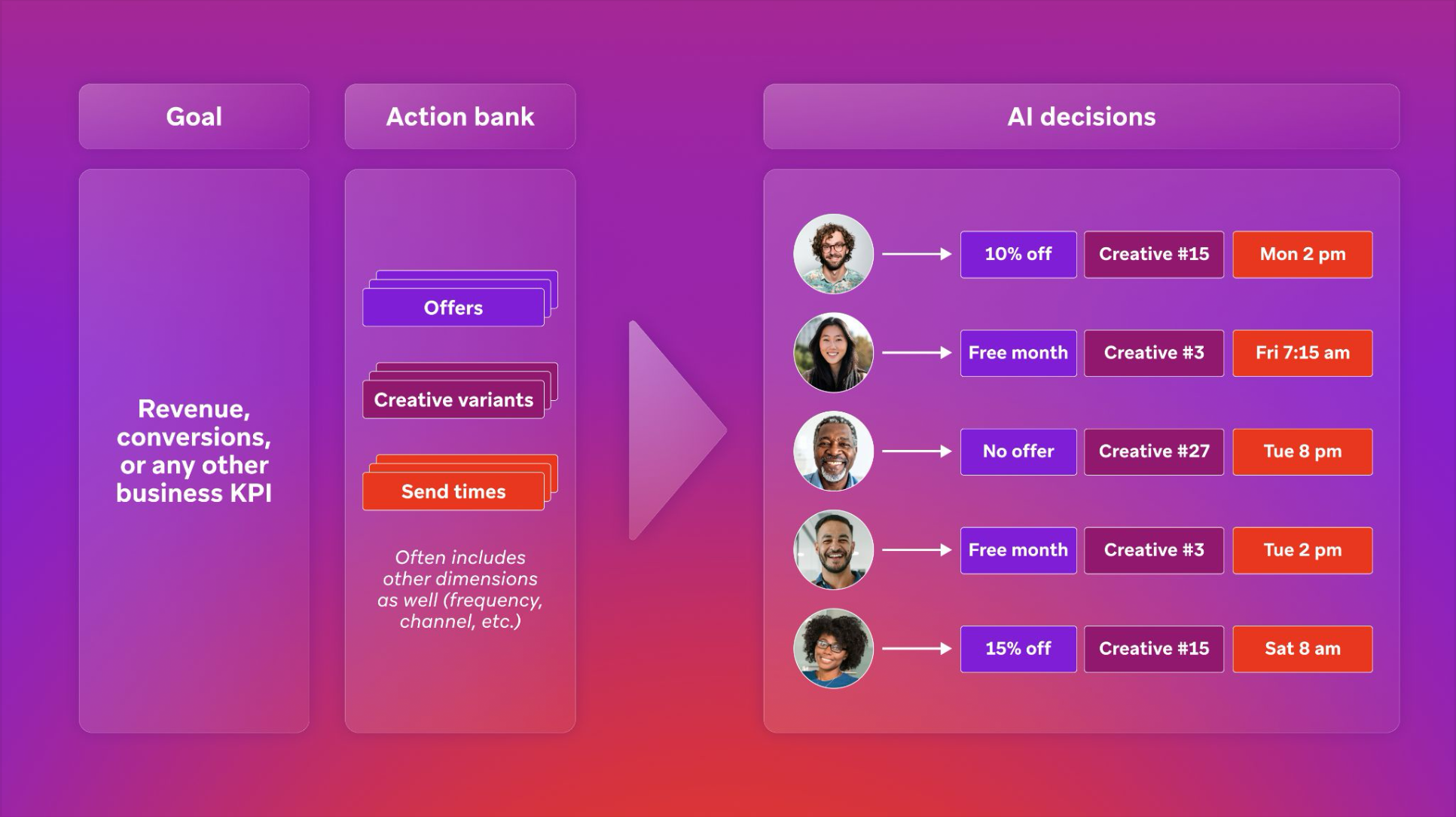
Decisioning Studio Pro capabilities
| Capability | Details |
|---|---|
| Any success metric | Optimize for revenue, conversions, ARPU, LTV, or any business KPI |
| Unlimited dimensions | Personalize across offer, channel, timing, frequency, creative, and more |
| Any CEP | Native integrations with Braze, Salesforce Marketing Cloud, or custom integrations for any platform |
| AI Decisioning Services | Dedicated support from the AI Decisioning Services team |
| Advanced experiment design | Fully customizable treatment groups and holdouts |
Best practices
A few best practices for designing Decisioning Studio Pro agents:
- Maximize data richness: The more information agents have about your customers, the better they perform.
- Diversify actions: The more diverse the set of actions the agent can take, the more it can personalize its strategy for each user.
- Minimize constraints: The fewer constraints on your agents, the better. Constraints should be designed to respect business rules while freeing agent-led experimentation as much as possible.
Message activation flow
A base Decisioning Studio Pro use case follows this flow. Change parts of this flow for a specific use case.
- Decisioning Studio Pro ingests the customer profiles, events, and attributes you already have in Braze.
- You define every creative variant the use case can test in an action bank.
- Decisioning Studio Pro uses what it knows about each customer to choose a message for that customer on a given day.
- Decisioning Studio Pro sends the selected message content to Braze in an API payload.
- Braze fills your message setup with that content through an API-triggered Canvas or campaign.
- You add pre-send or post-send logic on the Canvas or campaign, such as abort logic or webhooks.
- Braze sends the message on the selected channel when the API trigger arrives.
Engagement outcomes return to Decisioning Studio Pro through a connected daily data feed, and the loop continues.
The AI Decisioning Services team provides design guidance. Your team owns the technical implementation: connecting Decisioning Studio Pro output to Braze workflows and verifying the setup runs as expected. Some teams use a third-party implementation partner for that work.
Braze setup choices
Work with your AI Decisioning Services team during use-case design to choose the configuration for the use case.
Message architecture
Use one API-triggered Canvas that branches by channel and template, or use a separate API-triggered campaign for each combination of channel and template. A use case uses one of these architectures. To compare them, see Choose an API-triggered campaign or Canvas.
Segment structure
Segments do two jobs in a Decisioning Studio Pro use case. They define the eligible audience, and they control message suppression for experiment cohorts. A use case uses several segments. To learn more, see Identify eligible audiences and experiment cohorts.
Variant management
Choose how to serve different channels and message layouts. Teams do this with Liquid if/else logic in the message HTML, or with Audience Paths in a Canvas. For channel routing, see Manage multi-channel scenarios. The options the agent can choose are defined in the action bank.
Languages
Choose where language-specific content lives. See Manage multi-language scenarios.
After these choices, adapt your existing message HTML to that design.