Retarget users through a landing page
Learn how to retarget users who’ve submitted a form through a landing page by creating a dedicated segment or triggering a message when the form is submitted.
Prerequisites
Before you start, create a landing page.
Retargeting users
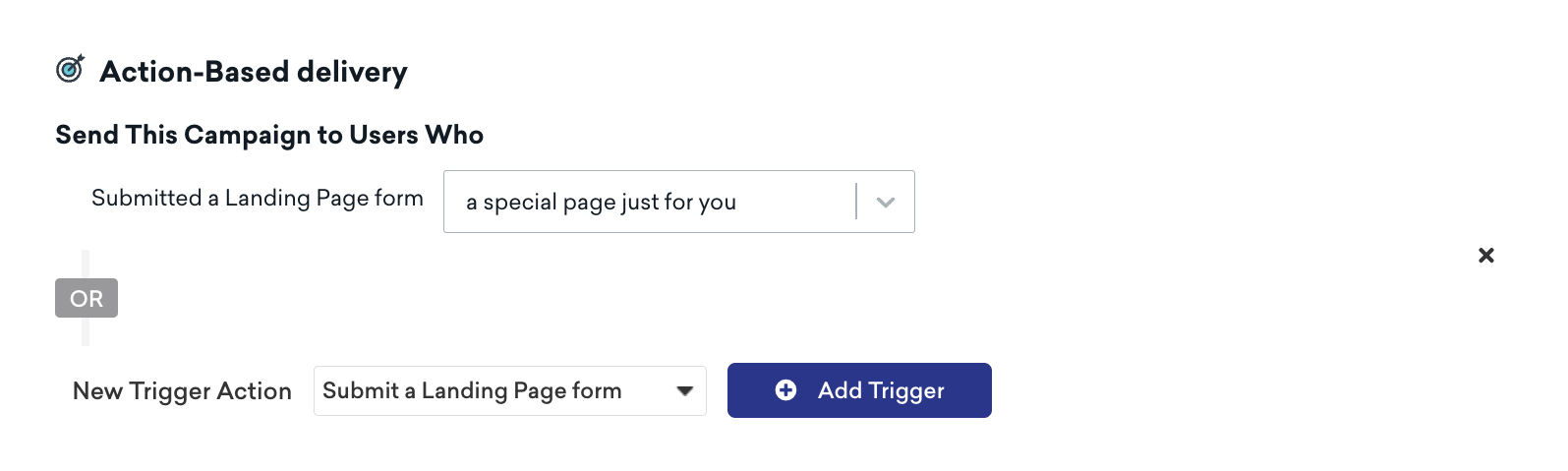
Braze automatically tracks when a user submits a landing page form. You can view the total number of submissions for a form under landing page analytics. For user-specific retargeting, retarget users through your landing page form using one of the following methods:
Create a new segment to automatically identify users who have or haven’t submitted a landing page form. When you create a segment, under “Retargeting” group, choose Submitted Form on Landing Page.
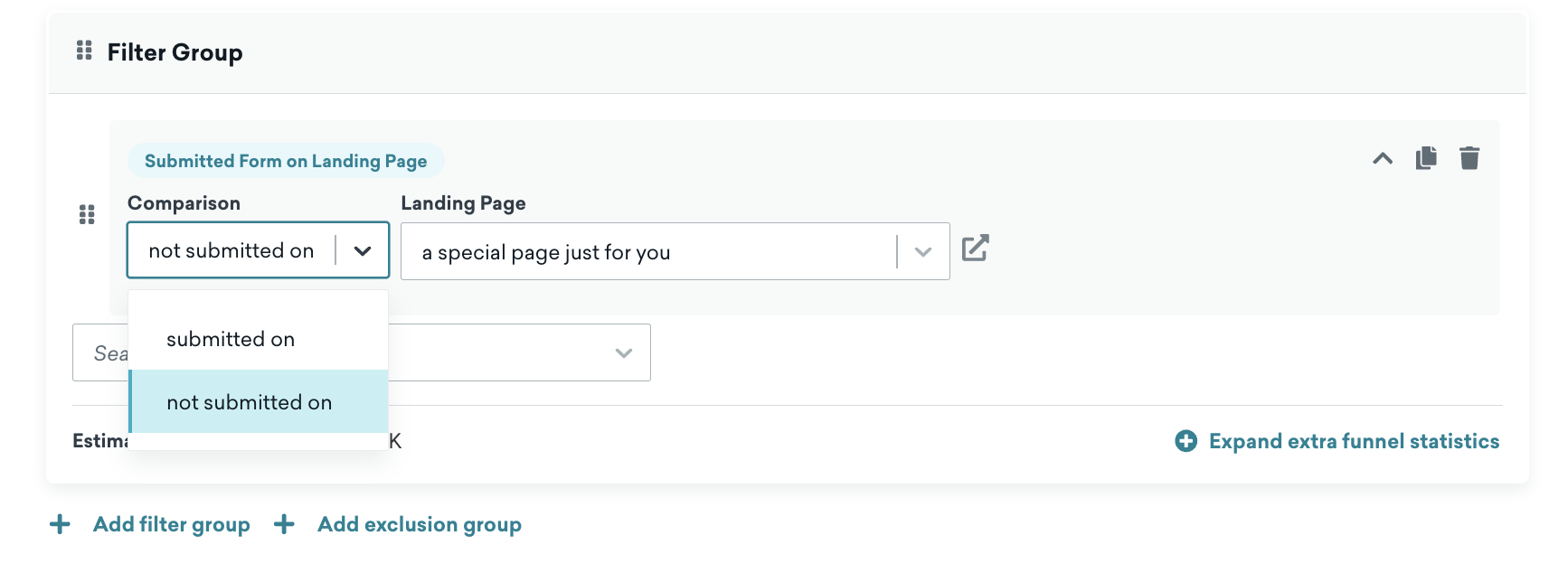
From here, you can segment users based on whether they have or haven’t submitted a landing page form for your landing page.

Multi-step form
For a multi-step form, both retargeting methods rely on the Submitted a Landing Page form event, which only logs after a user completes every step. A user who submits some but not all steps is saved to their profile but isn’t included in either method until they complete the entire form. For more information, see Track data from partially completed forms.