Idle campaigns and Canvases
Campaigns and Canvases become idle when they stop sending messages or entering users for a defined period.
Braze auto-stops idle campaigns and Canvases on their associated stop dates. They stay active until Braze stops them. One-time sends and messaging with end dates become idle when that date passes, then auto-stop after seven days. Messaging without an end date becomes idle after 11 months without activity and auto-stops after one year.
Idle campaigns
Braze stops idle campaigns that meet any of these criteria:
- A scheduled one-time send is past its send date by seven days
- A scheduled or action-based campaign with an end date is past its end date by seven days
- A campaign without an end date hasn’t sent a message, enrolled a user in a control group, or been edited in one year
For campaigns without end dates, a send, control-group enrollment, or edit resets the one-year countdown. When Braze stops campaigns, it notifies company users in the dashboard and by email.
Braze stops campaigns at the later of the default stop date and one day after the last conversion deadline. Sends from a Winning or Personalized Variant are treated as scheduled sends, and Braze stops them seven days after that variant sends. Campaigns stop at 4 am UTC each day.
Content Cards aren’t stopped until their expiration deadline, and they also follow the idle campaign stop criteria and the conversion deadline rule. For details, see How does stopping Content Cards work?.
Use this table to keep an idle campaign active. Idle status and auto-stop use different windows: a campaign without an end date becomes idle after 11 months without activity, and Braze auto-stops it after one year.
| Reason for idle status | Steps to make the campaign active |
|---|---|
| Scheduled one-time send is past the send date | Schedule a future send |
| Scheduled or action-based campaign has an end date that has passed | Extend the end date |
| Campaign without an end date hasn’t sent a message, enrolled a user in a control group, or been edited in 11 months | Send a message or edit the campaign |
Feature flag campaigns and feature flag experiments don’t become idle and aren’t auto-stopped.
In-app message campaigns
Action-based in-app message campaigns become idle after up to 30 days with no sends, control-group enrollment, or edits. This idle window may be shorter depending on your workspace. An idle in-app message campaign continues to deliver based on its configuration. Depending on your workspace, Braze may deliver it as a templated in-app message.
A send, control-group enrollment, or edit returns the campaign to active status and resets the idle window. Auto-stop still follows the seven-day and one-year rules in Idle campaigns, not the in-app message idle window.
Idle Canvases
Braze stops idle Canvases that meet any of these criteria:
- A scheduled one-time send is past its send date and maximum duration by more than seven days
- A scheduled or action-based Canvas with an end date is past its end date and maximum duration by more than seven days
- A Canvas without an end date hasn’t entered users or been edited in more than 12 months plus its maximum duration
For Canvases without end dates, a user entry or edit resets the one-year countdown. When Braze stops Canvases, it notifies company users in the dashboard and by email.
The maximum duration of a Canvas is the longest possible time a user can take to complete that Canvas. This duration includes expirations for Content Cards and in-app messages. If your Canvas contains any rate-limited steps, Braze adds an extra seven days to the maximum duration to allow for potential rate limit queuing.
Use this table to keep an idle Canvas active. Idle status and auto-stop use different windows: a Canvas without an end date becomes idle after 11 months plus its maximum duration without activity, and Braze auto-stops it after 12 months plus its maximum duration.
| Reason for idle status | Steps to make the Canvas active |
|---|---|
| Scheduled one-time send is past the send date and maximum duration | Schedule a future send |
| Scheduled or action-based Canvas has an end date and maximum duration that have passed | Extend the end date |
| Canvas without an end date hasn’t entered users or been edited in 11 months plus its maximum duration | Enter a user or edit the Canvas |
Canvases with feature flag steps don’t become idle and aren’t auto-stopped.
For messaging interaction data on stopped campaigns and Canvases, see About messaging interaction data availability.
Frequently asked questions
What campaigns or Canvases does this apply to?
This applies to campaigns and Canvases that already meet the criteria in this article, and to those that meet the criteria later.
How do I know if a campaign or Canvas is idle?
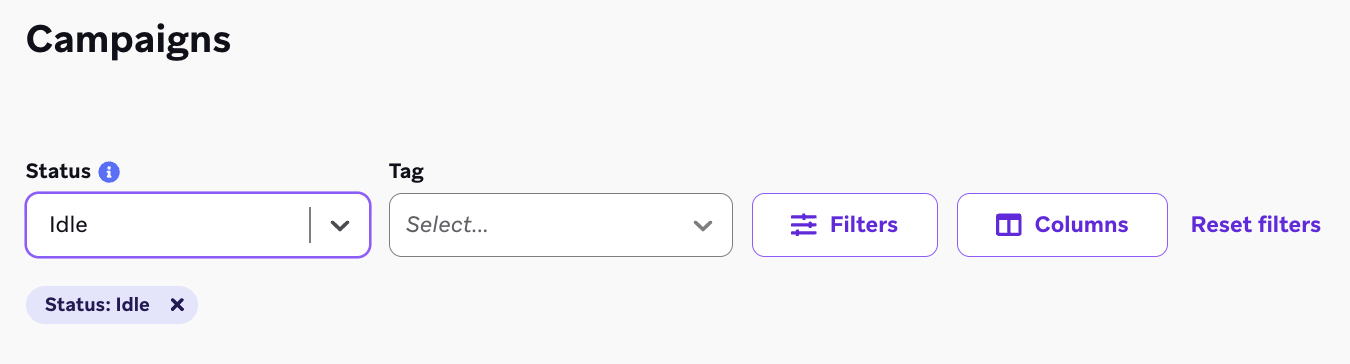
To find idle campaigns and Canvases, go to the Campaigns or Canvas page and filter by Idle. The date Braze stops the campaign or Canvas is listed as a column in the list.
What happens if an idle campaign or Canvas is updated?
If you update a campaign that hasn’t sent a message or a Canvas that hasn’t entered users, the countdown resets.
What happens to campaigns that haven’t sent a message in one year (or Canvases that haven’t entered users in one year), but have an end date in the future?
Braze stops these campaigns and Canvases seven days after the end date at 4 am UTC.
Can I prevent campaigns from auto-stopping?
No. Auto-stopping keeps only the necessary campaigns active, which reduces dashboard clutter and improves performance. If you need a list of all auto-stopped campaigns, submit a support ticket.
Who receives email notifications about stopped campaigns and Canvases?
By default, all users with administrator permissions are opted into email notifications about auto-stopped campaigns and Canvases. The creator of the campaign or Canvas is always notified when it is stopped. To manage recipients, go to Settings > Admin Settings > Notification Preferences, then add or remove recipients from Campaign Automatically Stopped and Canvas Automatically Stopped.
How does stopping Content Cards work?
Content Cards in campaigns aren’t stopped until their expiration deadline and the appropriate buffer period. Braze stops them at the later of the buffer period (one-time send, end date, or no end date) and the expiration deadline.
For example, if a Content Card expires on April 1, is a one-time send, and has a conversion deadline of 10 days, Braze stops it on April 12 (10 days after the conversion deadline, plus one day). If a Content Card expires on April 1, is API-triggered, and hasn’t sent messages since March 15, it expires on March 15 of the following year.
Canvases stop only after their Content Cards stop, meaning their maximum duration has passed.
I have a feature flag experiment in my Canvas. After my feature flag is set, does the Canvas remain active?
Yes. Canvases with feature flag steps aren’t auto-stopped and don’t become idle. Feature flag campaigns and feature flag experiments follow the same exception.
Why do idle campaigns appear when I filter the campaign list to active only?
Idle campaigns are considered active until they’re stopped.
Is a campaign idle if it’s still sending push notifications?
No. A campaign is listed as idle when it’s no longer actively sending messages.