Credits Usage dashboard
The Credits Usage dashboard provides self-service insights into your credit usage for a comprehensive view of historical and current usage compared against contract allotments. These insights can reduce your confusion and help you make adjustments to prevent overage risks.
The Credits Usage dashboard is divided into two sections:
Access the dashboard by going to Settings > Billing > Credits Usage.
Credits usage overview
Message credit usage overview provides an overview of usage across all channels that use credits. You can see how you’re pacing against your overall credit allotment, and find details about your active contract and your contract period.
This page displays if you’re on a credits contract. The channels that use credits are shown in Credits usage.

If you purchased WhatsApp but aren’t on a credits contract, you’ll still see credit consumption for WhatsApp because that’s how legacy WhatsApp contracts are billed. This differs from legacy SMS, which only consumes credits when you’re on a credits contract.
Credits usage overview data is limited to the contract period, which is displayed in the Credits contract overview. You can’t filter on a date range outside of the Credits period.
Credits usage over contract
The Message credits usage over contract graph shows your usage over the selected period of time. The granularity of this chart depends on your selected time frame. View export options by selecting the menu in the chart menu.
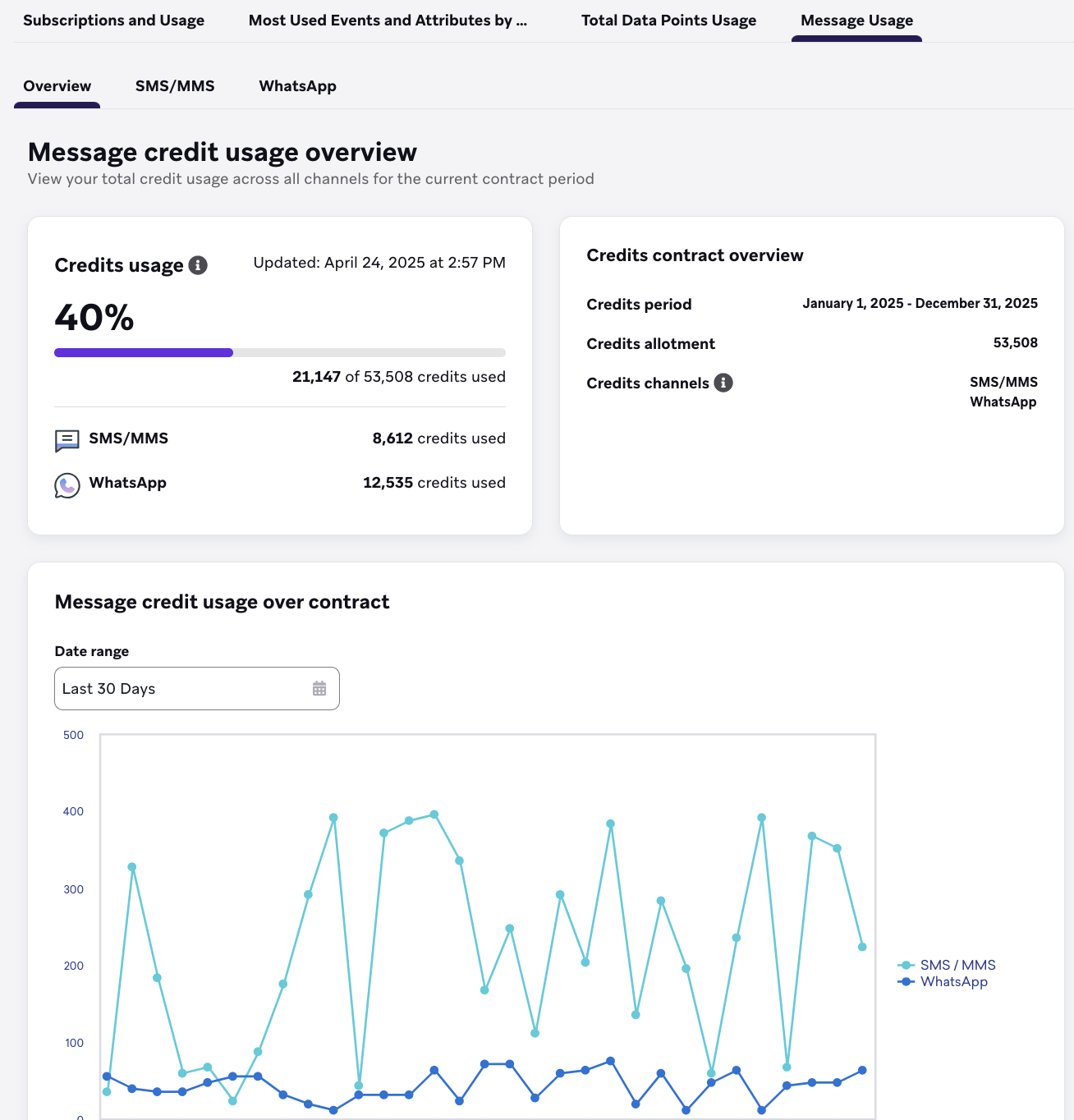
Overview tab
The Overview Usage tab shows credit usage across channels that are applicable to your company. For example, if you don’t have WhatsApp, its tab won’t appear.
Usage by campaign and Canvas
When Usage by campaign / Canvas is enabled for your account, the Overview tab shows a table that ranks campaigns and Canvases by credit-related volume (for example, sends or impressions) for your selected date range. The section appears only after you choose a date range; empty results still show the table when the feature is on.
This section also appears with channel-specific breakdowns on tabs for Email, Banners, Content Cards, Webhooks, LINE, and SMS/MMS/RCS. Metrics reflect usage volumes, not a separate credit estimate per row.
Usage alerts
On the Overview tab, a banner alert appears when usage is at or above 90% of your credit allotment for the selected period.
When message credit usage alerts are enabled for your company, Braze also emails users with View Billing Details after total Action Credit consumption newly crosses 50%, 75%, 90%, or 100% of your allotment for the current credits period (at most one email per threshold per period).
For rollout, recipients, and FAQs, see Usage alerts.
Credits features
Refer to the following tabs for details on what is shown for each feature that consumes credits.
Credit Ratios
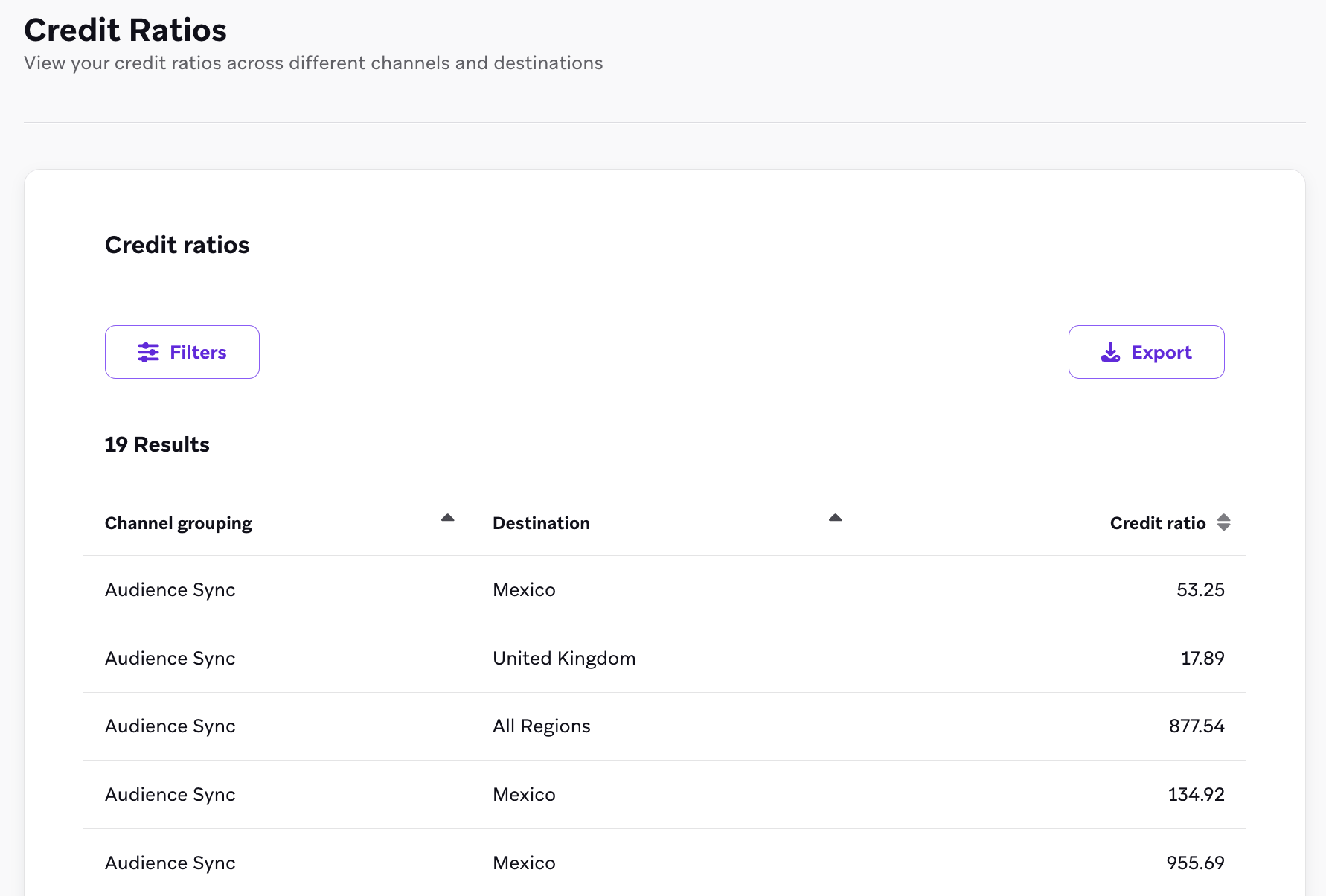
Credit Ratios shows credit ratios across different channels and destinations. There are no summary tiles and no Date range control on this page. The Credit ratios table includes Channel grouping, Destination, and Credit ratio.
Filters
You can filter your data by:
- Channel grouping
- Destination
Use Export to download the table data.
Banners
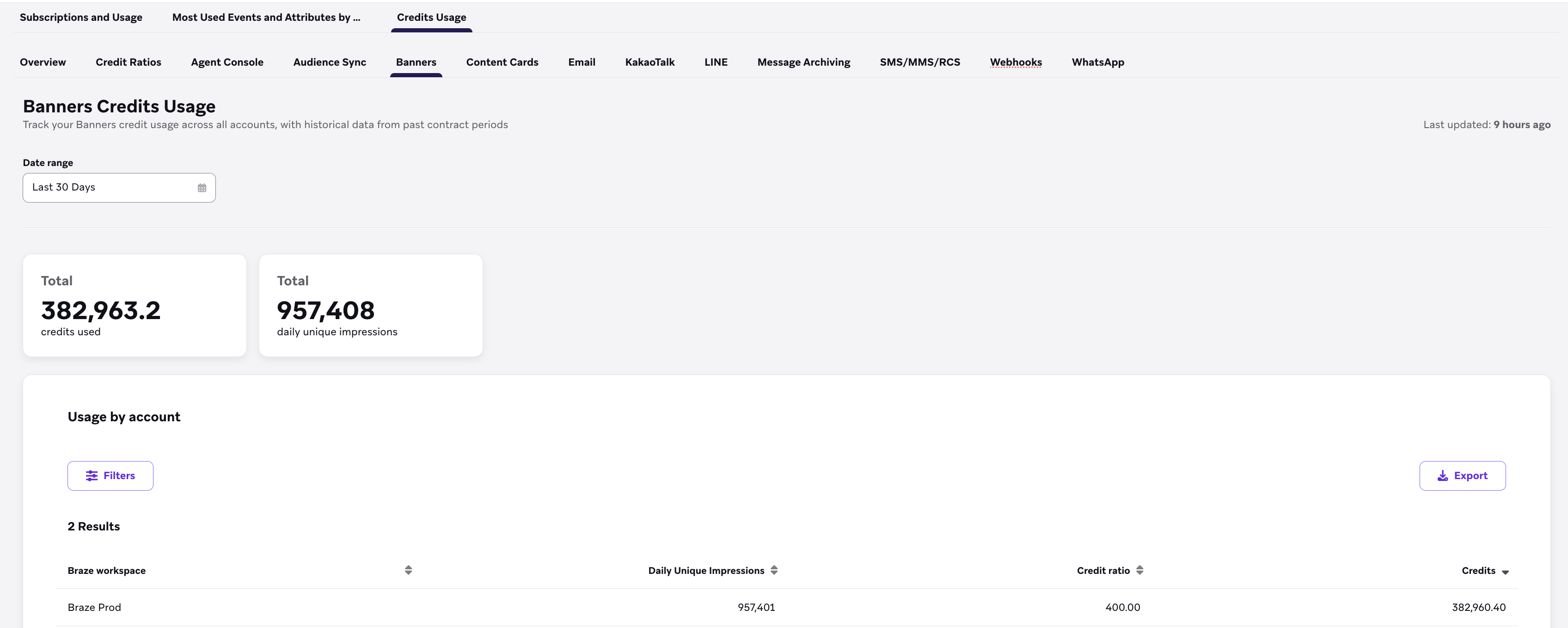
Banners Credits Usage shows Banners credit usage across all accounts. Tiles show total credits consumed and total daily unique impressions. The Usage by account table includes Braze workspace, Daily unique impressions, Credit ratio, and Credits. When data is available, Last updated shows when the table was refreshed.
Filters
You can filter your data by:
- Date range (defaults to the last 30 days)
- Braze workspace
Use Export to download the table data.
Content Cards
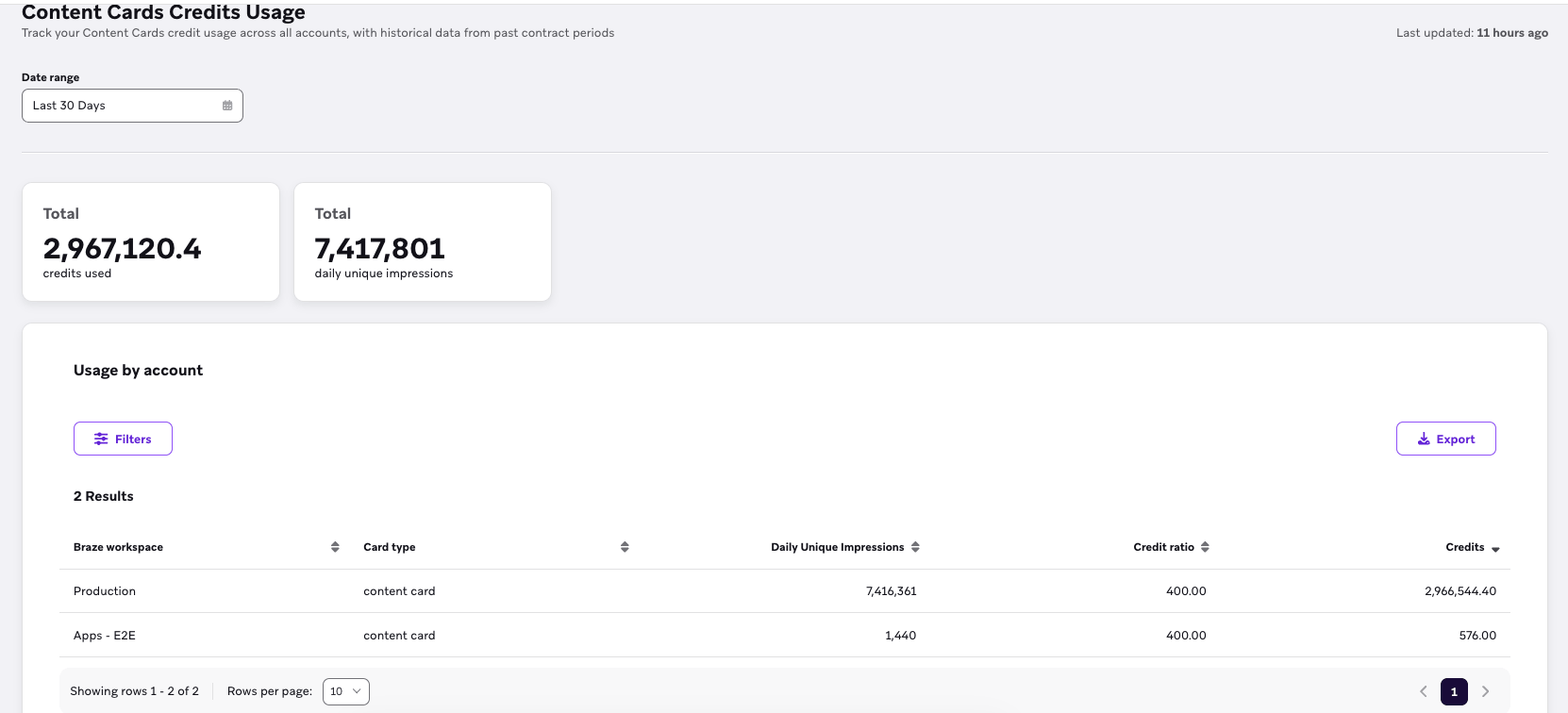
Content Cards Credits Usage shows Content Cards credit usage across all accounts. Tiles show total credits consumed and total daily unique impressions. The Usage by account table includes Braze workspace, Card type, Daily Unique Impressions, Credit ratio, and Credits. When data is available, Last updated shows when the table was refreshed.
Filters
You can filter your data by:
- Date range (defaults to the last 30 days)
- Braze workspace
- Card type
Use Export to download the table data.
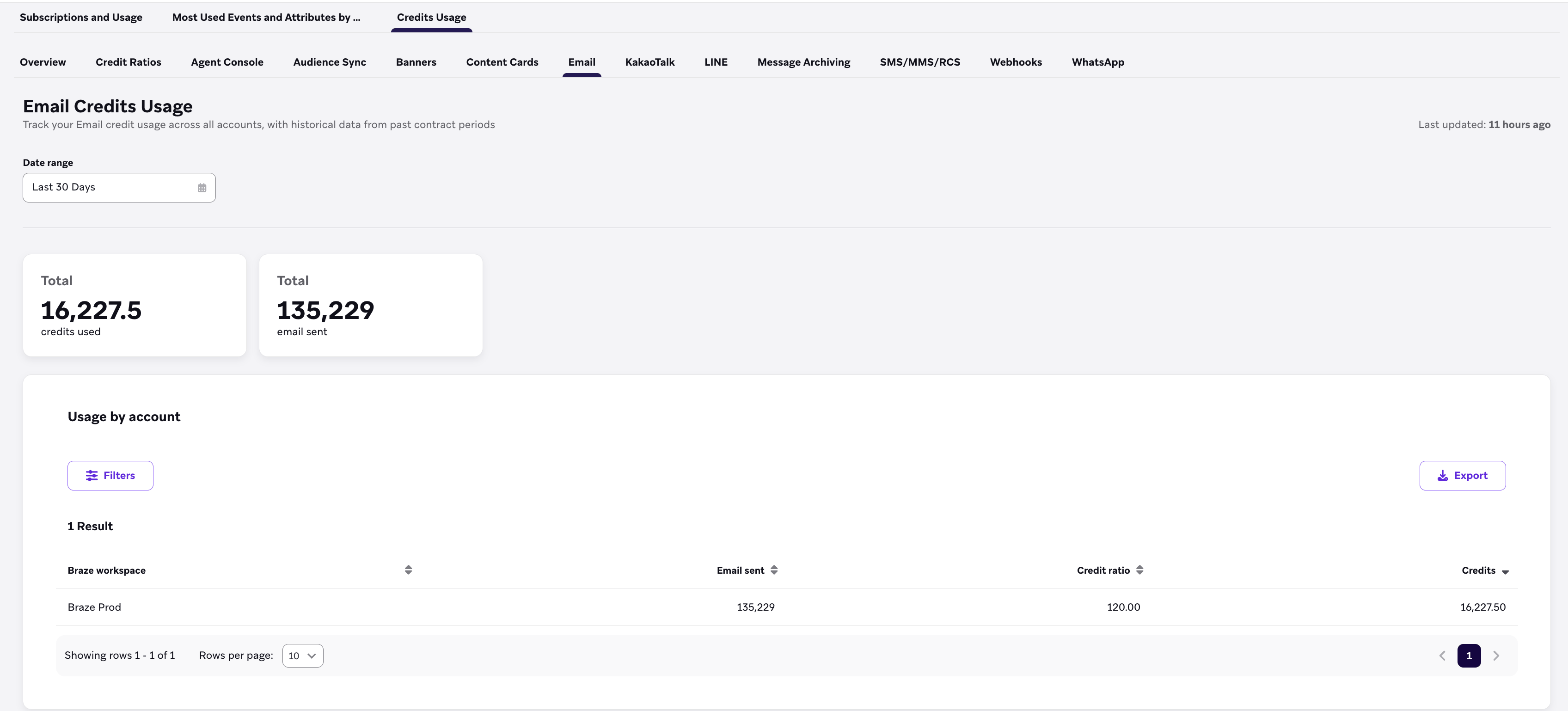
Email Credits Usage shows Email credit usage across all accounts. Tiles show total credits consumed and total email sent. The Usage by account table includes Braze workspace, Email sent, Credit ratio, and Credits. When data is available, Last updated shows when the table was refreshed.
Filters
You can filter your data by:
- Date range (defaults to the last 30 days)
- Braze workspace
Use Export to download the table data.
KakaoTalk
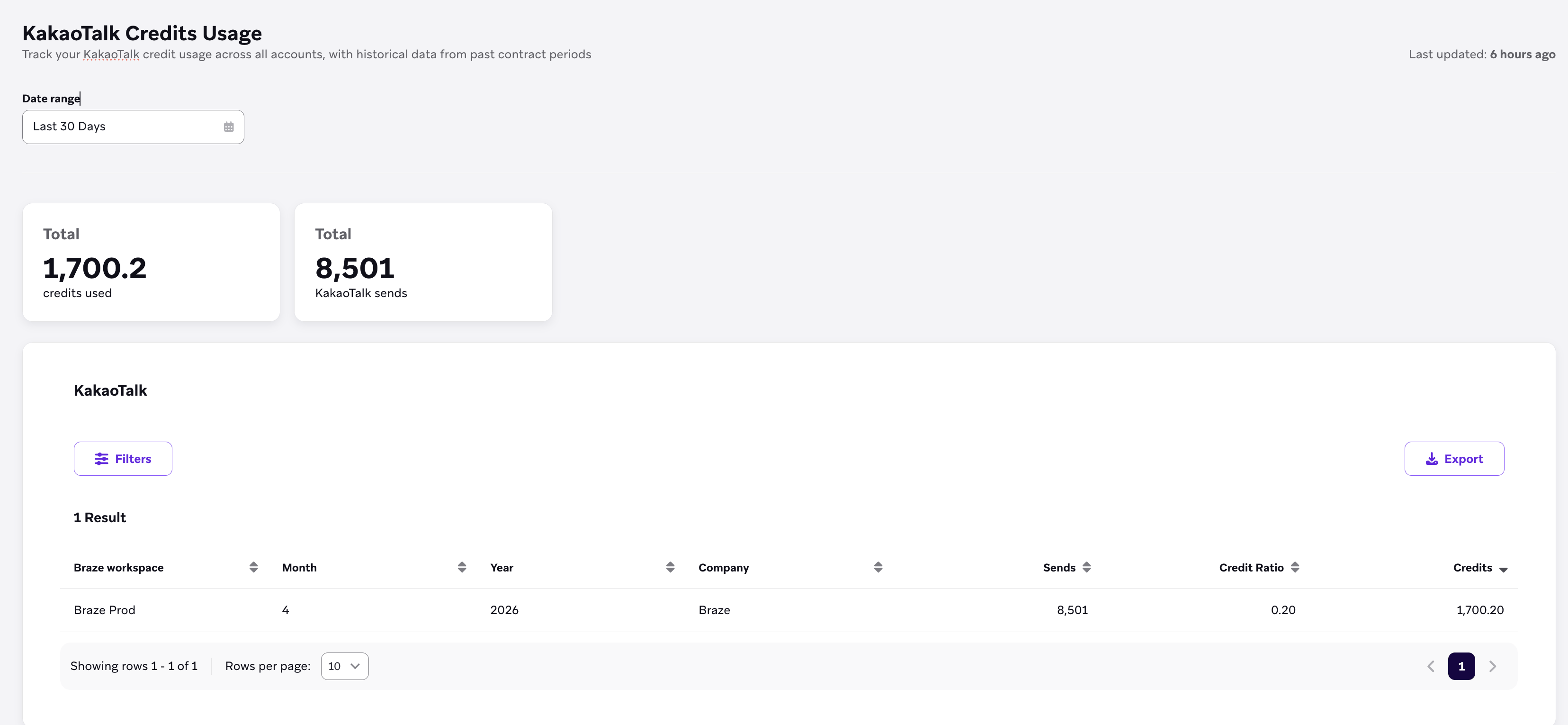
KakaoTalk Credits Usage shows KakaoTalk credit usage across all accounts. Tiles show total credits consumed and total KakaoTalk sends. The KakaoTalk section table includes Braze workspace, Month, Year, Company, Sends, Credit Ratio, and Credits. When data is available, Last updated shows when the table was refreshed.
Filters
You can filter your data by:
- Date range (defaults to the last 30 days)
- Braze workspace
- Month
- Year
- Company
Use Export to download the table data.
LINE
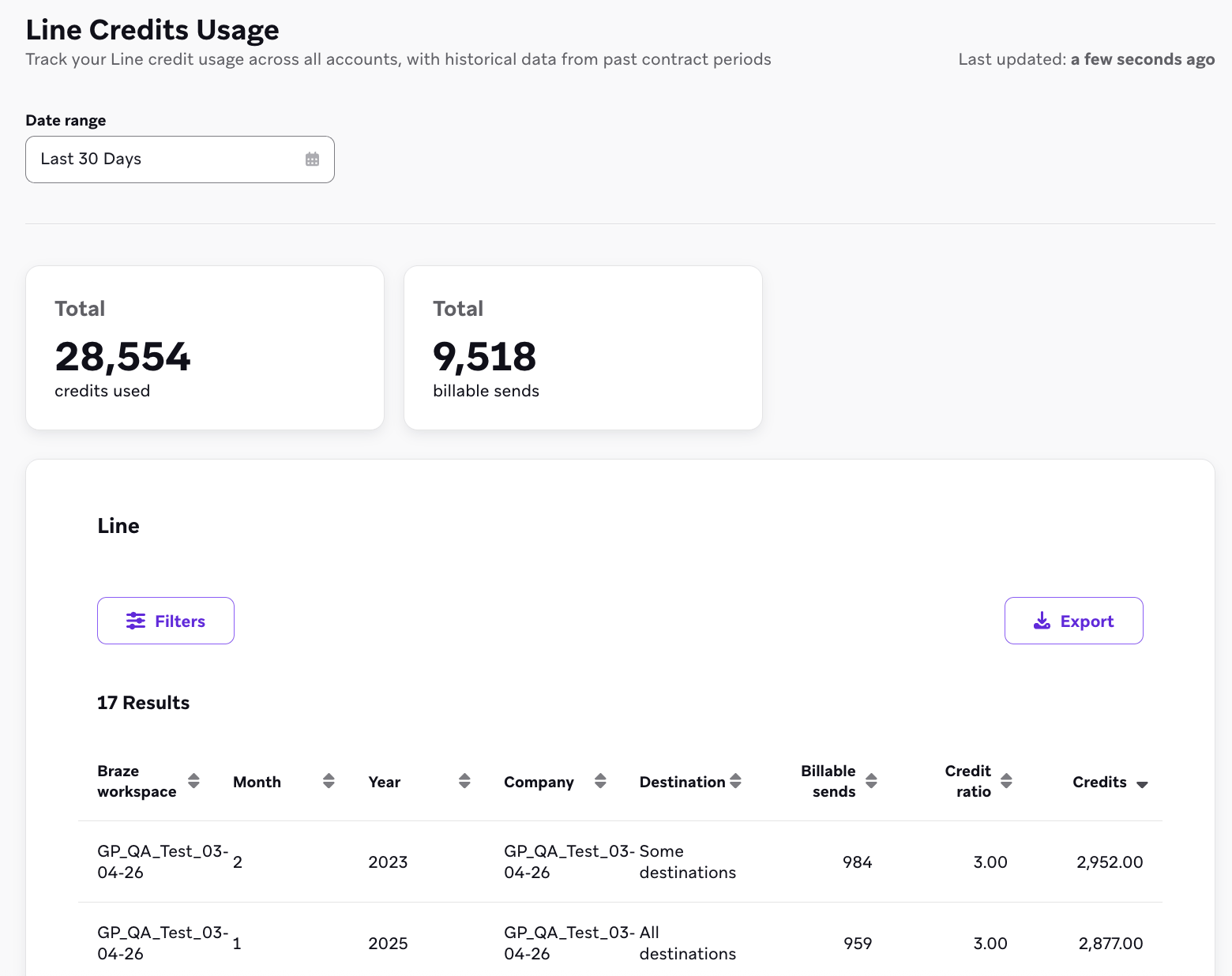
LINE Credits Usage shows LINE credit usage across all accounts. Tiles show total credits consumed and total billable sends. The Line section table includes Braze workspace, Month, Year, Company, Destination, Billable sends, Credit ratio, and Credits. When data is available, Last updated shows when the table was refreshed.
Filters
You can filter your data by:
- Date range (defaults to the last 30 days)
- Braze workspace
- Month
- Year
- Company
- Destination
Use Export to download the table data.
SMS, MMS, and RCS
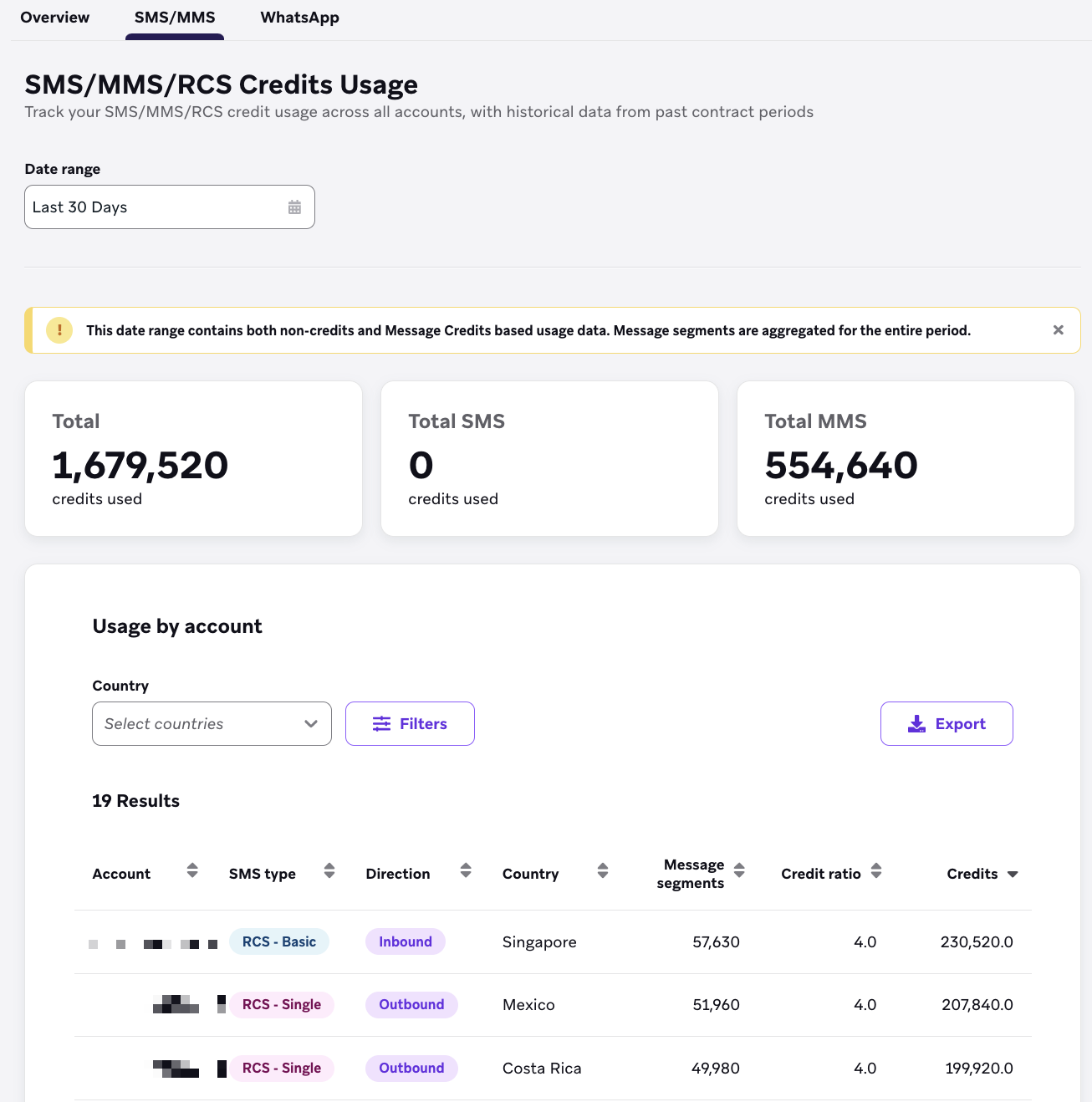
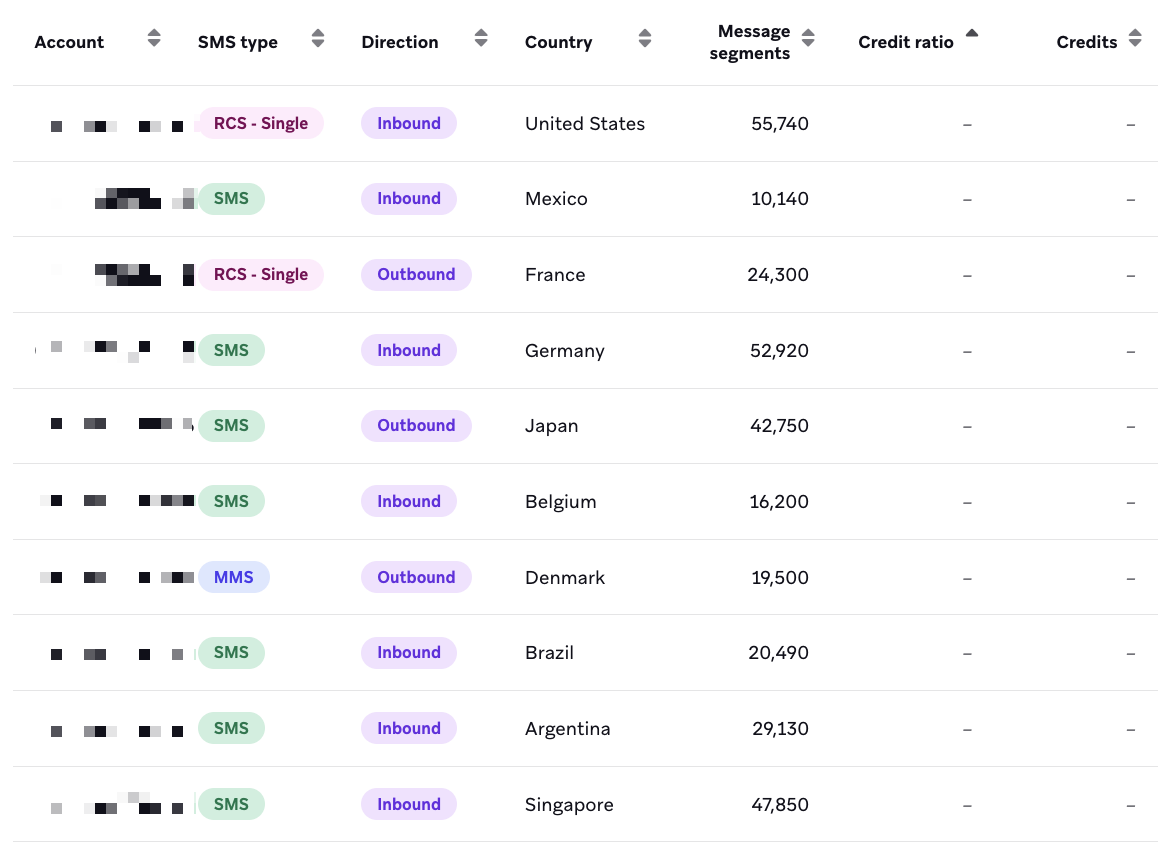
SMS/MMS/RCS Credits Usage shows the usage breakdown for the SMS, MMS, and RCS channel. The Credit ratio and Credits columns indicate the respective country rate and consumed credits. Additionally, high-level tiles indicate the total SMS and, when relevant, MMS consumption across the selected date range.
Filters are available allowing you to filter by Country or SMS and RCS type.
Unlike the Credits Usage Overview, this section contains historical data from prior contract periods.
It’s possible to select a date range that contains both non-credits and credits usage. In this case, the consumption that occurred outside of credits will display — (null) in the Credit ratio and Credits columns.
Webhooks
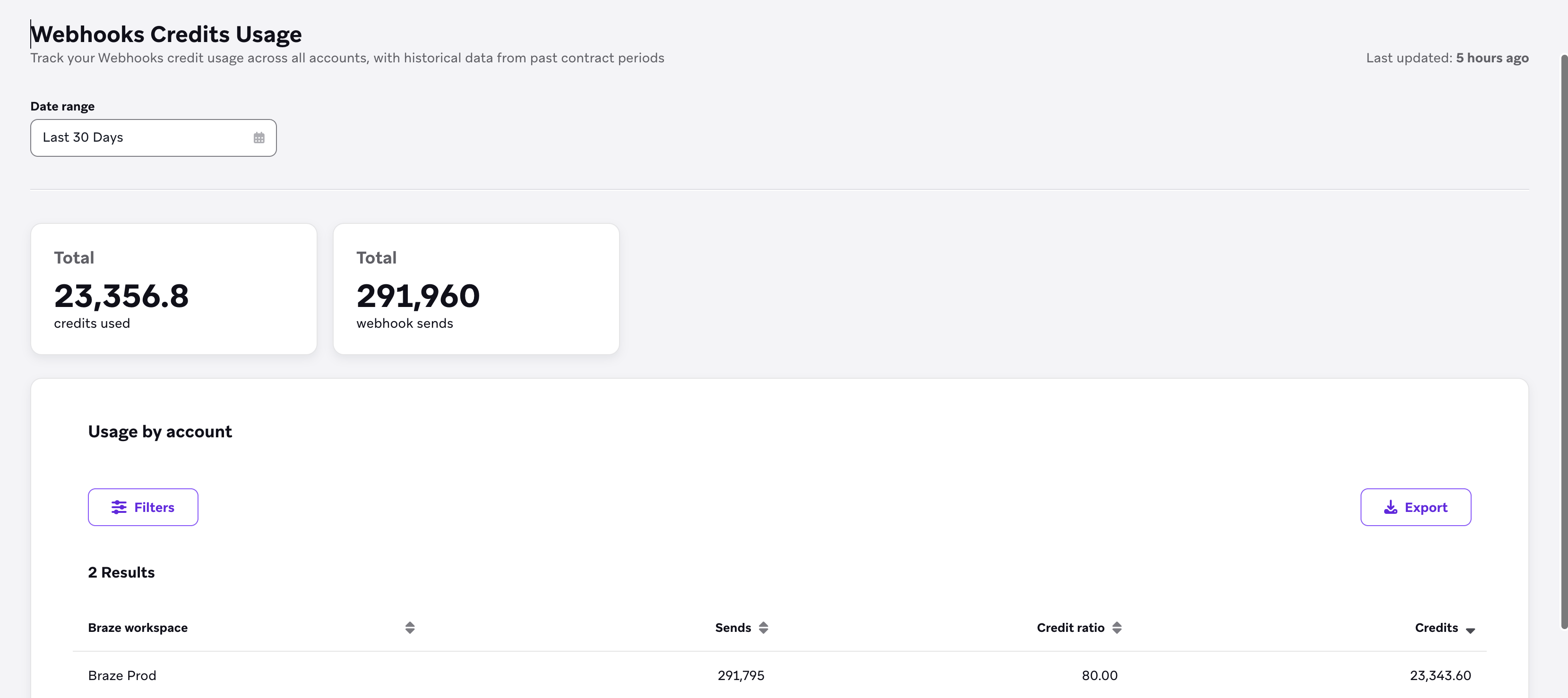
Webhooks Credits Usage shows Webhooks credit usage across all accounts. Tiles show total credits consumed and total webhook sends. The Usage by account table includes Braze workspace, Sends, Credit ratio, and Credits. When data is available, Last updated shows when the table was refreshed.
Filters
You can filter your data by:
- Date range (defaults to the last 30 days)
- Braze workspace
Use Export to download the table data.
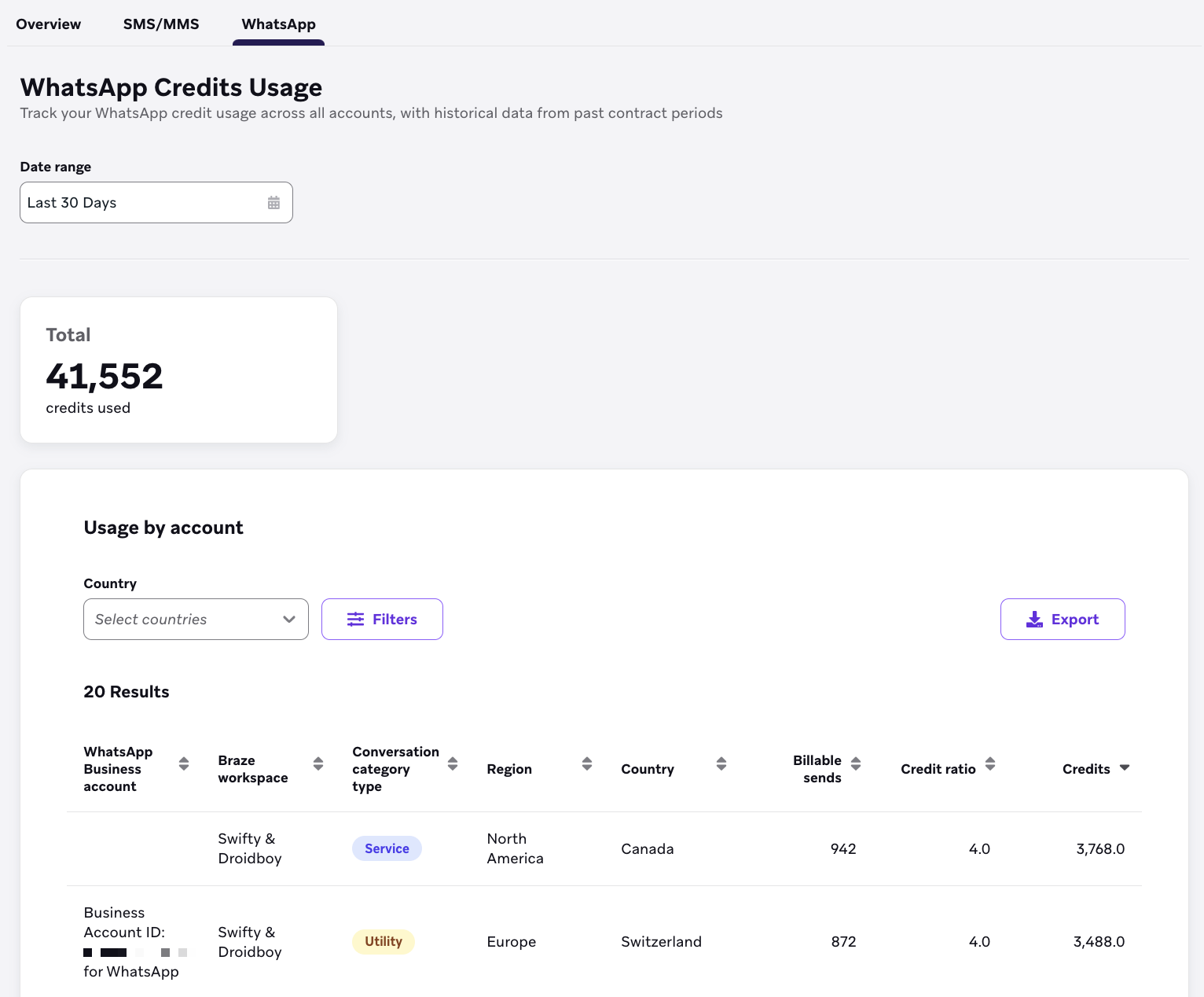
WhatsApp Credits Usage shows the usage breakdown for the WhatsApp channel. The tiles display the total WhatsApp credit usage, which can be broken down in the Usage by account section by applying filters to limit the data table results to a specific workspace.
Filters
You can filter your data by:
- Country
- WhatsApp Business account
- Braze workspace
- Conversation category type
- Region
Agent Console
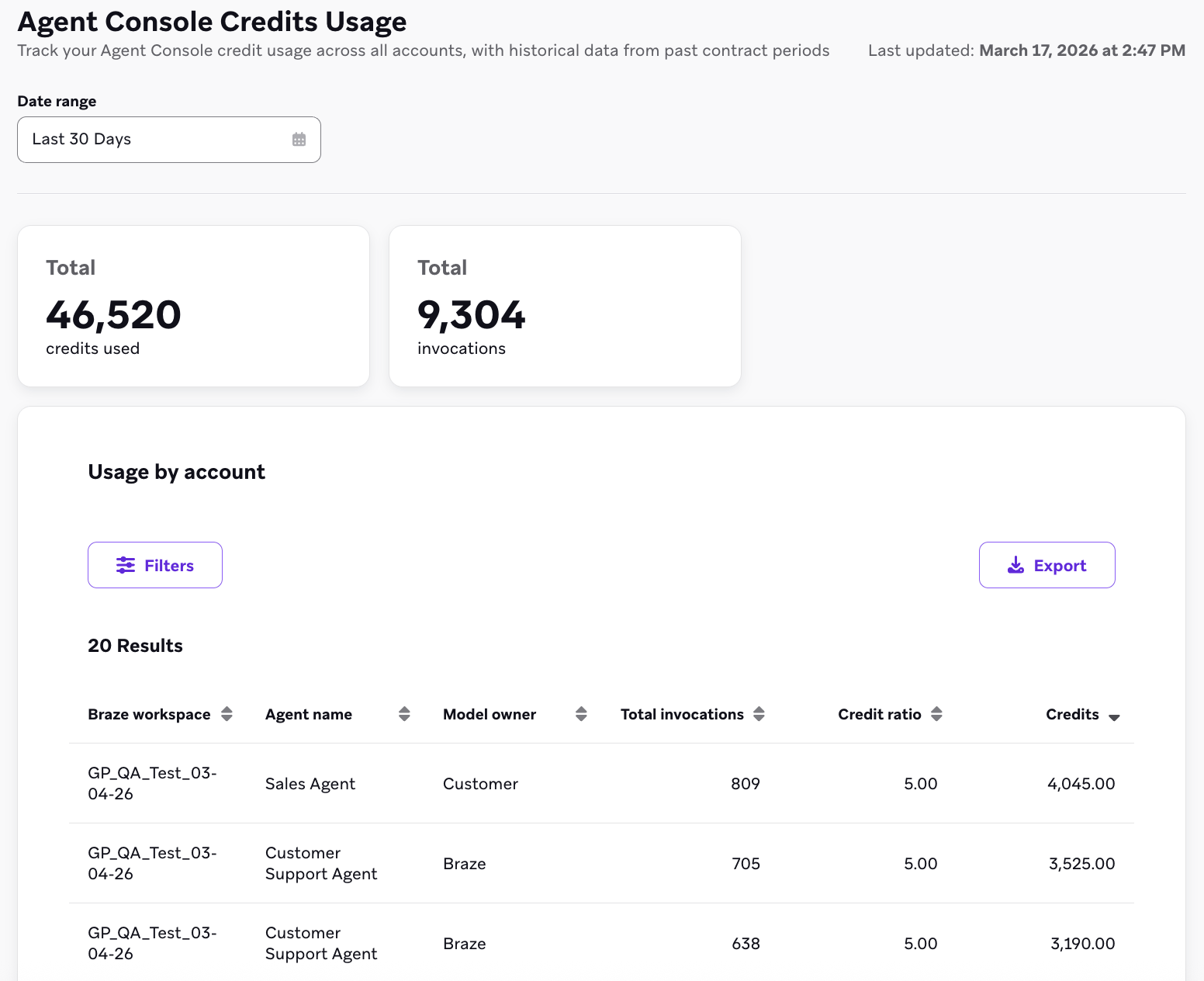
Agent Console Credits Usage shows Agent Console credit usage across all accounts. Tiles show total credits consumed and total invocations. The Usage by account table includes Braze workspace, Agent name, Model owner, Total invocations, Credit ratio, and Credits. When data is available, Last updated shows when the table was refreshed.
To plan daily spend before launch, compare these ratios with each agent’s Daily action credit cost limit in Agent Console (daily invocation limit × credit ratio). See Daily invocation and credit limits.
Filters
You can filter your data by:
- Date range (defaults to the last 30 days)
- Braze workspace
- Agent name
- Model owner
Use Export to download the table data.
Audience Sync
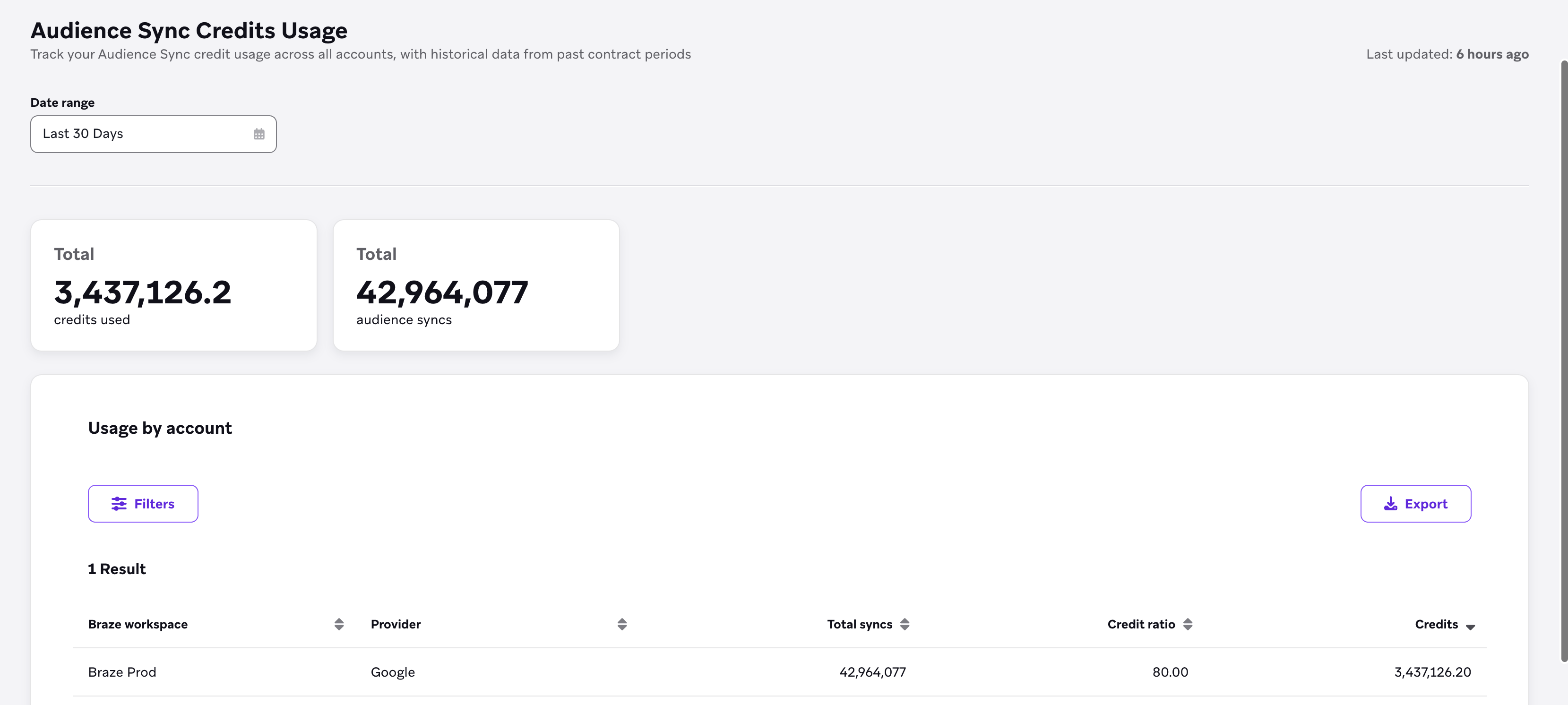
Audience Sync Credits Usage shows Audience Sync credit usage across all accounts. Tiles show total credits consumed and total audience syncs. The Usage by account table includes Braze workspace, Provider, Total syncs, Credit ratio, and Credits. When data is available, Last updated shows when the table was refreshed.
Filters
You can filter your data by:
- Date range (defaults to the last 30 days)
- Braze workspace
- Provider
Use Export to download the table data.
Things to know

The data shown in the Credits Usage dashboard is at the contract level and isn’t scoped to an individual dashboard company or workspace. This data reflects usage from all workspaces within your dashboard, and potentially across all dashboards (if you have multiple).
- The underlying data is provided in a daily cadence, with the data tables refreshed at 3 am, 9 am, 12 pm, and 6 pm EST. The Credits Usage dashboard may take longer than 24 hours to update.
- When a new contract period starts, updated contract and message credit information can take up to 24 hours to appear. Until that data loads, the dashboard may show only the Credit Ratios tab instead of the full overview and channel usage details.
- Braze follows standard rounding methodology: numbers are rounded up to the nearest tenth.
Date range selection
The Credits Usage dashboard excludes the end date of the selected range from the results. For example, if you select October 1–31, usage statistics for October 31 are excluded. To include the last day of your desired period, extend the range by one day. For example, to include all of October, select October 1–November 1.
Comparing with third-party providers
When comparing Braze credits usage data with third-party providers (such as Infobip), keep in mind:
- Message segments versus messages: Braze counts SMS messages by segments. A single SMS message that is split into multiple segments (for example, due to length) is counted as multiple segments in Braze. For more information, see SMS and RCS billing calculators.
- Credit versus non-credit based messages: The dashboard includes both credit-based and non-credit-based messages. Third-party providers may count only credit-based messages, which can cause discrepancies in totals.
- Inbound versus outbound: Ensure you’re comparing the same message types. Some third-party dashboards include both inbound and outbound messages in their totals, while Braze allows you to filter by direction.
- Date range alignment: Because the dashboard excludes the end date, day-by-day comparisons may align more closely than longer date ranges. If you’re comparing data for a specific period, extend your Braze date range by one day to include the final day of your comparison period.