Set up RCS
This article covers the requirements needed to get your RCS channel running.
Setting up RCS is as straightforward as setting up SMS. Keep reading to learn how you can begin sending rich and interactive messages.
Step 1: Meet the eligibility criteria
To be eligible for sending RCS with Braze, your business must meet three criteria upfront:
- Your current Braze contract must include Message or Action Credits.
- You must send your RCS messages to a Braze-supported country listed in the following dropdown.
Braze-supported RCS countries
- Austria
- Brazil
- Canada
- Colombia
- Czech Republic
- Denmark
- France
- Germany
- Italy
- Mexico
- Netherlands
- Norway
- Poland
- Singapore
- Slovakia
- Spain
- Sweden
- United Kingdom
- United States
- You must procure an RCS SKU(s) in your contract.
Step 2: Register an RCS-verified sender
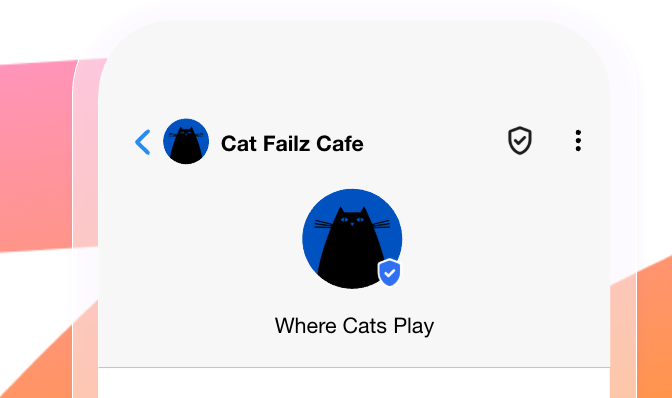
Before you can send RCS messages, you must register an RCS-verified sender. This is the representation of your brand that users see on their mobile devices, which includes your brand’s name, logo, a verification badge, and an optional tagline. The RCS-verified sender reinforces customer trust and confirms your messages come from an authenticated source.
After you have added the RCS SKU(s) to your order form, Braze is notified and contacts you with RCS sender registration information. The format of these depends on the countries you wish to send RCS messages to.
When you’ve submitted your completed forms to Braze, Braze completes the registration process on your behalf.
Step 2.1: Set up SMS fallbacks for RCS subscription groups
Because current carrier coverage varies by country, and user hardware and software support vary by individual, SMS fallback is a key component of having a successful RCS program today. We recommend setting up SMS fallback. If a carrier doesn’t support RCS or a user’s device is unable to receive RCS messages, SMS fallback sends your message regardless, so that you never miss an important moment with your users.
We highly recommend reviewing your current SMS opt-in experience, subscription groups, and audience segmentation before deploying your first RCS campaign. If needed, your customer success manager is always available to provide guidance and help you navigate the setup process.
How SMS fallback works with events and segmentation
When you use SMS fallback with RCS, the event behavior depends on whether the message is successfully sent through RCS or falls back to SMS:
- If the RCS send succeeds: You receive an RCS send event and an RCS delivery event.
- If the RCS send falls back to SMS: You receive an RCS send event, an RCS rejection event, and an SMS delivery event. The SMS delivery event has
IS_SMS_FALLBACK=TRUE.
For SMS and RCS, received message segmentation filters (such as Received Message from Campaign and Received Message from Canvas Step) evaluate when a message is sent, not when it reaches the user’s device. With SMS fallback enabled, users can still match these filters if an RCS message is rejected and falls back to SMS, or if the fallback SMS isn’t delivered to the user’s device.
Timeline for carrier approval
The timeline for carrier approval varies by country and can also vary within a country. Keep in mind that the RCS market is still in its infancy, so carrier and aggregator processes are rapidly evolving. In the United States, Braze estimates that carrier approval turnaround time for an RCS-verified sender typically falls within the 4—6 week range, with a test sender typically approved within one week.
When your RCS-verified sender is approved, our operations team updates your subscription groups as needed to confirm they have the RCS sender included in them.
Step 3: Set up subscription groups
Depending on your integration, Braze can add RCS-verified senders to your existing SMS subscription groups or set up new ones. For detailed setup instructions, refer to SMS and RCS subscription groups.
Migrating SMS traffic to RCS
If you have separate SMS and RCS subscription groups, you can migrate users from SMS to RCS using a one-step Canvas. For step-by-step instructions, refer to Migrate SMS traffic to RCS.
Considerations
Frequency capping and Message Prioritization
RCS sends are included in global frequency capping through the same channel rule as SMS, and that rule also applies to Message Prioritization. There is no separate RCS frequency capping or prioritization rule.