Insights report
Insights show you how the various recommendation options in your action bank are generated, like block selection. There are two different insights reports: Agent preferences and SHAPs.
The Agent preferences report helps you identify seasonal trends and assess the relevance of the choices in the action bank, guiding informed decisions for updates.
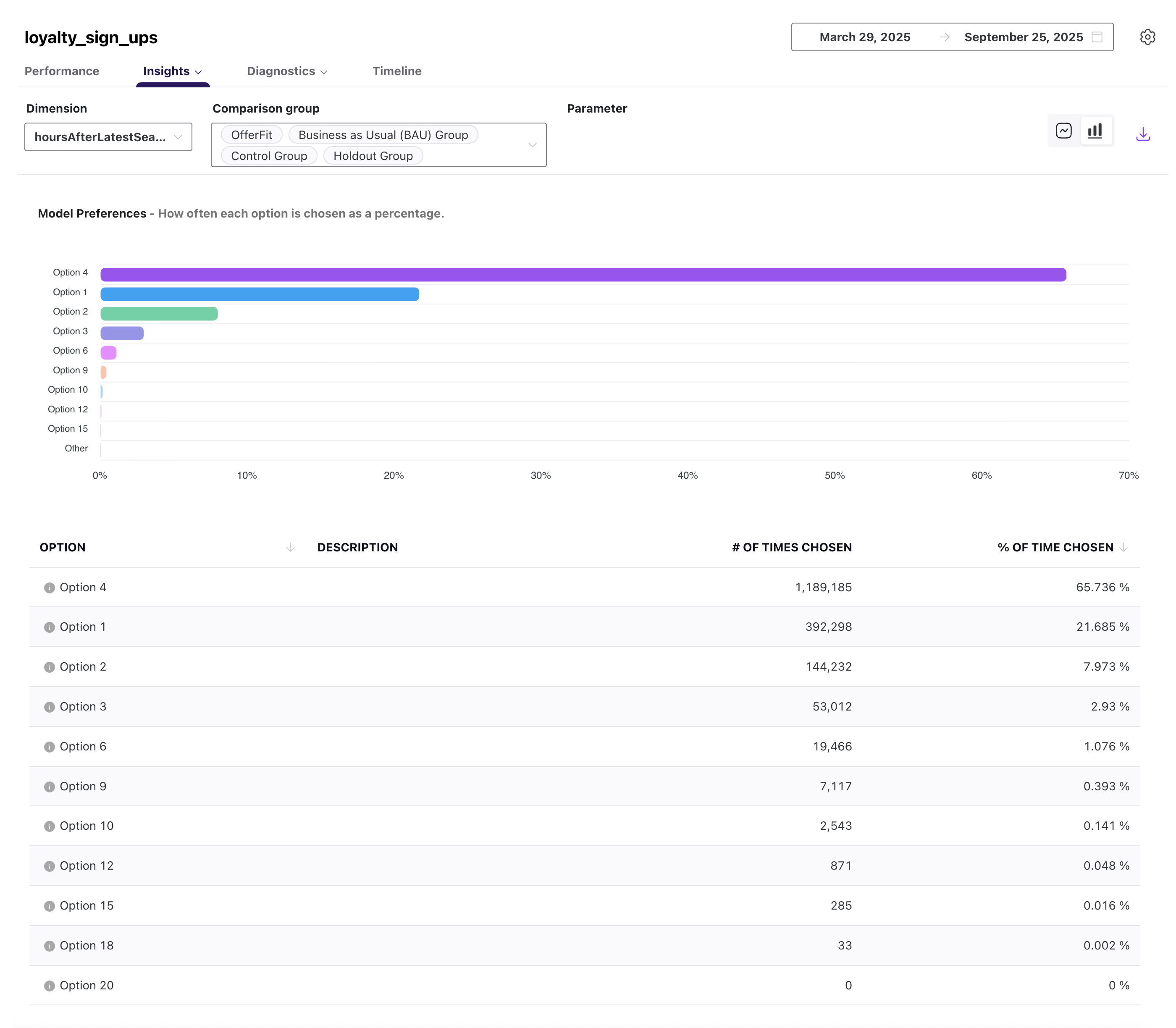
Refer to the following table for more details about this report:
| Field | Description |
|---|---|
| Dimension | The attribute used to organize results, such as channel, campaign, or platform. |
| Comparison group | The groups that you want to compare in your report. You can select multiple comparison groups. |
| Parameter | The metric applied to that attribute, such as opens, clicks, or conversion rate. |
| Segment | The audience segment that you created in Braze. |
| Option | The specific recommendation option selected from the action bank. |
| Description | A short explanation of what the option represents. |
| # of times chosen | The total count of how often the option was selected. |
| % of time chosen | The percentage of total selections where this option was chosen. |
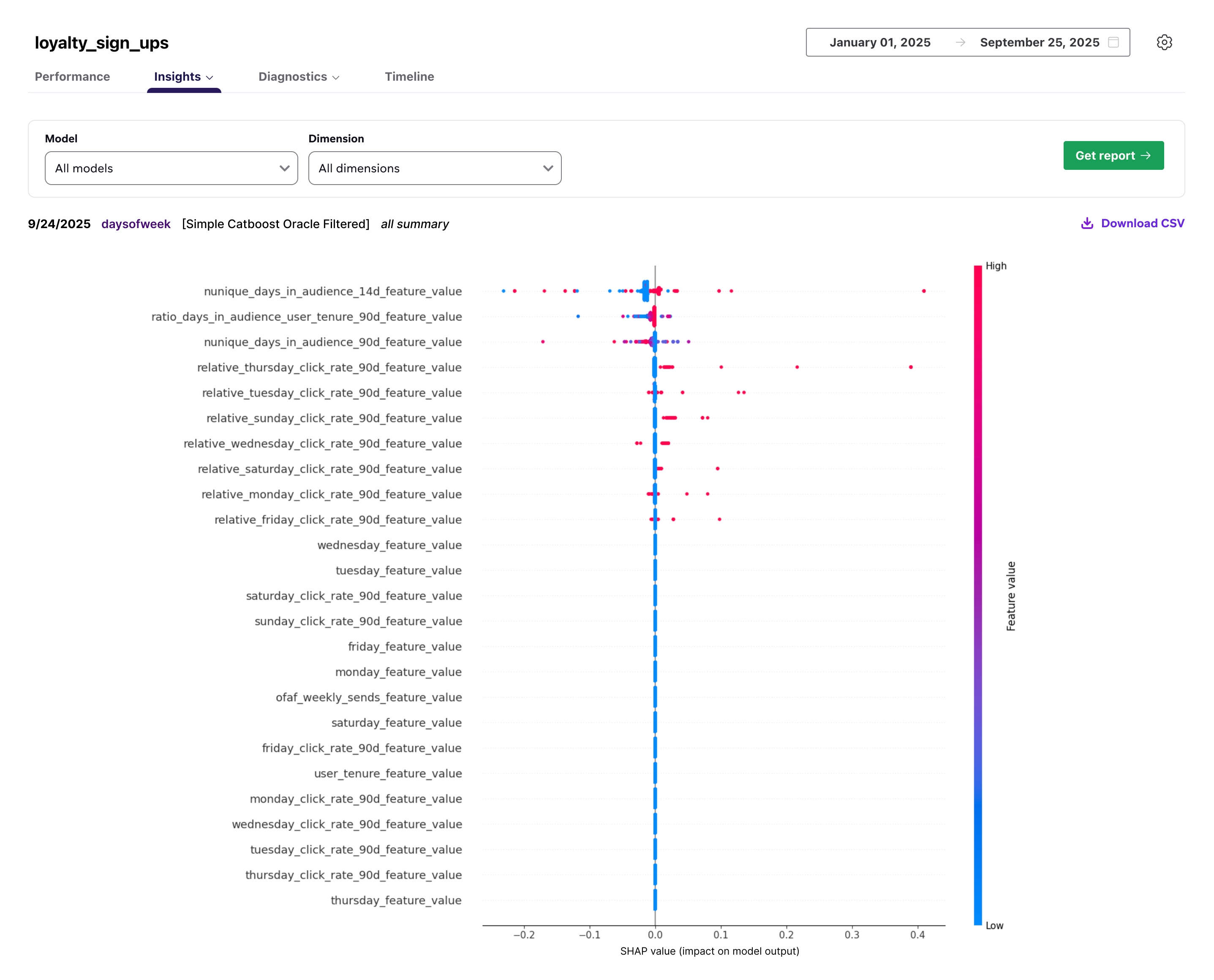
The SHAPs report uses the Shapley Additive exPlanations (SHAP) model to help you quantify how each feature or variable contributes to your recommendation agent. Each point on the chart represents one SHAP and the distribution of the points represents a general sense of a feature’s directional impact.
 Edit this page on GitHub
New Stuff!