Notification preferences
If you would like to monitor the messaging and activity in your company account, you can choose to set up specific notifications and select where they go.
The Notification Preferences page is where you can configure who (if anyone) receives notifications about your company. You can configure who should receive notifications about campaign delivery or technical errors. You can also specify recipients for the weekly analytics report. For most notifications, Braze supports email and webhook channels.
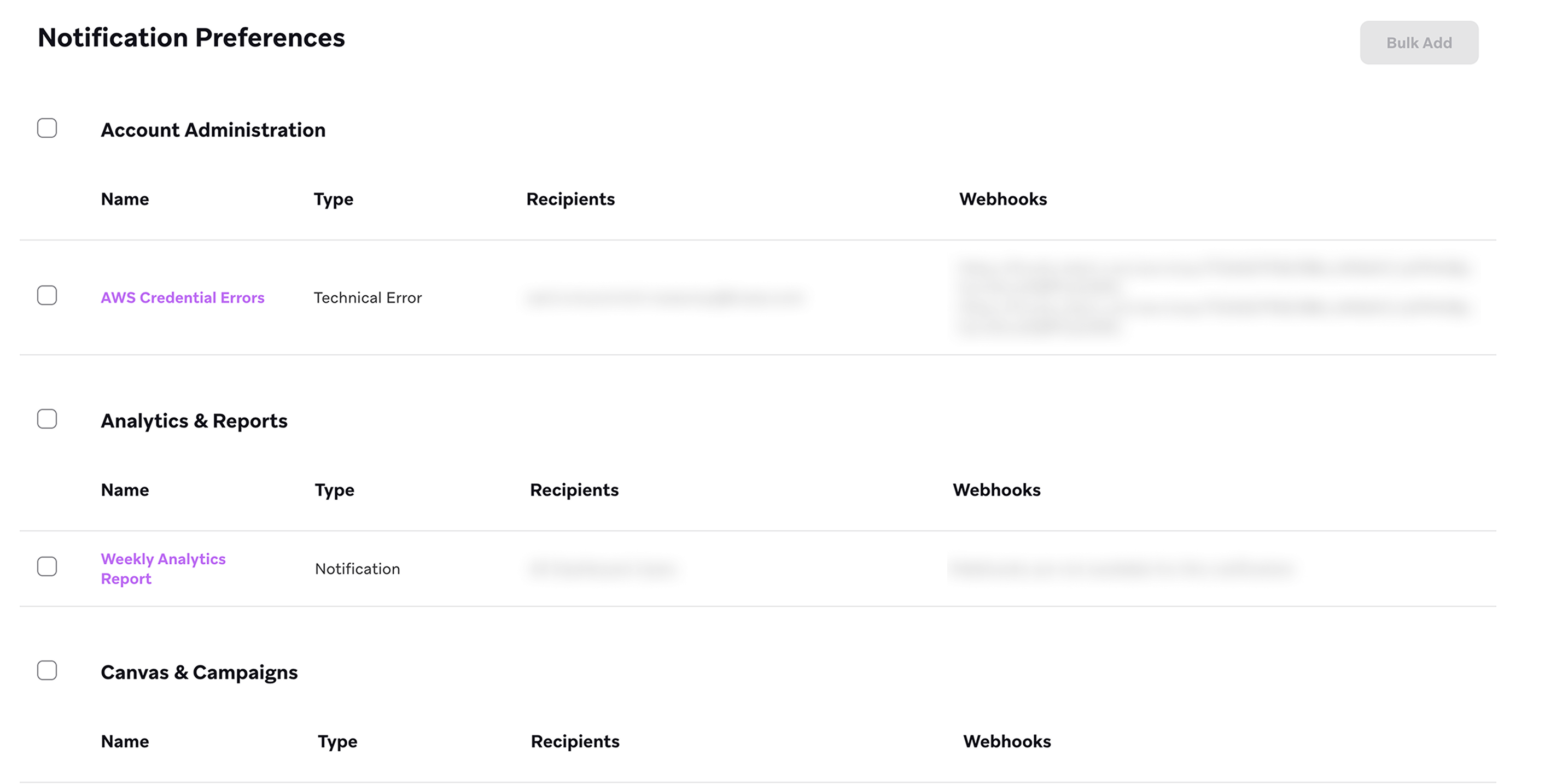
To access this page, go to Settings > Admin Settings > Notification Preferences.
You can also integrate with Slack to receive notifications. For steps, refer to Sending messages using incoming webhooks.
Available notifications
The following table describes available notifications and which channels are used to deliver them.
If you delete the default Recipients value of All Dashboard Users and want to add it back, you can manually enter it into the dropdown field.
| Notification | Description | Available notification channels |
|---|---|---|
| API Usage Alerts | Selecting this takes you to the API Usage Dashboard, where you can then go to the API Usage Alerts tab and set up alerts to track key API request volumes. | Email, Webhook |
| AWS Credential Errors | Notifies recipients when Braze receives an error while attempting to use your Amazon Web Services credentials for a data export. This includes credential error notifications for Google Cloud Services and Azure (Microsoft Cloud Services). | Email, Webhook |
| Campaign Automatically Stopped | Notifies recipients when Braze has stopped a campaign. | |
| Canvas Automatically Stopped | Notifies recipients when Braze has stopped a Canvas. | |
| Campaign Interaction Expiration | Notifies recipients about any campaign that is due for campaign interaction data expiration, along with any information about segments, campaigns, or Canvases that reference it in a retargeting filter and were used to send a message in the previous 30 days. | |
| Campaign/Canvas Updated | Notifies recipients when an active campaign or Canvas is updated or deactivated, as well as when an inactive campaign or Canvas is reactivated or drafts are launched. | |
| Campaign/Canvas Volume Limit Met | Notifies recipients when a campaign or Canvas meets its volume limit. | |
| Canvas Interaction Expiration | Notifies recipients about any Canvas that is due for Canvas interaction data expiration, along with any information about segments, campaigns, or Canvases that reference it in a retargeting filter and were used to send a message in the previous 30 days. | |
| Comments Within Canvases | Notifies recipients when a Canvas has new comments. | |
| Connected Content Errors | Notifies recipients when a Connected Content endpoint has errors. | |
| Push Errors | Notifies recipients when a push endpoint has errors. | Email, Webhook |
| Scheduled Campaign Limit Met | Notifies recipients when the limit for a recurring scheduled campaign has been reached. | Email, Webhook |
| Scheduled Campaign Finished Sending | Notifies recipients when a scheduled campaign has finished sending. | Email, Webhook |
| Webhook Errors | Notifies recipients when a webhook endpoint has errors. | |
| Weekly Analytics Report | Sends a summary of the past week’s workspace activity to recipients every Monday. Recipients receive a summary for each workspace that they belong to. | |
| Daily Canvas/Campaign Entry Volume Limits | Sends notifications each time a send limit is reached. | |
| Agents Console Error | Notifies recipients when an Agent Console agent has met its execution limit with the current functionality. |
Suspended users may still receive notifications from Braze.
Weekly analytics reporting
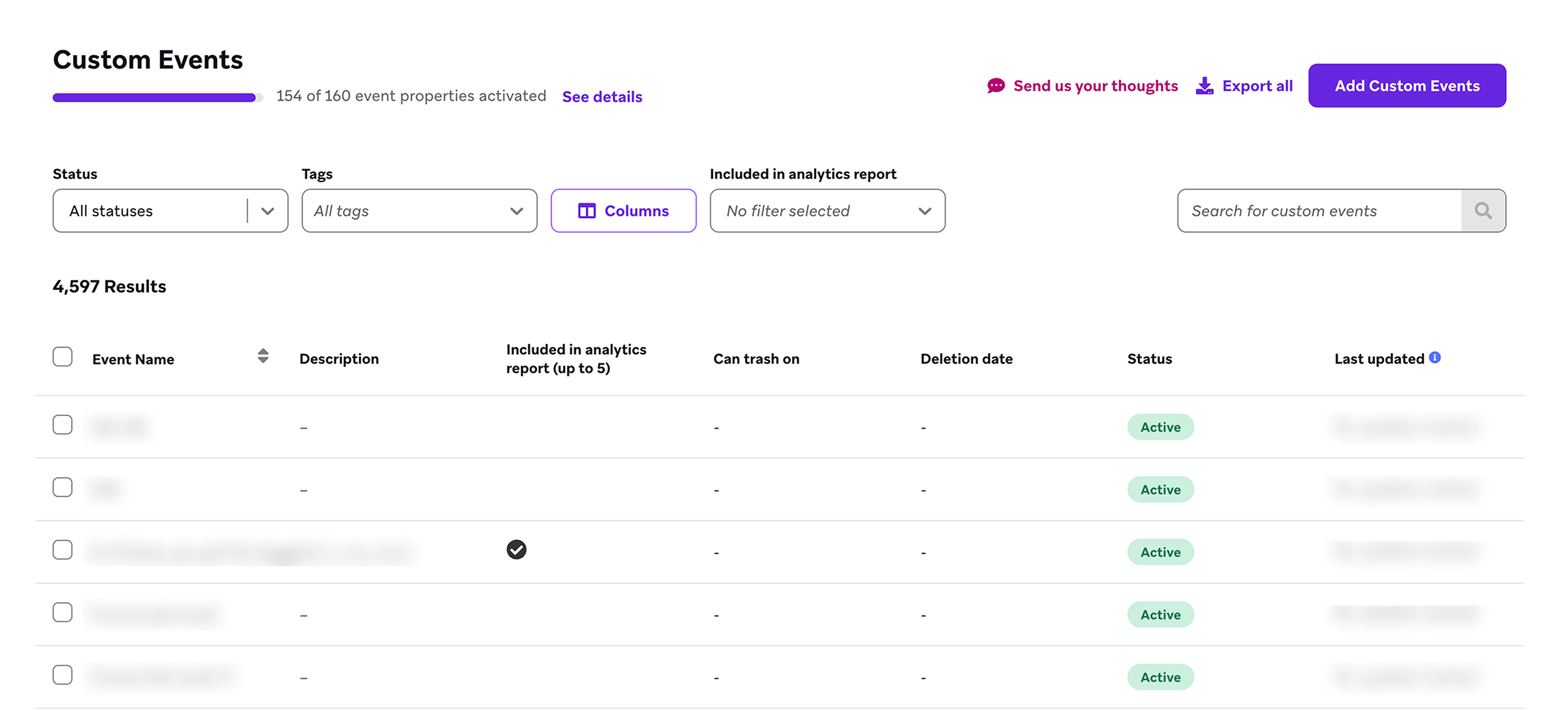
Braze optionally sends a weekly report via email to individuals you designate within your company every Monday at 5 am EST. You can select the custom events to be included in the weekly report from Data Settings > Custom Events.
You may select up to five events to be included in your weekly report:
 Edit this page on GitHub