WhatsApp messages with optimized delivery
Boost deliverability and engagement by reaching more of the right users on WhatsApp with dynamic, engagement-based delivery.
WhatsApp messages with optimized delivery are sent using Meta’s Marketing Messages API for WhatsApp (MM API for WhatsApp), which offers dynamic, engagement-based delivery. This means your high-engagement messages (for example, those more likely to be read and clicked) can reach more users who are likely to engage with them. WhatsApp considers your messages to be high engagement if they are expected, relevant, and timely and therefore more likely to be read and clicked.
Brands can expect equal or greater deliverability with MM API for WhatsApp, compared to Cloud API. In India, high engagement marketing messages saw up to 9% more messages delivered compared to Cloud API, according to Meta. Note that MM API for WhatsApp still does not guarantee 100% deliverability.
Regional availability
The availability and optimization capabilities of optimized delivery depend on the region of the business phone number and the user. To learn more, refer to Geographic availability of features.
Setting up optimized delivery
- In Braze, go to Partner Integrations > Technology Partners > WhatsApp.
- In the section Optimize your sending with optimized delivery, select Upgrade setting to trigger the embedded sign-up workflow.
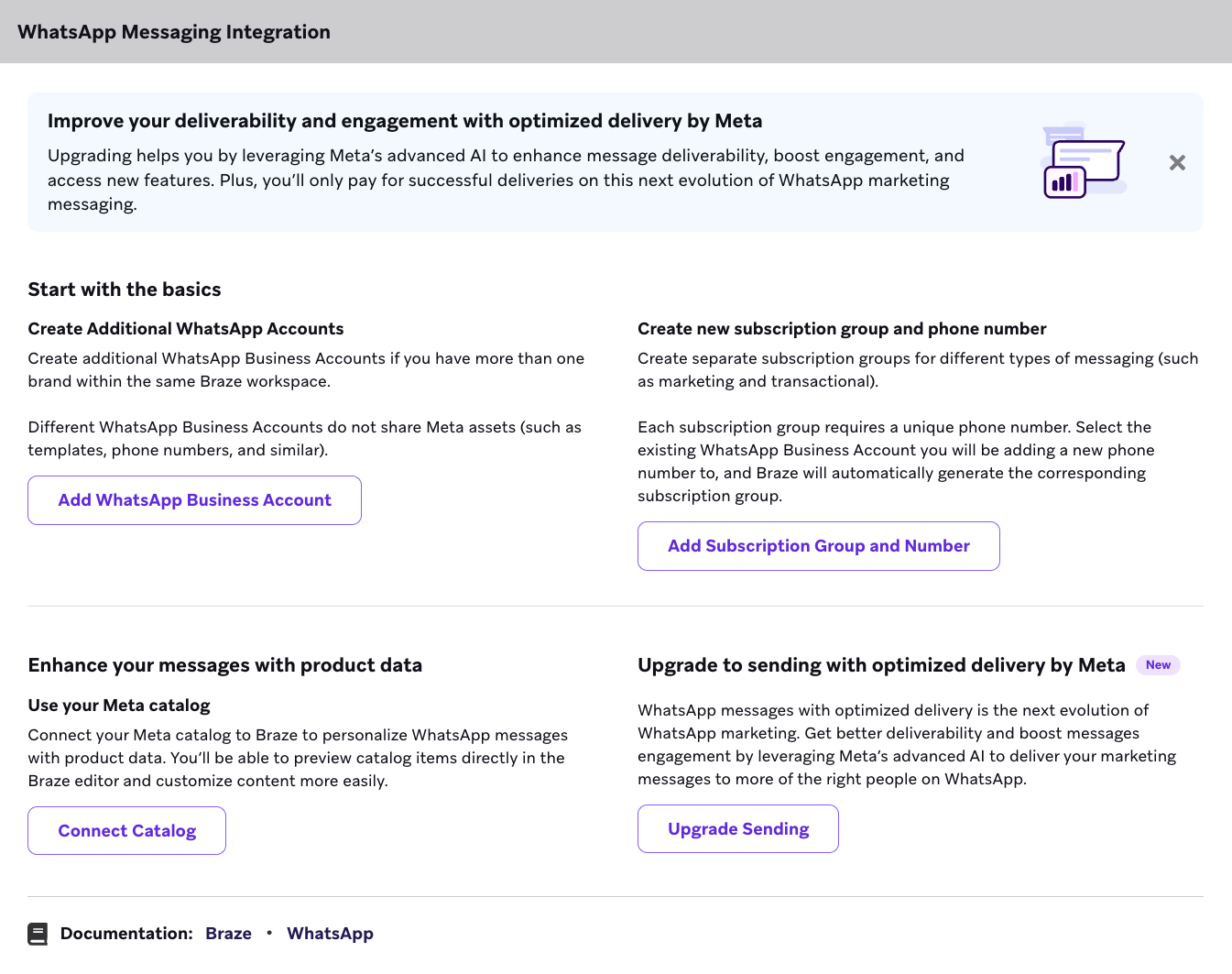
- After optimized delivery is enabled, your account details in WhatsApp Business Account Management will display the optimized delivery status.
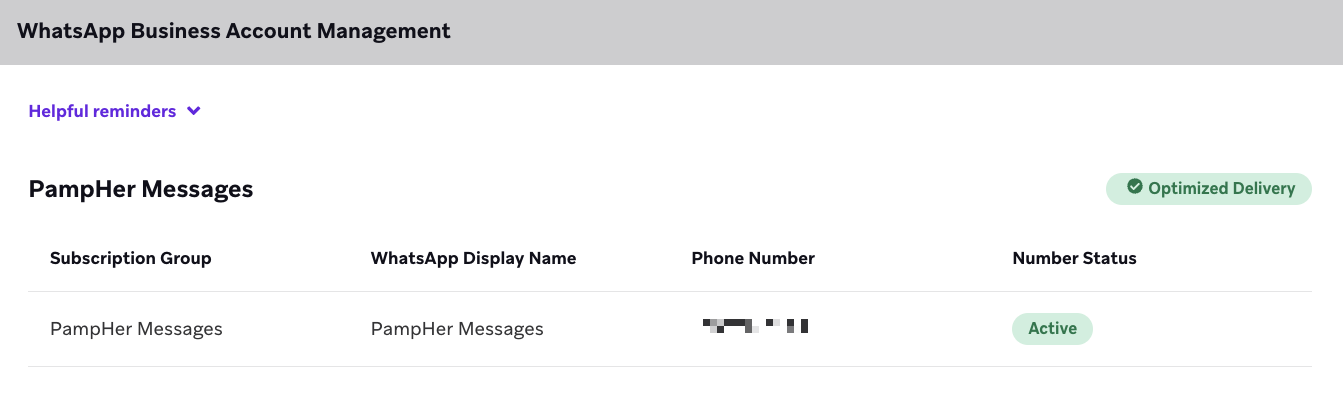
Alternatively, you can enable optimized delivery directly in your WhatsApp manager and then begin sending in Braze.
Troubleshooting your setup
- General error: If something goes wrong during the upgrade, this error banner will display and advise you to contact Support.
- Ineligible error: If you are restricted by Meta, this error banner will display: “At least one WhatsApp Business Account is restricted by Meta. Accounts must be in good standing to upgrade.” This can’t be dismissed until the issue is resolved.
Using optimized delivery in campaigns and Canvases
Optimized delivery should be used for marketing messages. Braze will automatically remove the optimized delivery option for utility, authentication, service, and response messages, which should continue to be sent through the Cloud API, which is the default setting.
Selecting the delivery method
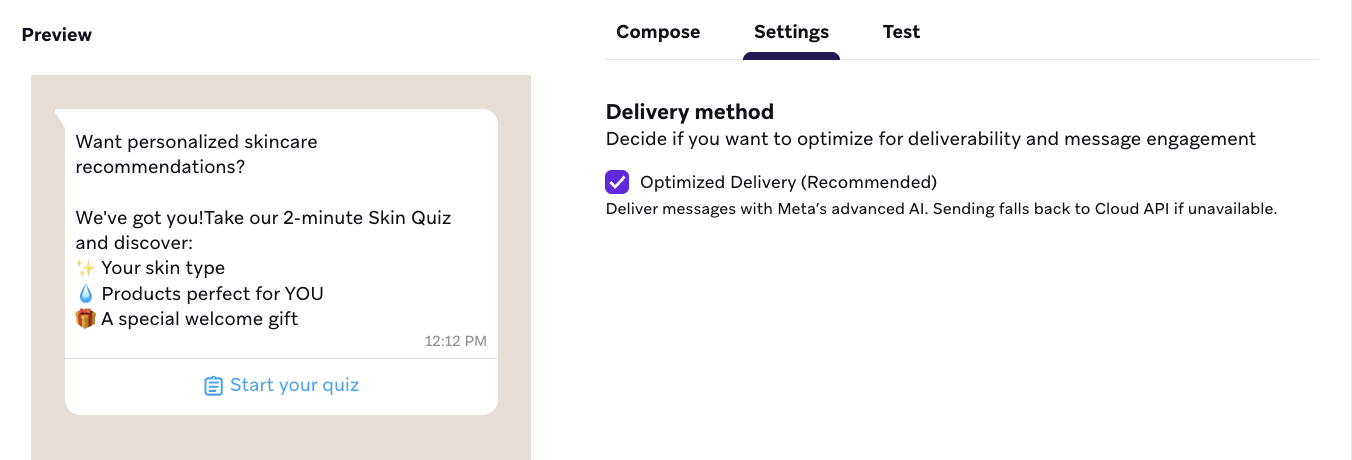
- In the Braze WhatsApp composer for a campaign or a Canvas message step, go to the Settings tab.
- In the Delivery method section, the checkbox for Optimized Delivery (Recommended) will be checked by default if your WhatsApp Business Account (WABA) is enabled. If you don’t want to use optimized delivery for that specific message, uncheck the checkbox.
- If you select optimized delivery but it isn’t available, the message will automatically fall back to the Cloud API method.
Retargeting users on other Braze channels
Because MM API for WhatsApp doesn’t offer 100% deliverability, it’s important to understand how to retarget users who may not have received your message on other channels.
To retarget users, we recommend building a segment of users who didn’t receive a specific message. To do this, filter by the error code 131049, which indicates that a marketing template message was not sent due to WhatsApp’s per-user marketing template limit enforcement. You can do this by using Braze Currents or SQL Segment Extensions:
- Braze Currents: Export message failure events using Braze Currents. You can then use this data to update a custom attribute on the user profile (such as
whatsapp_failed_last_msg: true), which you can use as a filter for your retargeting campaign. - SQL Segment Extensions: If you have access to this feature, you can use SQL to query the message failure logs and create a segment of those users, then target that segment on a different channel.
 Edit this page on GitHub