Tags
Braze tracks author, editor, date, and status information about segments, campaigns, and Canvases, and gives you the ability to create tags to further organize and sort your engagement.
Campaign, Canvas, and segment tags
You can add tags when creating or editing a campaign, Canvas, or segment. Click Tags under the engagement name and select an existing tag, or start typing to add a new tag.
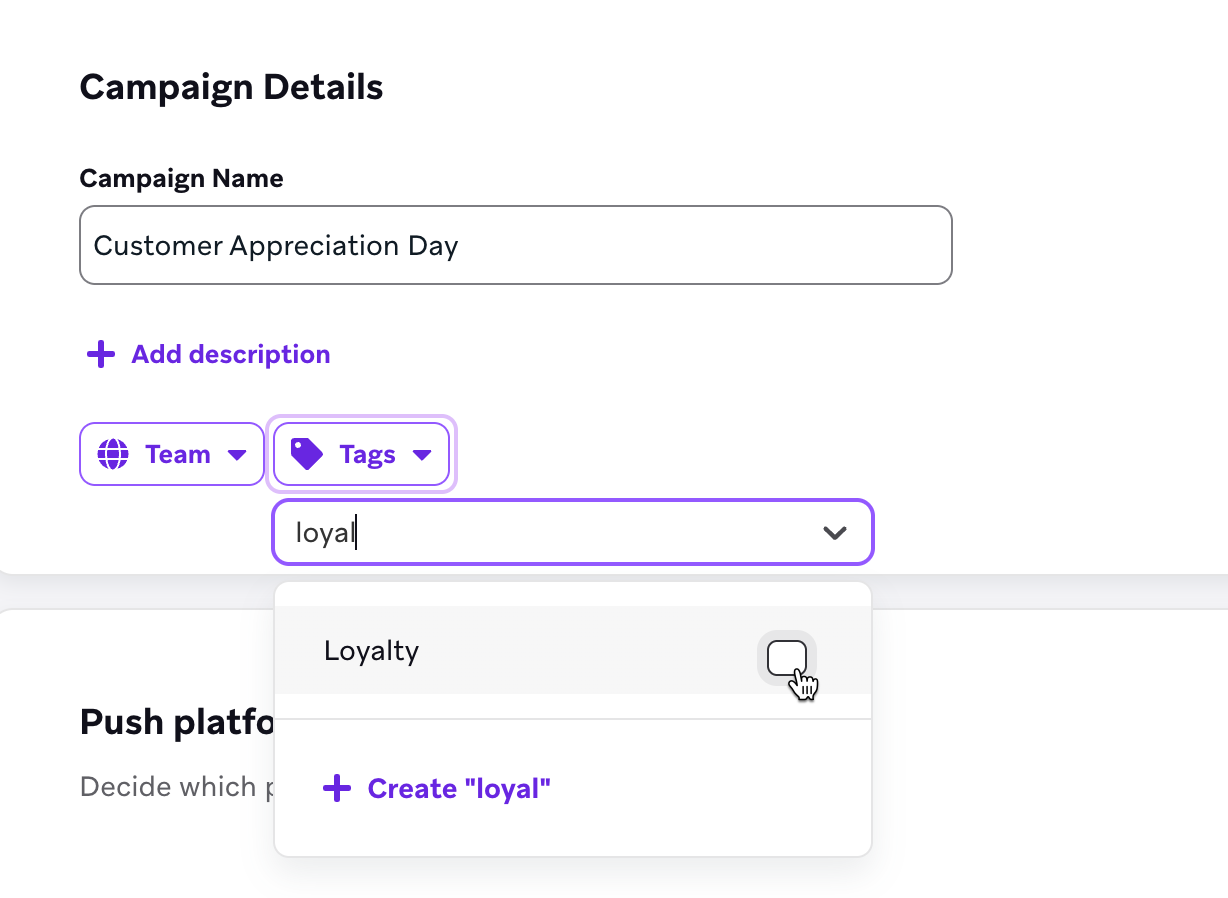
You can add up to 175 tags to a campaign, Canvas, or segment.
Bulk tagging
You can also add tags to multiple campaigns, Canvases, or segments by selecting multiple engagements and selecting Tag As.
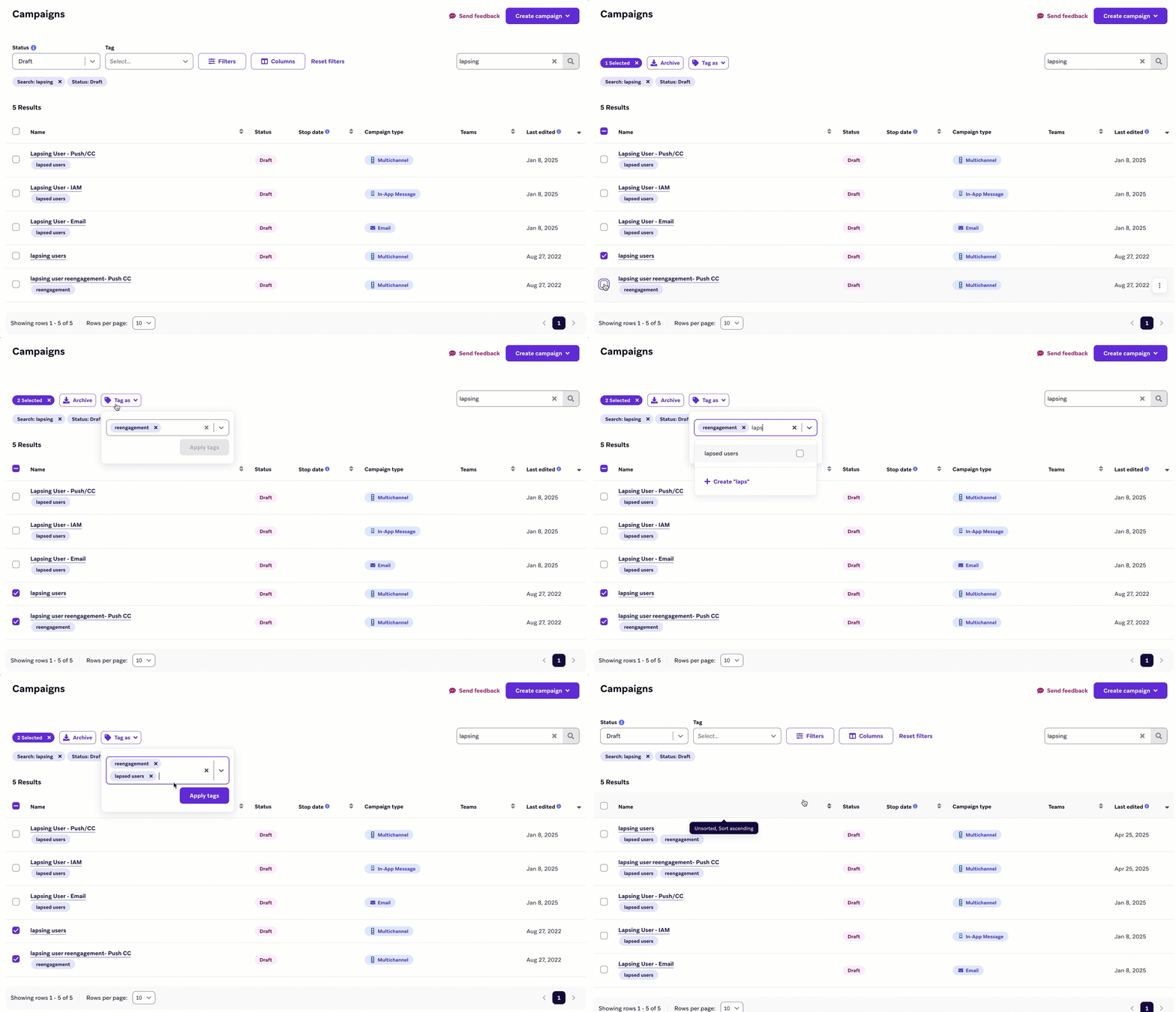
When you use bulk tagging to apply a new tag to multiple campaigns that already have different tags, each selected campaign receives the new tag, and any tags present on a campaign are applied to all other selected campaigns, even if those tags were not originally associated with them.
Viewing tags
The tags set on a campaign, Canvas, or segment are visible on the details page near the engagement name. They also appear on campaign analytics.

Filtering by tag
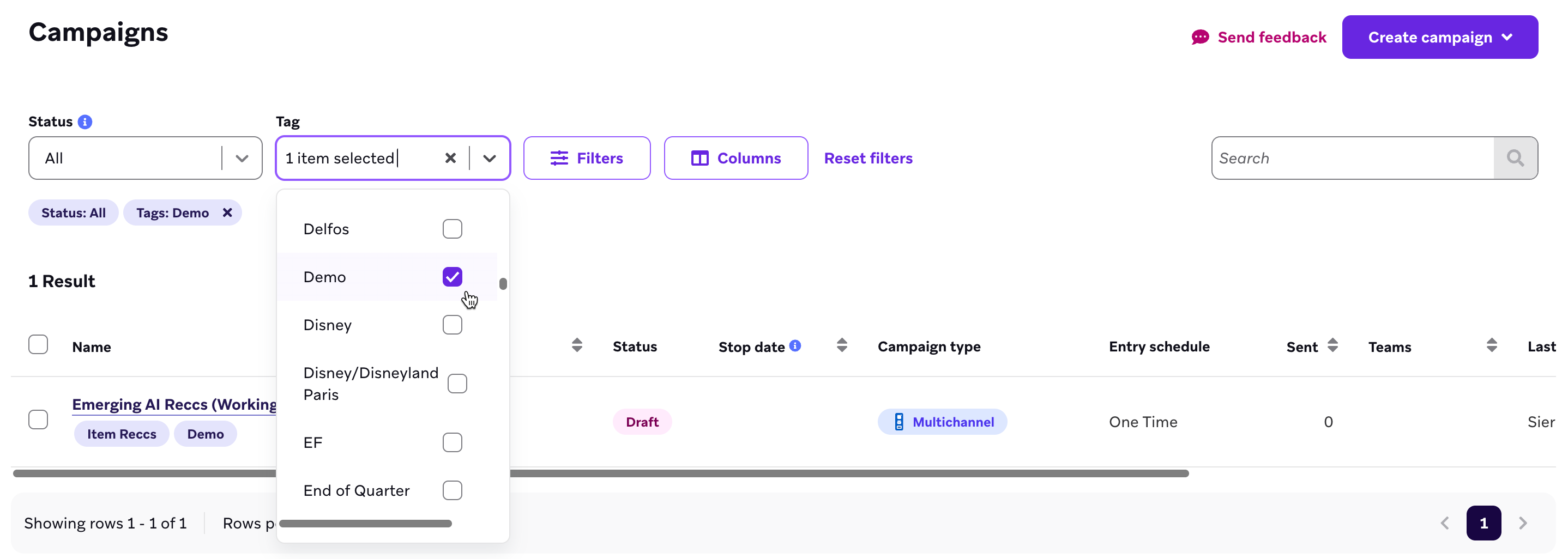
Tags are visible in the list of campaigns, Canvases, or segments, along with additional tags for status labels such as Archived and Draft. To filter by a tag, select the tag name from the list of tags.
Custom data tags
Tags may also be added to custom data when managing custom attributes and custom events.
This feature is currently in early access. Contact your customer success manager if you’re interested in participating in this early access.
For information on renaming, removing, or nesting tags across your dashboard, see Managing tags.
 Edit this page on GitHub