Antavo Loyalty Cloud
Antavo는 브랜드 충성도를 높이고 고객 행동을 변화시키는 종합 로열티 프로그램을 구축하는 엔터프라이즈급 SaaS(software-as-a-service) 로열티 기술 제공업체입니다.
이 통합은 Antavo에서 유지 관리합니다.
통합 소개
Antavo와 Braze 통합을 사용하면 로열티 프로그램 관련 데이터를 활용하여 고객 경험을 향상시키는 개인화된 Campaign(캠페인)을 구축할 수 있습니다. Antavo는 두 플랫폼 간의 로열티 데이터 동기화를 지원하며, 이는 Antavo에서 Braze로의 단방향 데이터 동기화만 지원합니다. 이 통합은 external_id Braze 필드를 지원하며, Antavo는 이를 사용하여 로열티 회원 ID를 동기화합니다.
필수 조건
| 요구 사항 | 설명 |
|---|---|
| Antavo 계정 | 이 파트너십을 활용하려면 Braze 통합이 활성화된 Antavo 계정이 필요합니다. |
| Braze REST API 키 | users.track, events.list, events.data_series, events.get 권한이 있는 Braze REST API 키.Braze 대시보드의 설정 > API 키에서 생성할 수 있습니다. |
| Braze REST 엔드포인트 | REST 엔드포인트 URL. 엔드포인트는 인스턴스의 Braze URL에 따라 달라집니다. |
| Braze 앱 식별자 | 앱 식별자 키. 이 키를 Braze 대시보드에서 찾으려면 설정 > API 키로 이동하여 Identification 섹션을 찾으세요. |
통합
1단계: Antavo에서 Braze 연결하기
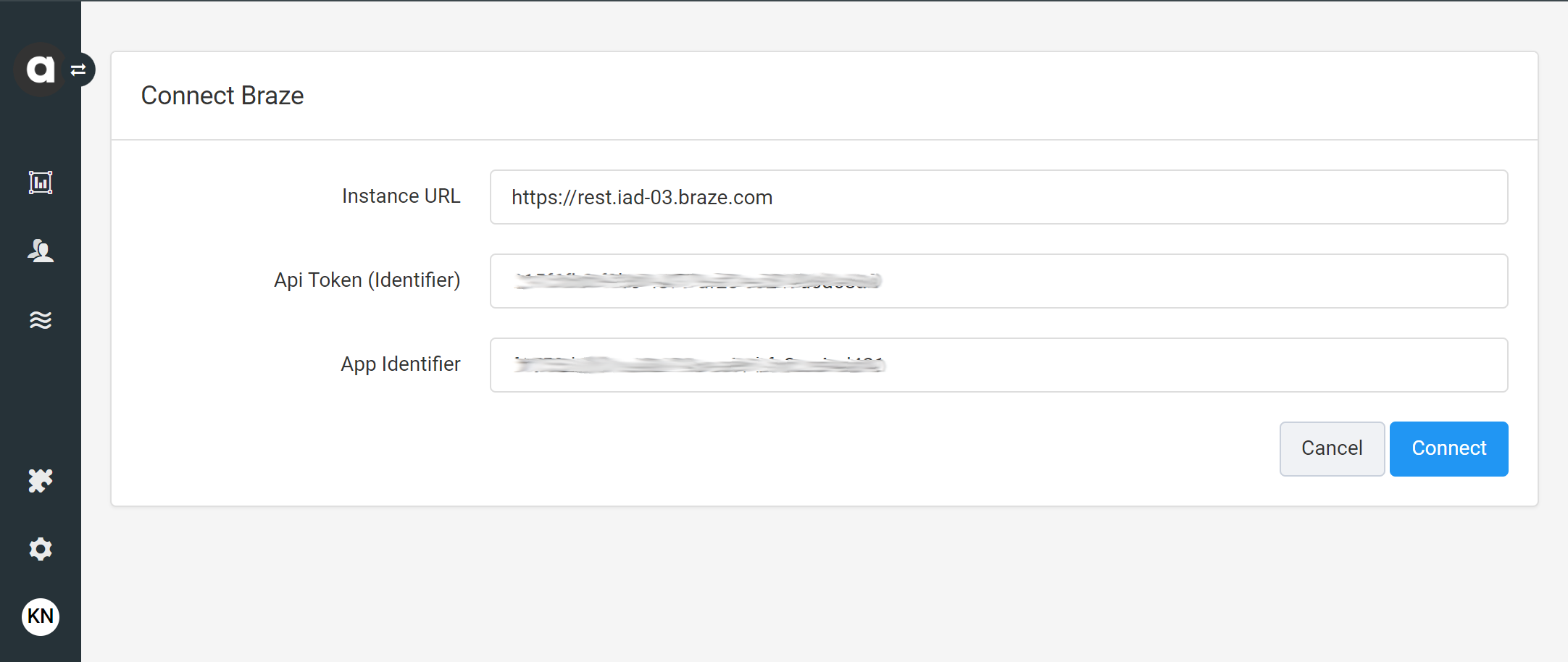
Antavo에서 Modules > Braze로 이동하고 Configure를 클릭합니다. Antavo에서 Braze 통합 구성 페이지로 처음 이동하면 인터페이스에서 두 시스템을 연결하라는 메시지가 표시됩니다.
다음 자격 증명을 제공합니다:
- Instance URL: 프로비저닝된 인스턴스의 Braze REST 엔드포인트.
- API Token (Identifier): Antavo가 Braze에 요청을 보낼 때 사용해야 하는 Braze REST API 키.
- App Identifier: Braze 앱 식별자.
자격 증명을 입력한 후 Connect를 클릭합니다.
2단계: 필드 매핑 구성하기
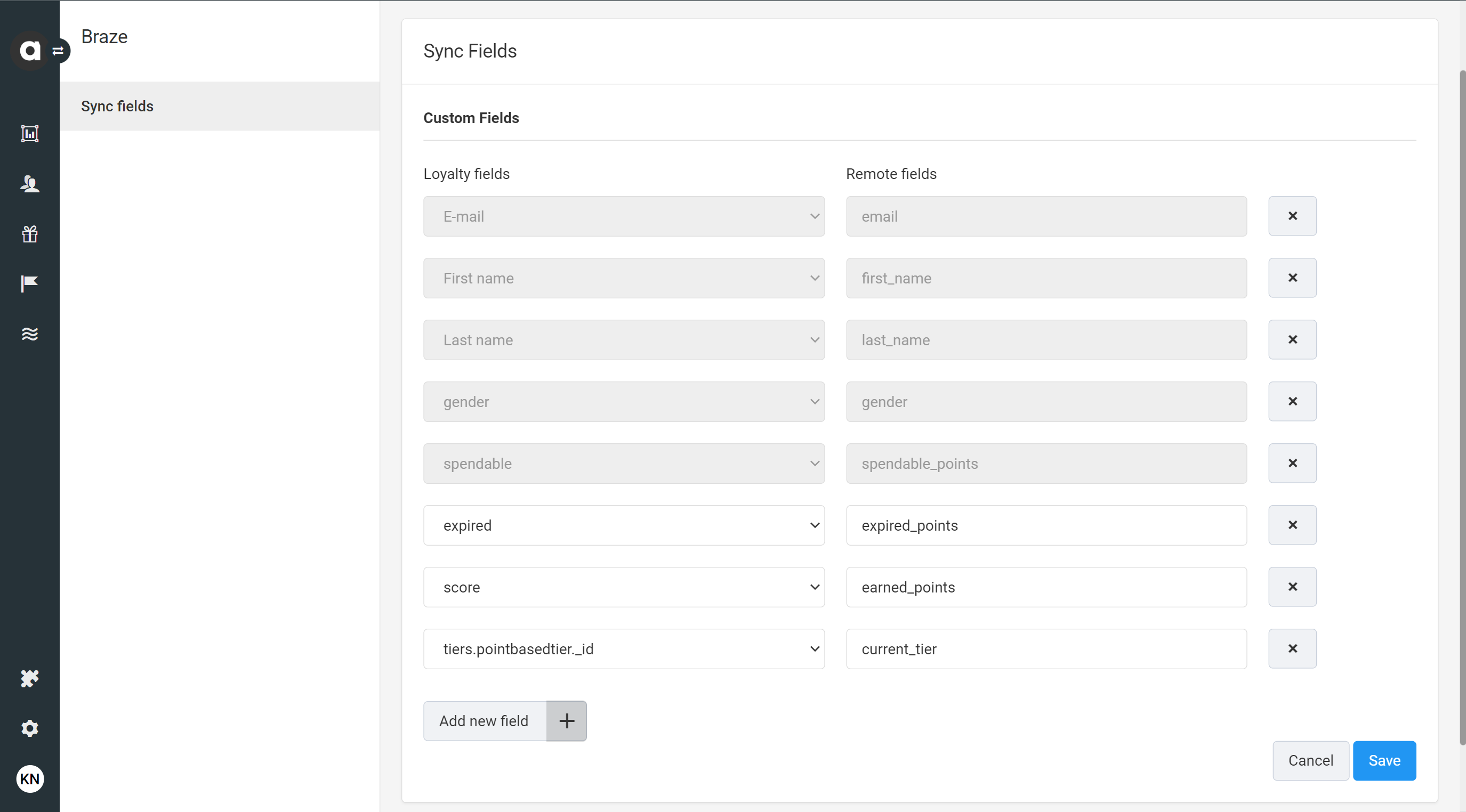
연결이 설정되면 Antavo에서 자동으로 Sync Fields 페이지로 리디렉션되어 두 시스템 간의 필드 동기화를 구성할 수 있습니다. 이 페이지는 Modules > Braze를 통해 언제든지 접근할 수 있습니다.
Antavo에서 필드 매핑을 구성하려면:
- Add new field 를 클릭합니다.
- 드롭다운 필드를 사용하여 Braze에 동기화할 Antavo Loyalty field를 선택합니다.
- 데이터가 채워질 Braze의 동등한 커스텀 속성을 나타내는 Remote field를 입력합니다.

Braze에서 데이터 설정 > 커스텀 속성에서 커스텀 속성 목록을 확인할 수 있습니다. 입력한 필드가 Braze에 정의되어 있지 않으면 첫 번째 동기화 시 새 필드가 자동으로 생성됩니다.
- 추가 필드 페어링을 추가하려면 1~3단계를 반복합니다.
- 동기화된 데이터 목록에서 필드를 제거하려면 행 끝에 있는 를 클릭합니다.
- Save를 클릭합니다.
Antavo에서 구성된 필드의 값이 변경되면 해당 단일 값의 동기화만 트리거되는 것이 아니라 필드 매핑에 추가된 모든 필드가 요청에 포함됩니다.

데이터 포인트 사용량을 최소화하려면 Braze 내에서 실제로 사용할 필드만 매핑하는 것이 좋습니다.
지원되는 데이터 유형
이 통합은 숫자(정수, 플로트), 문자열, 배열, 부울, 오브젝트, 오브젝트 배열, 날짜 등 모든 Braze 커스텀 속성 데이터 유형을 지원합니다.
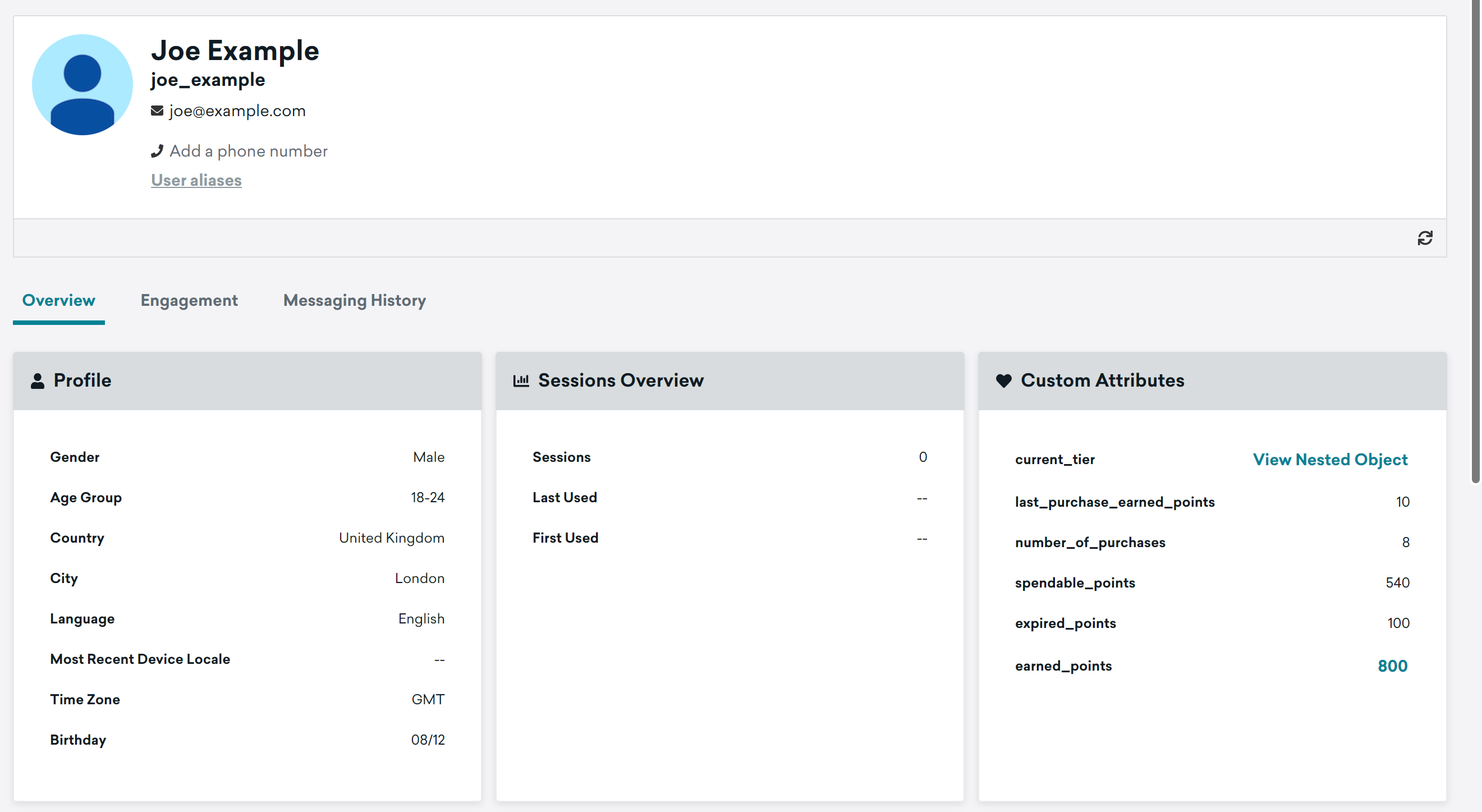
데이터 필드는 구성된 필드 매핑에 따라 채워집니다.
트리거
필드 매핑 구성 외에도 이 통합은 Antavo의 Workflows 도구에 내장된 기능을 통해 추가 기능을 제공합니다. 모든 Braze 커스텀 속성 데이터 유형 및 커스텀 이벤트 속성정보 데이터 유형도 워크플로를 통해 동기화할 수 있습니다.
로열티 데이터 비정기 동기화
데이터가 Antavo의 로열티 필드에 저장되지 않거나 매핑된 필드 목록에 추가되지 않은 경우 이 옵션을 사용합니다. 구성된 워크플로 기준이 충족되면 요청된 데이터의 동기화가 트리거됩니다.
마지막 구매와 관련된 로열티 데이터의 동기화를 구성하는 방법을 알아보려면 단계별 가이드를 참조하세요.
로열티 프로그램 이벤트 동기화
Antavo에서 동기화된 이벤트를 사용하여 액션 기반 Braze Canvases에 로열티 회원을 진입시킬 수 있습니다. 이 통합은 Braze에서 커스텀 이벤트로 표시되는 모든 Antavo 이벤트(구매 이벤트 포함)를 동기화할 수 있습니다.
로열티 프로그램 등록 이벤트의 동기화 및 로열티 프로그램 혜택 적립 이벤트의 동기화를 구성하는 방법을 알아보려면 단계별 가이드를 참조하세요.