Amplitude 코호트 가져오기
이 문서에서는 Amplitude에서 Braze로 사용자 코호트를 가져오는 방법을 다룹니다. Amplitude 통합 및 기타 기능에 대한 자세한 내용은 Amplitude 기본 문서를 참조하세요.
데이터 가져오기 통합
설정하는 모든 통합은 계정의 데이터 포인트 사용량에 포함됩니다.
1단계: Braze 데이터 가져오기 키 받기
Braze에서 파트너 통합 > 기술 파트너로 이동하여 Amplitude를 선택합니다. 여기에서 REST 엔드포인트를 확인하고 Braze 데이터 가져오기 키를 생성할 수 있습니다.
생성된 후에는 새 키를 만들거나 기존 키를 무효화할 수 있습니다. 데이터 가져오기 키와 REST 엔드포인트는 다음 단계에서 Amplitude 대시보드에서 포스트백을 설정할 때 사용됩니다.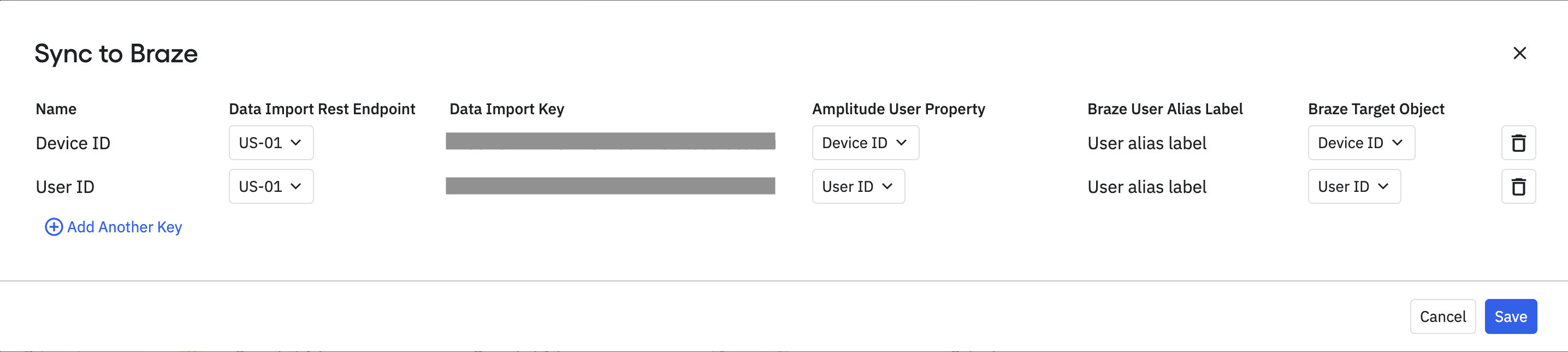
2단계: Amplitude에서 Braze 통합 설정하기
Amplitude에서 Sources & Destinations > [프로젝트 이름] > Destinations > Braze로 이동합니다. 표시되는 프롬프트에서 Braze 데이터 가져오기 키와 REST 엔드포인트를 입력하고 Save를 클릭합니다.
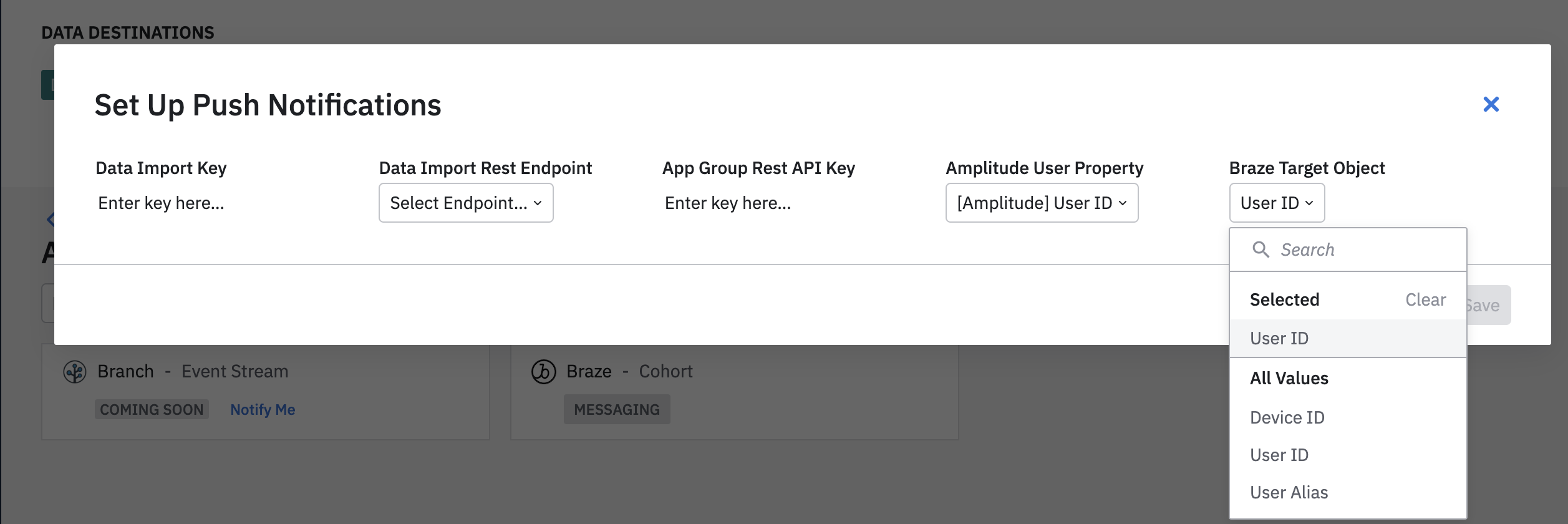
3단계: Amplitude 코호트를 Braze로 내보내기
먼저 Amplitude에서 Braze로 사용자를 내보내려면 내보내려는 사용자의 코호트를 생성합니다. 그런 다음 식별된 사용자와 익명 사용자를 모두 캡처하려면 다음 식별자 매핑 속성을 사용하여 해당 코호트에 대해 두 개의 동기화를 설정합니다:
- 사용자 ID(외부 ID)
- 기기 ID
Amplitude 계정에서 여러 Braze 연결을 설정할 수 있습니다. 이를 통해 알려진 사용자에 대해 사용자 ID를 동기화하는 연결과 익명 사용자에 대해 기기 ID를 동기화하는 연결을 각각 구성할 수 있습니다.
코호트를 생성한 후 Sync to…를 클릭하여 해당 사용자를 Braze로 내보냅니다.

Braze에 이미 존재하는 사용자만 코호트에 추가되거나 제거됩니다. 코호트 가져오기는 Braze에 새 사용자를 생성하지 않습니다.
동기화 주기 정의
코호트 동기화는 일회성 동기화, 매일 또는 매시간 스케줄, 또는 매분 업데이트되는 실시간으로 설정할 수 있습니다.
설정하는 모든 통합은 데이터 포인트를 기록합니다. Braze 데이터 포인트의 세부 사항에 대해 궁금한 점이 있으면 Braze 계정 매니저에게 문의하세요.
4단계: Braze에서 사용자 Segment 만들기
Braze에서 해당 사용자의 Segment를 생성하려면 참여 아래의 Segments로 이동하여 Segment 이름을 지정하고 필터로 Amplitude Cohorts를 선택합니다. 그런 다음 “포함” 옵션을 사용하여 Amplitude에서 생성한 코호트를 선택합니다.
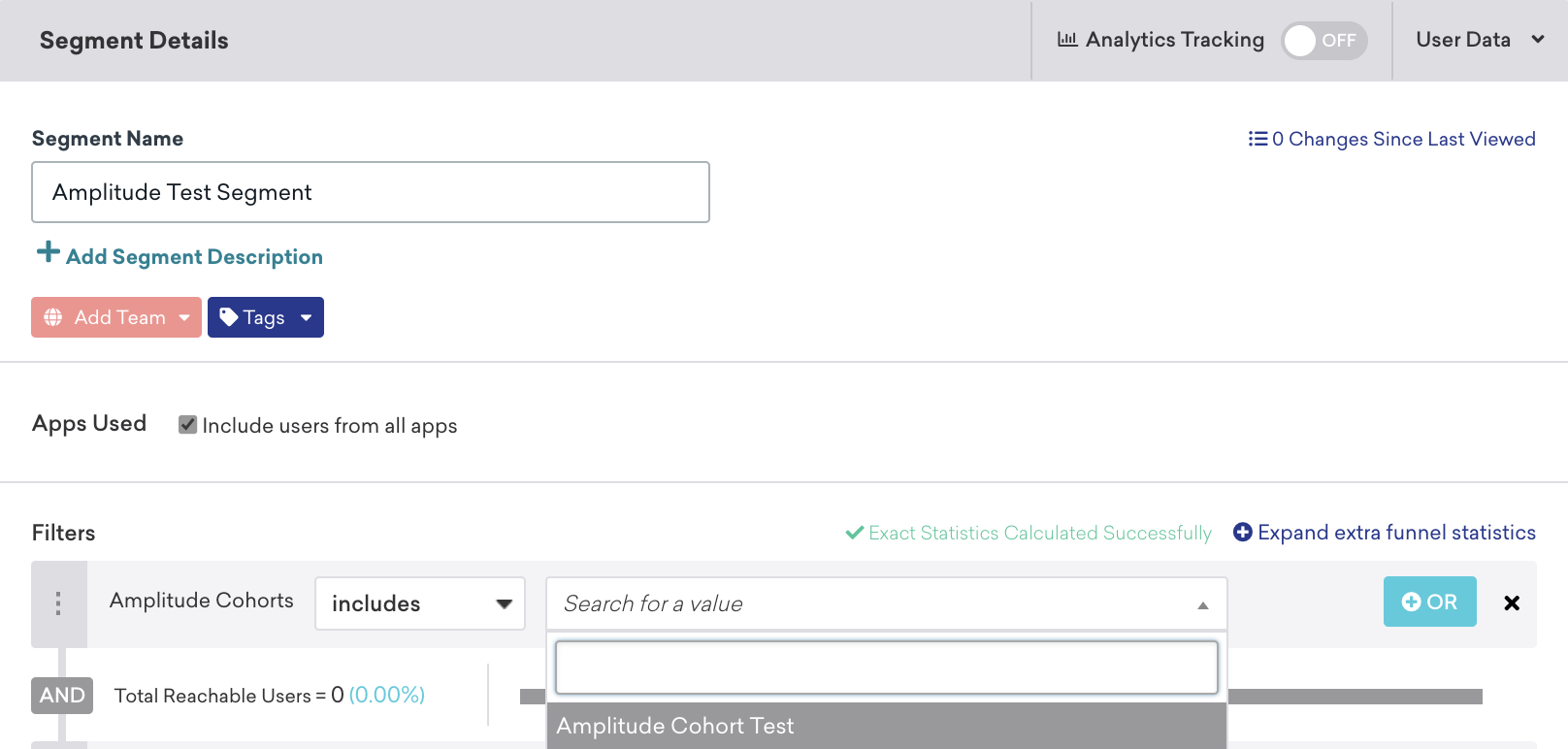
저장한 후 Canvas 또는 Campaign 생성 시 사용자 타겟팅 단계에서 이 Segment를 참조할 수 있습니다.
사용자 매칭
식별된 사용자는 external_id 또는 alias로 매칭할 수 있습니다. 익명 사용자는 device_id로 매칭할 수 있습니다. 원래 익명 사용자로 생성된 식별된 사용자는 device_id로 식별할 수 없으며, external_id 또는 alias로 식별해야 합니다.