이 페이지는 AI로 자동 번역되었으며 부정확한 내용이 포함될 수 있습니다. 번역 오류를 신고하려면 페이지 오른쪽 목차 아래에 있는 피드백 기능을 사용하세요.
Zeotap for Currents
Zeotap은 ID 확인, 인사이트, 데이터 보강을 제공하여 모바일 오디언스를 발견하고 이해할 수 있도록 돕는 차세대 고객 데이터 플랫폼입니다.
Braze와 Zeotap 통합을 사용하면 Zeotap 고객 세그먼트를 Braze 고객 프로필에 동기화하여 Campaign의 규모와 도달 범위를 확장할 수 있습니다. Currents를 사용하면 데이터를 Zeotap에 연결하여 전체 성장 스택에서 활용할 수도 있습니다.
필수 조건
| 요구 사항 | 설명 |
|---|---|
| Zeotap 계정 | 이 파트너십을 활용하려면 Zeotap 계정이 필요합니다. |
| Currents | 데이터를 Zeotap으로 다시 내보내려면 계정에 Braze Currents가 설정되어 있어야 합니다. |
구현
1단계: Currents 소스 생성
- Zeotap에서 Integrate 아래의 Sources로 이동합니다.
- Create Source를 선택합니다.
- 카테고리로 Customer Engagement Channels를 선택합니다.
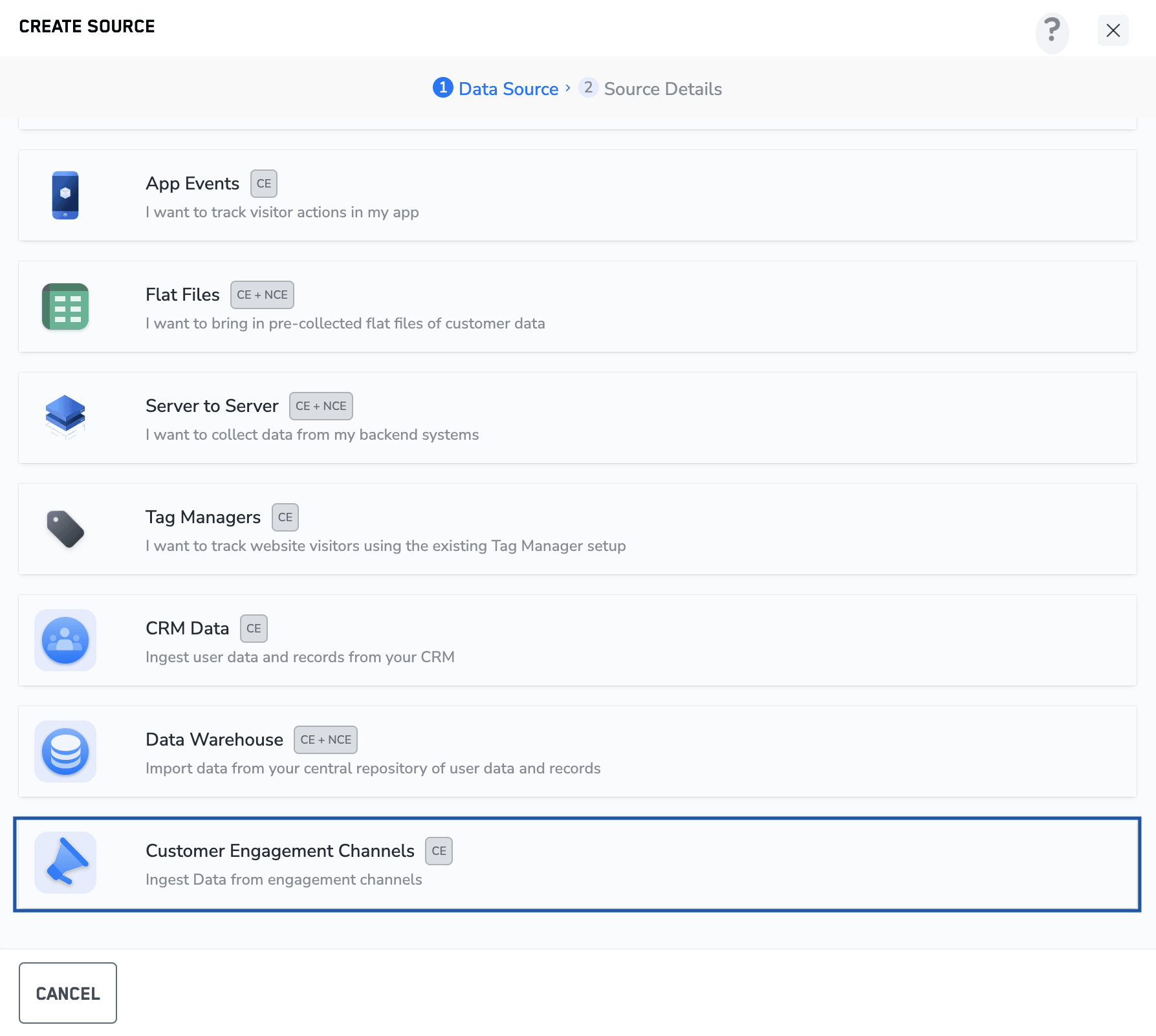
- 데이터 소스로 Braze를 선택합니다.
- 소스 이름을 입력합니다.
- 지역을 선택합니다.
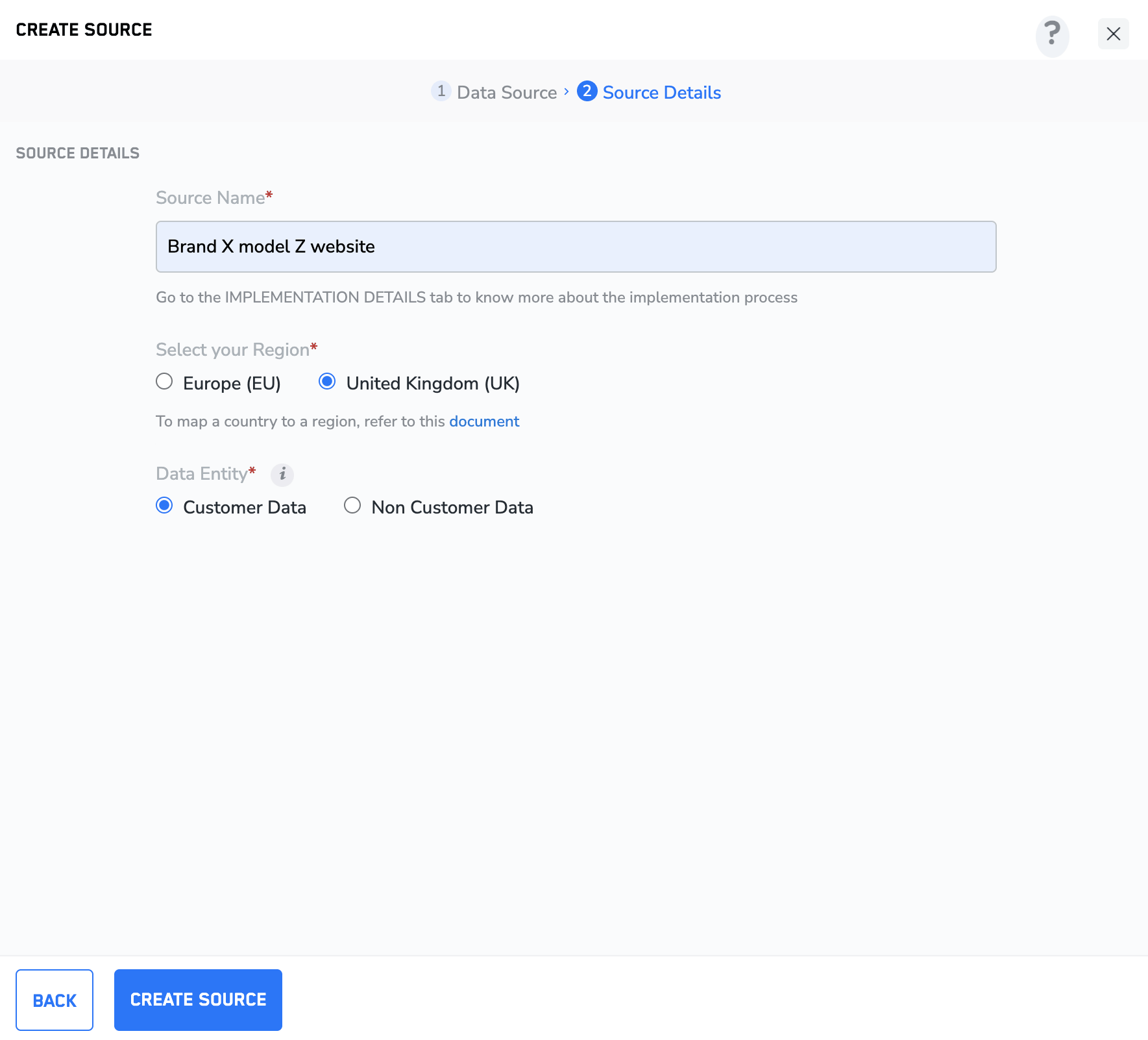
- Create Source를 선택합니다.
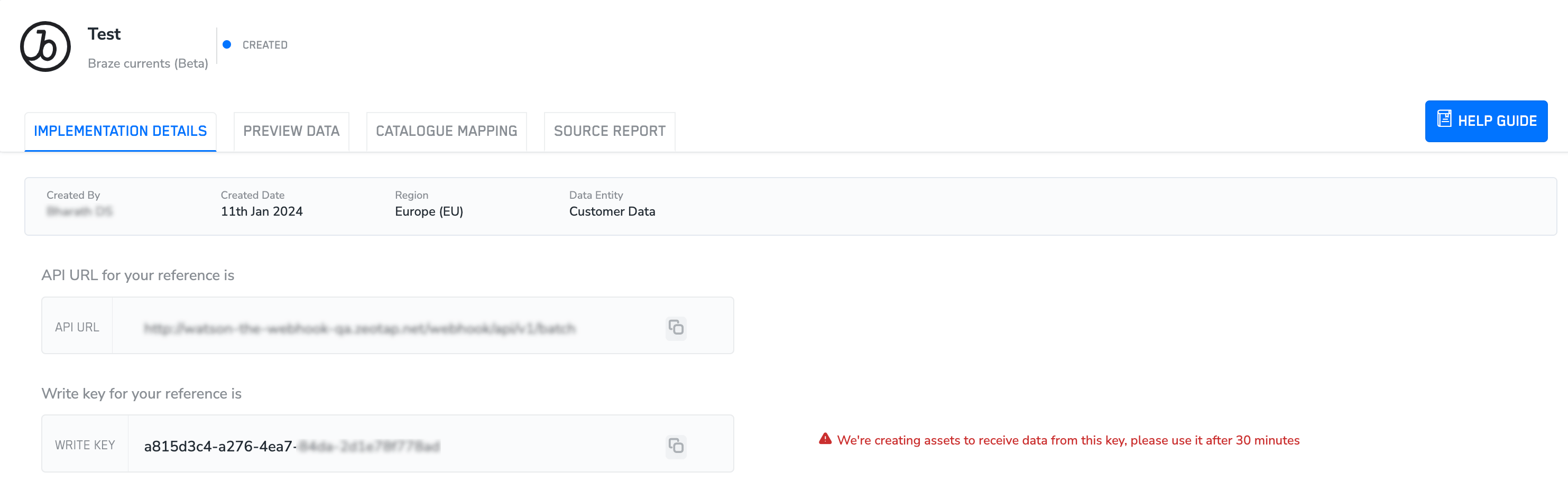
- Implementation Details 탭으로 이동하여 API URL과 Write Key를 메모합니다.
2단계: Currents에서 데이터 스트리밍 구성
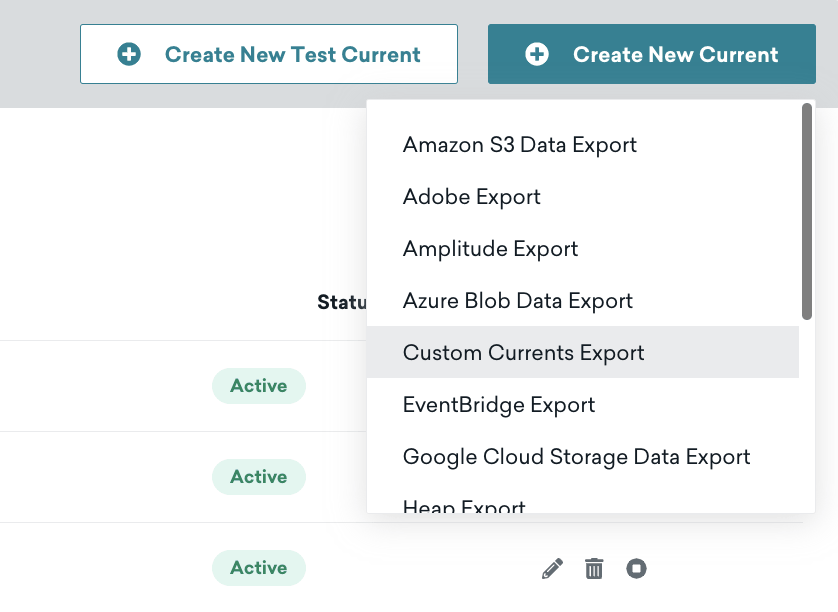
- Braze에서 파트너 통합 > 데이터 내보내기로 이동합니다.
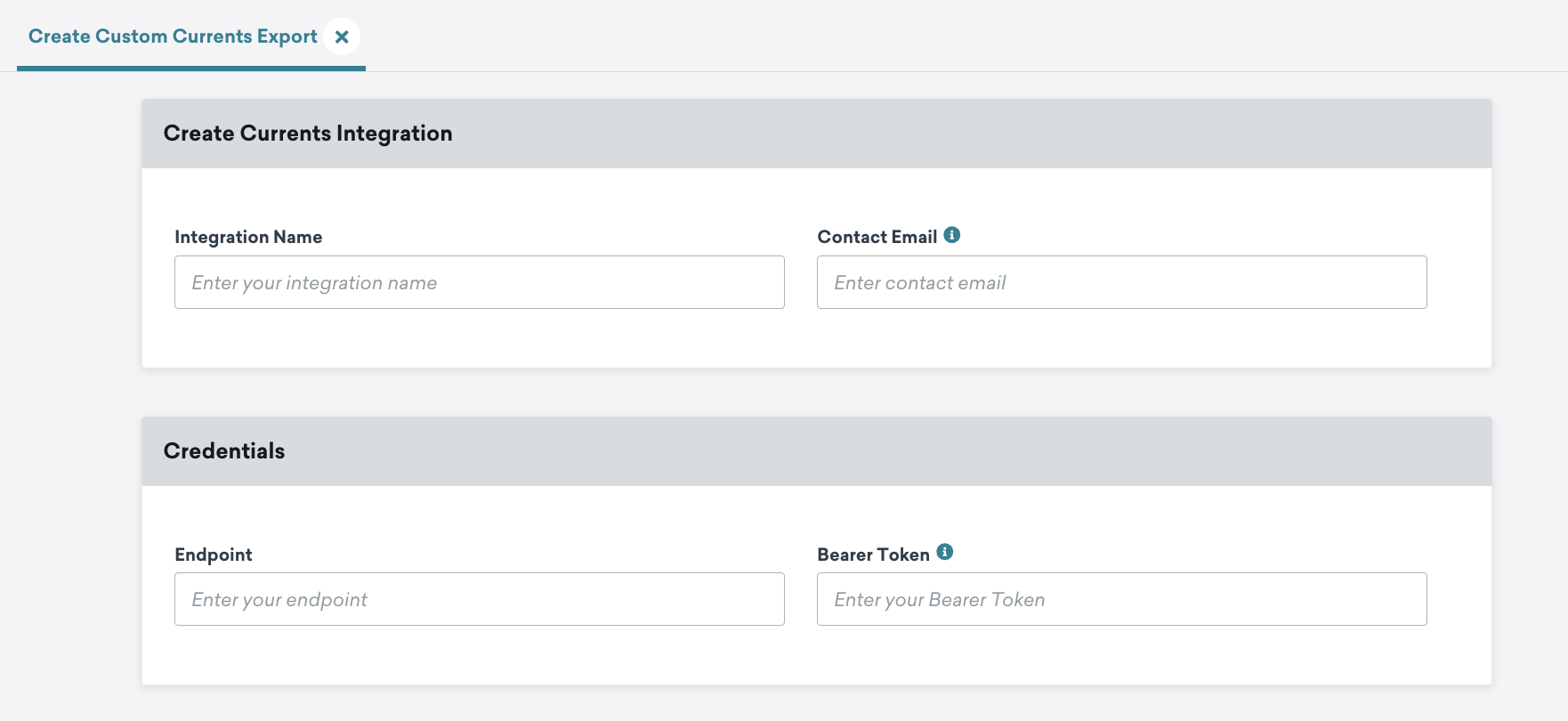
- Create New Current을 선택한 다음 Custom Currents Export를 선택합니다.
- 통합 이름과 통합에서 오류가 발생할 경우 연락받을 이메일을 입력합니다.
- Credentials 아래에 1단계에서 메모한 다음 정보를 입력합니다:
- API URL을 Endpoint로 입력
- Write Key를 Bearer Token으로 입력
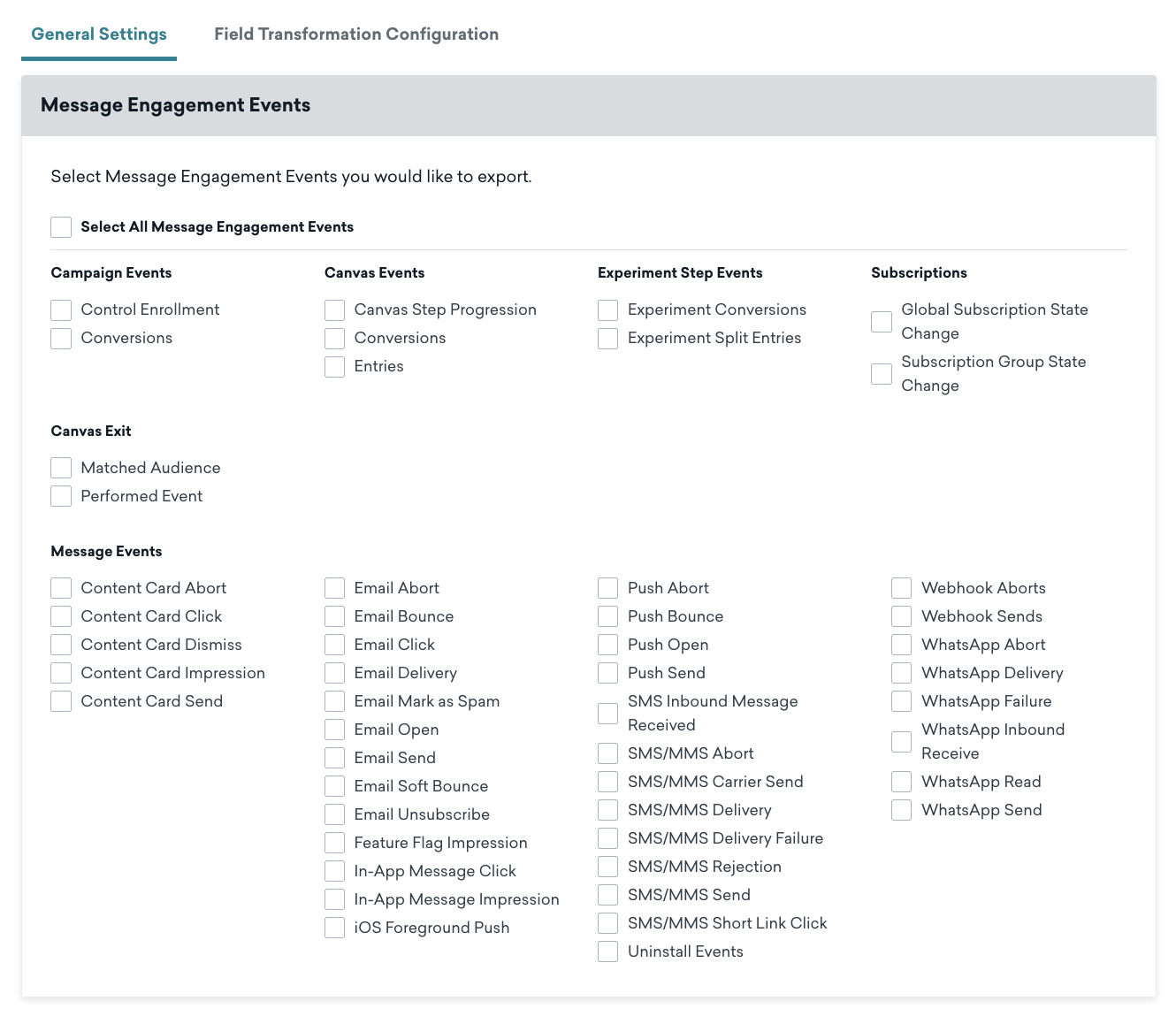
- Zeotap으로 전송할 메시지 참여 이벤트를 선택합니다.
- Launch Current을 선택하여 변경 사항을 저장하고 Zeotap으로 이벤트 전송을 시작합니다.

중요
Currents 커넥터는 익명 사용자(external_id가 없는 사용자)를 지원하지 않습니다.
New Stuff!