이 페이지는 AI로 자동 번역되었으며 부정확한 내용이 포함될 수 있습니다. 번역 오류를 신고하려면 페이지 오른쪽 목차 아래에 있는 피드백 기능을 사용하세요.
Stripo
Stripo는 인터랙티브 요소가 포함된 반응형 이메일을 디자인하기 위한 드래그 앤 드롭 이메일 템플릿 빌더입니다. Stripo 사용자는 HTML로 직접 편집하고, Stripo 편집기를 통해 다양한 기기에서 표시하거나 숨길 요소를 선택할 수도 있습니다.
이 통합은 Stripo에서 유지 관리합니다.
통합 소개
Braze와 Stripo 통합을 사용하면 커스텀 Stripo 이메일을 내보내고 Braze 내에서 템플릿으로 업로드할 수 있습니다.
필수 조건
| 요구 사항 | 설명 |
|---|---|
| Stripo 계정 | 이 파트너십을 활용하려면 Stripo 계정이 필요합니다. |
| Braze REST API 키 | 전체 Templates 권한이 있는 Braze REST API 키. Braze 대시보드의 Settings > API Keys에서 생성할 수 있습니다. |
| 클러스터 인스턴스 | Braze 클러스터 인스턴스는 Braze 대시보드 및 REST 엔드포인트와 일치합니다. |
통합
1단계: Stripo 이메일 만들기
Stripo 플랫폼에서 Stripo 이메일을 만들고 Export를 클릭합니다.

2단계: Braze로 템플릿 내보내기
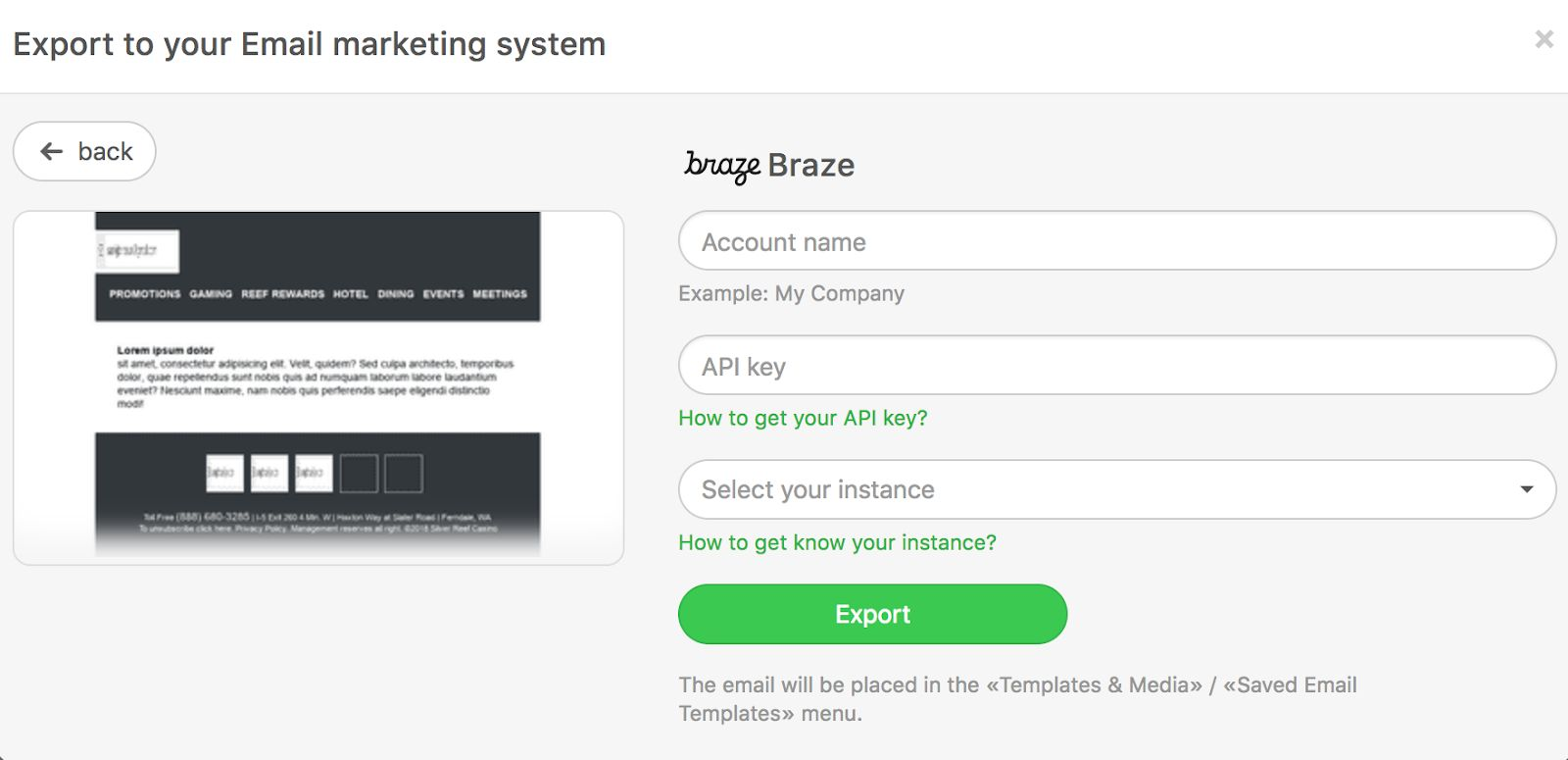
표시되는 대화 상자에서 내보내기 방법으로 Braze를 선택합니다.
그런 다음 account name(워크스페이스 이름 등), API key, cluster instance를 입력합니다.

중요
이 설정은 한 번만 수행하면 되며, 이후 내보내기에서는 자동으로 이 API 키가 사용됩니다.
사용법
Braze 계정의 Templates & Media > Email Templates 섹션에서 업로드한 Stripo 템플릿을 찾을 수 있습니다. 이제 이 이메일 템플릿을 사용하여 고객에게 매력적인 이메일 메시지를 발송할 수 있습니다!
New Stuff!