이 페이지는 AI로 자동 번역되었으며 부정확한 내용이 포함될 수 있습니다. 번역 오류를 신고하려면 페이지 오른쪽 목차 아래에 있는 피드백 기능을 사용하세요.
Email Love
Email Love는 Figma에서 직접 반응형 및 접근성 높은 HTML 이메일을 디자인하고 내보낼 수 있는 Figma 플러그인입니다. Email Love의 Braze로 내보내기 기능은 Braze API를 사용하여 이메일 템플릿을 Braze에 원활하게 업로드합니다.
필수 조건
| 요구 사항 | 설명 |
|---|---|
| Email Love 계정 | 이 파트너십을 활용하려면 Email Love 계정이 필요합니다. |
| Braze REST API 키 | 전체 Templates 권한이 활성화된 Braze REST API 키가 필요합니다. Braze 대시보드의 설정 > API 키에서 생성할 수 있습니다. |
Braze에서 Email Love 사용하기
1단계: 플러그인 실행
이메일 템플릿을 디자인하려면 먼저 플러그인을 로드해야 합니다. 자세한 안내는 Email Love의 Braze에 이메일 업로드하기 설명서를 참조하세요.
2단계: 첫 번째 프레임 만들기
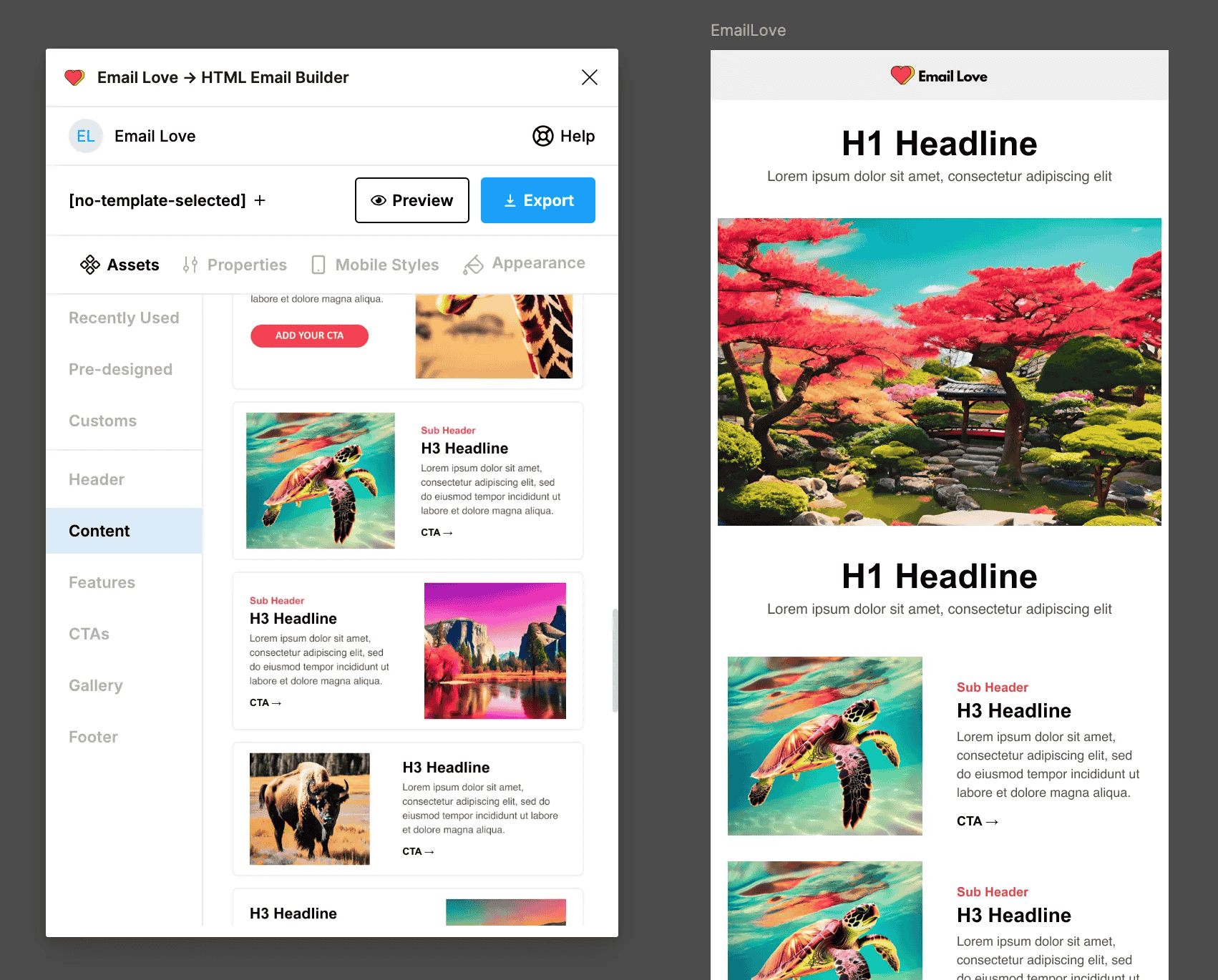
플러그인에서 [+ No Template Selected] 버튼을 선택하여 이메일 디자인에 사용할 새 프레임을 만듭니다.
3단계: Email Love의 사전 구축된 구성요소로 템플릿 디자인하기
생성한 프레임을 선택하고 플러그인의 Assets 라이브러리에서 구성요소(헤더, 콘텐츠 블록, CTA, 푸터)를 추가하여 이메일 구조를 만듭니다.
4단계: 구성요소 커스터마이즈
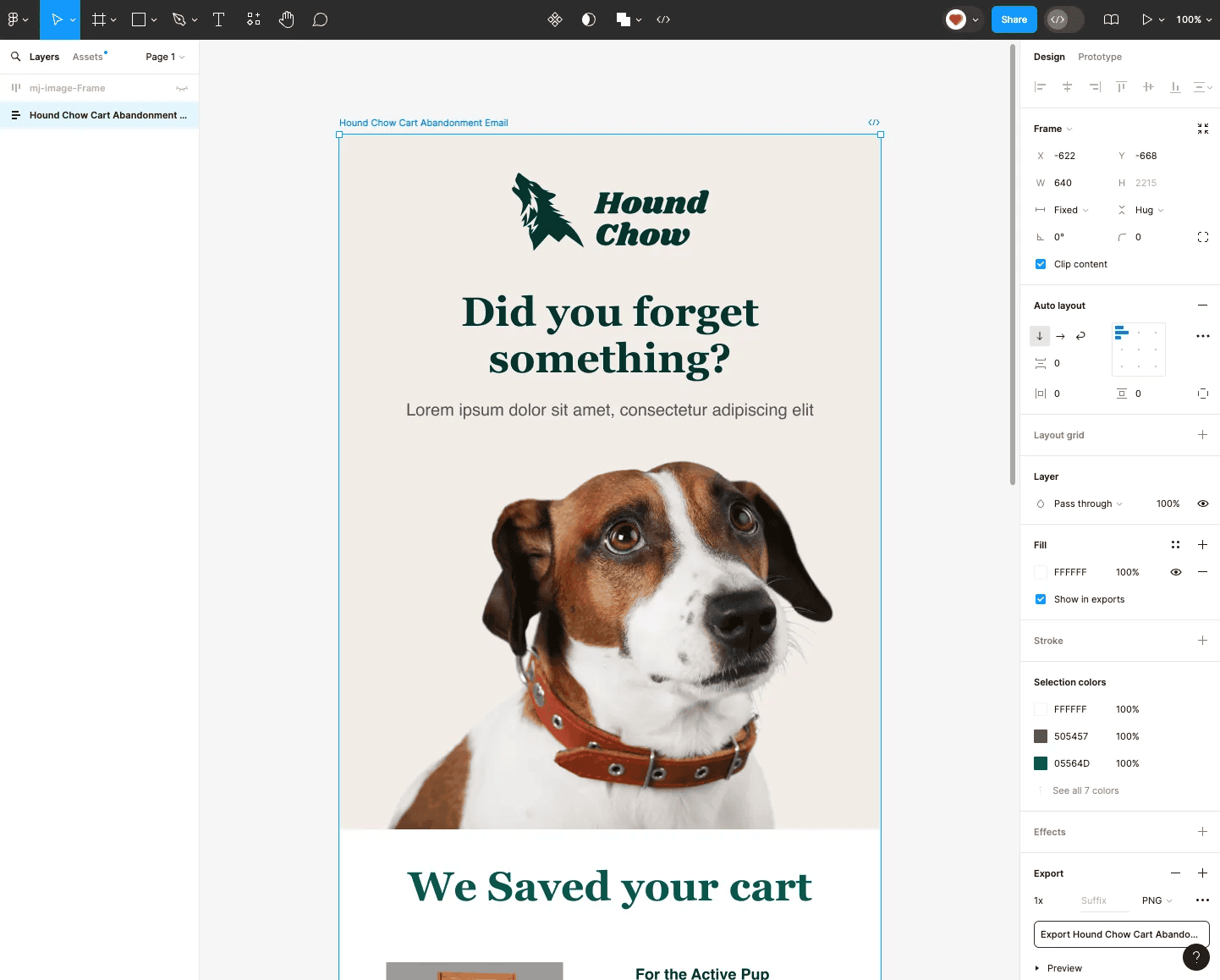
Figma의 도구를 사용하여 텍스트, 이미지, 색상, 레이아웃 요소를 조정하고 템플릿 디자인을 브랜드에 맞게 수정합니다. 푸터 구성요소를 추가하면 내보내기 시 Braze 수신 거부 링크가 자동으로 포함됩니다.
5단계: 이메일 템플릿을 Braze로 내보내기
- 완료되면 내보낼 프레임을 선택합니다. 내보내기가 작동하려면 수신 거부 링크가 포함된 Email Love 푸터를 사용해야 합니다.
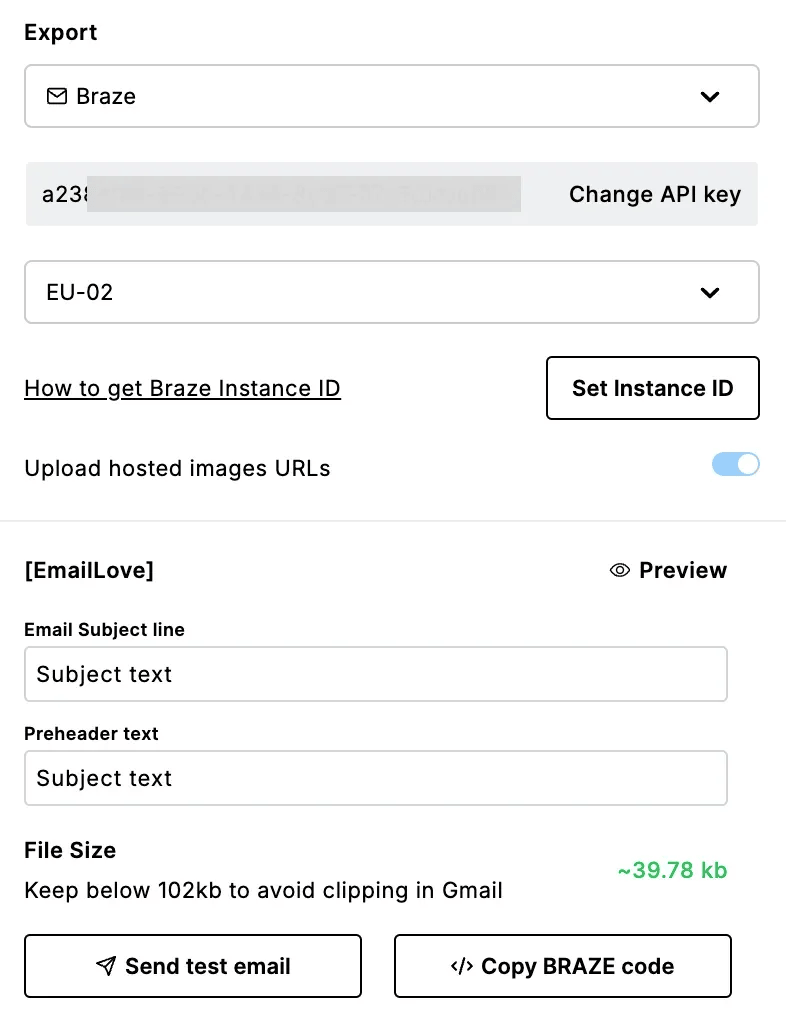
- 플러그인에서 Export 버튼을 선택하고 드롭다운 메뉴에서 Braze를 선택합니다.
- Email Love Figma 플러그인 내의 Braze API Key 상자에 API 키를 복사하여 붙여넣습니다.
- Set API Key 버튼을 선택합니다.
- Change Instance ID를 선택한 다음 Braze 인스턴스 ID를 선택합니다.
6단계: Braze에서 이메일 편집하기
Braze에서 Templates > Edit Templates > Edit Message로 이동합니다. 템플릿 편집기에서 이메일 HTML을 직접 편집하거나 Classic 탭의 Rich Text editor를 사용할 수 있습니다.
고객지원 및 문제 해결
자세한 안내는 Email Love의 이메일 디자인 내보내기 설명서를 참조하세요. 추가 지원이 필요하면 Email Love 고객지원 팀에 문의하세요.
New Stuff!