Facebook 오디언스 내보내기
Braze와 Facebook 통합을 사용하면 Braze 세그먼트를 Facebook으로 수동 내보내기하여 Facebook 커스텀 오디언스를 생성할 수 있습니다. 이 기능은 일회성 정적 오디언스 내보내기이며, 새로운 Facebook 커스텀 오디언스만 생성합니다.
Facebook 커스텀 오디언스 내보내기의 일반적인 사용 사례는 다음과 같습니다:
- 라이프사이클의 특정 시점에서 사용자 리타겟팅
- 제외 타겟팅 목록 생성
- 신규 사용자를 보다 효율적으로 확보하기 위한 유사 오디언스 생성

Facebook 오디언스 내보내기는 사용자 액세스 토큰을 사용하여 요청을 인증합니다.
이 기능을 Facebook 오디언스 동기화 기능과 함께 사용하는 경우, Braze는 기본적으로 이미 생성한 보다 안정적인 시스템 사용자 토큰을 사용하여 요청을 인증합니다.
필수 조건
| 요구 사항 | 설명 |
|---|---|
| Facebook 비즈니스 관리자 | 브랜드의 Facebook 자산(예: 광고 계정, 페이지, 앱)을 관리하는 중앙 집중식 도구입니다. |
| Facebook 광고 계정 | Braze 커스텀 오디언스와 함께 사용하려는 브랜드의 비즈니스 관리자에 연결된 활성 Facebook 광고 계정입니다. Facebook 비즈니스 관리자 관리자가 Braze에서 사용할 Facebook 광고 계정에 대한 관리자 권한을 부여했는지, 그리고 광고 계정 이용약관에 동의했는지 확인하세요. 그렇지 않으면 Braze 내에서 Facebook 광고 계정에 접근할 수 없습니다. |
| Facebook 커스텀 오디언스 약관 | Braze에서 사용할 Facebook 광고 계정에 대해 Facebook의 커스텀 오디언스 약관에 동의해야 합니다. |
통합
1단계: Facebook에 연결
- Braze 대시보드에서 파트너 통합 > 기술 파트너로 이동하여 Facebook을 선택합니다.
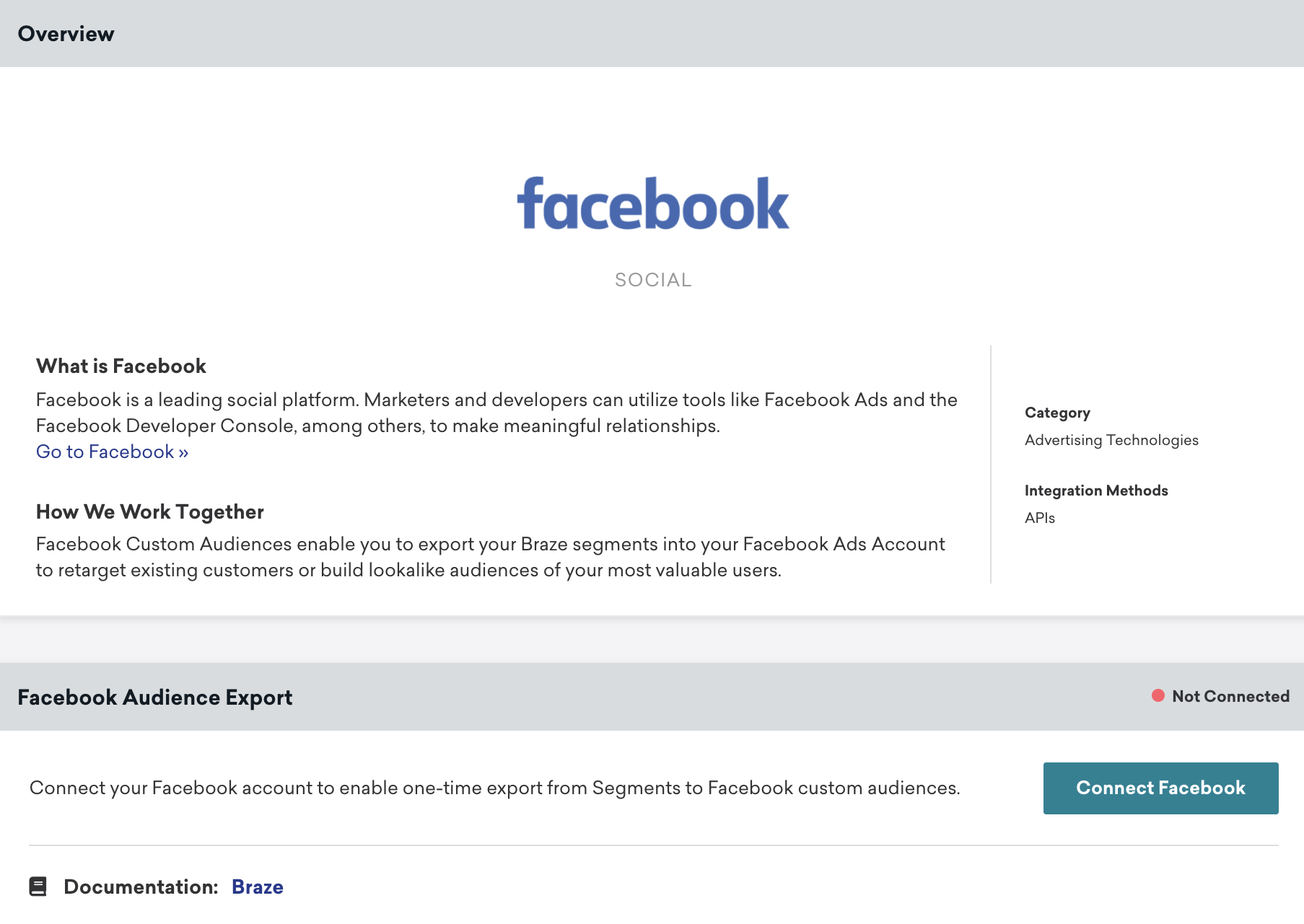
- Facebook 오디언스 내보내기 모듈에서 Connect Facebook을 선택합니다.
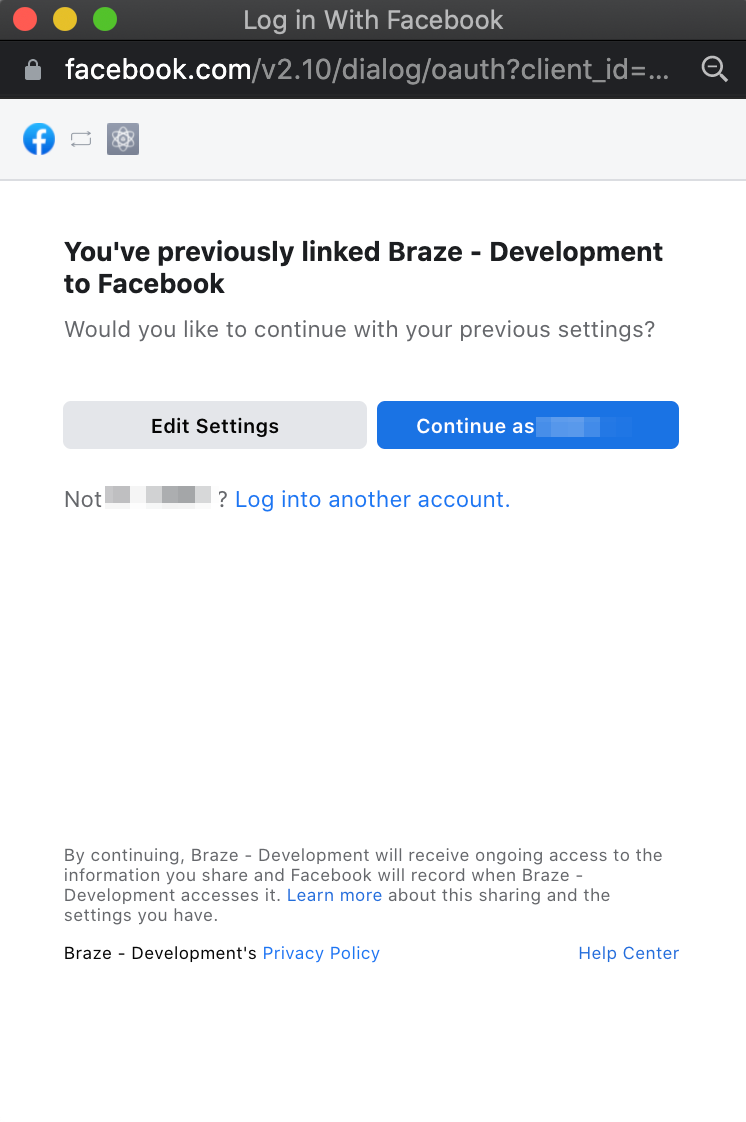
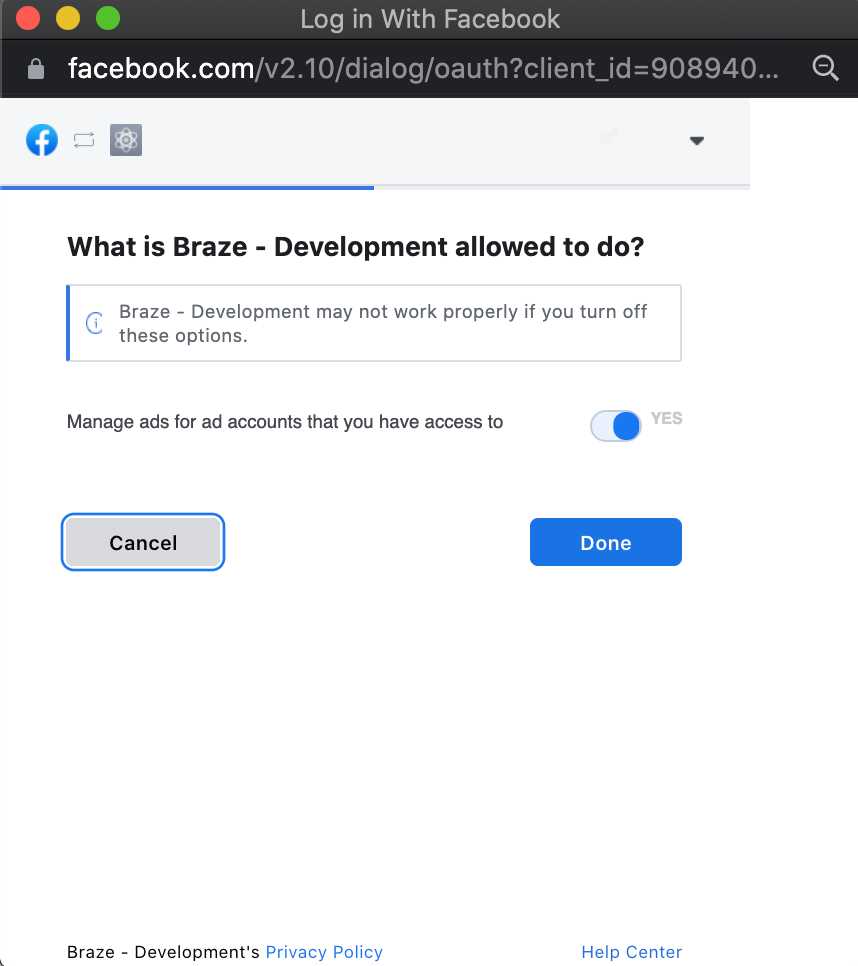
- Facebook oAuth 대화 상자 창에서 Facebook 광고 계정에 커스텀 오디언스를 생성할 수 있도록 Braze에 권한을 부여합니다.
- Braze를 Facebook 계정에 연결한 후, Braze 워크스페이스 내에서 동기화할 광고 계정을 선택합니다.
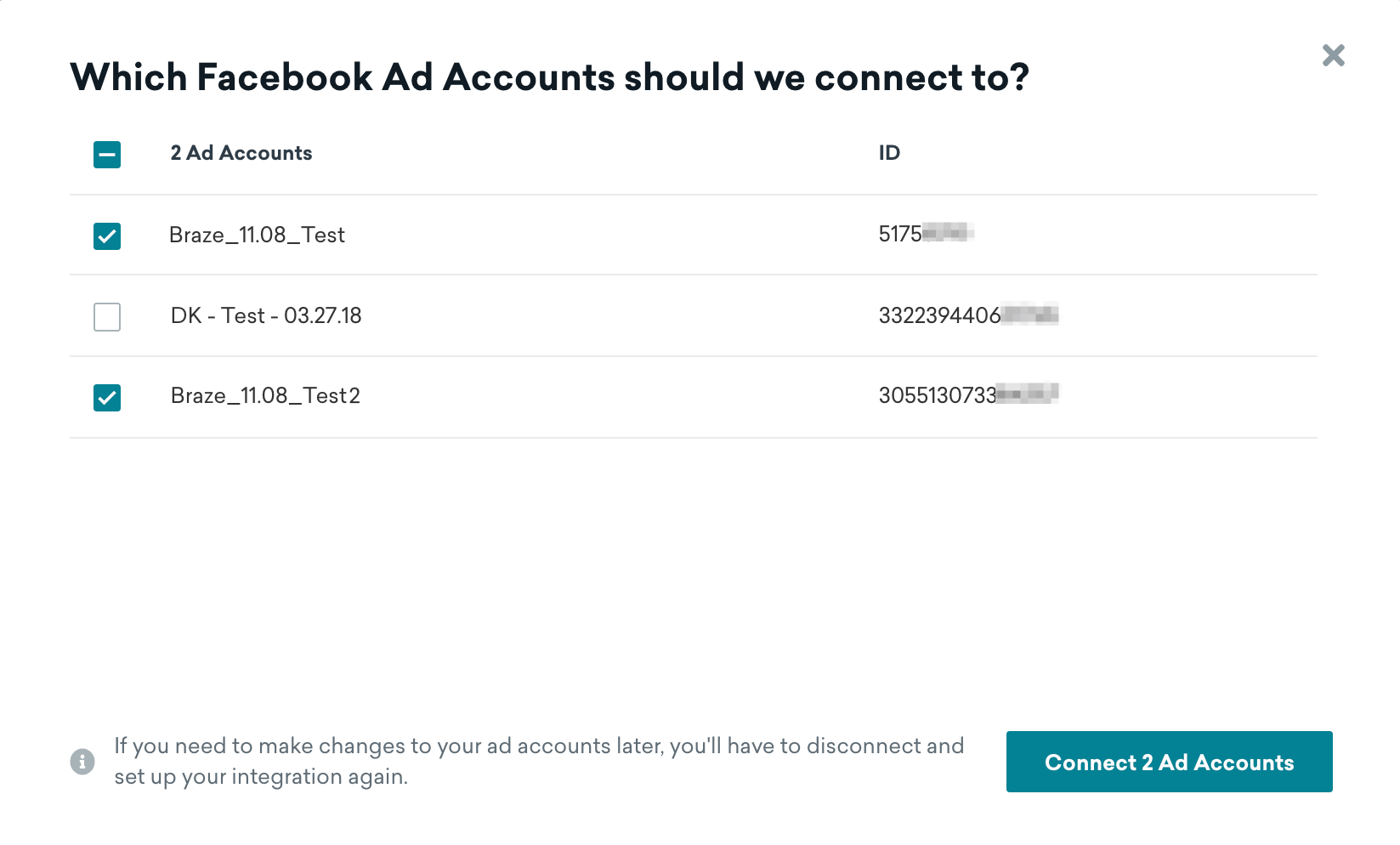
연결하면 파트너 페이지로 돌아가서 어떤 계정이 연결되어 있는지 확인하고 기존 계정의 연결을 해제할 수 있습니다.
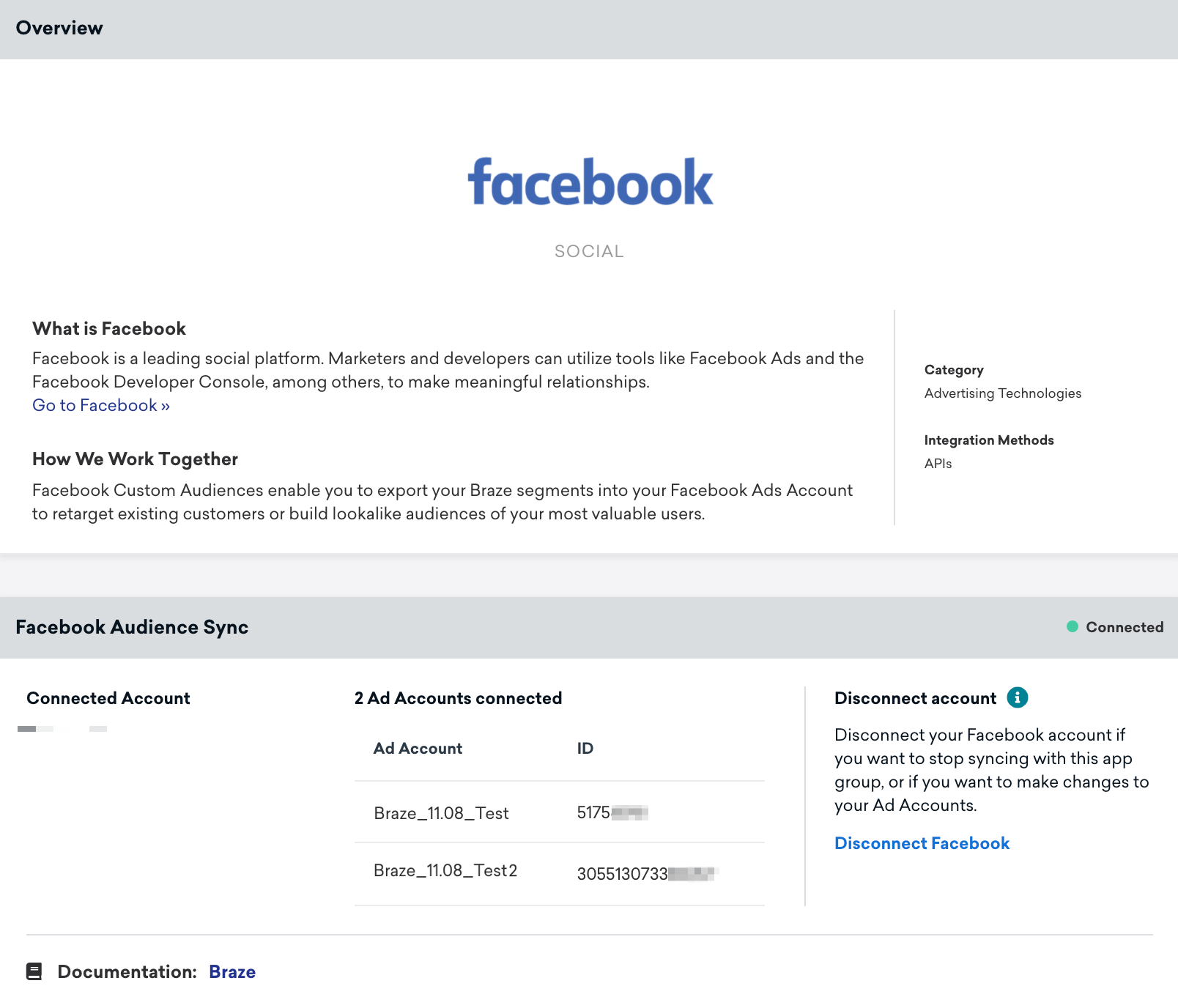
Facebook 연결은 Braze 워크스페이스 수준에서 적용됩니다. Facebook 관리자가 Facebook 비즈니스 관리자에서 사용자를 제거하거나 연결된 Facebook 계정에 대한 접근 권한을 제거하면, Braze는 유효하지 않은 토큰을 감지합니다. 그 결과, Facebook 오디언스 단계를 사용하는 활성 Canvases에 오류가 표시되며, Braze는 사용자를 동기화할 수 없습니다.

이전에 광고 관리 및 광고 관리 표준 접근에 대한 Facebook 앱 검토 프로세스를 완료한 고객의 경우, 시스템 사용자 토큰은 Facebook 오디언스 단계에서 여전히 유효합니다. Facebook 파트너 페이지를 통해 Facebook 시스템 사용자 토큰을 편집하거나 취소할 수 없습니다. 대신, Facebook 계정을 연결하여 Braze 워크스페이스 내에서 Facebook 시스템 사용자 토큰을 교체할 수 있습니다.
새로운 Facebook oAuth 구성은 세그먼트를 통한 Facebook 내보내기에도 적용됩니다.
2단계: Facebook으로 사용자 내보내기
Braze에서 Facebook 오디언스 내보내기는 Segments 페이지를 통해 접근할 수 있습니다.
- Segments 페이지에서 내보내려는 세그먼트를 선택합니다.
- 사용자 데이터를 선택한 다음 Facebook 오디언스로 내보내기를 선택합니다.
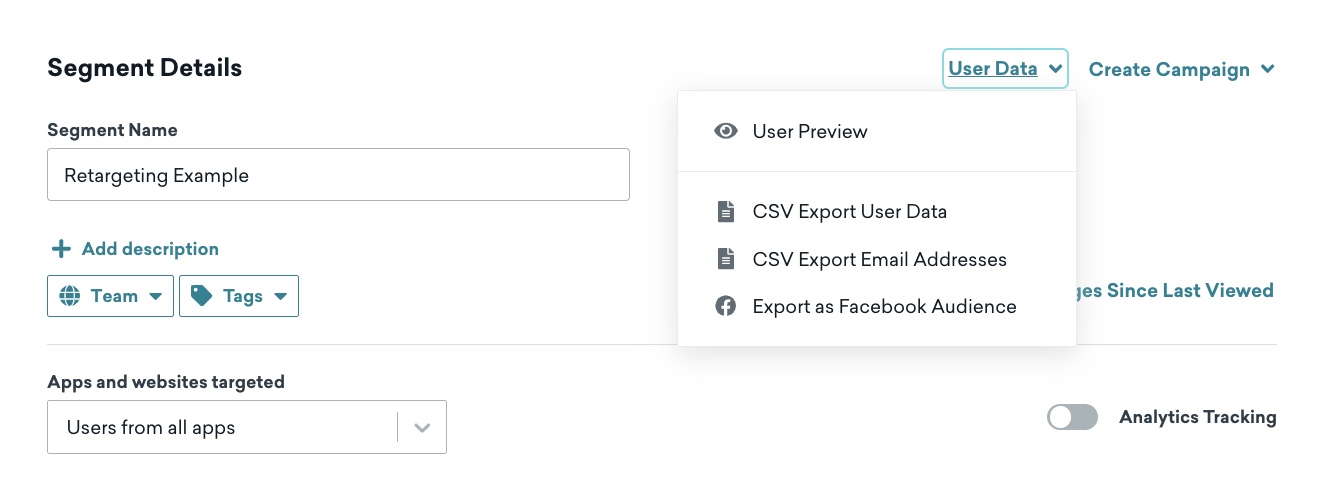
- Braze 내에서 아직 Facebook을 활성화하지 않은 경우, 대시보드의 Facebook 기술 파트너 페이지로 이동하라는 메시지가 표시됩니다. 기술 파트너 > Facebook을 통해 이미 Facebook을 활성화한 경우, Facebook 광고 계정과 내보낼 사용자 필드를 선택할 수 있습니다.
다음 필드를 내보낼 수 있습니다:- 기기 IDFA
- 전화번호
- 이메일
단일 내보내기에서 하나의 사용자 필드만 선택할 수 있습니다. 둘 이상의 데이터 유형을 선택하면 Braze는 각각에 대해 별도의 커스텀 오디언스를 생성합니다.
- 사용자 필드를 선택한 후 세그먼트 내보내기를 선택합니다. CSV 내보내기와 마찬가지로, 세그먼트가 Facebook으로 내보내기를 완료하면 이메일을 받게 됩니다.
- Facebook 광고 관리자에서 커스텀 오디언스를 확인합니다.
사용자 개인정보 보호를 위해 Facebook에서는 다음을 확인할 수 없습니다:
- 커스텀 오디언스에 성공적으로 추가된 정확한 사용자. 개별 오디언스 구성원이 숨겨지는 이유에 대한 Facebook의 세부 정보를 확인하세요.
- 커스텀 오디언스의 크기. Facebook의 오디언스 크기 추정 변경 사항에 대한 세부 정보를 확인하세요.
오디언스 내보내기 구성
Facebook 오디언스를 구축할 때, 사용자의 선호도에 따라 특정 사용자를 포함하거나 제외하고, CCPA에 따른 “판매 또는 공유 금지” 권리와 같은 개인정보 보호법을 준수해야 할 수 있습니다. 마케터는 Canvas 진입 기준 내에서 사용자 자격에 대한 관련 필터를 구현해야 합니다. 아래에 몇 가지 옵션을 안내합니다.
- Braze SDK를 통해 iOS IDFA를 수집한 경우, Ads Tracking Enabled 필터를 사용할 수 있습니다. 값을
true로 선택하면 옵트인한 사용자만 오디언스 동기화 대상으로 전송합니다.
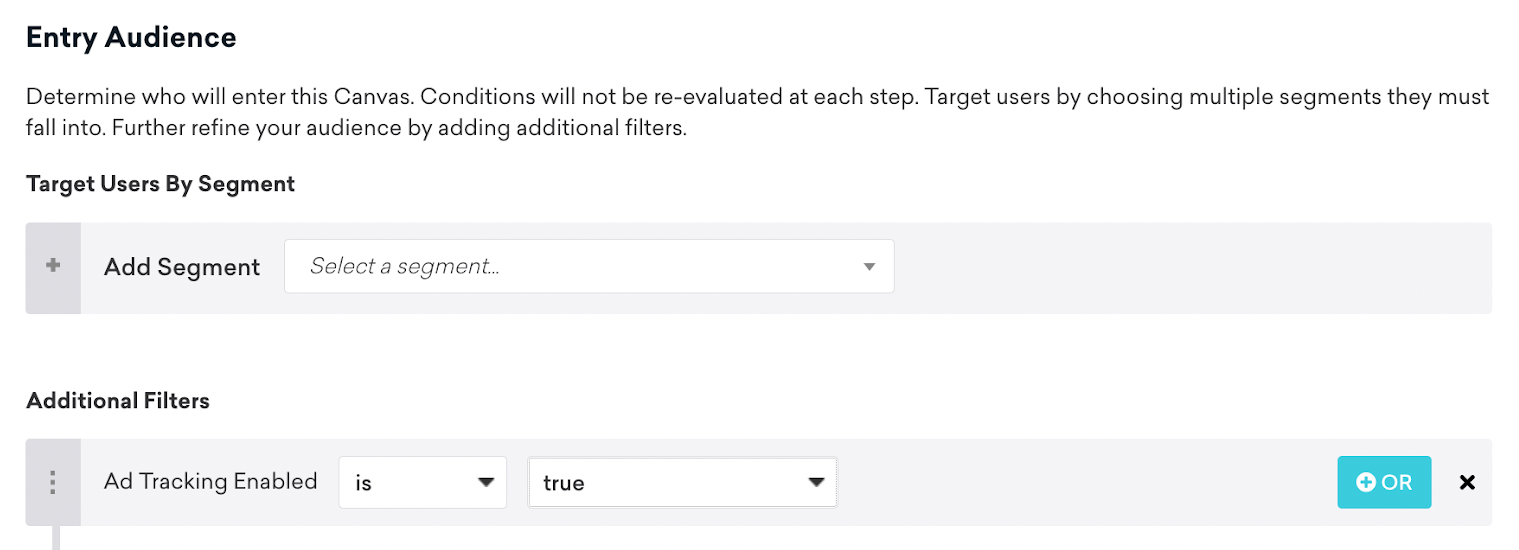
- 옵트인, 옵트아웃,
Do Not Sell Or Share또는 기타 관련 커스텀 속성을 수집하는 경우, Canvas 진입 기준에 필터로 포함해야 합니다:

유사 오디언스
세그먼트를 Facebook 오디언스로 성공적으로 내보낸 후, Facebook 유사 오디언스를 사용하여 추가 그룹을 생성할 수 있습니다. 이 기능은 선택한 오디언스의 인구 통계, 관심사 및 기타 속성을 분석하여 유사한 속성을 가진 사람들로 구성된 새로운 오디언스를 생성합니다.
문제 해결
액세스 토큰 유효성 검사 오류
Facebook 내보내기를 사용할 때 다음과 같은 경우 Error Validating Access Token 오류가 나타납니다:
- 비밀번호를 변경하여 현재 세션이 무효화된 경우
- 보안 예방 조치로 Facebook에서 로그아웃된 경우
이 오류를 해결하려면 다음 단계를 따르세요:
- Facebook에서 로그아웃한 후 다시 로그인합니다.
- Braze에서 Facebook 자격 증명을 제거하고 저장합니다. 세그먼트 내보내기를 시도하여 자격 증명이 제거되었는지 확인합니다(내보내기 아이콘이 비활성화되어 있어야 합니다).
- Facebook 자격 증명을 다시 추가하고 저장합니다.
- 내보내기를 다시 시도합니다.
내보내기가 작동하지 않으면 다음을 수행하세요:
- 자격 증명을 다시 제거하고 저장합니다.
- 자격 증명을 다시 추가하고 저장합니다.
- 기술 파트너 페이지에서 Facebook 통합을 연결 해제한 후 다시 연결합니다.
Facebook 오디언스 내보내기 시 오류
세그먼트를 Facebook 오디언스로 내보낼 때 오류가 발생하면, Facebook 개발자 문서에서 다음과 같은 일반적인 원인을 안내하고 있습니다:
- 액세스 토큰이 앱 및 광고 계정의 관리자가 아닌 사용자의 것입니다: Braze에 연결된 Facebook 사용자의 자격 증명에 적절한 권한이 있어야 합니다.
- 내보내려는 광고 계정이 앱과 연결되어 있지 않습니다: Facebook 광고 계정이 Facebook 설정에서 앱에 연결되어 있어야 합니다.
다음 확인 사항을 통해 설정을 검증하세요:
- 앱의 관리자인지 확인합니다: developers.facebook.com으로 이동하여 My Apps를 열고 회사의 앱을 선택합니다. 앱이 보이지 않으면 개발팀에서 추가해야 할 수 있습니다. 앱 대시보드에서 Roles로 이동하여 역할(Admin, Developer, Tester 또는 Analytics User)을 확인합니다.
- 광고 계정이 앱과 연결되어 있는지 확인합니다: Facebook 앱 대시보드에서 Settings > Advanced로 이동하여 Advertising Accounts까지 스크롤한 후, Braze 오디언스 내보내기에 사용할 Facebook 광고 계정 ID가 아직 등록되지 않은 경우 추가합니다.
- 광고 계정의 관리자인지 확인합니다: business.facebook.com으로 이동하여 메인 메뉴에서 Business Settings를 열고 Accounts > Ad accounts로 이동하여 광고 계정을 선택합니다. 접근 권한이 있는지, 커스텀 오디언스를 생성하는 데 필요한 권한이 있는지 확인합니다.
자세한 내용은 Facebook 커스텀 오디언스 API 문서 및 Facebook 비즈니스 도움말 센터의 커스텀 오디언스 가이드를 참조하세요.