이 페이지는 AI로 자동 번역되었으며 부정확한 내용이 포함될 수 있습니다. 번역 오류를 신고하려면 페이지 오른쪽 목차 아래에 있는 피드백 기능을 사용하세요.
MetaRouter
MetaRouter는 강력한 서버 사이드 태그 관리 플랫폼으로 원활하게 통합되어 Braze 경험을 한 단계 높여줍니다. 최대 30%까지 강화된 신뢰할 수 있는 완전한 퍼스트파티 데이터 수집부터 개인화된 여정을 위한 실시간 이벤트 스트림 활성화까지, Braze 내에서 완전한 고객 데이터 여정을 오케스트레이션할 수 있도록 지원합니다. 또한 MetaRouter는 Braze 태그나 기타 서드파티 태그의 필요성을 제거하여 구현을 간소화하고, Braze로 유입되는 데이터에 대해 파라미터별로 세밀한 제어를 제공합니다.
이 통합은 Metarouter에서 유지 관리합니다.
지원되는 기능
- 재시도를 기본으로 구성할 수 있습니다.
- 요청은 일괄 처리됩니다.
- 사용량 제한 문제는 재시도로 처리됩니다.
- 외부 ID와 PII가 지원됩니다. MetaRouter는 익명 ID와 클라이언트가 원하는 모든 PII(이메일, 전화번호, 이름)를 전달합니다.
- Braze 구매 및 커스텀 이벤트 데이터를 전송할 수 있습니다.
- 이벤트 등록정보가 지원됩니다.
- 중첩된 이벤트 등록정보는 지원되지 않습니다.
필수 조건
시작하기 전에 다음이 필요합니다.
| 요구 사항 | 설명 |
|---|---|
| MetaRouter 계정 | MetaRouter Enterprise 계정. |
| Braze REST API 키 | users.track 권한이 있는 Braze REST API 키. 생성하려면 설정 > API 키로 이동하세요. |
| Braze REST 엔드포인트 | REST 엔드포인트 URL. 엔드포인트는 인스턴스의 Braze URL에 따라 달라집니다. |
MetaRouter 설정
Braze 통합을 위해 MetaRouter를 설정하려면 다음을 수행합니다.
- MetaRouter로 이동하여 새 클러스터를 생성합니다.
- 추적할 이벤트를 선택합니다.
- MetaRouter SDK를 설치하고 웹사이트에 이벤트를 통합합니다.
- 클러스터를 웹사이트의 UI에 연결합니다.
- 새 파이프라인을 생성합니다.
- 웹사이트가 MetaRouter로 이벤트를 전송하고 있는지 확인합니다.
Braze 통합
1단계: Braze 통합 추가
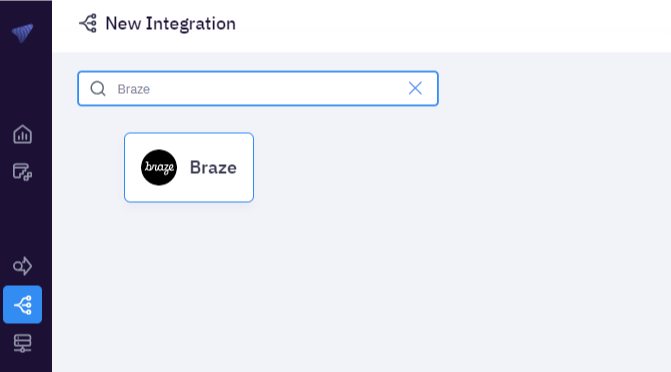
Enterprise MetaRouter에서 Integrations > New Integration > Braze를 선택한 다음 통합 이름을 지정합니다. 그런 다음 인스턴스 URL과 API 키를 입력하고 Apply Changes를 선택합니다.
2단계: 이벤트 매핑 추가
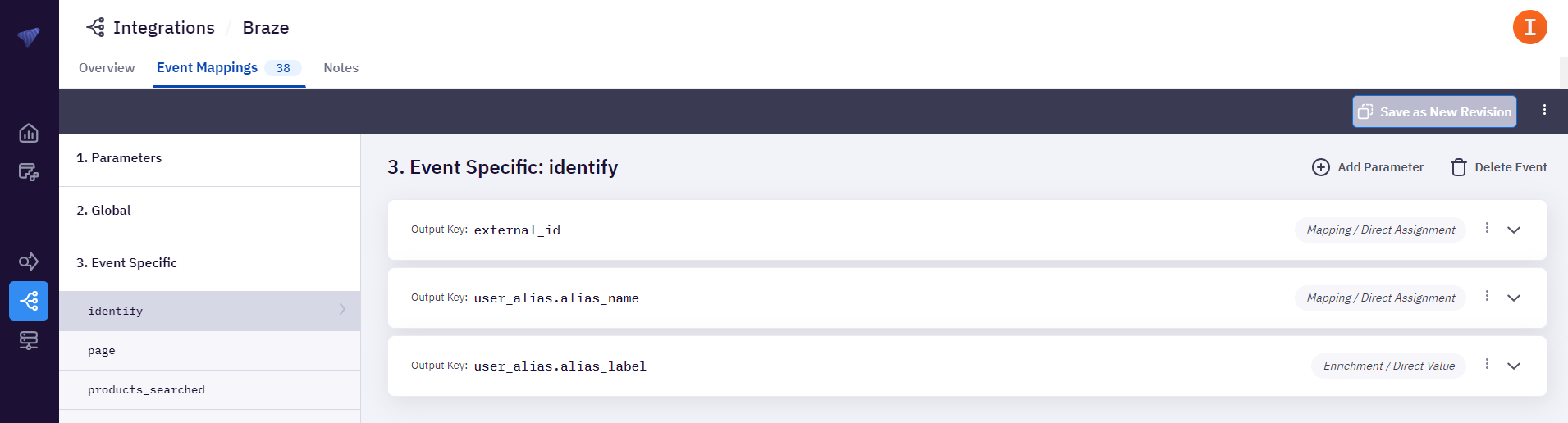
각 ID 출력에 대한 이벤트 매핑을 추가한 다음 Braze로 전송할 이벤트를 구성합니다. 완료되면 Save as New Revision을 선택합니다.
New Stuff!