Komo
Komo는 게임화, 인터랙티브 콘텐츠, 대회, 경품 및 로열티를 전문으로 하는 고객 참여 플랫폼입니다.
이 통합은 Komo에서 유지 관리합니다.
통합 소개
Braze와 Komo 통합을 사용하면 Komo Engagement Hub를 통해 퍼스트파티 및 제로파티 데이터를 수집할 수 있습니다. 이 허브는 인터랙티브 콘텐츠와 게임화 기능을 제공하는 동적 마이크로사이트입니다. 이 허브에서 수집된 사용자 데이터는 Braze API로 전송됩니다.
- Komo에서 수집한 퍼스트파티 및 제로파티 사용자 데이터를 실시간으로 Braze에 수집합니다
- 사용자가 설문조사, 투표 및 퀴즈 질문에 응답할 때 시장 조사 및 사용자 선호도 데이터를 수집합니다
- 사용자가 계속 참여하고 자신에 대한 더 많은 데이터를 공유함에 따라 시간이 지남에 따라 Braze에서 고객 프로필을 점진적으로 구축합니다
- Braze를 통해 전송되는 트랜잭션 이메일의 디자인과 느낌을 표준화합니다
필수 조건
| 요구 사항 | 설명 |
|---|---|
| Komo 계정 | 이 파트너십을 활용하려면 활성 Komo 계정이 필요합니다. 지금 Komo를 방문하여 체험판을 시작하세요. |
| Braze REST API 키 | users.track 권한이 있는 Braze REST API 키. 이 키는 Braze 대시보드의 설정 > API 키에서 생성할 수 있습니다. |
| Braze REST 엔드포인트 | REST 엔드포인트 URL. 엔드포인트는 인스턴스의 Braze URL에 따라 달라집니다. 예를 들어 다음과 같은 형태입니다: https://rest.iad-03.braze.com |
활용 사례
사용자가 Komo에서 커스텀 가능한 데이터 캡처 양식을 제출하면, Braze 통합에서 매핑된 Komo 필드가 /users/track/ API 호출을 통해 Braze로 전달됩니다.
데이터 캡처 양식은 카드의 시작 또는 끝에 존재합니다.
Komo는 사용자가 퀴즈 질문, 투표, 성격 테스트, 스와이퍼 등에 응답할 때 수집된 시장 조사 데이터를 전달할 수 있는 기능도 제공합니다. 이 데이터를 통해 양식 제출에서 수집된 데이터 이상으로 사용자 프로필을 강화할 수 있습니다.
통합
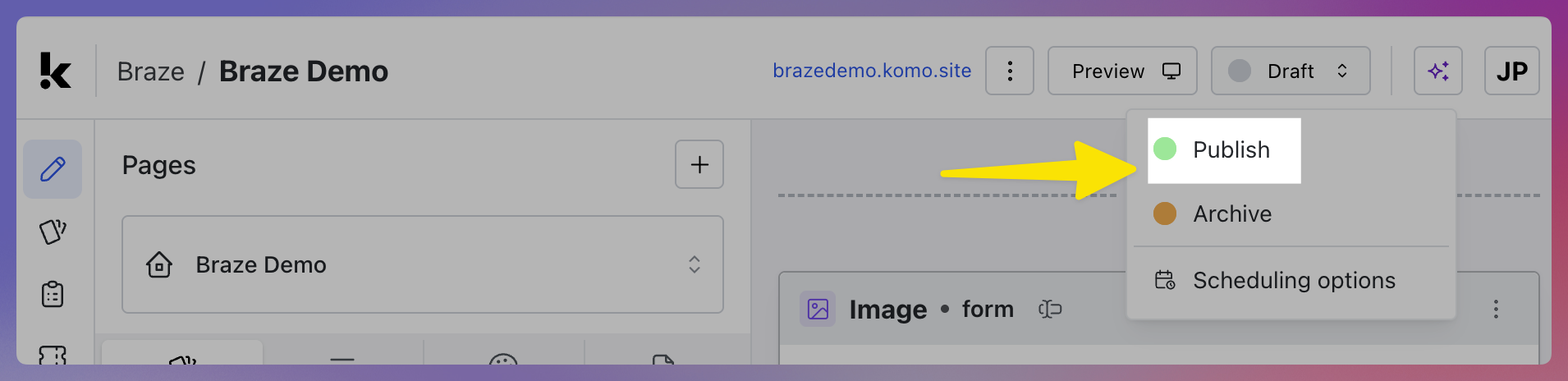
1단계: Komo Engagement Hub 및 카드 게시
데이터 캡처 양식이 포함된 카드가 하나 이상 있는 Komo Hub를 게시해야 합니다. 게시 후 사용자 경험을 처음부터 끝까지 테스트하고 통합이 올바르게 작동하는지 확인할 수 있습니다.
2단계: Braze 연결된 앱 추가하기
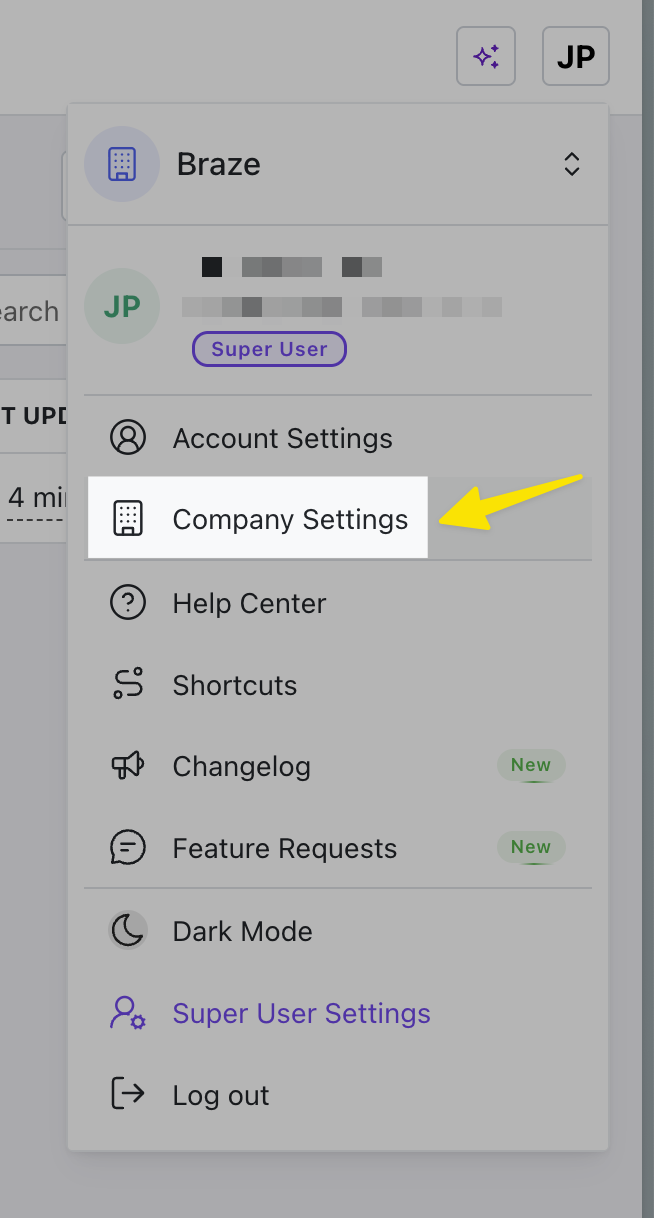
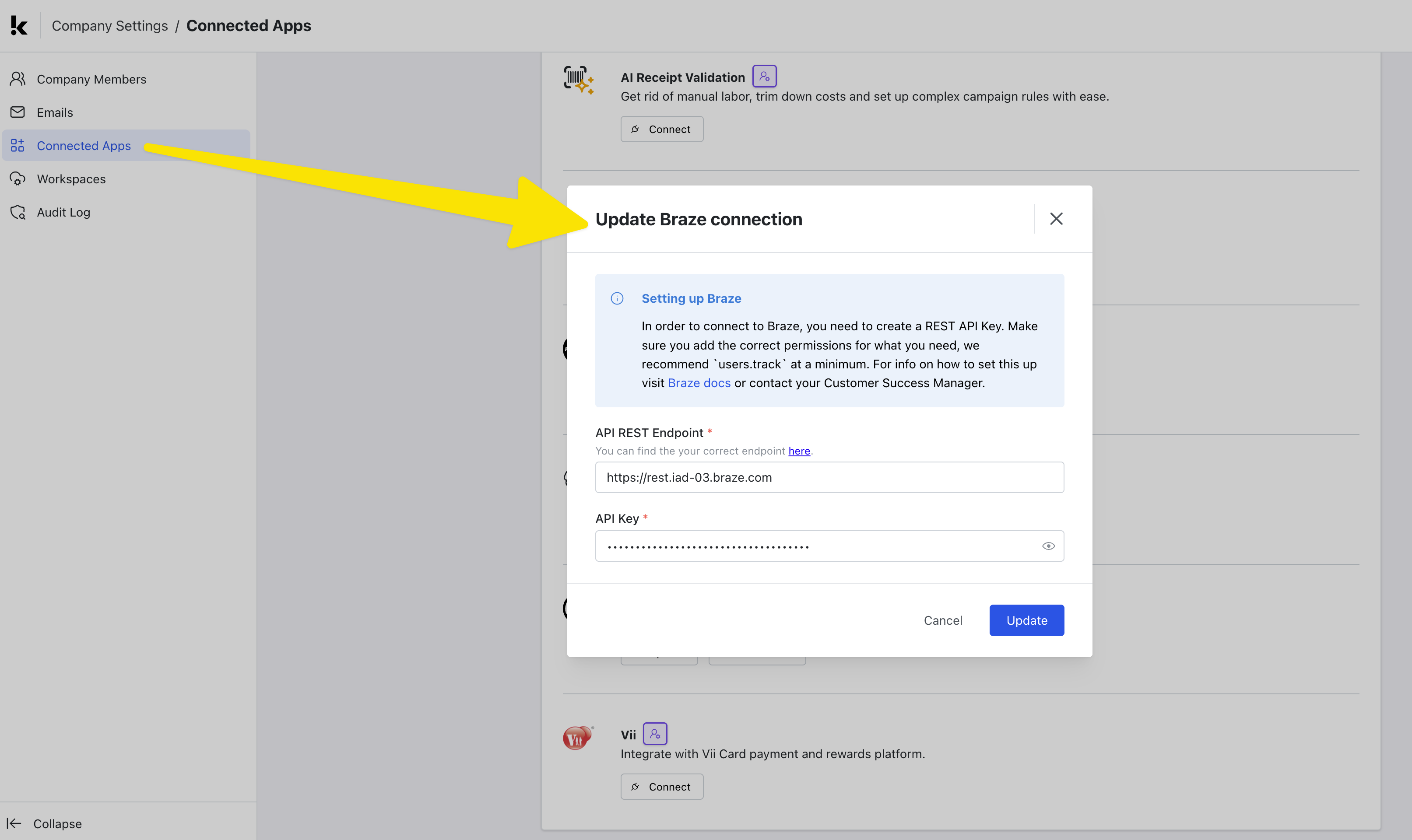
Komo에서 회사 설정 탭으로 이동하여 Connected Apps 섹션을 선택합니다.
다음으로, 목록에서 Braze 통합을 찾아 Connect 버튼을 선택하여 통합을 활성화합니다.
워크플로우를 통해 통합 구성하기
이제 워크스페이스, 사이트 또는 카드 내에서 데이터를 Braze에 동기화하기 위한 워크플로우를 설정해야 합니다.
워크플로우의 범위를 전체 워크스페이스, 사이트(많은 카드가 포함된 사이트) 또는 단일 카드 중 어느 범위로 설정할지는 워크플로우를 여러 카드 또는 캠페인에서 트리거할지 여부에 따라 달라집니다.
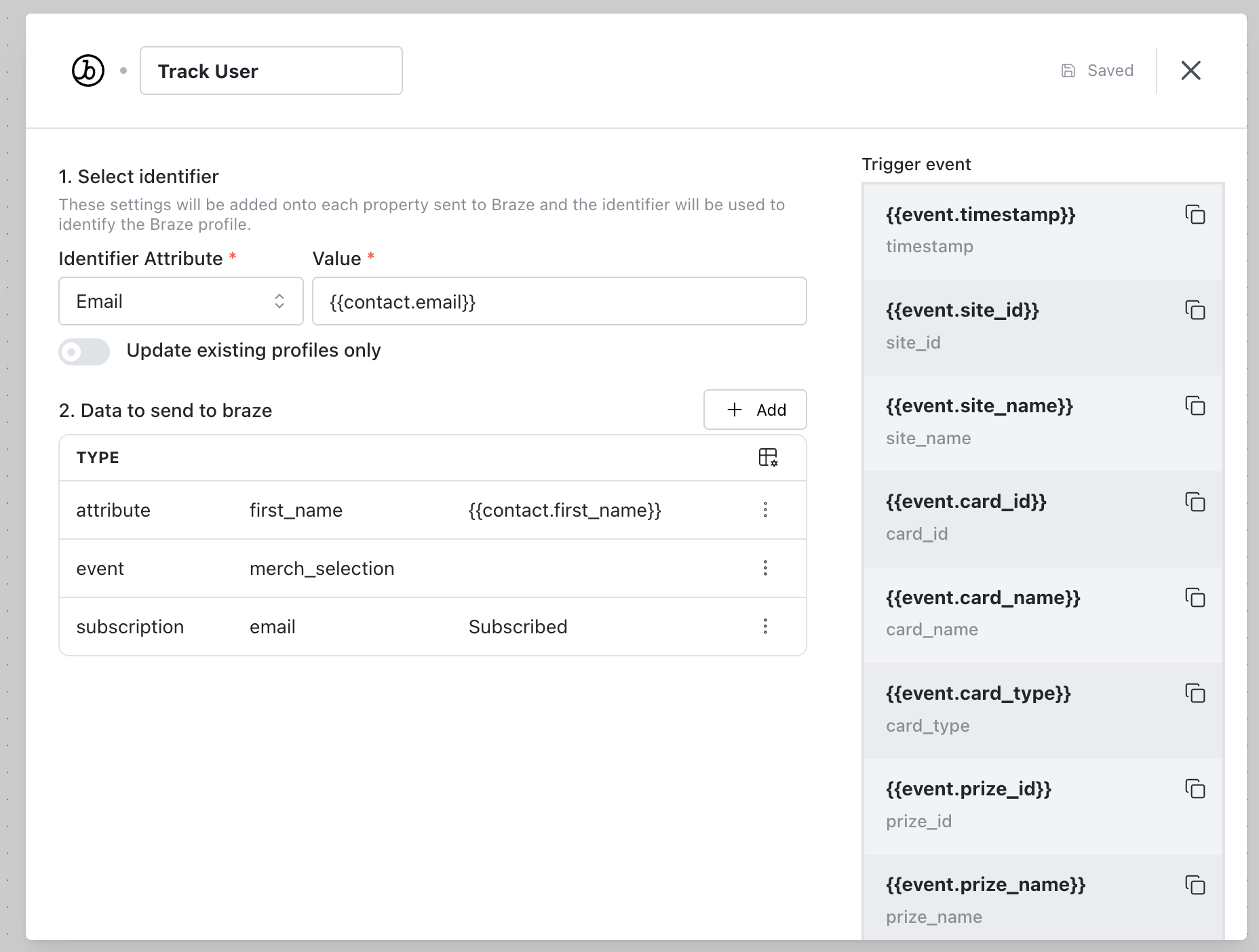
워크플로우를 만든 후 트리거를 정의하고 단계 메뉴에서 Braze를 검색하여 “Track User” 단계를 추가하세요.
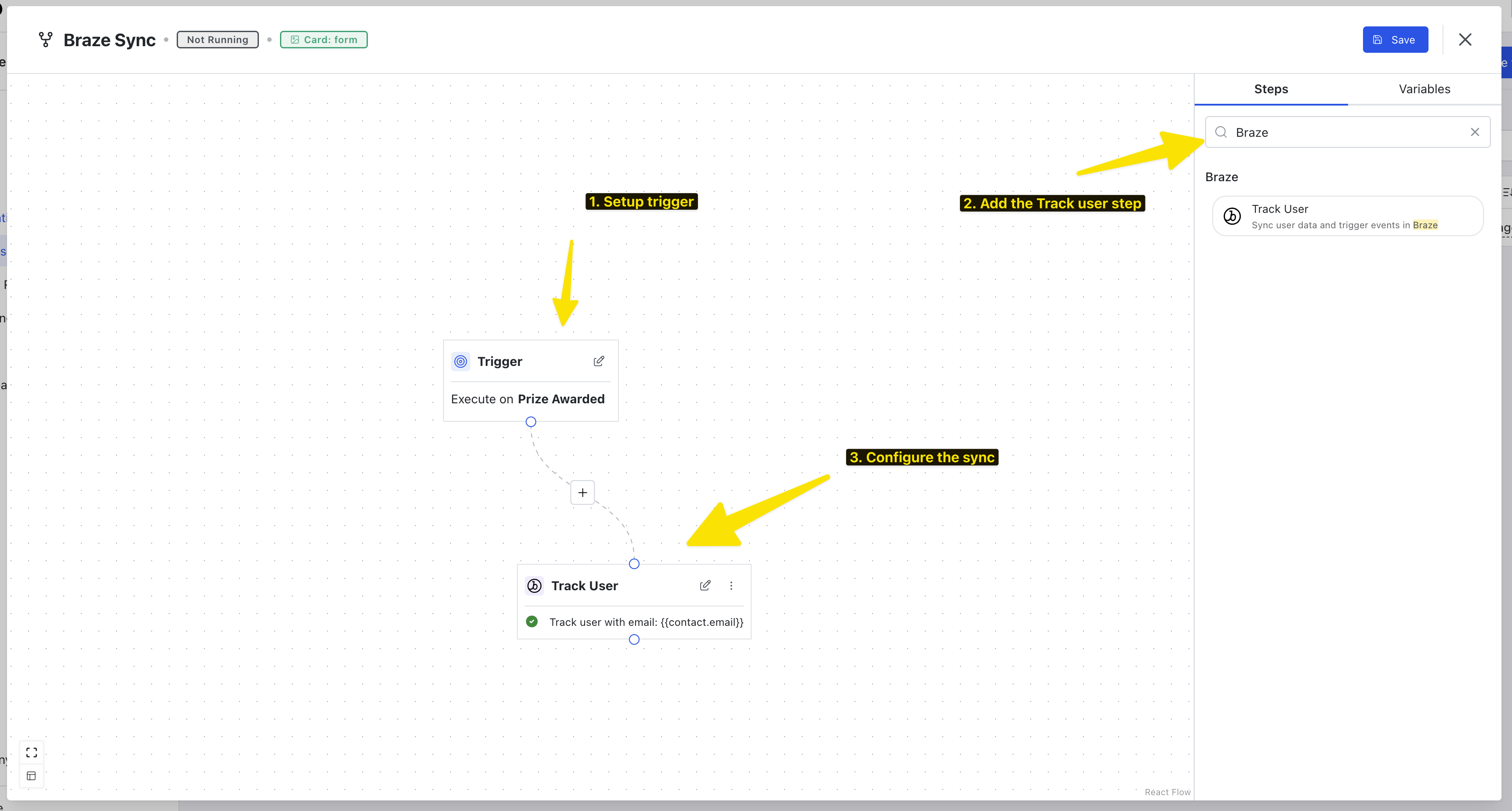
여기에서 Komo에서 Braze로 동기화할 이벤트, 기여도 및 구독을 구성합니다.
통합 사용하기
이제 통합이 실행 중이며 워크플로우 실행 탭에서 각 실행을 모니터링할 수 있습니다.