optilyz
optilyz는 더 고객 중심적이고 지속 가능하며 수익성 높은 다이렉트 메일 캠페인을 운영할 수 있게 해주는 다이렉트 메일 자동화 플랫폼입니다.
이 통합은 optilyz에서 유지 관리합니다.
통합 정보
optilyz와 Braze 웹훅 통합을 사용하여 고객에게 편지, 엽서, 셀프 메일러 등의 다이렉트 메일을 발송할 수 있습니다.
필수 조건
| 요구 사항 | 설명 |
|---|---|
| optilyz 계정 | 이 파트너십을 활용하려면 optilyz 계정이 필요합니다. |
optilyz API 키<OPTILYZ_API_KEY> |
optilyz 고객 성공 매니저가 optilyz API 키를 제공합니다. 이 API 키를 사용하여 Braze와 optilyz 계정을 연결할 수 있습니다. |
optilyz 자동화 ID<OPTILYZ_AUTOMATION_ID> |
자동화 ID는 페이지 헤더의 박스에서 확인할 수 있습니다. optilyz에 로그인한 후 데이터를 전송하려는 자동화로 이동할 수 있습니다. 자동화를 먼저 활성화해야 합니다. |
활용 사례
다이렉트 메일을 디지털 채널처럼 운영한다는 것은 대량 발송에서 벗어나 (디지털) 고객 여정의 일부로 채널을 활용하는 것을 의미합니다. 다이렉트 메일에 대한 현대적 접근 방식의 이점은 다음과 같습니다:
- 관련성 향상, 추가 활용 사례, 더 쉬운 A/B 테스트, 크로스채널 효과를 통한 전환율 증가
- 자동화 및 엔드투엔드 솔루션을 통한 노력 절감
- 기본 계약 및 비용 투명성을 통한 비용 절감
통합
optilyz와 통합하려면 optilyz API를 사용하여 수신자 데이터를 Braze 웹훅으로 전송합니다.
1단계: Braze 웹훅 템플릿 생성
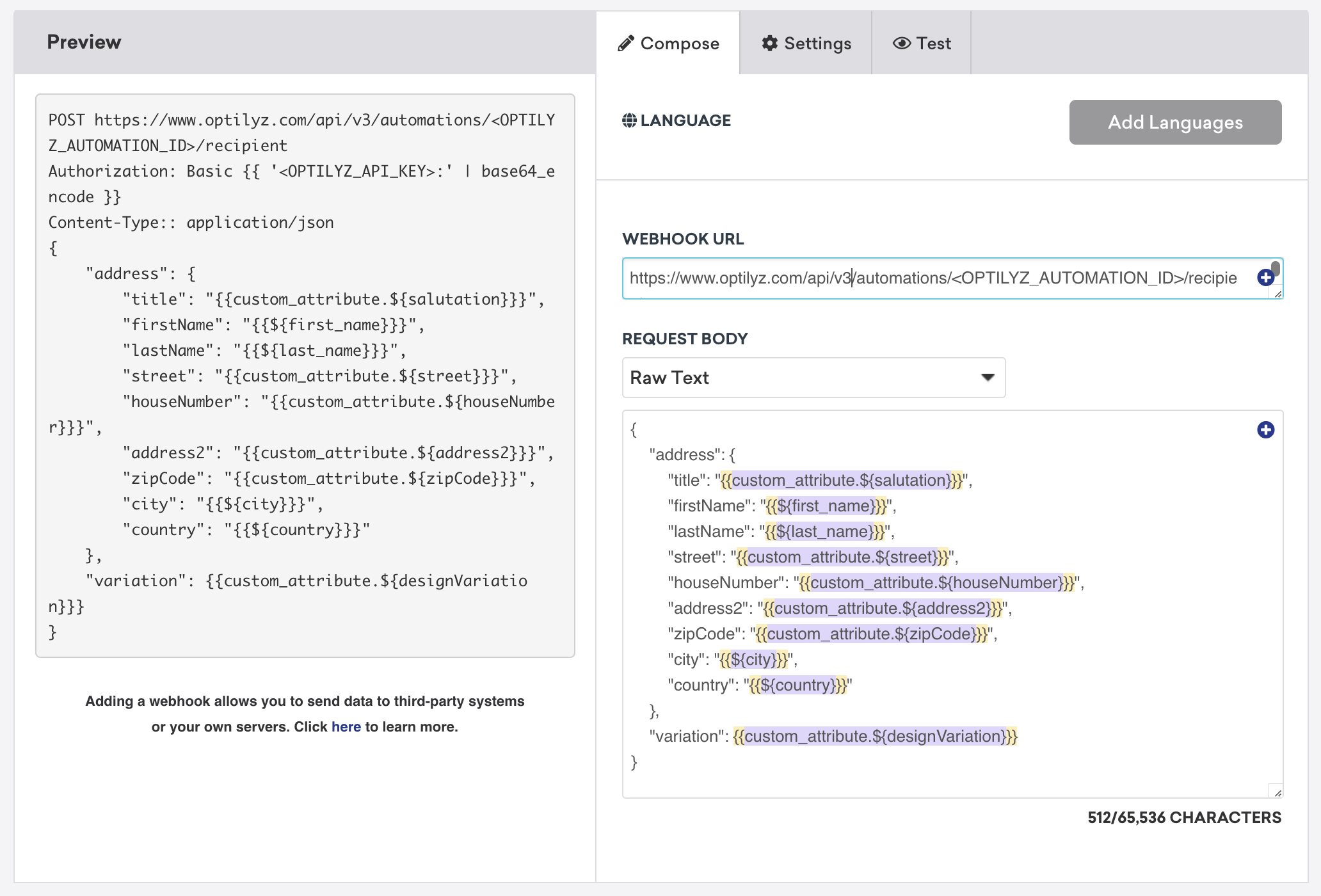
향후 Campaigns 또는 Canvases에서 사용할 optilyz 웹훅 템플릿을 생성하려면 Braze 플랫폼에서 콘텐츠 > 웹훅으로 이동합니다. 그런 다음 웹훅 템플릿 생성을 선택합니다.
일회성 optilyz 웹훅 캠페인을 생성하거나 기존 템플릿을 사용하려면 새 캠페인을 생성할 때 Braze에서 웹훅을 선택합니다.
새 웹훅 템플릿에서 다음 필드를 입력합니다:
- 웹훅 URL: 웹훅 URL은 각 고객마다 고유하며, optilyz 고객 성공 매니저가 제공합니다.
- 요청 본문: Raw Text
요청 헤더 및 메서드
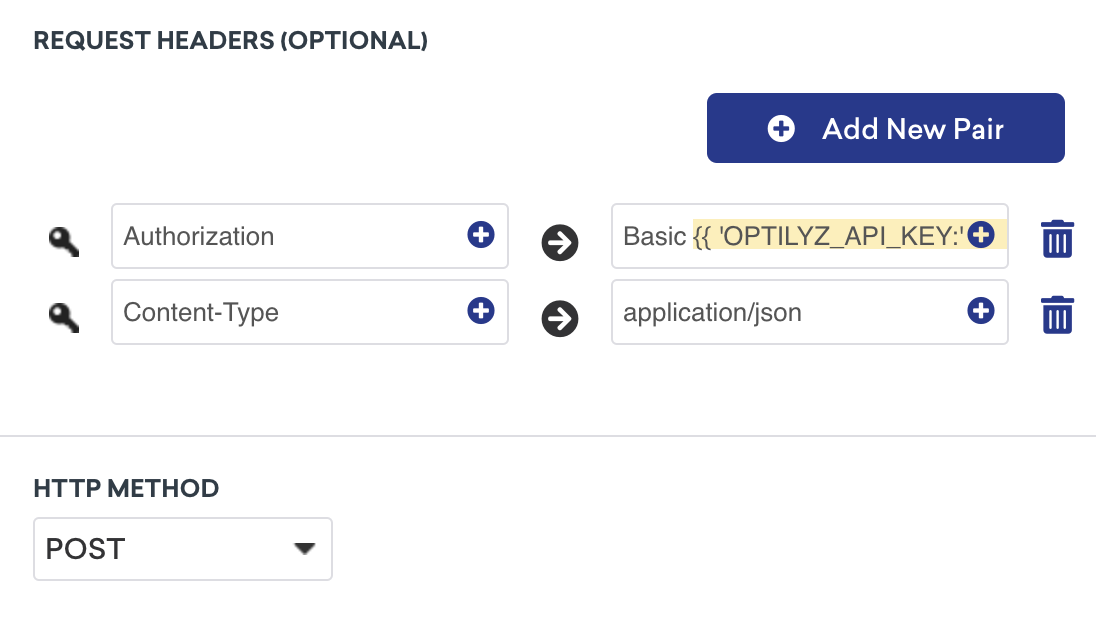
optilyz는 인증을 위한 HTTP 헤더와 HTTP 메서드도 필요합니다. 다음 항목은 이미 템플릿에 키-값 페어로 포함되어 있지만, 설정 탭에서 <OPTILYZ_API_KEY>를 optilyz API 키로 교체해야 합니다. 이 키는 키 바로 뒤에 “:”를 포함하고 base 64로 인코딩되어야 합니다.
- HTTP 메서드: POST
- 요청 헤더:
- Authorization:
{{ '<OPTILYZ_API_KEY>:' | base64_encode }} - Content-Type: application/json
- Authorization:
요청 본문
다음 요청 본문에서 Liquid 개인화 태그를 사용하고 optilyz의 API 설명서에 따라 커스텀 요청 템플릿을 구축할 수 있습니다.
variation 필드는 선택 사항이며, 자동화 내에서 어떤 디자인을 사용할지 정의할 수 있습니다. 변형이 생략되면 optilyz가 정의된 변형 중 하나를 무작위로 할당합니다.
1
2
3
4
5
6
7
8
9
10
11
12
13
14
{
    "address": {
        "title": "{{custom_attribute.${salutation}}}",
        "firstName": "{{${first_name}}}",
        "lastName": "{{${last_name}}}",
        "street": "{{custom_attribute.${street}}}",
        "houseNumber": "{{custom_attribute.${houseNumber}}}",
        "address2": "{{custom_attribute.${address2}}}",
        "zipCode": "{{custom_attribute.${zipCode}}}",
        "city": "{{custom_attribute.${city}}}",
        "country": "{{custom_attribute.${country}}}"
    },
    "variation": {{custom_attribute.${designVariation}}}
}
2단계: 요청 미리보기
다음으로, 미리보기 패널에서 요청을 미리 보거나 테스트 탭으로 이동하여 무작위 사용자, 기존 사용자를 선택하거나 직접 커스터마이즈하여 웹훅을 테스트할 수 있습니다. 페이지에서 나가기 전에 템플릿을 저장하는 것을 잊지 마세요!
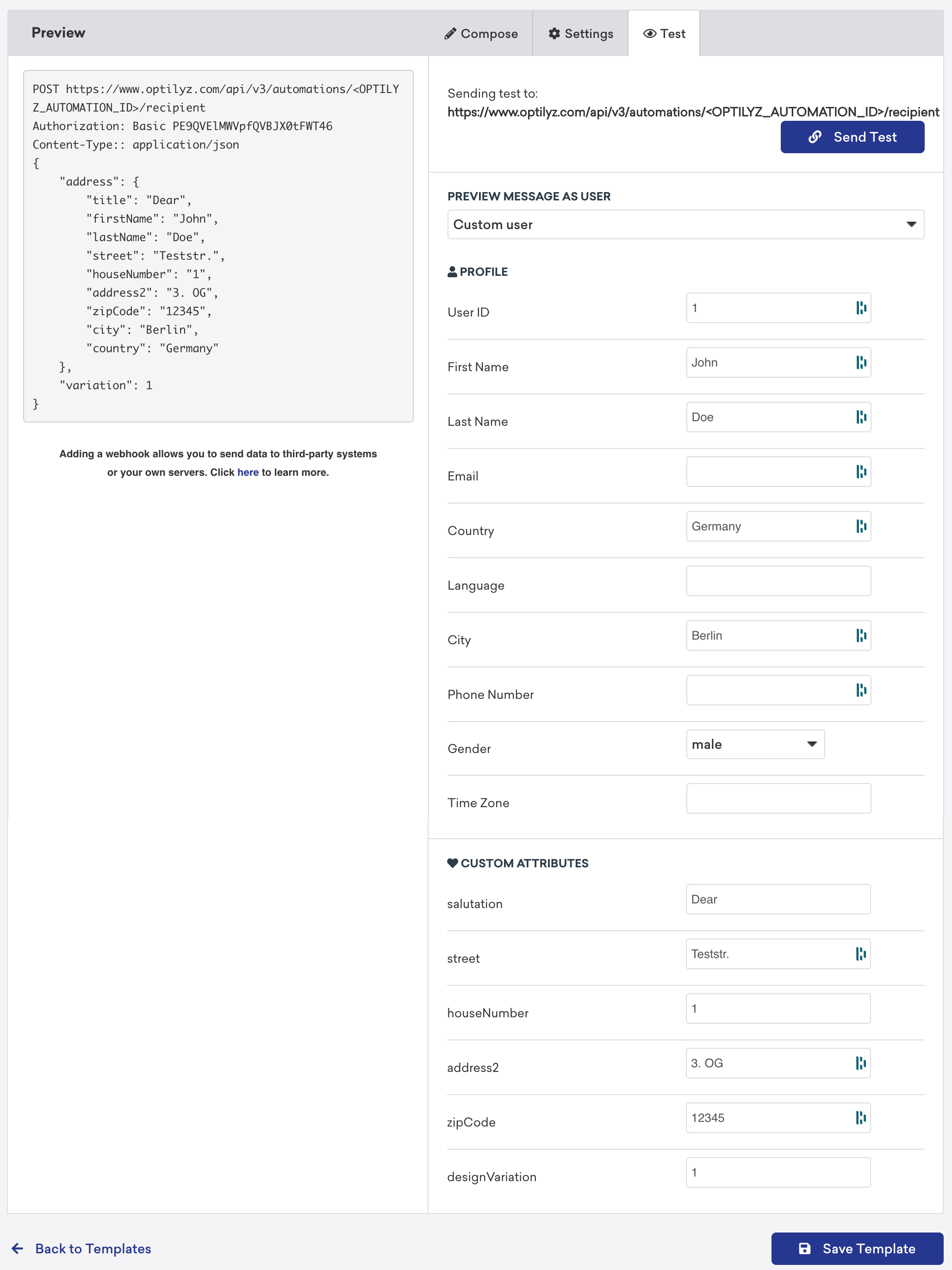

페이지에서 나가기 전에 템플릿을 저장하는 것을 잊지 마세요!
업데이트된 웹훅 템플릿은 새 웹훅 캠페인을 생성할 때 저장된 웹훅 템플릿 목록에서 찾을 수 있습니다.