이 페이지는 AI로 자동 번역되었으며 부정확한 내용이 포함될 수 있습니다. 번역 오류를 신고하려면 페이지 오른쪽 목차 아래에 있는 피드백 기능을 사용하세요.
Trustpilot
Trustpilot은 고객이 피드백을 공유할 수 있고, 리뷰를 관리하고 응답할 수 있는 온라인 리뷰 플랫폼입니다.
이 페이지에서는 다음에 대한 단계별 가이드를 제공합니다:
- Trustpilot의 Create Invitation API를 사용하여 리뷰 초대 생성하기
- Trustpilot의 Product Reviews API를 통해 제품 리뷰로 메시지 개인화하기
필수 조건
시작하기 전에 다음이 필요합니다:
| 요구 사항 | 설명 |
|---|---|
| Trustpilot 계정 | Trustpilot API에 접근할 수 있는 Trustpilot 계정이 필요합니다. |
| Trustpilot 인증 키 | API 키를 설정하고 액세스 토큰을 요청해야 합니다. |
통합
1단계: Trustpilot API 자격 증명 가져오기
- 자격 증명을 사용하여 Trustpilot에 로그인합니다.
- Trustpilot 대시보드에서 Integrations > Developers > APIs로 이동하여 API 키와 시크릿을 생성하거나 가져옵니다. 아직 API 키가 없는 경우 새로 생성합니다:
- Application Name > Create Application으로 이동합니다.
- API 키와 시크릿을 복사합니다. 이는 연결된 콘텐츠 요청을 인증하는 데 사용됩니다.
Trustpilot 리뷰 초대 보내기
1단계: Braze 웹훅 Campaign 설정하기
Trustpilot API를 트리거하여 사용자에게 이메일 리뷰 초대를 보내는 동작 기반 Braze 웹훅 Campaign을 설정합니다. 예를 들어, 사용자가 주문을 완료한 후 다음 웹훅 세부 정보로 리뷰 초대를 보낼 수 있습니다:
- 웹훅 URL:
https://invitations-api.trustpilot.com/v1/private/business-units/{businessUnitId}/email-invitations - 메서드: POST
- 관련 고객 정보를 키-값 페어로 추가합니다.
2단계: 액세스 토큰 가져오기
- 연결된 콘텐츠를 사용하여 Trustpilot의 인증 엔드포인트에 요청을 보내 액세스 토큰을 가져옵니다.
- client_credentials 부여 유형을 사용하고, 연결된 콘텐츠 태그에 API 키와 시크릿을 입력하여 토큰을 가져옵니다. 연결된 콘텐츠 요청은 요청 헤더에 입력할 수 있습니다. 연결된 콘텐츠는 다음과 같을 수 있습니다:
1
2
3
4
5
6
7
8
9
10
11
{% connected_content
https://api.trustpilot.com/v1/oauth/oauth-business-users-for-applications/accesstoken
:method post
:headers {"Content-Type": "application/x-www-form-urlencoded", "Authorization": "Basic {{'API_KEY:API_SECRET' | base64_encode}}" }
:body grant_type=client_credentials
:save token
:retry
:cache_max_age 3600 %}

{{token.access_token}}
- 웹훅 Campaign의 요청 헤더에 액세스 토큰을 추가합니다.

제품 리뷰 인사이트로 메시지 개인화하기
Braze Campaign에서 연결된 콘텐츠 호출을 통해 Trustpilot의 제품 리뷰 요약 가져오기 엔드포인트(https://api.trustpilot.com/v1/product-reviews/business-units/{businessUnitId})에서 데이터를 요청합니다. 이 메서드는 비즈니스 유닛에서 특정 SKU에 대한 제품 리뷰를 가져옵니다. 다음 예시에서는 특정 제품 SKU를 지정하고 별 5개 리뷰를 필터링합니다.
1
2
3
4
{% connected_content https://api.trustpilot.com/v1/product-reviews/business-units/66ea0530xxxxxx/reviews?sku={{event_properties.${item_sku}}}&stars=5
   :method get
   :headers {"apikey": "xxxxx"}
   :content_type application/json :save result %}
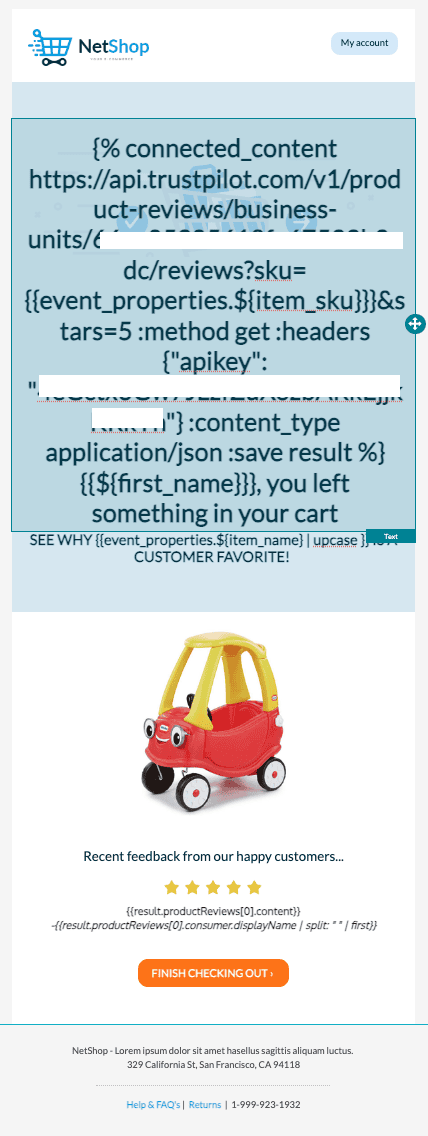
연결된 콘텐츠 요청은 제품 리뷰를 반환합니다.
1
2
3
4
5
6
7
8
9
10
11
12
13
14
15
16
17
18
  {
   "productReviews": [
       {
           "id": "670d5810ba62e6b31de97de9",
           "createdAt": "2024-10-14T17:42:40.286Z",
           "stars": 5,
           "content": "Such a great toy truck, my kids really enjoy it! ",
           "consumer": {
               "id": "6176xxxx",
               "displayName": "Kevin Bob"
           },
           "language": "en",
           "attributeRatings": [],
           "attachments": [],
           "firstCompanyComment": null
       }
   ],
   "links": []
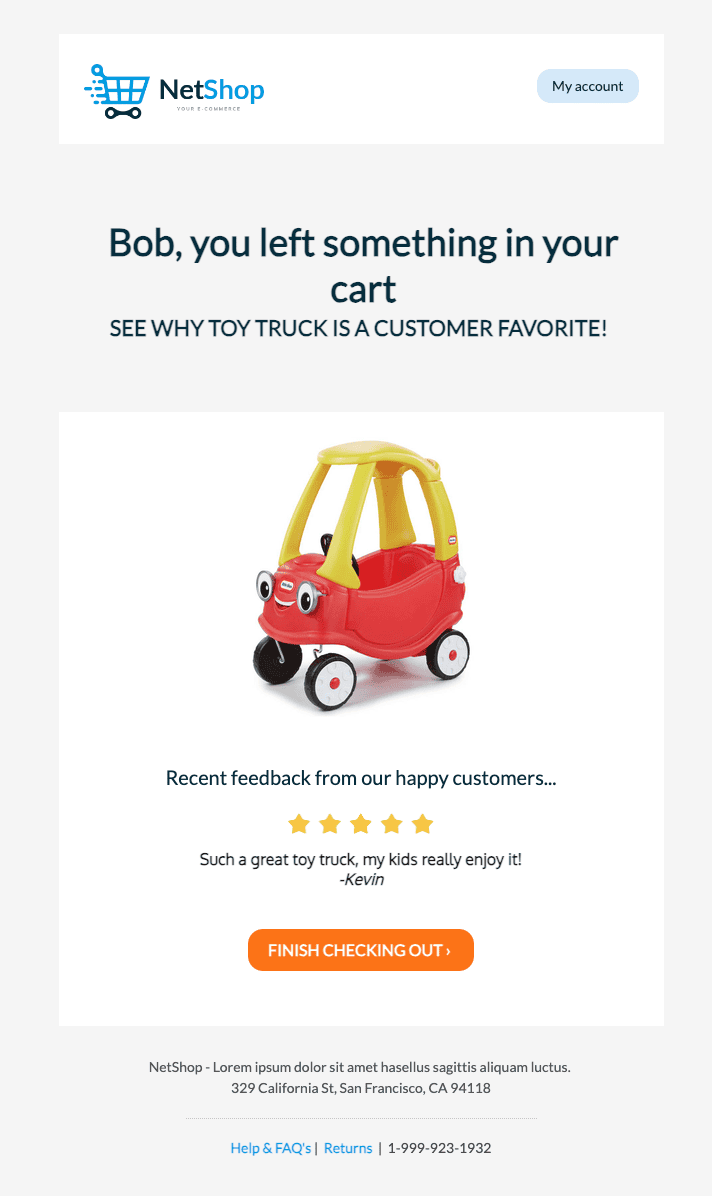
- Liquid 구문을 사용하여 관련 콘텐츠를 메시지에 가져옵니다. 예를 들어, 제품 리뷰의 콘텐츠를 가져오려면 Liquid 태그
{{result.productReviews[0].content}}를 사용합니다.
New Stuff!