Tinyclues
Tinyclues is an audience-building feature that offers the capability to increase the number of campaigns and revenue without harming customer experience and analytics to track the performance of CRM campaigns both online and offline.
The Braze and Tinyclues integration offers users a path to better CRM planning and strategy, allowing users to send more targeted campaigns, find new product opportunities, and elevate revenue using an incredibly user-friendly UI.
Prerequisites
| Requirement | Description |
|---|---|
| Tinyclues account | A Tinyclues account is required to take advantage of this partnership. |
Data import integration
To integrate Braze and Tinyclues, you must configure the Tinyclues platform, export an existing Tinyclues campaign, and create a user cohort segment in Braze that can be used to target users in future campaigns.
Step 1: Get the Braze data import key
In Braze, navigate to Partner Integrations > Technology Partners and select Tinyclues.
Here, you will find your REST endpoint and generate your Braze data import key. After the key is generated, you can create a new key or invalidate an existing one.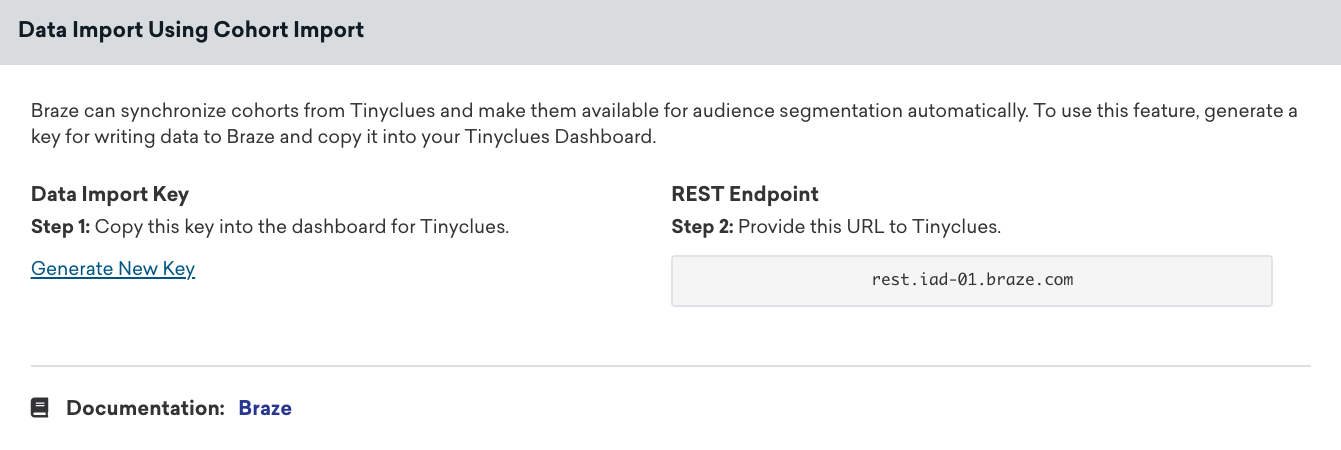
데이터 통합을 완료하려면 데이터 가져오기 키와 REST 엔드포인트를 Tinyclues 데이터 운영팀에 제공해야 합니다. 설정이 완료되면 Tinyclues에서 연결을 설정하고 연락을 드립니다.
2단계: Export a campaign from the Tinyclues platform
Each time you want to create a cohort of Tinyclues users to use in Braze, you’ll have to first export it from the Tinyclues platform.
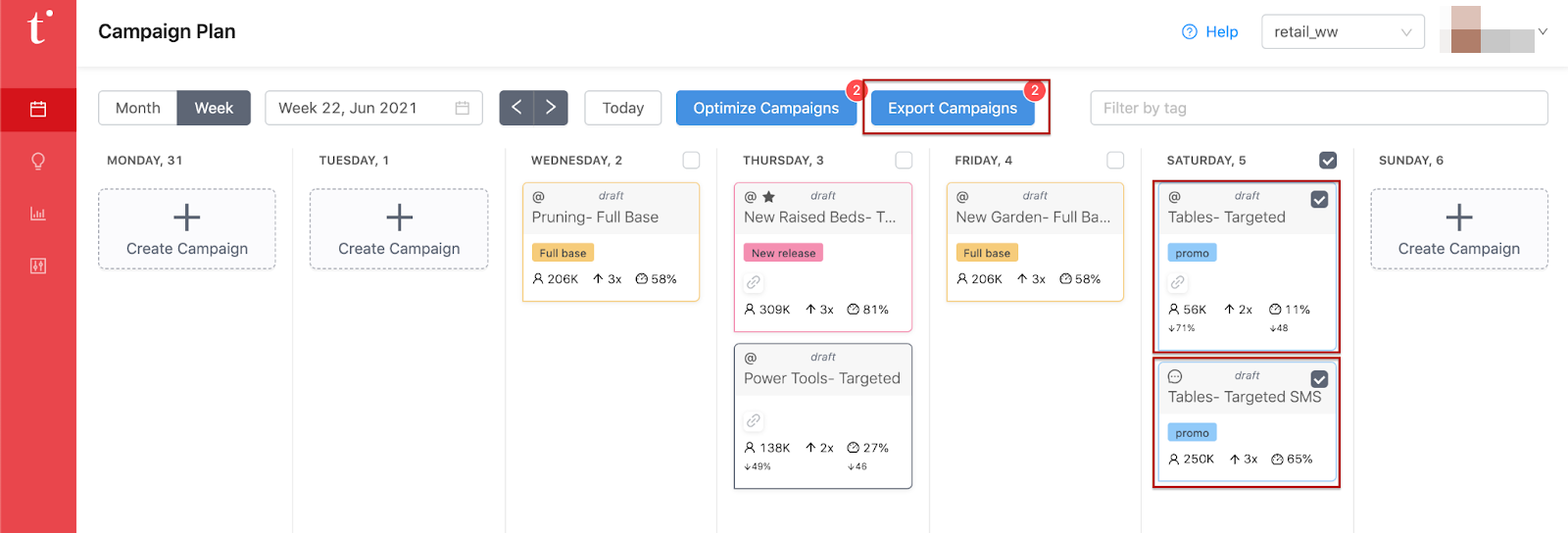
In Tinyclues, select the campaign(s) you want to export and click Export Campaigns. Upon export, the audience will be automatically uploaded to your Braze account.
3단계: Create a segment from the Tinyclues custom audience
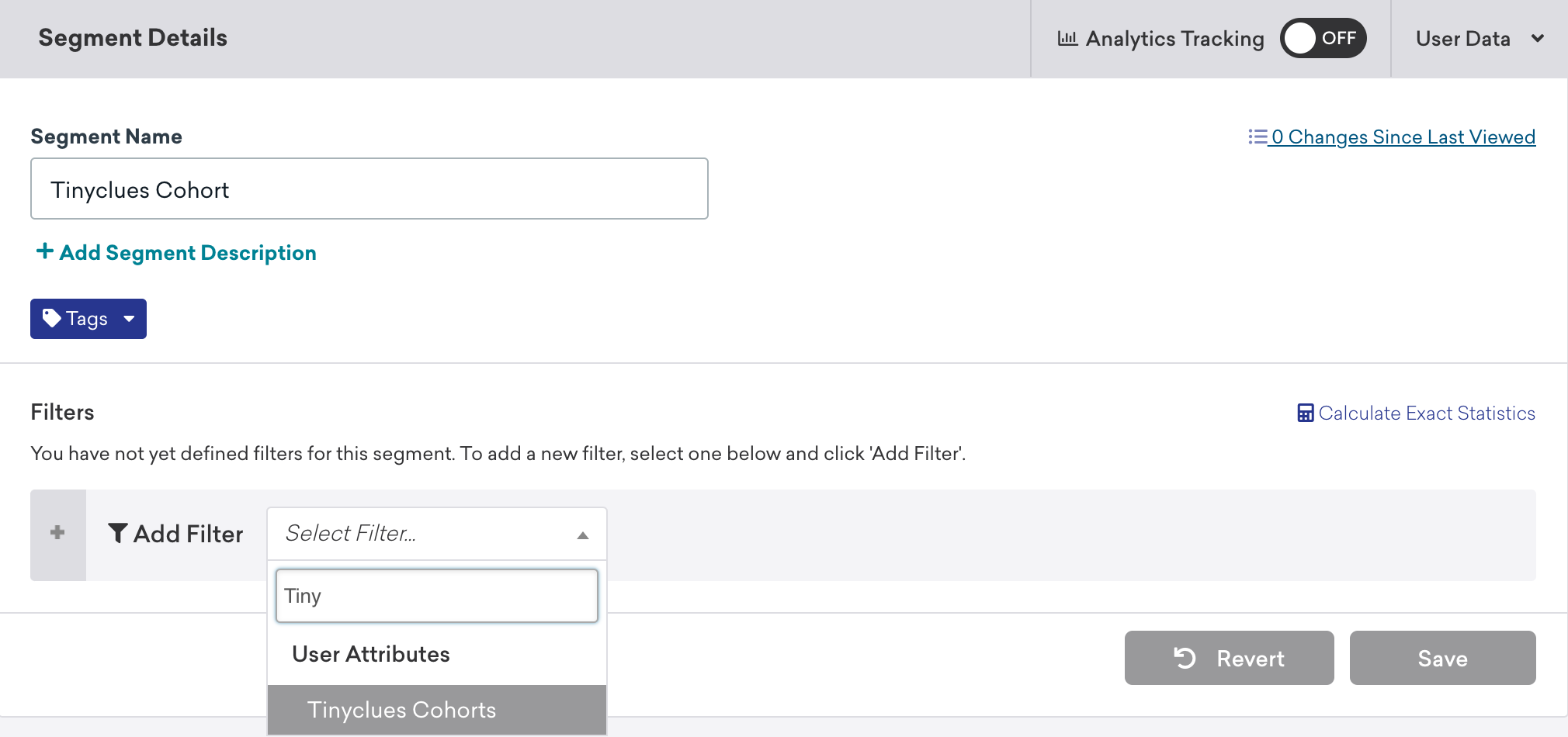
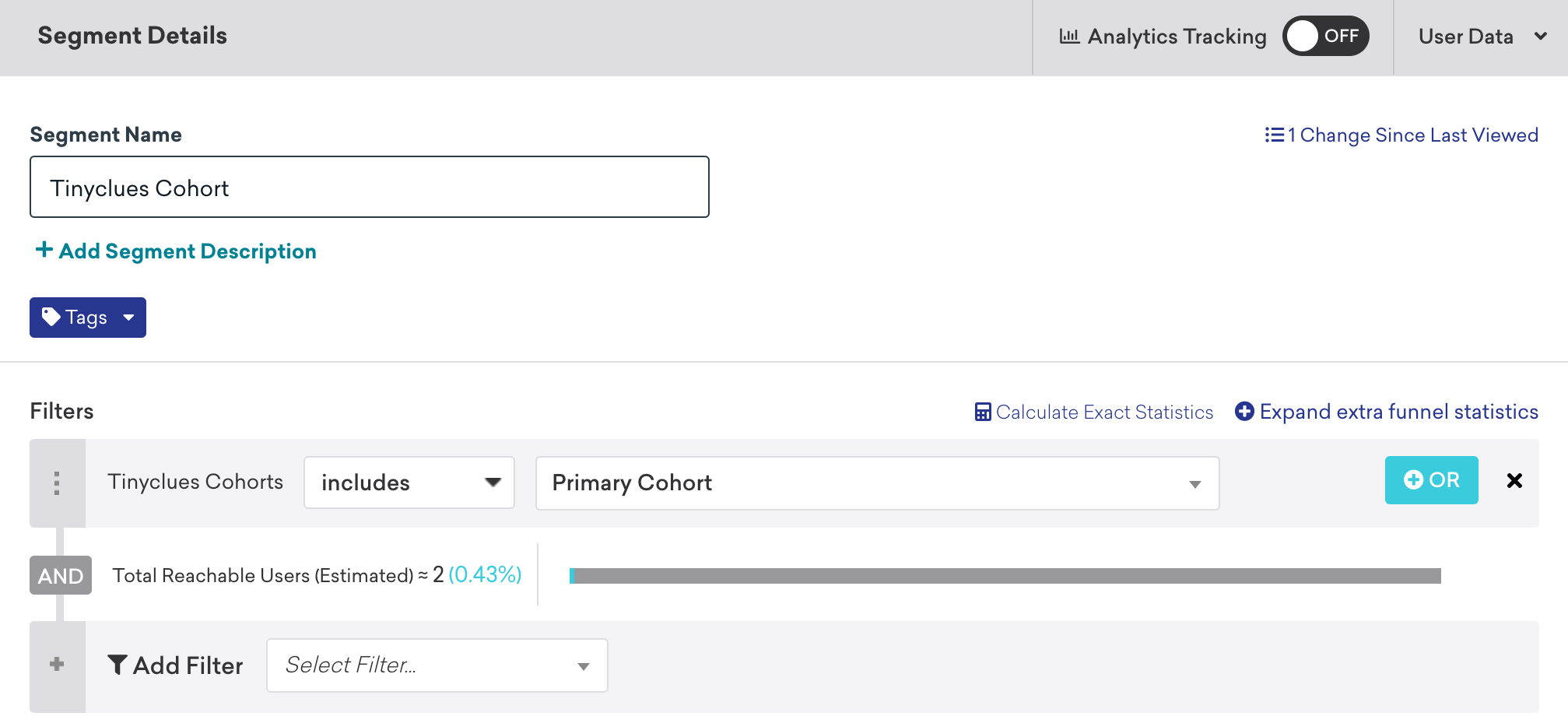
In Braze, navigate to Segments, name your Tinyclues cohort segment, and select Tinyclues Cohorts as your filter. From here, you can choose which Tinyclues cohort you wish to include. After your Tinyclues cohort segment is created, you can select it as an audience filter when creating a campaign or Canvas.
코호트를 찾는 데 문제가 있나요? Check out our troubleshooting section for guidance.
Only users who already exist within Braze will be added or removed from a cohort. Cohort Import will not create new users in Braze.
Using this integration
Tinyclues 세그먼트를 사용하려면 Braze 캠페인 또는 캔버스를 생성하고 세그먼트를 타겟 오디언스로 선택합니다.
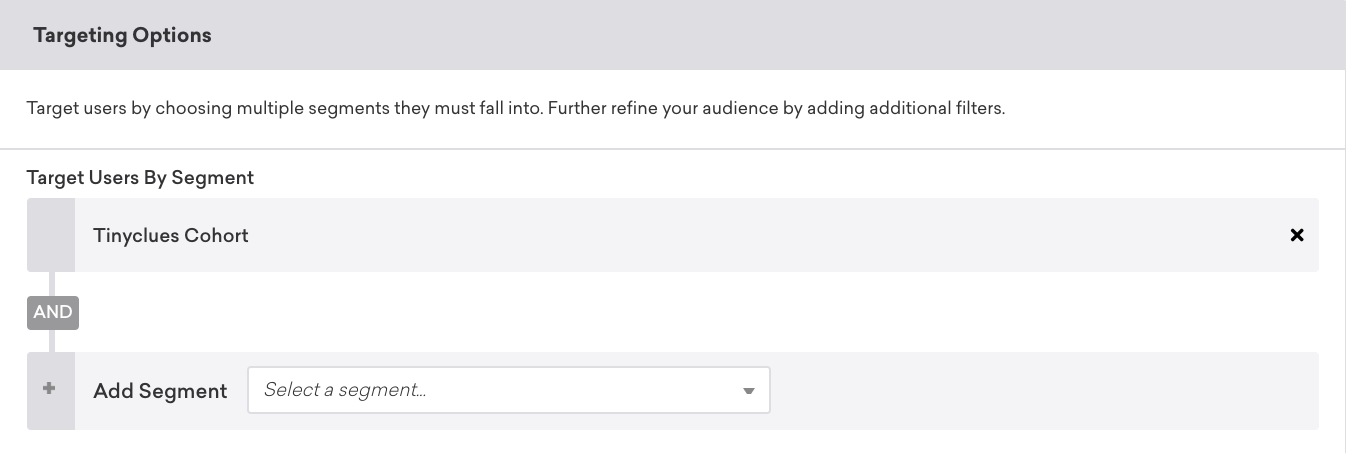
사용자 일치
Identified users can be matched by either their external_id or alias. Anonymous users can be matched by their device_id. Identified users who were originally created as anonymous users can’t be identified by their device_id, and must be identified by their external_id or alias.
Troubleshooting
Are you having trouble finding the right cohort within the list? Tinyclues에서 캠페인 세부 정보를 확인하고 파일 이름 내보내기를 선택하여 이름을 확인합니다.
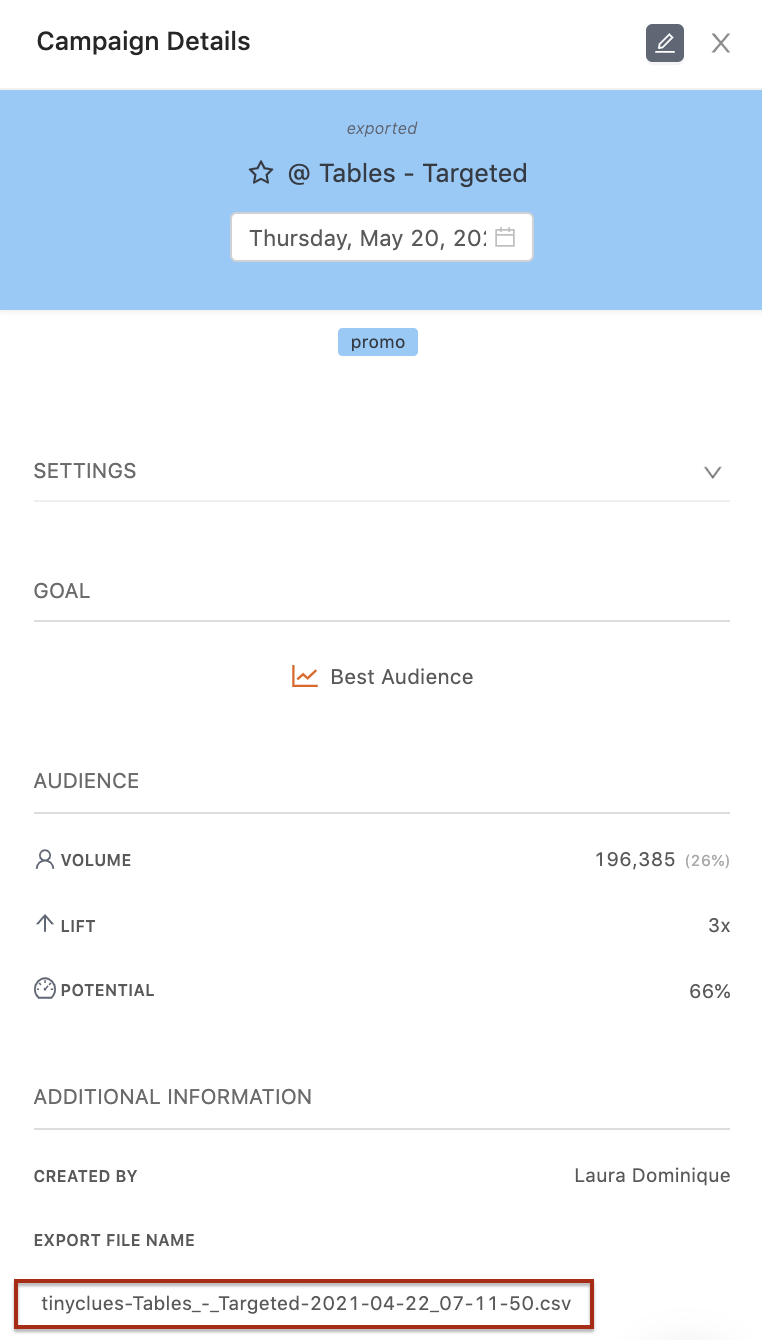
여전히 오디언스를 검색하는 데 문제가 있나요? Contact the Tinyclues team for additional support.
 GitHub 에서 이 페이지를 편집합니다.