Pinterest로 Audience Sync
Braze Audience Sync to Pinterest를 사용하면 브랜드는 자체 Braze 통합에서 사용자 데이터를 Pinterest 오디언스에 추가하여 행동 트리거, 세분화 등을 기반으로 광고를 전달할 수 있습니다. 일반적으로 사용자 데이터를 기반으로 Braze Canvas에서 메시지(푸시, 이메일, SMS, 웹훅 등)를 트리거하는 데 사용하는 모든 기준을 이제 Pinterest 오디언스에서 해당 사용자에게 광고를 트리거하는 데 사용할 수 있습니다.
오디언스 동기화의 일반적인 사용 사례는 다음과 같습니다:
- 여러 채널을 통해 고가치 사용자를 타겟팅하여 구매 또는 참여를 유도
- 다른 마케팅 채널에 반응이 적은 사용자를 리타겟팅
- 이미 브랜드의 충성 소비자인 사용자가 광고를 받지 않도록 억제 오디언스 생성
- 신규 사용자를 더 효율적으로 확보하기 위한 유사(Actalike) 오디언스 생성
이 기능을 통해 브랜드는 Pinterest와 공유되는 특정 퍼스트파티 데이터를 제어할 수 있습니다. Braze에서는 퍼스트파티 데이터를 공유할 수 있는 통합과 공유할 수 없는 통합에 대해 최대한 신중하게 고려합니다. 자세한 내용은 개인정보 보호정책을 참조하세요.

Audience Sync Pro 면책 조항
Braze Audience Sync to Pinterest는 Audience Sync Pro 통합입니다. 이 통합에 대한 자세한 정보는 Braze 계정 매니저에게 문의하세요.
필수 조건
Canvas에서 Pinterest Audience 단계를 설정하기 전에 다음 항목이 생성, 완료 및/또는 수락되었는지 확인해야 합니다.
| 요구 사항 | 출처 | 설명 |
|---|---|---|
| Pinterest Business Hub | 브랜드의 Pinterest 자산(광고 계정, 페이지, 앱 등)을 관리하는 중앙 집중식 도구입니다. | |
| Pinterest 광고 계정 | 브랜드의 Pinterest Business Hub에 연결된 활성 Pinterest 광고 계정입니다. Pinterest Business Hub 관리자가 Braze와 함께 사용할 Pinterest 광고 계정에 대한 관리자 권한을 부여했는지 확인하세요. |
|
| Pinterest 약관 및 정책 | Pinterest Audience Sync 사용과 관련된 Pinterest의 필수 약관, 정책, 가이드라인 및 문서를 준수하는 데 동의합니다. 여기에는 서비스 약관, 비즈니스 서비스 약관, 개인정보 보호정책, 개발자 및 API 서비스 약관, 광고 데이터 약관, 광고 가이드라인, 광고 서비스 계약, 커뮤니티 가이드라인 및 브랜드 가이드라인이 포함될 수 있습니다. |
통합
1단계: Pinterest에 연결
Pinterest를 Braze 계정에 연결하려면 “관리자” 권한이 필요합니다.
Braze 대시보드에서 파트너 통합 > 기술 파트너로 이동하여 Pinterest를 선택합니다. Pinterest Audience Sync 아래에서 Connect Pinterest를 선택합니다.
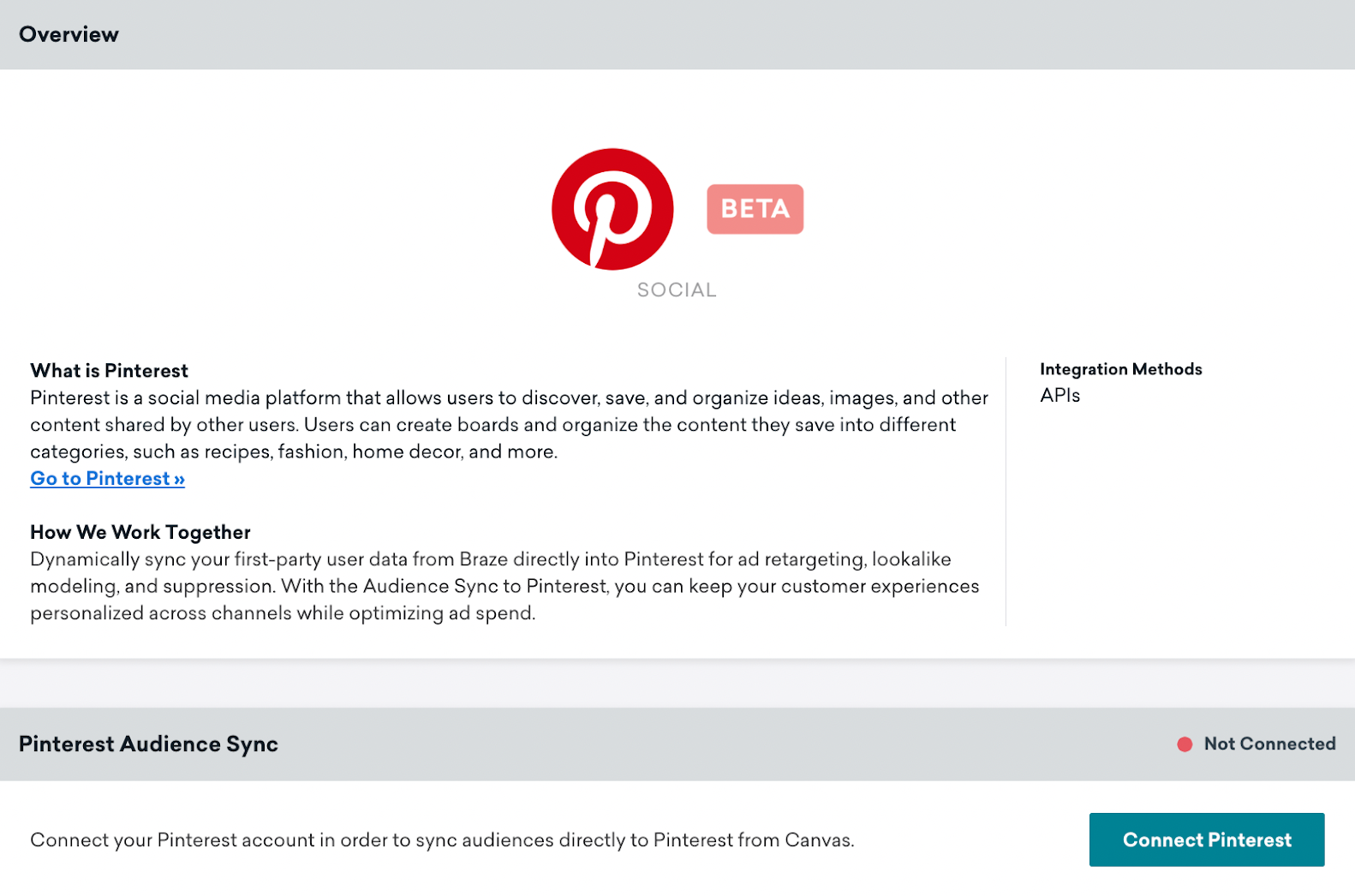
그러면 Pinterest OAuth 페이지로 리디렉션되어 Braze에 광고 계정 관리 및 오디언스 관리 권한을 부여합니다.
확인을 선택하면 Braze로 다시 리디렉션되어 동기화할 Pinterest 광고 계정을 선택할 수 있습니다.
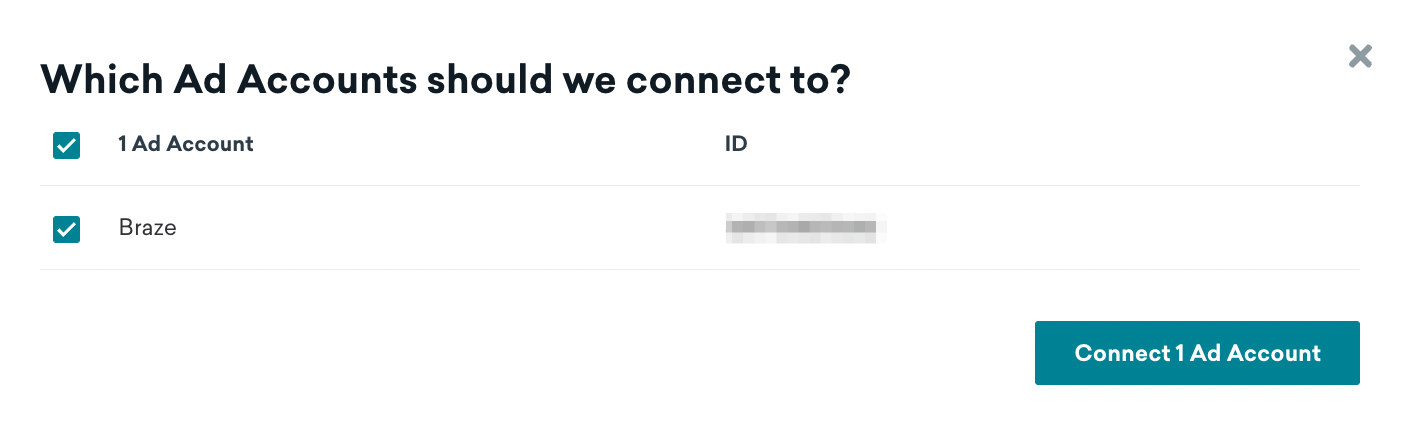
성공적으로 연결되면 파트너 페이지로 돌아가며, 연결된 계정을 확인하고 기존 계정의 연결을 해제할 수 있습니다.
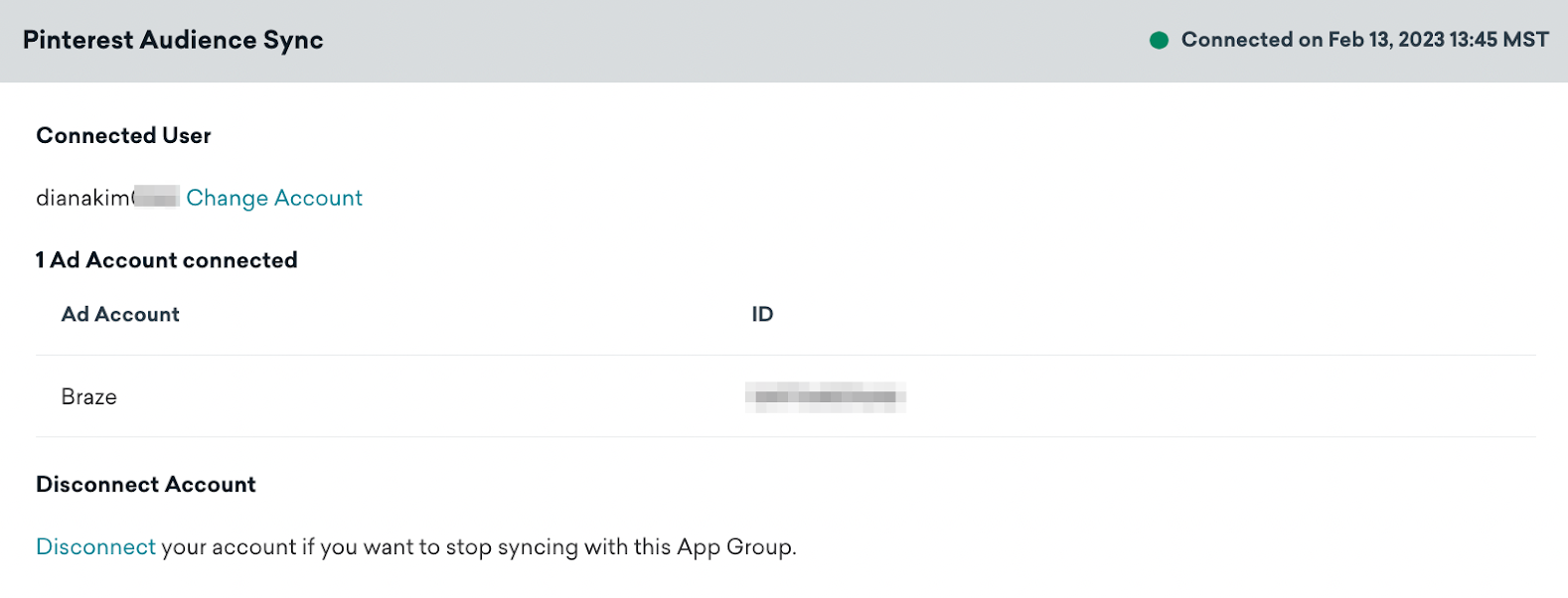
Pinterest 연결은 Braze 워크스페이스 수준에서 적용됩니다. Pinterest 관리자가 Pinterest Business Hub에서 사용자를 제거하거나 연결된 Pinterest 계정에 대한 액세스를 제거하면 Braze는 유효하지 않은 토큰을 감지합니다. 그 결과 Pinterest Audience 구성요소를 사용하는 활성 Canvases에 오류가 표시되며, Braze는 사용자를 동기화할 수 없게 됩니다.
2단계: Pinterest로 Audience Sync 단계 추가
Canvas에 구성요소를 추가하고 Audience Sync를 선택합니다.
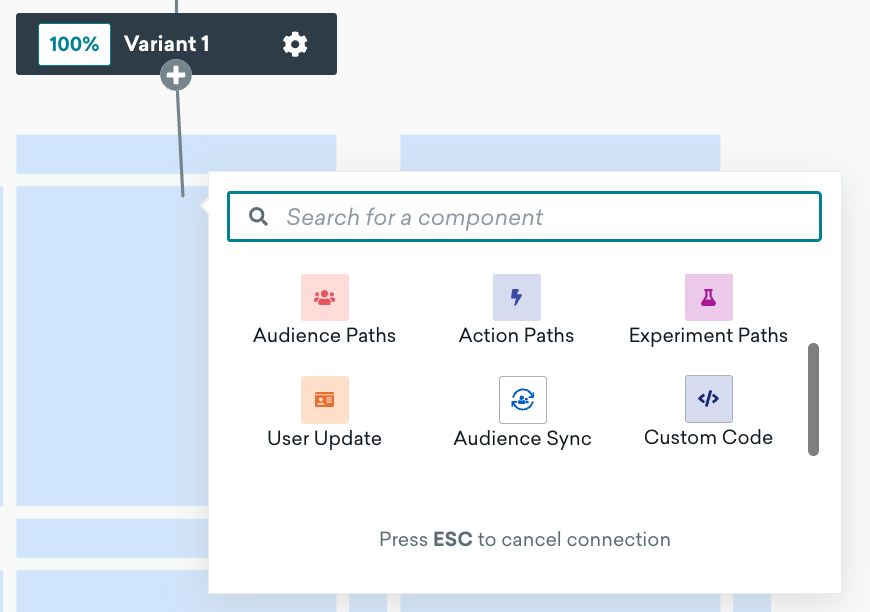
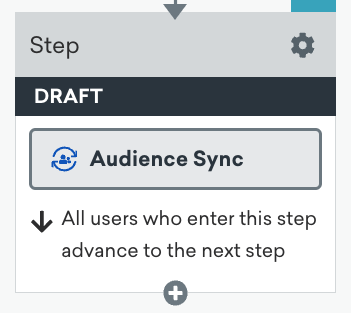
3단계: 동기화 설정
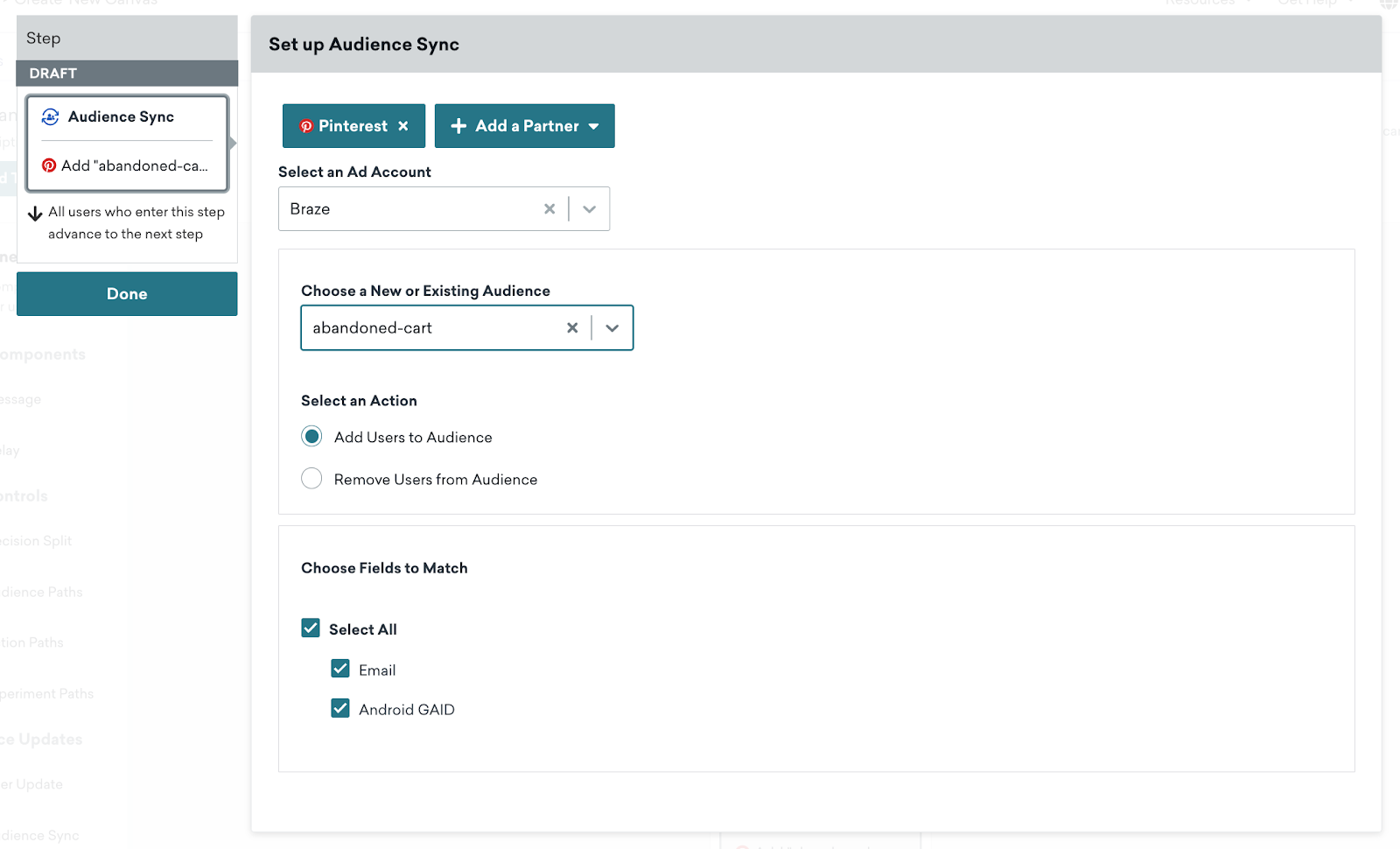
Custom Audience 버튼을 클릭하여 구성요소 편집기를 엽니다.
원하는 Audience Sync 파트너로 Pinterest를 선택합니다.
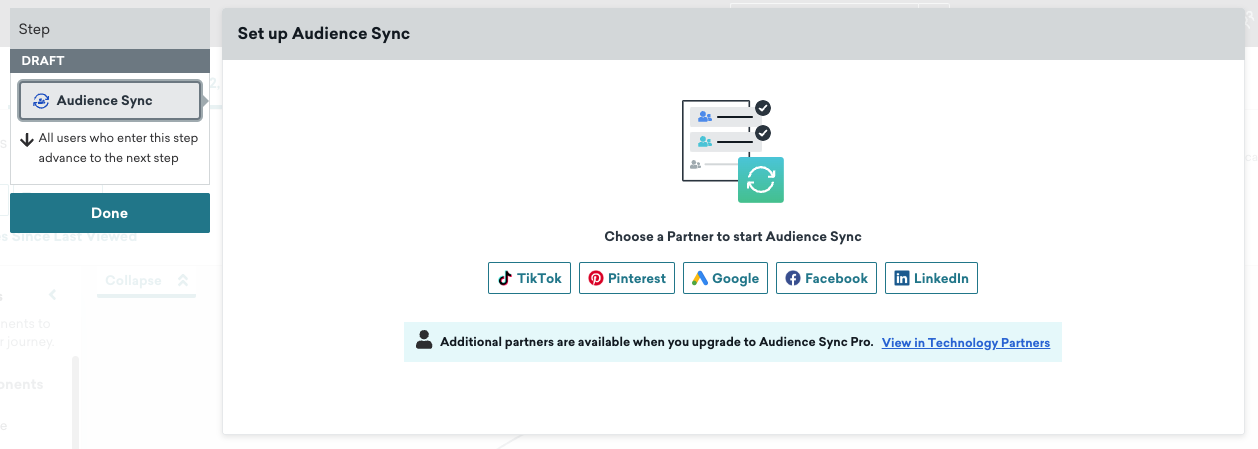
그런 다음 원하는 Pinterest 광고 계정을 선택합니다. Choose a New or Existing Audience 드롭다운에서 새 오디언스 또는 기존 오디언스의 이름을 입력합니다.
새 오디언스 생성
새 오디언스의 이름을 입력하고 Add Users to Audience를 선택한 다음 Pinterest와 동기화할 필드를 선택합니다. 그런 다음 단계 편집기 하단의 Create Audience 버튼을 클릭하여 오디언스를 저장합니다.
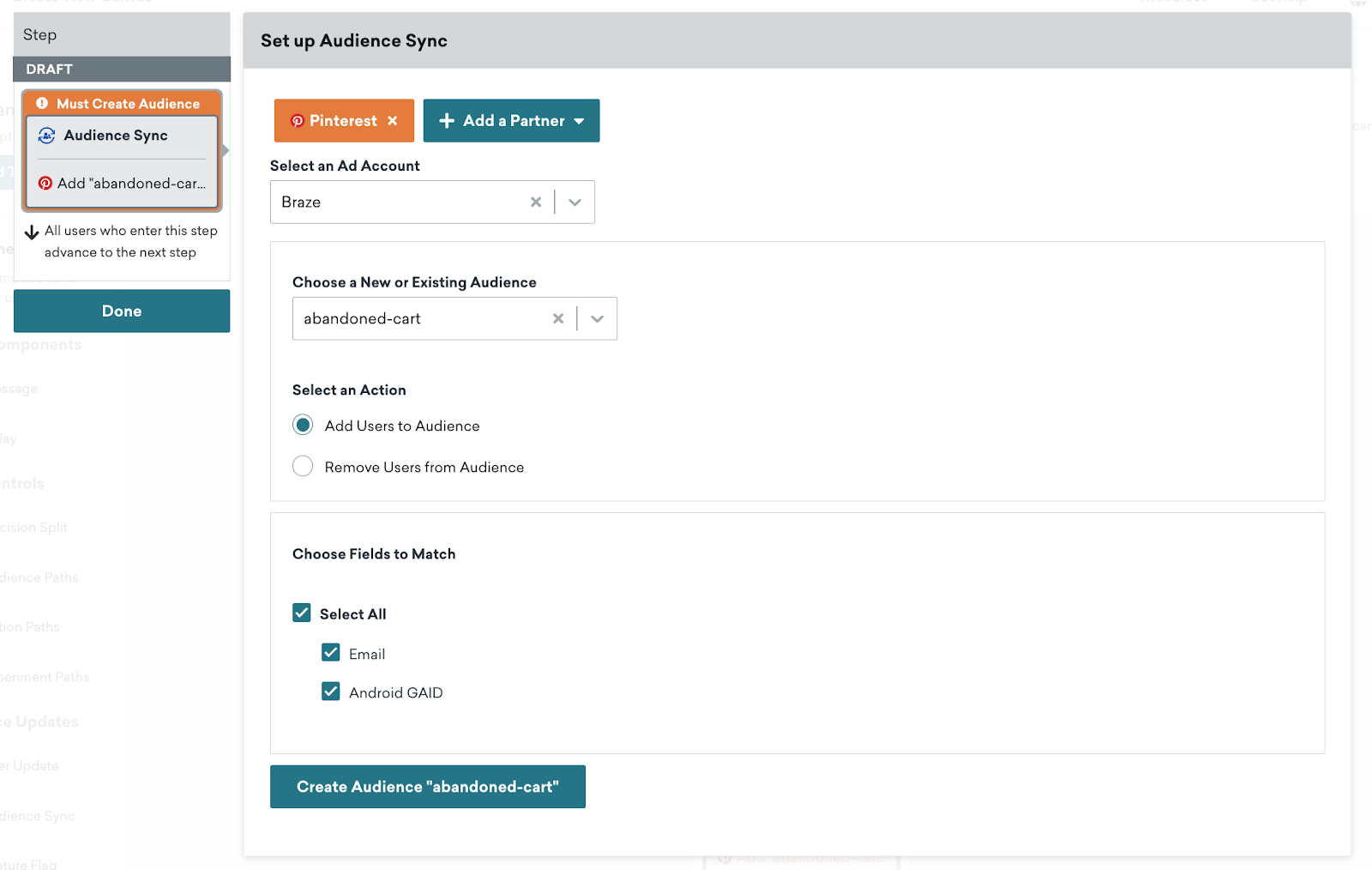
오디언스가 성공적으로 생성되거나 오류가 발생하면 Braze는 단계 편집기 상단에 알림을 표시합니다. 오디언스가 초안 모드로 생성되었으므로 사용자는 나중에 Canvas 여정에서 사용자 제거를 위해 이 오디언스를 참조할 수 있습니다.
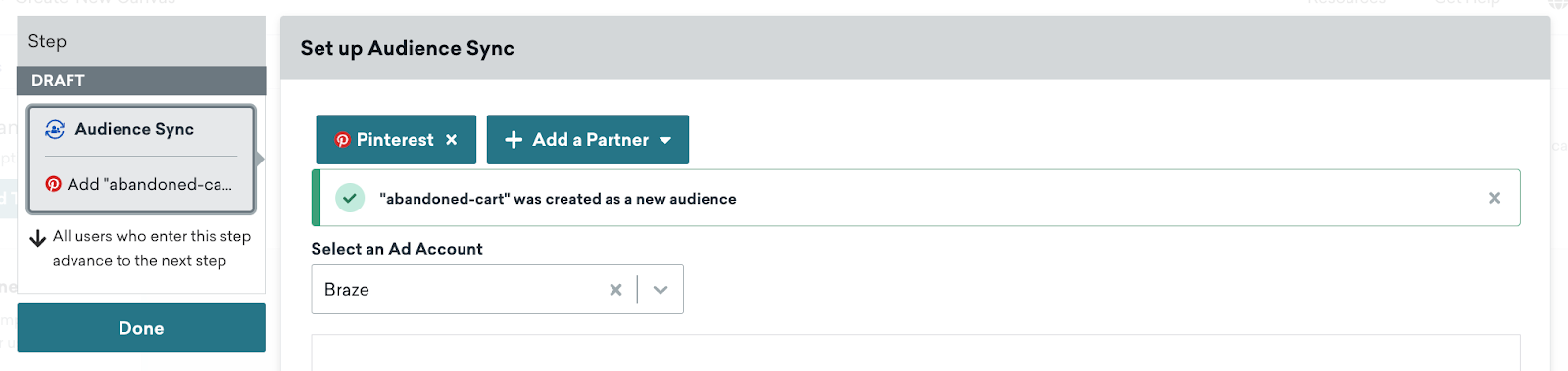
새 오디언스로 Canvas를 시작하면 Braze는 사용자가 Audience Sync 단계에 진입할 때 거의 실시간으로 동기화합니다.
기존 오디언스와 동기화
Braze는 기존 Pinterest 오디언스에 사용자를 추가하여 해당 오디언스를 최신 상태로 유지하는 기능도 제공합니다. 기존 오디언스와 동기화하려면 드롭다운에서 기존 오디언스 이름을 입력하고 오디언스에 추가합니다. 그러면 Braze는 사용자가 Audience Sync 단계에 진입할 때 거의 실시간으로 사용자를 추가합니다.
4단계: Canvas 시작
Pinterest로 Audience Sync를 구성한 후 Canvas를 시작하세요! 새 오디언스가 생성되고, Audience Sync 단계를 통과하는 사용자가 Pinterest의 이 오디언스에 전달됩니다. Canvas에 후속 구성요소가 포함되어 있으면 사용자는 사용자 여정의 다음 단계로 진행합니다.
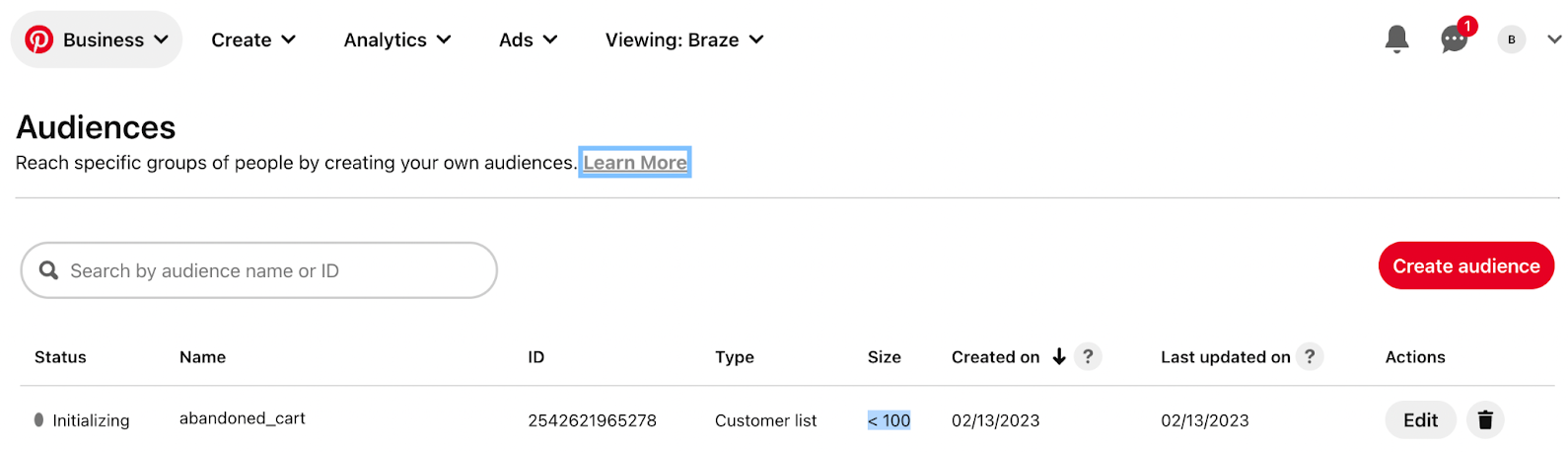
광고 관리자 계정에 들어가서 Ads 드롭다운에서 Audiences를 선택하면 Pinterest에서 오디언스를 확인할 수 있습니다. Audience 페이지에서 각 오디언스의 크기가 약 100에 도달한 후 확인할 수 있습니다.
사용자 동기화 및 사용량 제한 고려 사항
사용자가 Audience Sync 단계에 도달하면 Braze는 Pinterest의 마케팅 API 사용량 제한을 준수하면서 거의 실시간으로 동기화합니다. Braze는 Pinterest로 전송하기 전에 5초마다 가능한 한 많은 사용자를 배치하고 처리합니다.
Pinterest의 Segment API 사용량 제한은 사용자당 초당 7개의 쿼리와 요청당 1,900명의 사용자를 허용합니다. 고객이 이 한도에 도달하면 Braze는 최대 약 13시간 동안 동기화를 재시도합니다. 동기화가 여전히 불가능한 경우 Braze는 이러한 사용자를 Users Errored 측정기준 아래에 나열합니다.
분석 이해하기
다음 표에는 Audience Sync 구성요소의 분석을 더 잘 이해하는 데 도움이 되는 측정기준과 설명이 포함되어 있습니다.
| 측정기준 | 설명 |
|---|---|
| Entered | Pinterest에 동기화하기 위해 이 구성요소에 진입한 사용자 수입니다. |
| Proceeded to Next Step | 다음 구성요소가 있는 경우 다음 구성요소로 진행한 사용자 수입니다. Canvas 브랜치의 마지막 단계인 경우 모든 사용자가 자동으로 진행됩니다. |
| Users Synced | Pinterest에 성공적으로 동기화된 사용자 수입니다. |
| Users Not Synced | 일치시킬 필드가 누락되어 동기화되지 않은 사용자 수입니다. |
| Users Pending | 현재 Braze에서 Pinterest로 동기화하기 위해 처리 중인 사용자 수입니다. |
| Users Errored | 약 13시간의 재시도 후 API 오류로 인해 Pinterest에 동기화되지 않은 사용자 수입니다. 오류의 잠재적 원인에는 유효하지 않은 Pinterest 토큰 또는 Pinterest에서 오디언스가 삭제된 경우가 포함될 수 있습니다. |
| Exited Canvas | Canvas를 종료한 사용자 수입니다. 이는 Canvas의 마지막 단계가 Audience Sync 구성요소인 경우 발생합니다. |
동기화된 사용자 및 오류 측정기준에 대한 보고는 각각 대량 플러셔 및 13시간 재시도로 인해 지연이 발생할 수 있습니다.
자주 묻는 질문
Pinterest에서 오디언스가 채워지는 데 얼마나 걸리나요?
오디언스 크기는 Pinterest Ads Manager의 Audiences 페이지에서 24~48시간 이내에 업데이트됩니다.
Pinterest에 사용자를 전달한 후 사용자가 매칭되었는지 어떻게 알 수 있나요?
Pinterest는 자체 데이터 프라이버시 정책에 따라 이 정보를 제공하지 않습니다.
유효하지 않은 토큰 오류를 받으면 어떻게 해야 하나요?
Pinterest Business Hub 관리자에게 동기화하려는 광고 계정에 대한 적절한 권한이 있는지 확인하세요. Pinterest 파트너 페이지에서 Pinterest 계정의 연결을 해제하고 다시 연결할 수도 있습니다.
Canvas를 시작할 수 없는 이유는 무엇인가요?
Pinterest 파트너 페이지에서 Pinterest 계정이 Braze에 성공적으로 연결되었는지 확인하세요. 광고 계정을 선택하고, 새 오디언스의 이름을 입력하고, 일치시킬 필드를 선택했는지 확인합니다.
Audience Sync 단계에서 광고 계정을 선택할 수 없는 이유는 무엇인가요?
토큰이 올바른 계정 권한으로 생성되었는지 확인하세요. Pinterest 광고 계정에 오디언스가 너무 많으면 광고 계정을 선택하는 드롭다운이 시간 초과될 수 있습니다. 이 경우 광고 계정의 오디언스 수를 줄이는 것을 권장합니다.