A look at Braze Banners: What marketers and engineers need to know
Published on May 19, 2026/Last edited on May 19, 2026/5 min read

Mark Biales
Lead Product Manager, BrazeContents
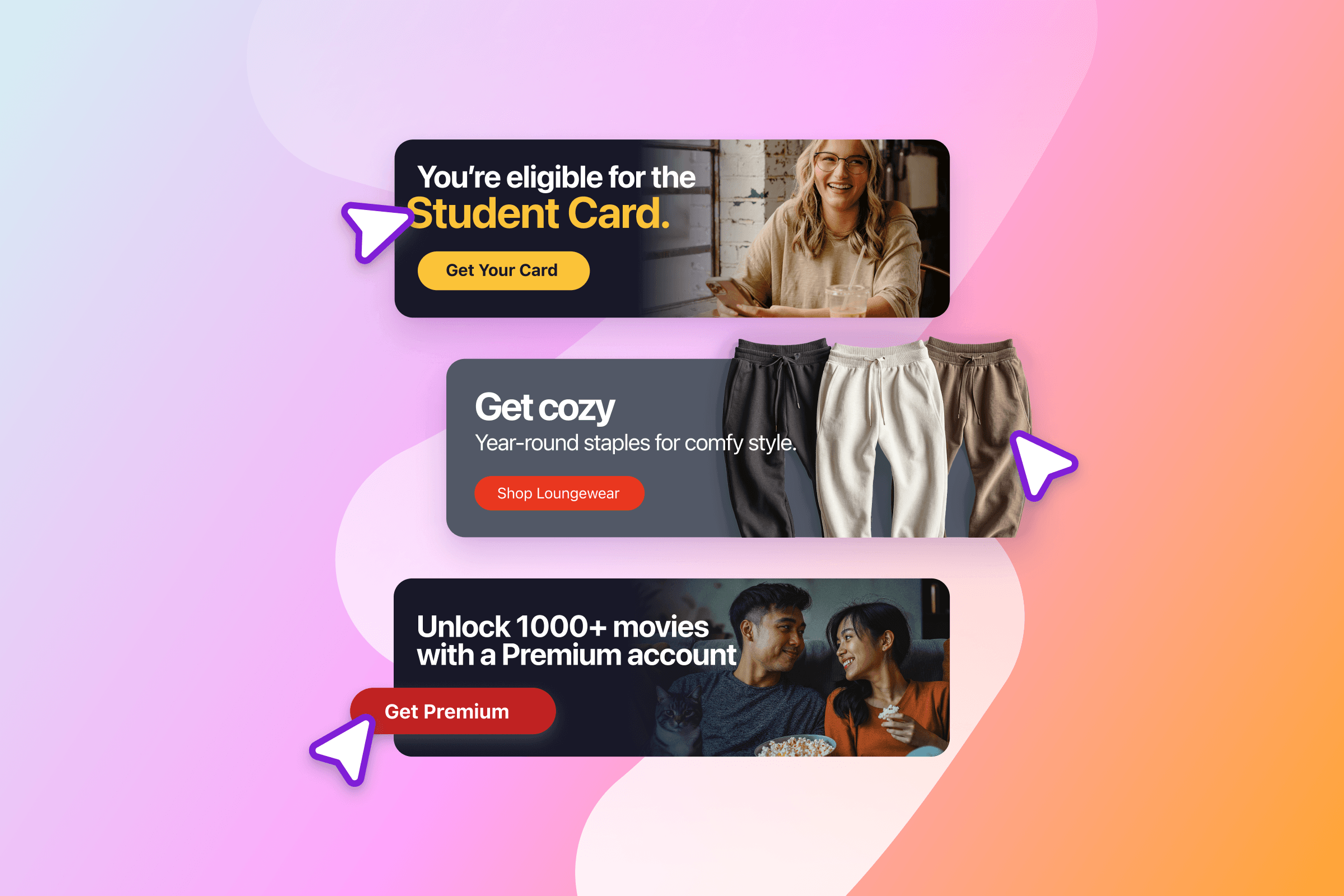
As more and more of the customer journey moves inside the product, brands increasingly need a way to expand their engagement strategies to deliver relevant, personalized content in their apps and websites. Braze Banners provide that capability—an inline, always-on surface that marketers can own end-to-end.
Let’s explore why we built Banners, how they fit in with other in-product channels supported by Braze, and how teams can implement them effectively to drive value for marketers and consumers alike.
Why Braze built Banners
In-product channels are nothing new. From in-app messages (and in-browser messages, their web equivalents) to Content Cards, marketers have been able to deliver in-product experiences through Braze for more than a decade. We built Content Cards so marketers could surface messages via notification center or feed. Over time, we saw that marketers wanted to power more of their app and web surfaces using Braze. Our customers were asking us how they could have more creative control without needing to involve their tech team, and how they could provide even more personalized and real-time experiences for their users.
That’s why we built Braze Banners. Banners give marketers direct control over in-product creative and real-time personalization. We combined three capabilities in one channel:
- Marketer-owned creative. A drag-and-drop editor with full HTML support lets marketers design, iterate on, and update inline messages without relying on engineering support.
- Real-time personalization. Liquid personalization and eligibility are reevaluated on each refresh. When a user’s attributes or segment membership change, Banners reflect that shift.
- Centralized targeting and priority. Banners has native support for prioritization and placements. Accordingly, Braze makes it possible to deliver the highest priority Banner in whatever placement you choose.
Where Banners fit in with other in-product tools
Braze now supports multiple in-product experiences, each built for a different user moment:
- In-app messages interrupt the flow to direct attention. Good for onboarding, alerts, or actions users have to acknowledge.
- Banners live in the existing UI and are good for announcements, personalized offers, seasonal sales, and evergreen promotions
- Content Cards accumulate in a feed users can return to. They’re great for saved offers, revisitable content, and transaction confirmations.
This progression (interrupt → persist → revisit) helps teams match surfaces to message intent. In-app messages drive immediate attention, Banners reinforce key information during active use, and Content Cards support content users may want to revisit.
How to implement Banners
A successful implementation of this key new channel begins with defining where exactly Banners should appear within your app or website. After that, marketers own the rest—content, targeting, and iteration.
Creating Banner placements for an app/website
Engineering teams create placement containers—the UI locations where Banners render. Each placement has a unique id the SDK references. Key behaviors include:
- Flexible sizing and positioning
- HTML rendered via iframe, ensuring consistent, isolated styling
- Placement refresh behavior
When a placement loads, the app asks Braze, “What Banner should appear here?” The SDK sends a request, Braze evaluates all campaigns targeting that placement—checking eligibility, personalization, and priority—and returns the highest-priority option. Engineers don’t manage this logic; the behavior stays consistent regardless of how many campaigns or targeting rules marketers add.
Defining zero-state behavior
Every placement needs a defined zero-state (that is, for situations where a Banner is expected to be displayed but there happens to be no Banner eligible to appear). This keeps the UI stable regardless of targeting or personalization. Common zero-state patterns include:
- Collapsing the container
- Showing default or internal content
- Reserving the space with a lightweight placeholder
Because Banners are eligibility-based, users may see different states across sessions. A clear zero-state design prevents layout shifts or gaps in situations when the user isn’t eligible for a banner.
Tracking impressions and other key metrics
Banner analytics are tracked automatically—no extra engineering effort needed–and focus on what users actually see and interact with:
- Impressions, logged when a Banner is returned and rendered
- Clicks, captured when users engage with Banner actions
Orchestrating with Canvas
Banners is now a message step in Canvas, so teams can include them in multi-step journeys alongside email, push, in-app messages, and other channels, and tie in-product messaging into the same flows that drive the rest of the customer journey.
What marketers and engineers get
Banners streamline collaboration between marketers and engineers. Marketers update inline messaging without waiting on releases—adjusting creative and targeting directly in the dashboard—while session-level personalization keeps content aligned with user context.
Engineers replace one-off components with one integration. Rendering occurs in isolated iframes, and Braze handles prioritization and refresh logic, reducing UI churn and long-tail maintenance.
Benefits for marketers:
- Update messaging without engineering support
- Control layout and targeting from the Braze dashboard
- Personalization refreshes each time a banner is requested
Benefits for engineers:
- One placement-driven integration
- Isolated rendering that prevents style conflicts
- Predictable selection and refresh behavior
Engineering defines the structure, and marketers own the content without adding overhead to the product codebase. Together, this model helps teams move faster.
Banners in action
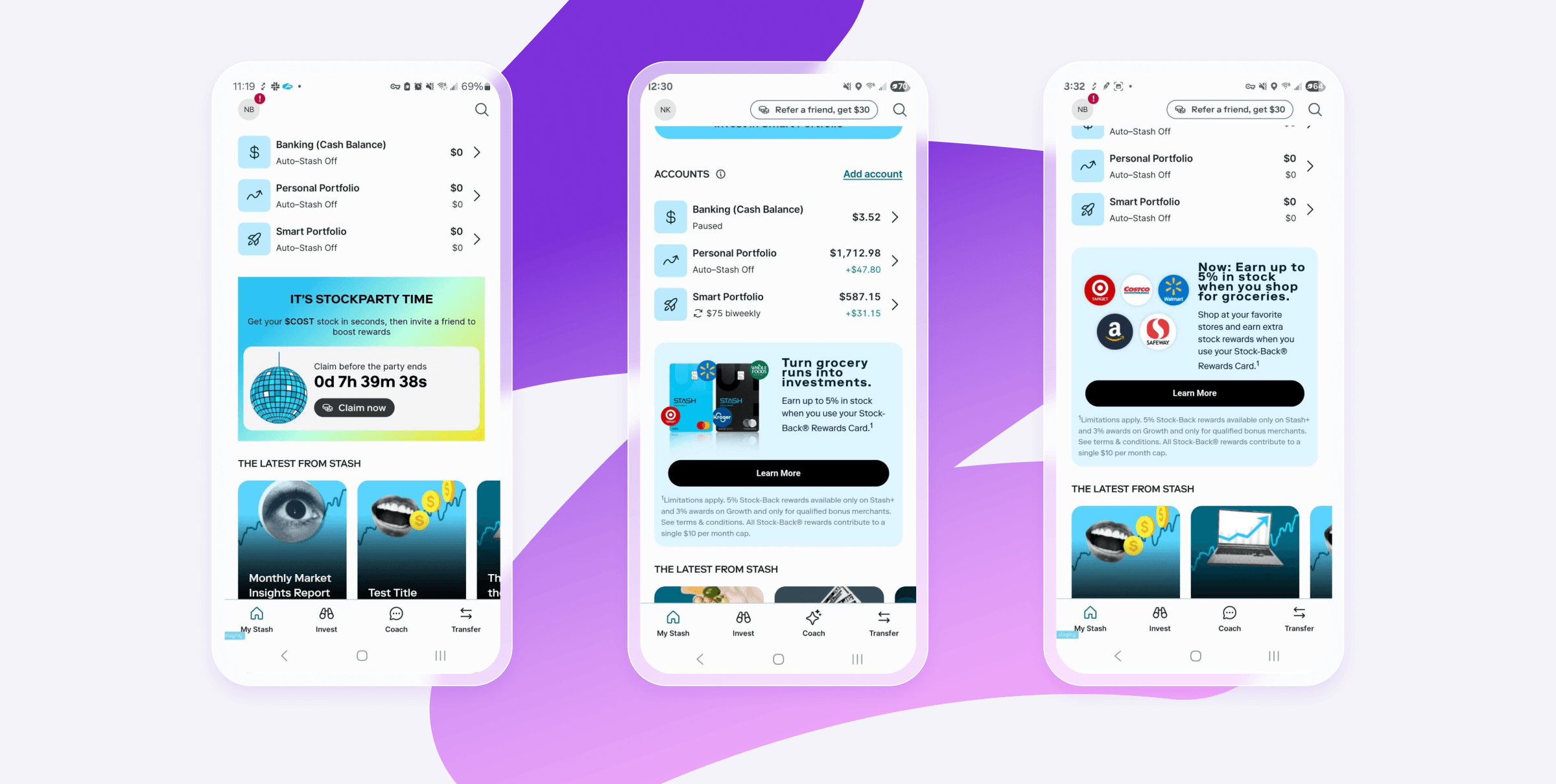
Stash, a New York-based fintech company, uses Banners to remind users about time-sensitive events like their Stock Party. By placing a consistent banner on their app’s homepage, Stash saw a 5.5% increase in Stock Party claims, compared to weeks when they relied on in-app messages alone.
The best part? Their team can launch new banners in under an hour—and do it without waiting on an app release.
Final thoughts
As apps and websites become central touchpoints, teams need messaging surfaces that feel native, flexible, and easy to maintain. Braze Banners provide a persistent, personalized way to communicate inside the product, giving marketers autonomy to move quickly.
Whether promoting a feature, reinforcing loyalty benefits, or nudging toward conversion, Banners help ensure the right message remains visible at the right moment.
For implementation details and best practices, visit the Braze Banners documentation.
Related Tags
Be Absolutely Engaging.™
Sign up for regular updates from Braze.