Mastering Braze Landing Pages: From technical setup to high-impact use cases
Published on January 30, 2026/Last edited on August 01, 2026/7 min read

Courtney Baum
Product Marketing Manager, BrazeSummary
Landing pages in this context are configurable, Braze-hosted web pages that use drag-and-drop layouts, Liquid personalization, and mapped form fields to capture data, update user profiles, and trigger retargeting. Landing pages here support concrete scenarios like loyalty sign-ups, SMS and email opt-ins, feedback collection, app downloads, and product or membership promotions.
Show moreShow less
Contents
Landing pages in this context are configurable, Braze-hosted web pages that use drag-and-drop layouts, Liquid personalization, and mapped form fields to capture data, update user profiles, and trigger retargeting. Landing pages here support concrete scenarios like loyalty sign-ups, SMS and email opt-ins, feedback collection, app downloads, and product or membership promotions.
When you want to deliver a customized web experience, one of the best ways to make that happen is by leveraging landing pages. These standalone web pages are designed to drive engagement across the customer lifecycle. But despite the name, landing pages are so much more than a destination—in fact, they play a key role in building a connected, end-to-end customer journey. They’re simple to build, easy to customize, and support a wide range of goals, from growing your opted-in audience to collecting real-time feedback.
Intrigued? Let's explore some smart, creative ways to use landing pages to turn everyday interactions into meaningful growth. But first, a quick refresher on how to build a landing page in Braze.
How to create a landing page
1. Connect your custom domain or subdomain (optional)
By default, landing pages are hosted on a Braze domain. Give your landing pages a fully branded URL instead by connecting a custom domain in your Workplace Settings.
2. Design your landing page
Create a new landing page from the Messaging tab in your Braze dashboard. Open the drag-and-drop editor to start building, or jumpstart the process with a pre-designed template.
Add rows, blocks, and form fields, then customize your page with your brand colors, fonts, and media assets. To take the experience a step further, you can layer in Liquid personalization to dynamically tailor headlines, greetings, or CTAs based on who’s visiting to make every page feel more relevant and personal.
3. Add custom form fields
Landing pages make it easy to collect user data and map it directly to standard or custom attributes in Braze. Supported field types include email and phone number capture, text inputs, dropdowns, and checkboxes.
Pro tip: If your page includes a form, create and link to a confirmation page as a best practice.
4. Preview and publish
Preview your landing page across mobile, tablet, and web devices to ensure everything looks just right. Once you’re ready, publish your page!
5. Drive traffic to your landing pages
Landing pages only make an impact if people visit them—and Braze gives you powerful ways to drive both known and new audiences to your pages.
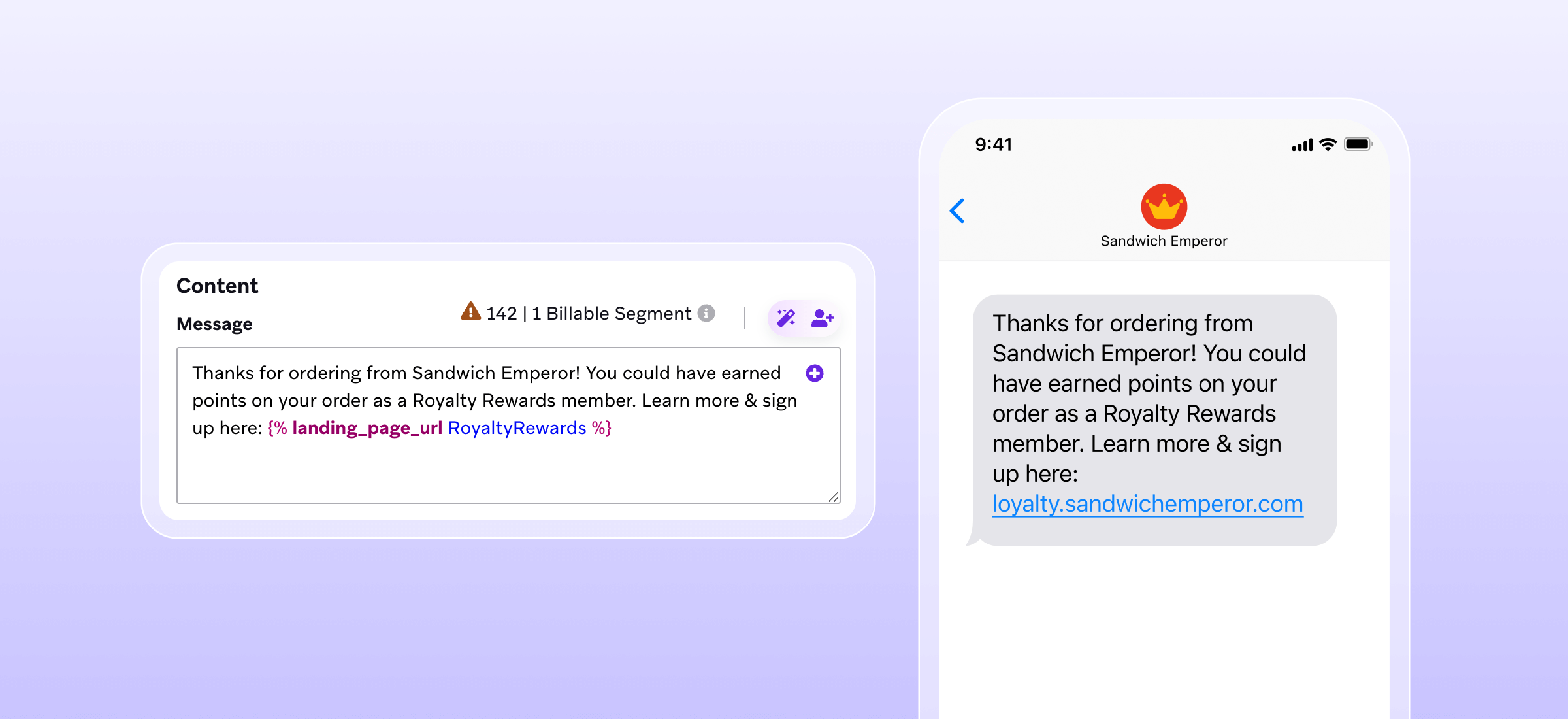
To reach existing customers, simply add your landing page URL to any message by clicking “Add Personalization” in any Braze message composer. When the link is sent via a Braze channel, you can personalize the landing page with known customer data and automatically capture any submitted data directly in the user’s profile.
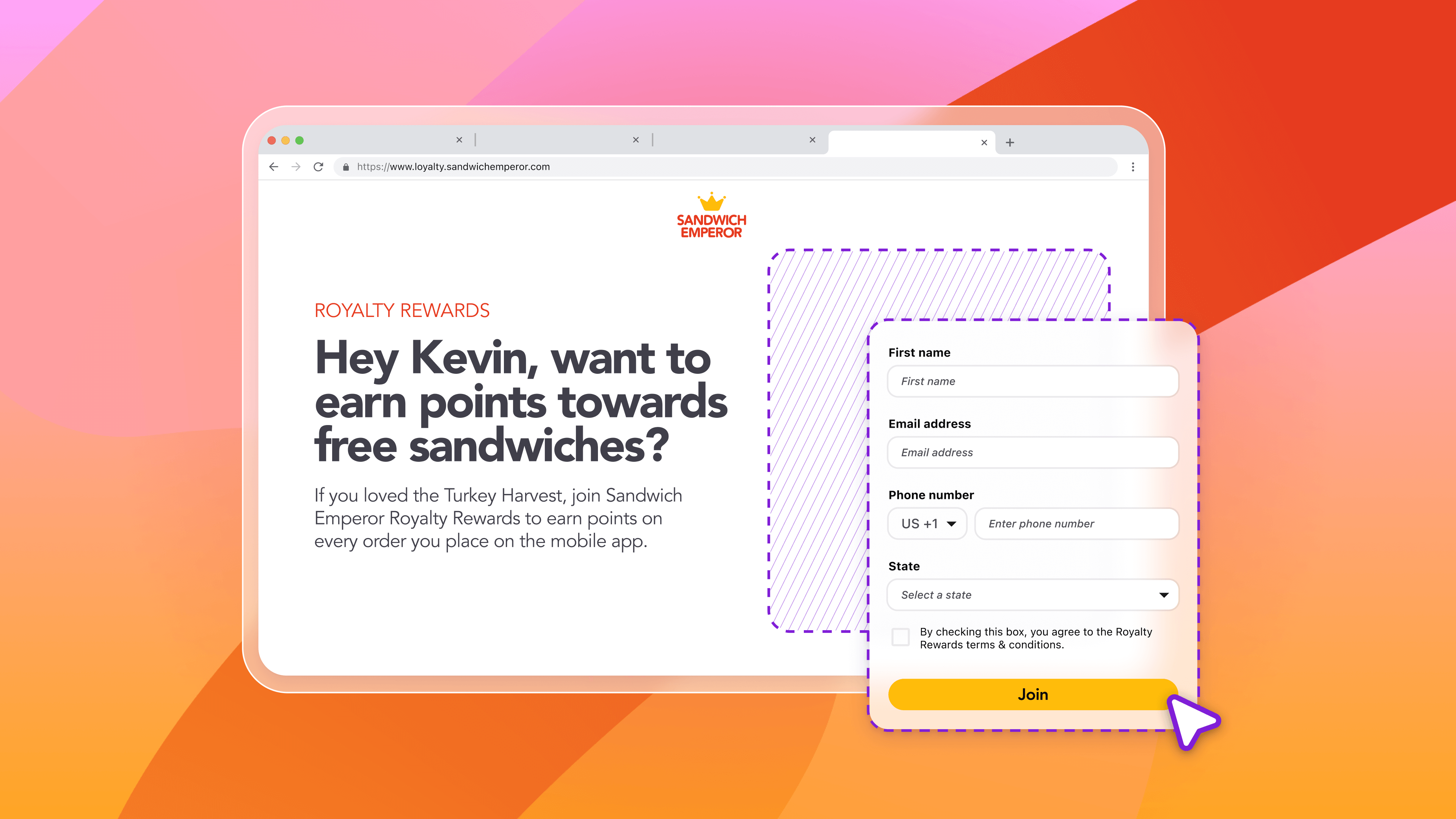
Take Sandwich Emperor, a fictional quick-service restaurant brand trying to grow its loyalty program. After a customer places an order, they send an SMS with a link to a loyalty sign-up landing page, teasing exclusive perks and inviting customers to learn more. While the landing page seals the deal, the real momentum begins in the SMS: a quick nudge that builds anticipation, spotlights rewards, and sets the stage for deeper engagement.
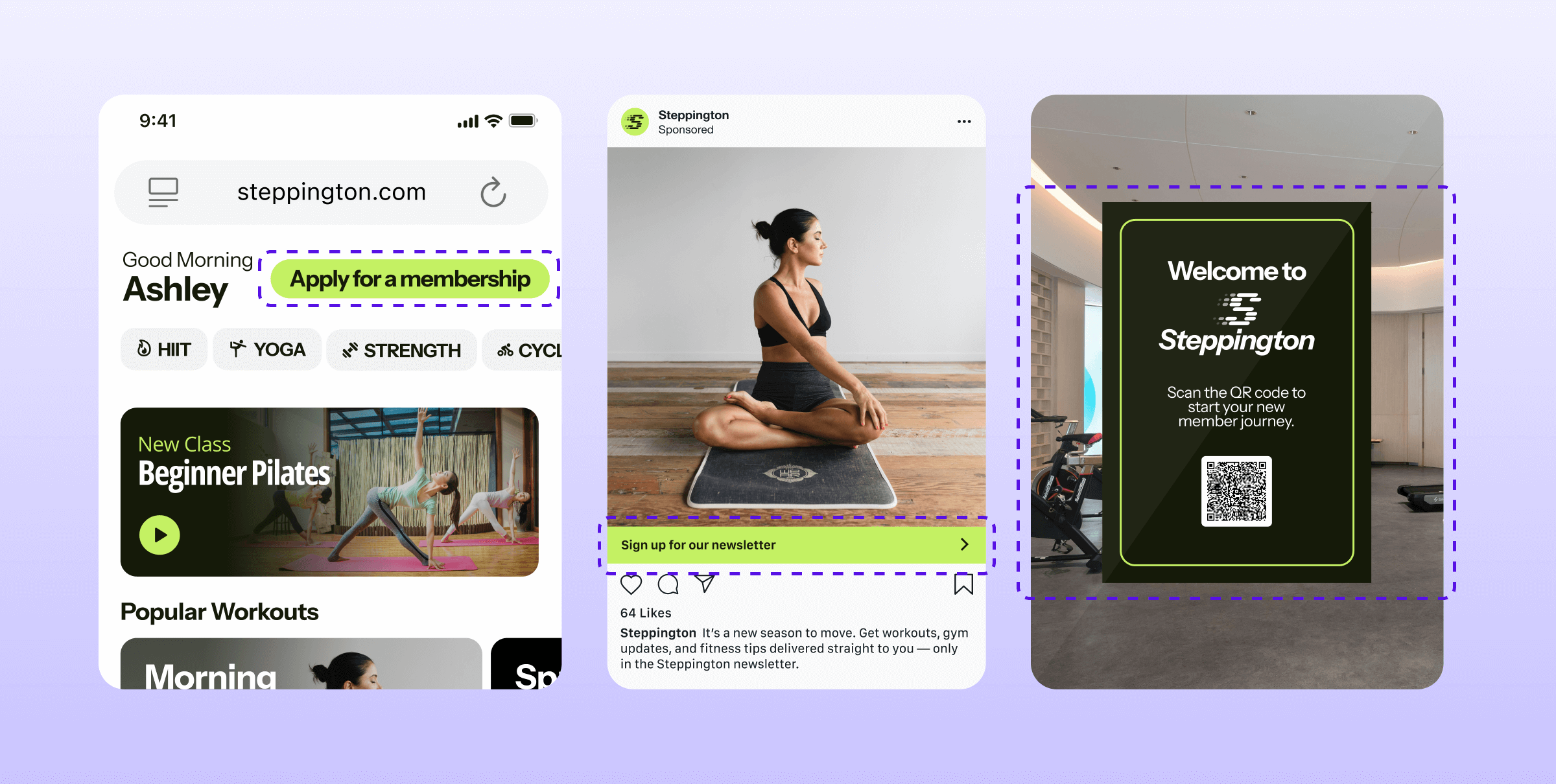
Landing pages can also attract and convert new customers from non-Braze channels. Website banners, social media posts, and even in-store QR codes can all direct first-time visitors to your landing page, turning every interaction into an opportunity to introduce your brand, capture sign-ups, and start building loyalty.
6. Update customer profiles
When a user submits a form on your landing page, their information automatically updates the related fields in their Braze user profile. If you send the URL through a non-Braze channel, a new user profile is created upon submission.
7. Retarget customers
You can immediately move users into relevant campaigns or journeys by retargeting on the “Submitted Form” filter. For example, new SMS subscribers can receive a confirmation text as soon as they complete the sign-up form.
8. Monitor results
Track performance across views, clicks, and form submissions, then use these insights to optimize and improve over time.
Popular landing page use cases
Once you’ve mastered the art of creating landing pages and driving traffic to them, the next step is making every page count. Let’s take a look at a few examples that show how simple clicks can turn into meaningful engagement and measurable growth.
1. Growing email opt-ins
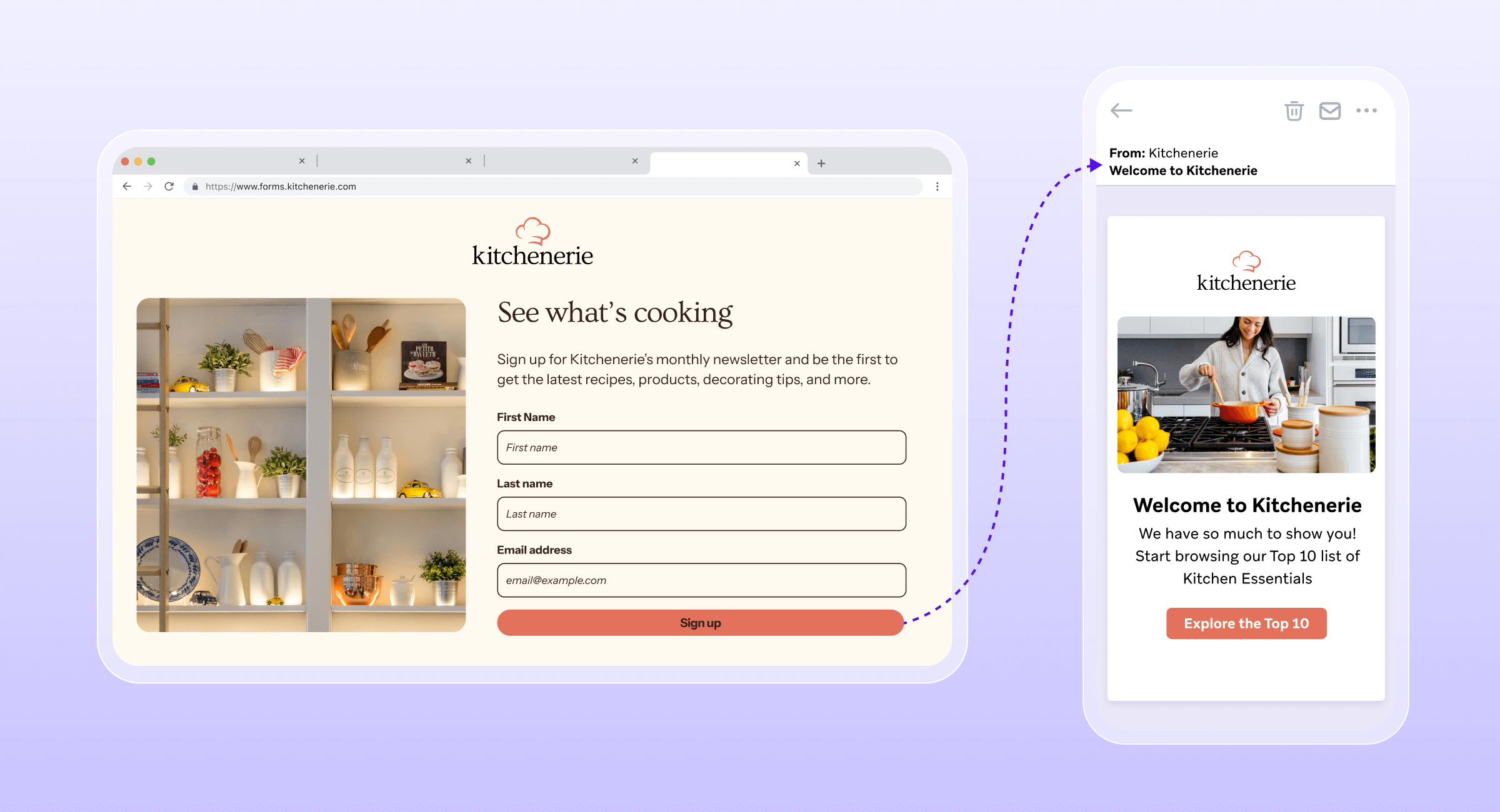
Kitchenerie, a (fictional) retail kitchenware brand, wanted to grow its email list, but not with a generic sign-up form. Using a Braze Landing Page, the team crafted an email capture experience that clearly highlighted the benefits of subscribing: early access to new products, decorating tips, and more. By making the value immediately clear, signing up felt like a natural next step.
2. Building an SMS audience
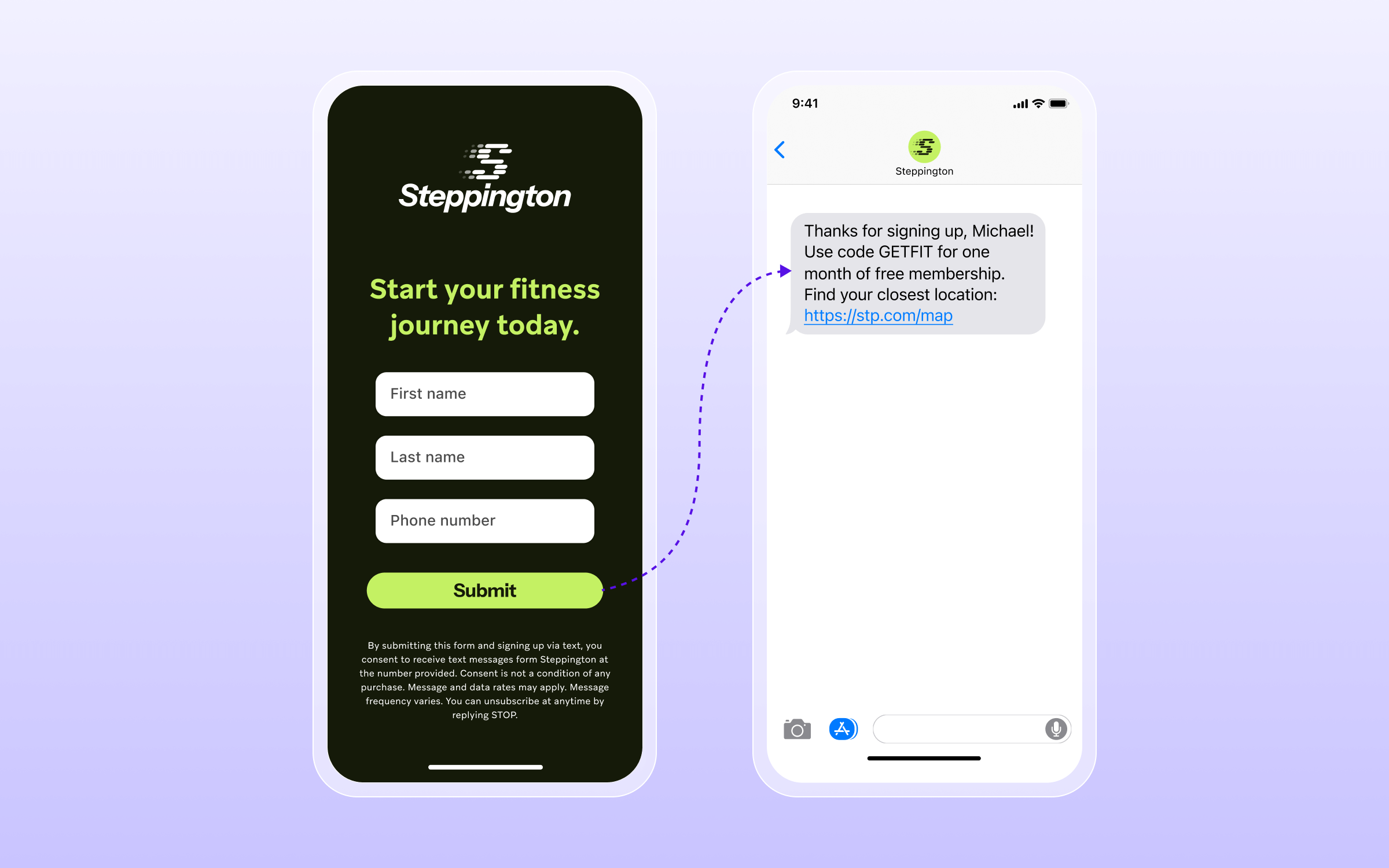
Steppington, a fictional fitness subscription service, set out to grow its SMS audience in a way that felt genuinely rewarding. Visitors opt in through a quick landing page form, and immediately receive a follow-up text with a special thank-you gift: a free month of membership. What could’ve been a basic opt-in became a moment of instant value, setting the tone of the relationship from the very first interaction.
3. Driving memberships and subscriptions
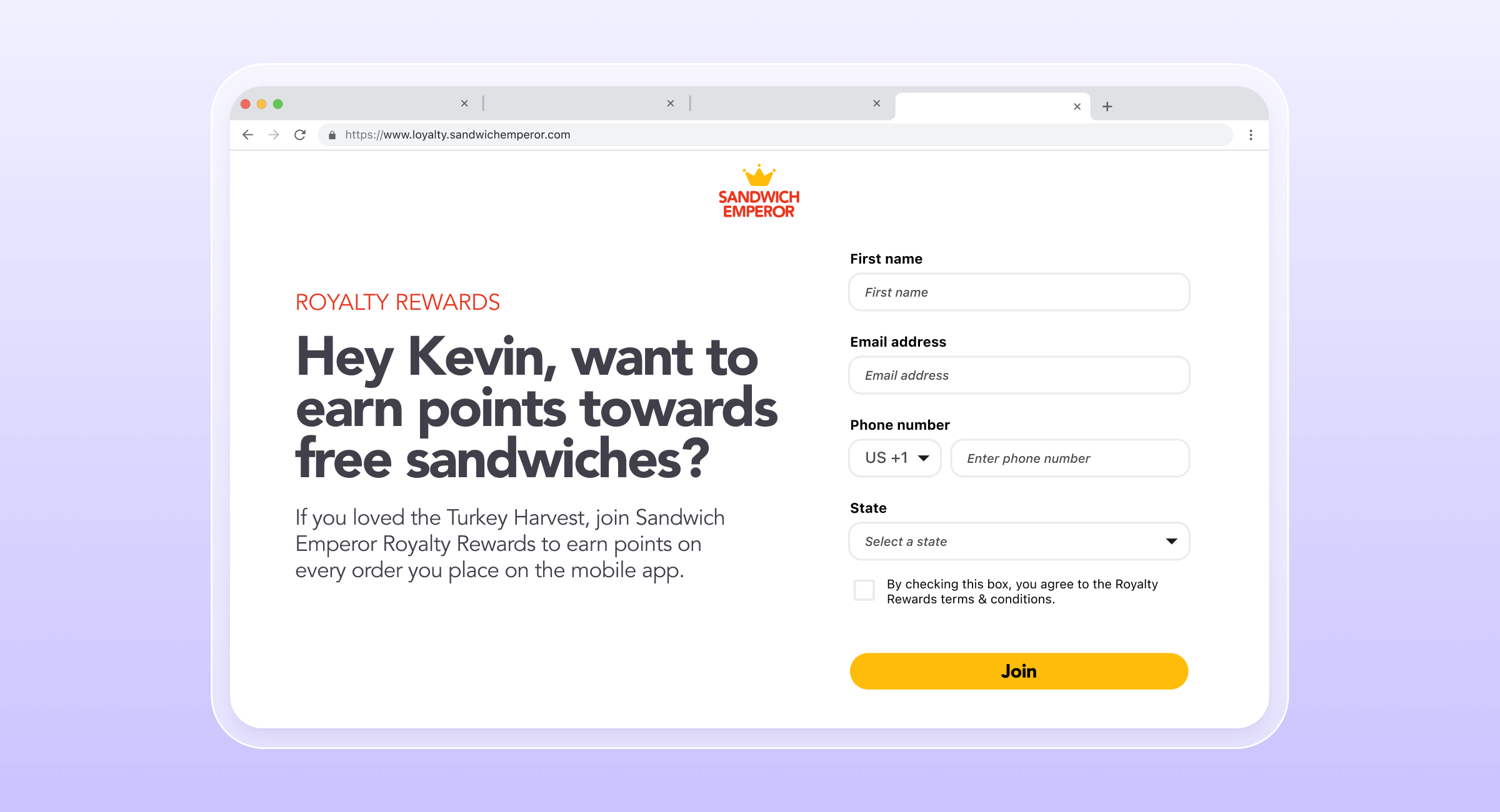
For brands focused on membership growth, timing can be just as important as the message itself. Sandwich Emperor triggers a personalized SMS with a landing page link immediately after a high-value action, like placing an order. Using Liquid personalization, the page greets each customer by name and references recent purchases, making the invitation feel timely, relevant, and rewarding.
4. Collecting real-time feedback
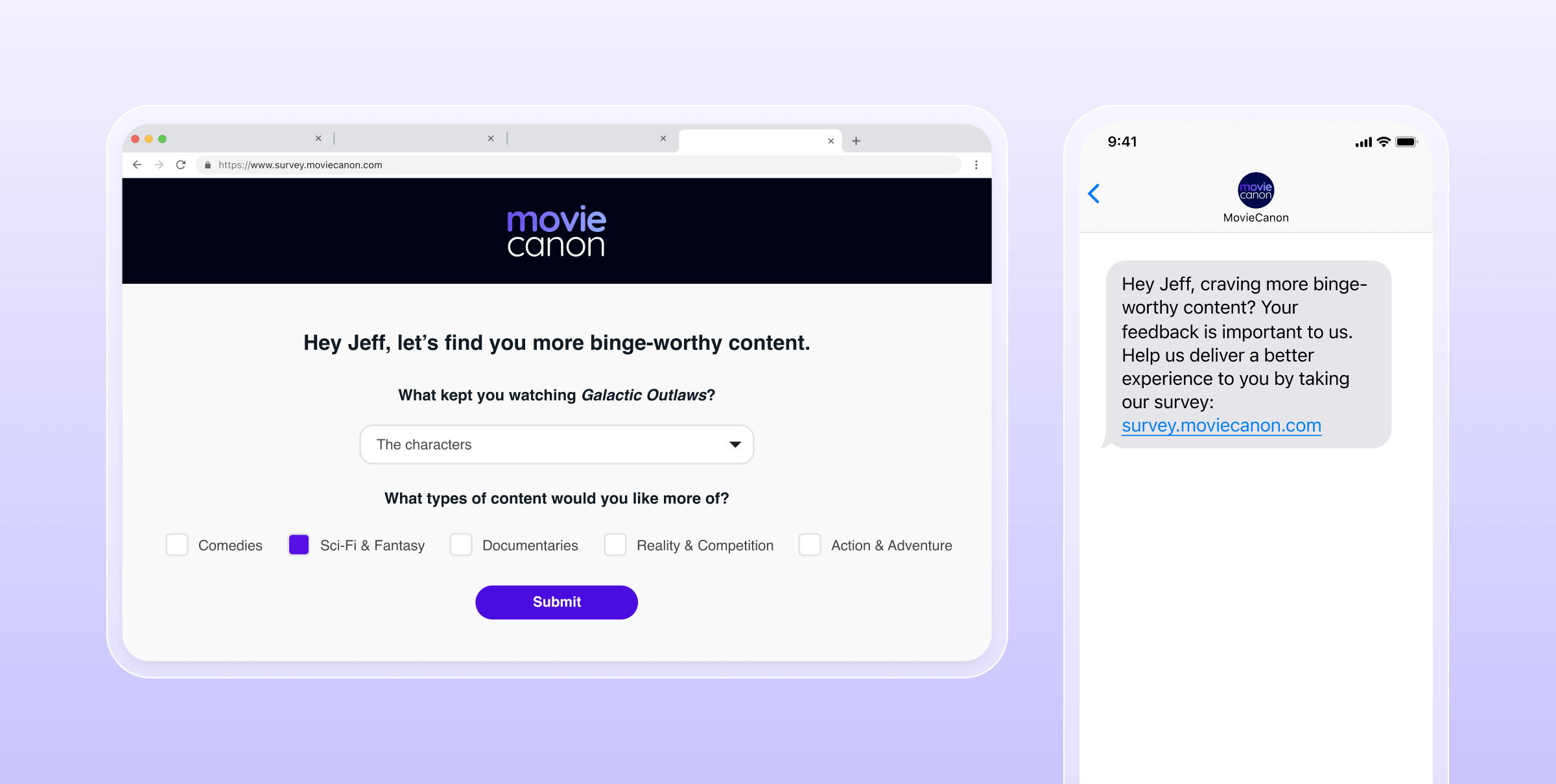
Listening to your audience is easier when feedback feels contextual. Fictional streaming brand MovieCanon sends a personalized SMS after a subscriber binge-watches a series, inviting them to share feedback on a landing page. The landing page greets viewers by name and references the show they just watched, creating a seamless, thoughtful experience that leads to richer insights for MovieCanon, and viewers who feel heard and valued.
5. Spotlighting new products and offers
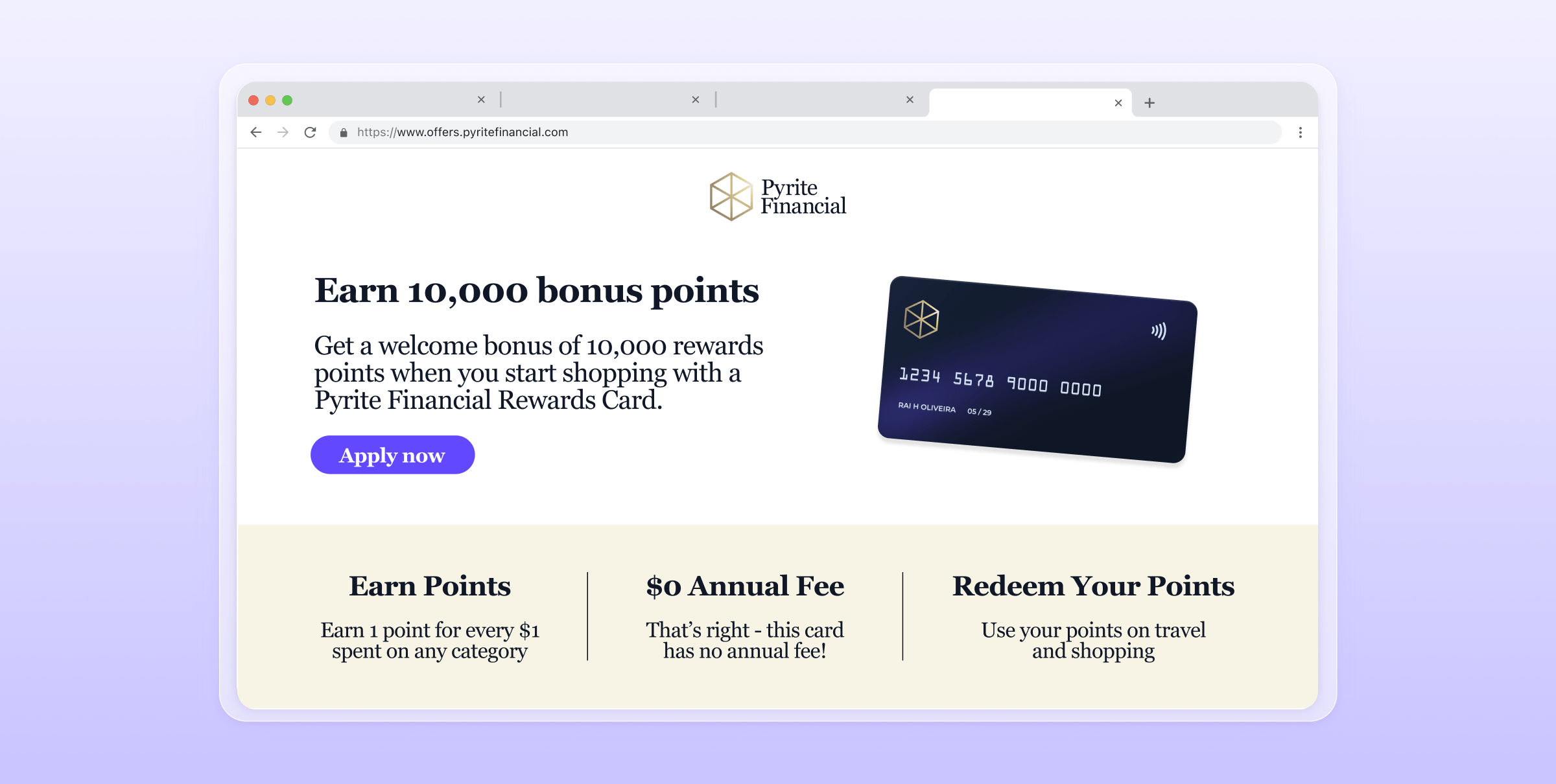
When Pyrite Financial launched a new Rewards Card, they wanted the promotion to feel like an experience, not just an announcement. Their landing page showcases a bold incentive: “Earn 10,000 bonus points!”, then clearly walks visitors through the benefits and application process. By giving the offer its own stage, Pyrite makes the value instantly clear and easy to act on.
6. Encouraging app downloads
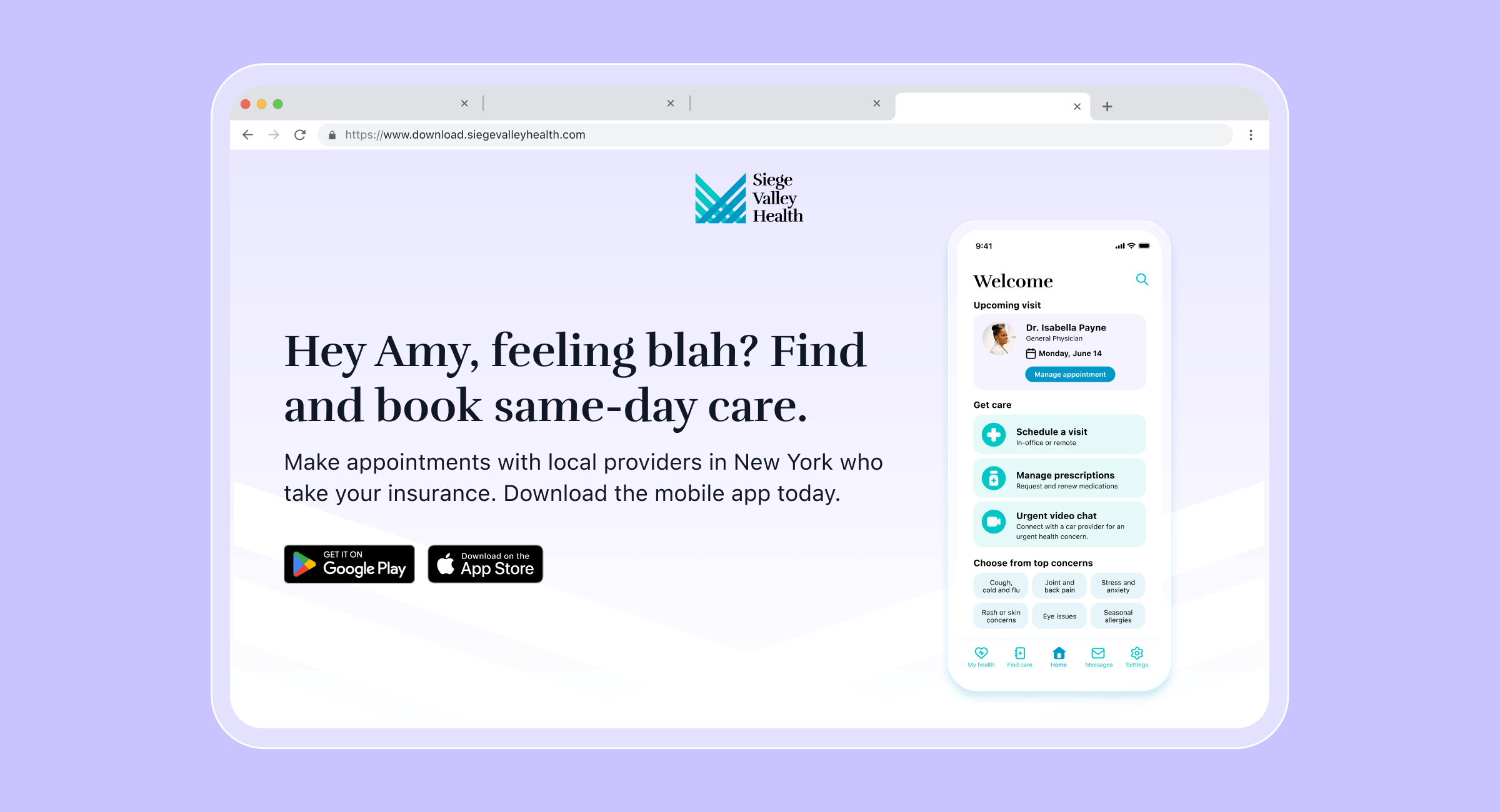
Landing pages also help bridge the gap between interest and action. Fictional healthcare brand Siege Valley Health uses a landing page to make the value of their app unmistakably clear: same-day care, appointments with providers who take your insurance, and a streamlined booking experience. With Liquid personalization, visitors see relevant providers and care options based on their location, turning a simple download prompt into a compelling next step.
Final Thoughts
Whether you’re nudging an existing customer via SMS or welcoming a first-time visitor from social, landing pages are a key destination for some of your most important customer lifecycle moments.
With Braze Landing Pages, you can create focused, flexible experiences that guide your audience, spark curiosity, and drive action. Every page is an opportunity to deepen engagement and create lasting impact, so start building your first landing page with Braze today.
Braze Landing Pages FAQs
What are Braze Landing Pages?
Braze Landing Pages are configurable, Braze-hosted web pages built with drag-and-drop layouts, Liquid personalization, and mapped form fields to capture data, update user profiles, and trigger retargeting. Despite the name, they're not just a destination; they play a key role in building a connected, end-to-end customer journey, driving engagement across the full customer lifecycle rather than functioning as an isolated web page.
By default they're hosted on a Braze domain, but you can connect a custom domain or subdomain in Workplace Settings for a fully branded URL.
Do you need a developer to build one?
No, the article positions this as a no-code, self-serve process for marketing teams.
You build the page in a drag-and-drop editor from the Messaging tab in the Braze dashboard, either from scratch or from a pre-designed template, adding rows, blocks, and form fields, then customizing colors, fonts, and media. Liquid personalization lets you dynamically tailor headlines, greetings, or CTAs based on who's visiting — no separate dev build required. The whole workflow (design → add form fields → preview across mobile/tablet/web → publish) is described as simple to build and easy to customize.
What can landing page forms update in Braze?
When a user submits a form, their information automatically updates the corresponding fields in their Braze user profile and form fields map directly to standard or custom attributes. Supported field types include email and phone number capture, text inputs, dropdowns, and checkboxes.
A couple of important mechanics:
- If sent via a Braze channel (e.g., a link added through "Add Personalization" in a message composer), the page can be personalized with known customer data, and submissions are captured directly into that existing user's profile.
- If sent via a non-Braze channel (social, a website banner, an in-store QR code), a submission creates a brand-new user profile.
- Submissions can also immediately trigger retargeting — for example, filtering on the "Submitted Form" event to move someone into a new campaign or journey, such as sending a confirmation text right after an SMS sign-up.
- You can also track views, clicks, and form submissions to monitor and optimize performance over time.
- Best practice: Link a confirmation page to any form-based landing page.
What are common landing page use cases?
Common landing page examples include:
- Growing email opt-ins
- Building an SMS audience
- Driving memberships and subscriptions
- Collecting real-time feedback
- Spotlighting new products and offers
- Encouraging app downloads
Related Tags
Be Absolutely Engaging.™
Sign up for regular updates from Braze.
Related Content
 Article4 min read
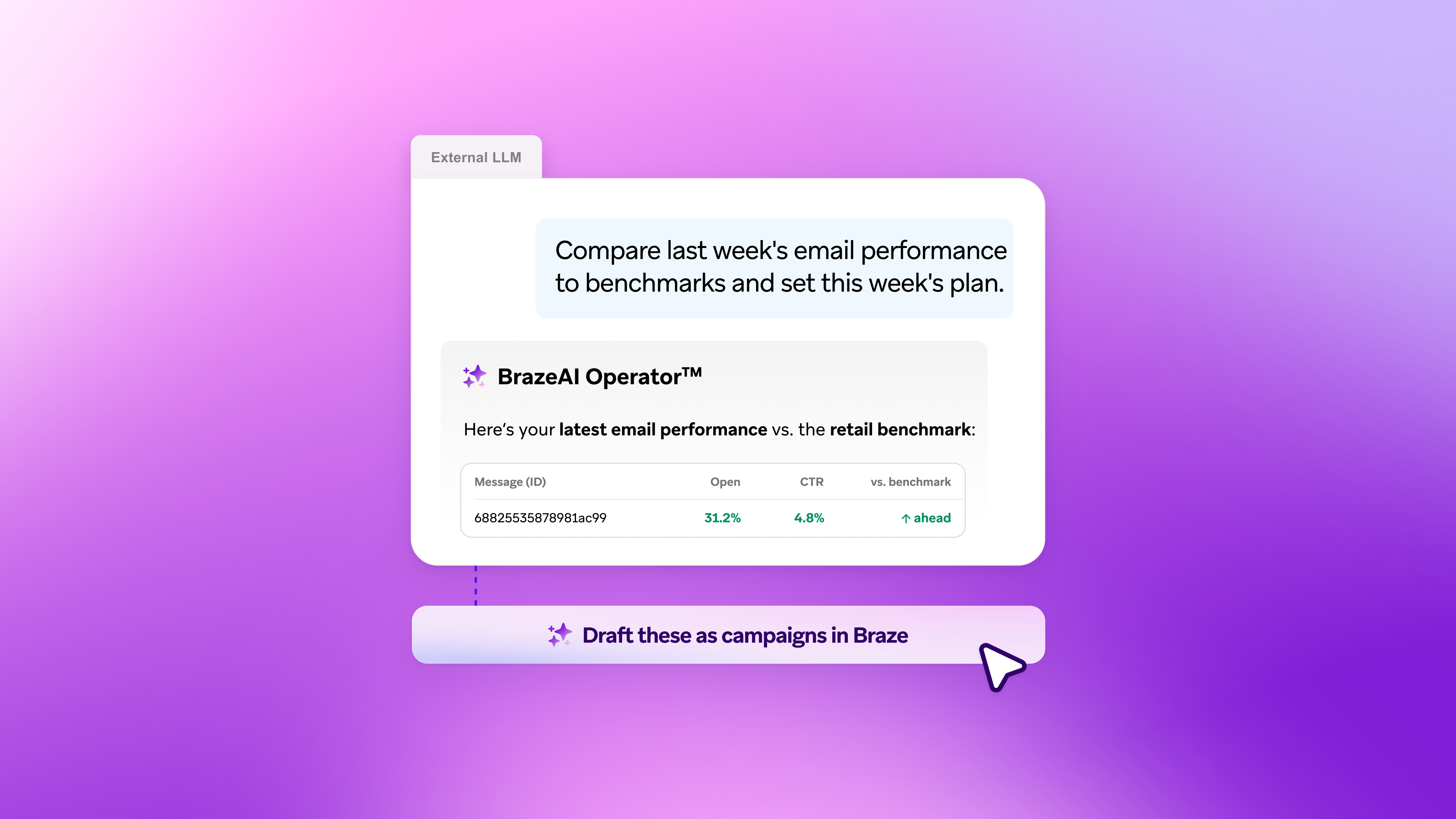
Bring Braze Intelligence into the Tools You Already Use with Operator Connect
November 02, 2026 Article15 min read
Real-time marketing: How brands respond to customers in the moment
October 30, 2026 Article14 min read
eCommerce customer experience: What influences the reorder
October 30, 2026