Appboy Now Supports Easy Cloning of Campaigns and Multivariate Tests
Published on March 10, 2015/Last edited on March 10, 2015/1 min read


Team Braze
Appboy is pleased to announce a new feature: marketing campaign and multivariate test cloning!
This one goes out to every mobile marketer who has ever wanted to create several new campaigns or tests based on a template that you’ve already built. Instead of having to review an old campaign and recreate each detail, Appboy allows you to simply clone pre-existing campaigns with the click of a button.
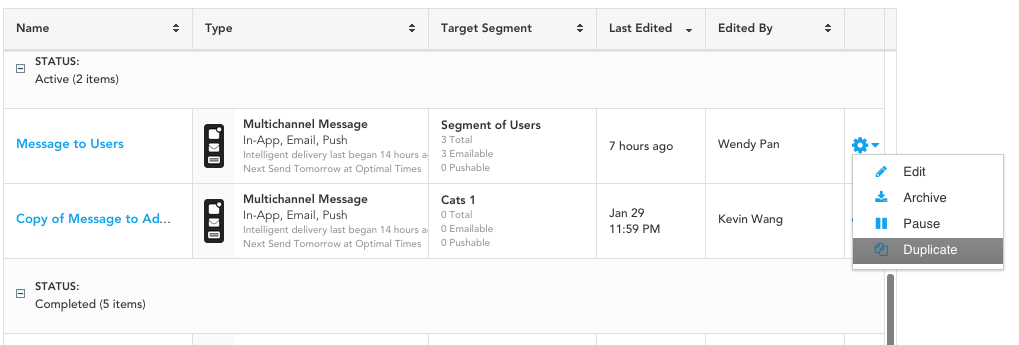
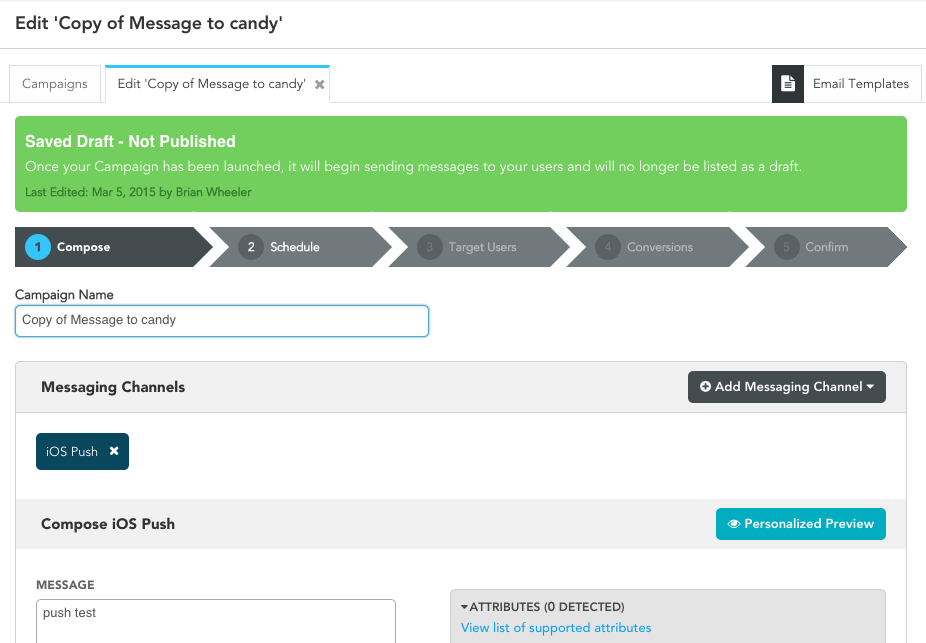
When you hit the “Duplicate” button, Appboy’s Marketing Automation for Apps platform will automatically clone the campaign or test and create a duplicate in draft form, allowing you to edit until everything is just the way you want it. It’s now easier than ever to adjust regular marketing campaigns to take advantage of new data, or update tests to compare additional elements.
To learn more about what you can achieve using this feature, along with best practices and sample use cases, check out this Appboy Academy page on cloning tests and campaigns.
Be Absolutely Engaging.™
Sign up for regular updates from Braze.
Related Content
 Article16 min read
Congratulations to the Forge 2026 Torchie Awards winners
September 29, 2026 Article6 min read
Bring 1:1 decisioning to every marketing journey with BrazeAI Decisioning Studio™ Go
September 28, 2026 Article12 min read
Made for this: How Braze is providing new ways to build, support, and extend your campaigns
September 28, 2026