DailyPlay
DailyPlay is a gamification platform. Use it to launch personalized, branded games and built-in reward systems that deepen engagement and improve retention.
This integration is maintained by DailyPlay.
About this integration
The Braze and DailyPlay integration lets you deploy and track games and reward performance across audience segments. DailyPlay’s games and reward systems work with Braze’s orchestration engine so you can turn passive audiences into active participants.
You can send gameplay milestones, reward redemptions, and engagement metrics to Braze to build audience segments and trigger automated, cross-channel messaging based on in-game behavior. With this integration, you can:
- Enrich user profiles: Pass gameplay metrics, scores, and reward statuses to user profiles in Braze.
- Unlock advanced segmentation: Create audience segments based on in-game behavior, such as top scorers, recent winners, or users close to unlocking a reward.
- Automate real-time campaigns: Trigger personalized cross-channel messages (push, email, in-app) based on game interactions to drive repeat play, brand loyalty, and higher lifetime value.
Use cases
- Re-engage lapsed customers: Send a link to a game with a chance to win a discount reward for inactive customers.
- Activity around products and trends: Create personalized games that showcase a new product or a holiday season, trend, or event.
- Deploy targeted games: Combine Braze segmentation and targeting with DailyPlay personalization to create engaging game content for different objectives and outcomes.
- Onboarding and activation: Embed a DailyPlay scratch-and-win or instant-reveal game link in your Braze welcome series to incentivize a first-time purchase or profile completion.
- Retention and loyalty: When a consumer reaches a loyalty milestone or performs a key action tracked in Braze, trigger a personalized DailyPlay game that celebrates their achievement and unlocks tier-specific rewards.
- Churn prevention and win-back: Identify users slipping away in Braze, then deliver a low-friction DailyPlay game to recapture their attention and drive them back to your app or site.
Prerequisites
| Requirement | Description |
|---|---|
| DailyPlay account | A DailyPlay account is required to use this integration. |
| Braze REST API key | A Braze REST API key with users.track permissions. Create this key in Braze under Settings > APIs and Identifiers > API Keys. For more information, see API keys. |
| Braze REST endpoint | The REST endpoint URL for your Braze instance. |
Integration
Step 1: Create a connection
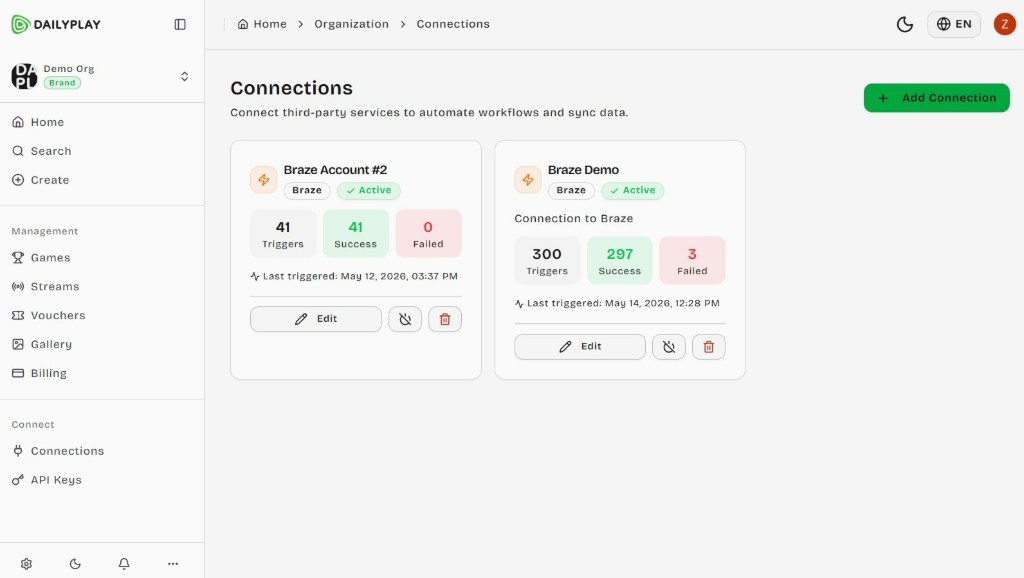
- In the DailyPlay dashboard, go to the Connections page and select Add Connection.
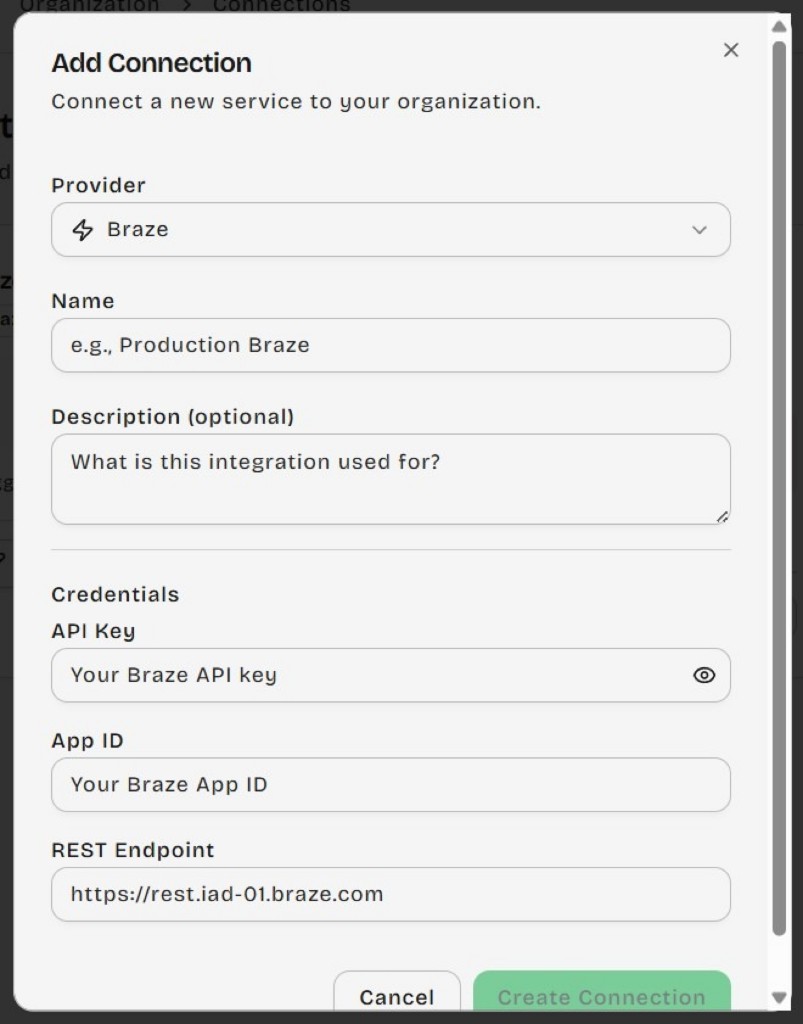
- Under Provider, choose Braze. Enter a name, your Braze REST API key, App ID, and REST endpoint, then select Create Connection.
Step 2: Create a stream
Go to the Streams page and create a new stream.
- Add the Braze connection you created in step 1 to the new stream.
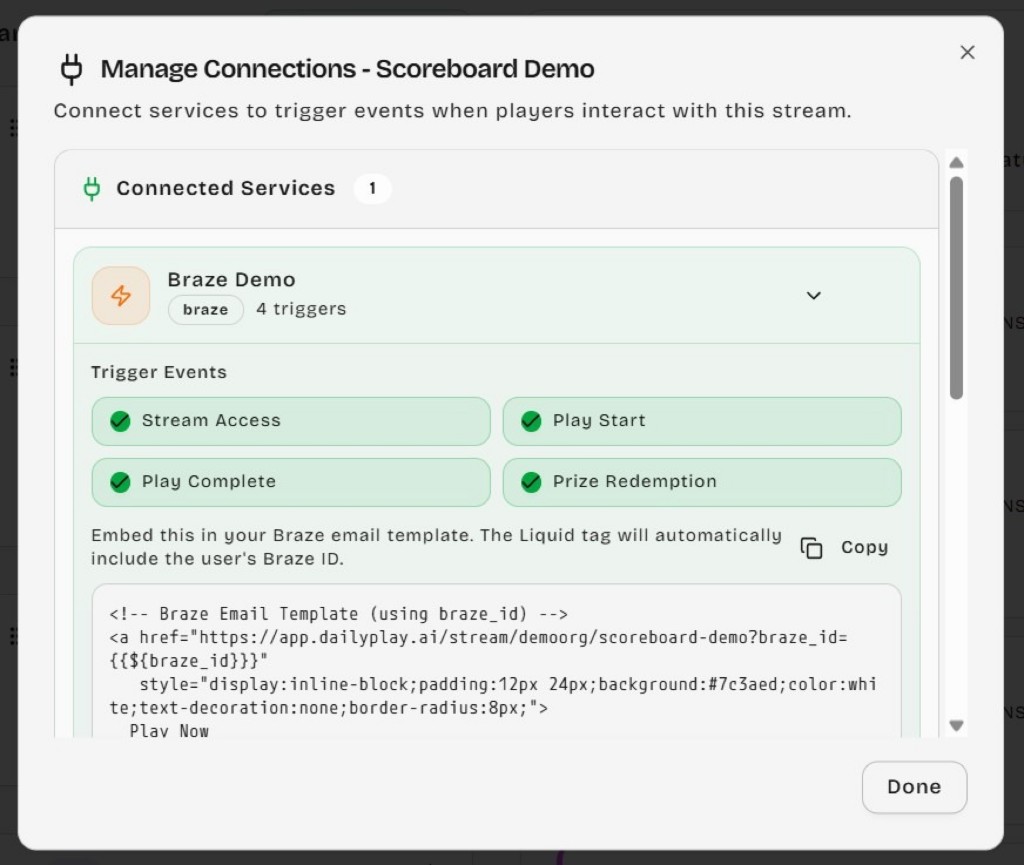
- Configure the trigger events to track, such as Stream Access, Play Start, Play Complete, and Prize Redemption.
- Create and add games to the stream.
- Copy the Braze integration code for the stream.
Step 3: Create a campaign in Braze
Paste the code from step 2 into your campaign in Braze.
When users play games in the stream, DailyPlay triggers an event and sends it to Braze through your Braze REST endpoint.
Step 4: Inspect actions and expand your funnel
Users who complete actions in DailyPlay streams receive custom attributes and custom events on their Braze profile.
Create a campaign or Canvas with an action-based trigger that uses the DailyPlay custom events or custom attributes required for your use case.
Use DailyPlay with Braze
To engage a specific customer segment, follow these steps after you complete the integration setup.
Step 1: Set up your DailyPlay configuration
Follow the integration steps in this section to set up your Braze connection and DailyPlay stream. Copy the integration code.
Step 2: Create a Braze campaign or Canvas
Create a campaign or Canvas using an action-based trigger. Select the DailyPlay custom events or custom attributes required for your use case.
You can use Liquid to reference properties DailyPlay sends in your message copy.
Custom attribute example:
Your score was {{custom_attribute.${dailyplay}.last_game_score}}
Custom event example:
Use dot notation to reference properties on the trigger event:
{{event_properties.${dailyplay_play_complete}.properties.score}}
Troubleshooting
For additional setup guidance and FAQs, see the DailyPlay Braze integration documentation.