Microsoft Azure Blob Storage
Microsoft Azure Blob Storage is a massively scalable object storage for unstructured data offered by Microsoft as part of the Azure product suite.

If you’re switching between cloud storage providers, contact your Braze customer success manager for further assistance on setting up and validating your new integration.
The Braze and Microsoft Azure Blob Storage integration allows you to export data back to Azure and stream Currents data. Later, you can use an ETL process (Extract, Transform, Load) to transfer your data to other locations.
Prerequisites
| Requirement | Description |
|---|---|
| Microsoft Azure and Azure storage account | A Microsoft Azure and Azure storage account are required to take advantage of this partnership. |
| Currents | To export data to Currents, you must have Braze Currents set up for your account. Currents isn’t required if you’re only setting up message archiving. |
Integration
To integrate with Microsoft Azure Blob Storage, you must have a storage account and a connection string to allow Braze to either export data back to Azure or stream Currents data.
Step 1: Create a storage account
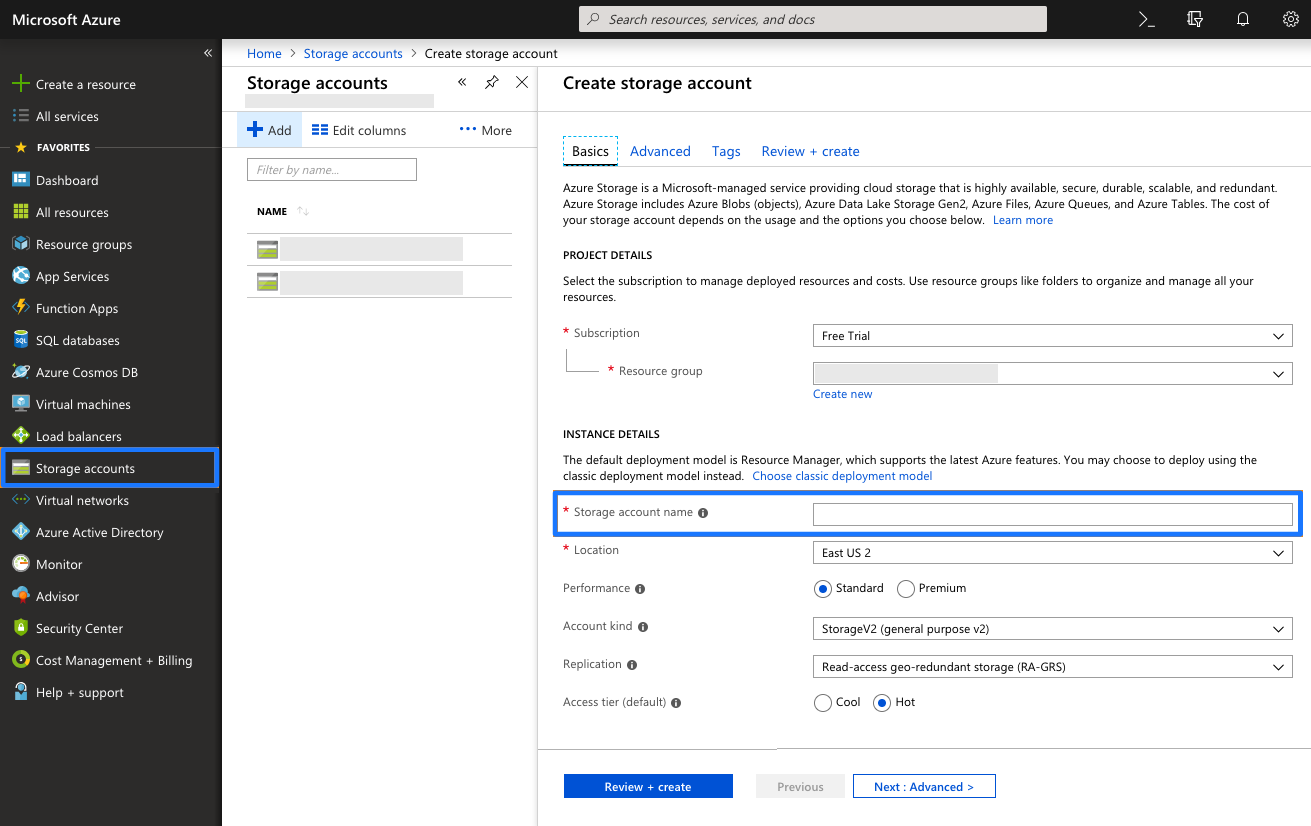
In Microsoft Azure, navigate to Storage Accounts in the sidebar and click + Add to create a new storage account. Next, provide a storage account name. Other default settings will not need to be updated. Lastly, select Review + create.
Even if you already have a storage account, we recommend creating a new one specifically for your Braze data.
Step 2: Get the connection string
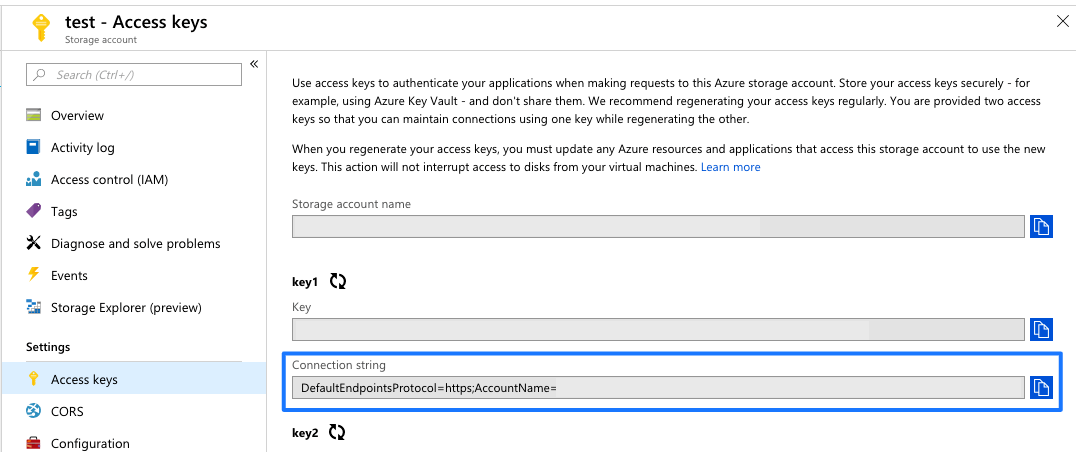
Once the storage account is deployed, navigate to the Access Keys menu from the storage account and take note of the connection string.
Microsoft provides two access keys to maintain connections using one key while regenerating the other. You only need the connection string from one of them.

Braze uses the connection string from this menu, not the key.
Step 3: Create a blob service container
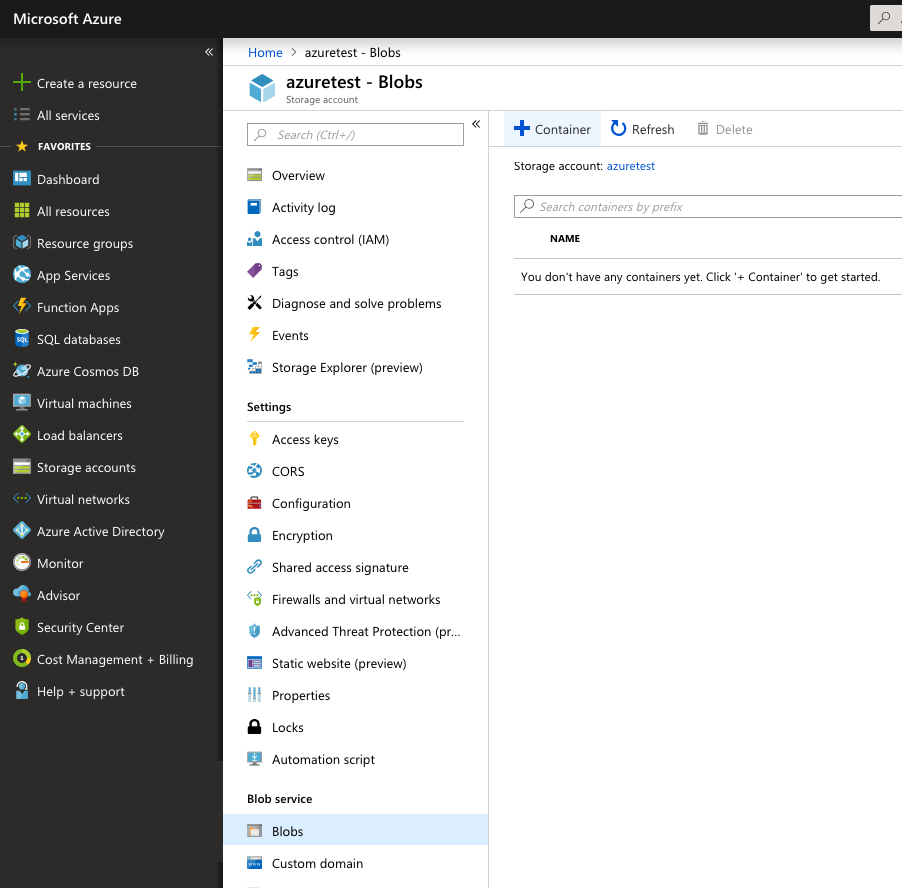
Navigate to the Blobs menu under the Blob Service section of your storage account. Create a Blob Service Container within that storage account you created earlier.
Provide a name for your Blob Service Container. Other default settings will not need to be updated.
Step 4: Set up Currents
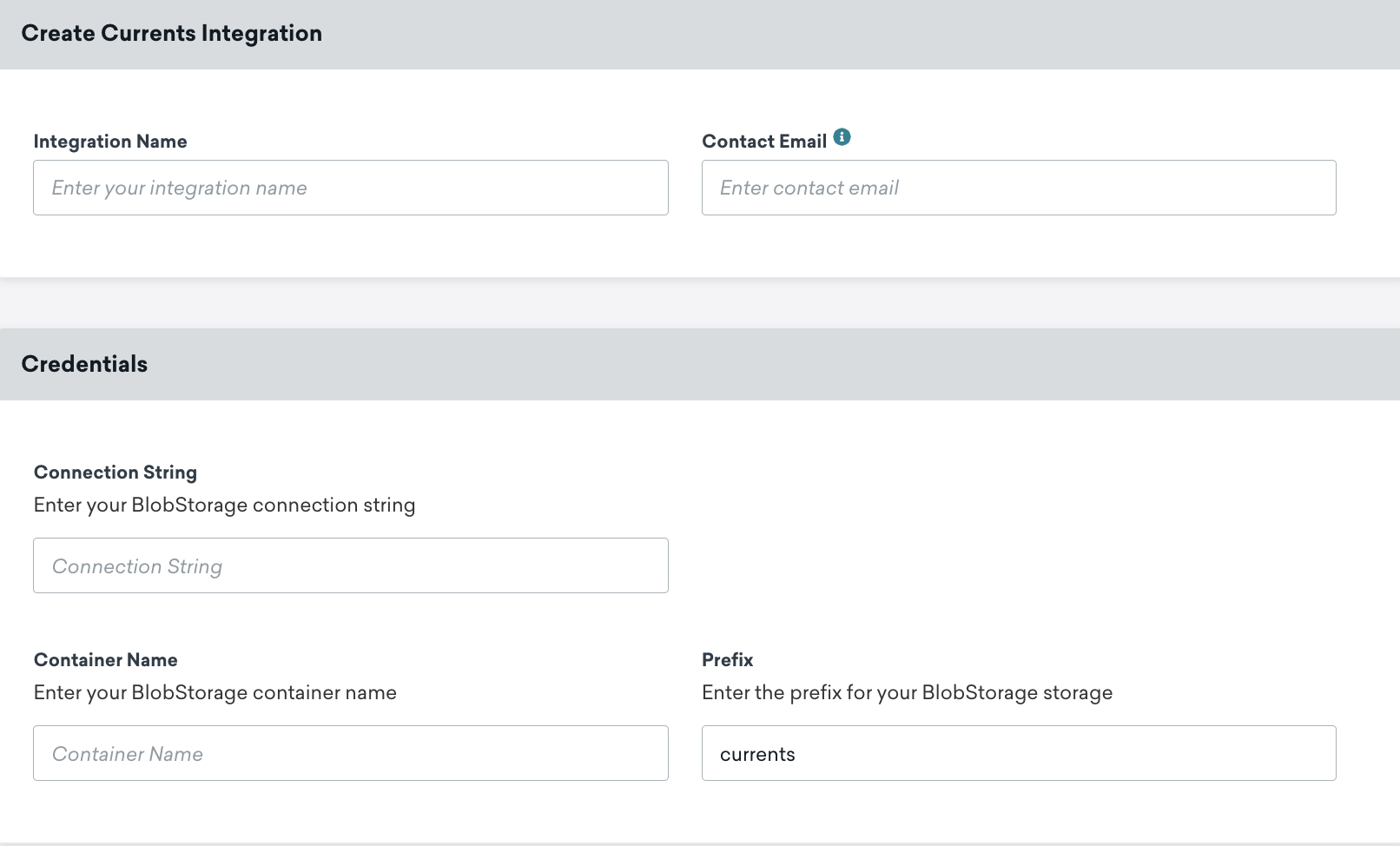
In Braze, navigate to Currents > + Create Current > Azure Blob Data Export and provide your integration name and contact email.
Next, provide your connection string, container name, and BlobStorage prefix (optional).
Finally, scroll to the bottom of the page and select which message engagement events or customer behavior events you would like to export. When completed, launch your Current.
Step 5: Set up Azure data export
The following configures credentials that are used for:
- Segment exports through the API
- CSV exports (campaign, segment, Canvas user data export via the dashboard)
- Engagement reports
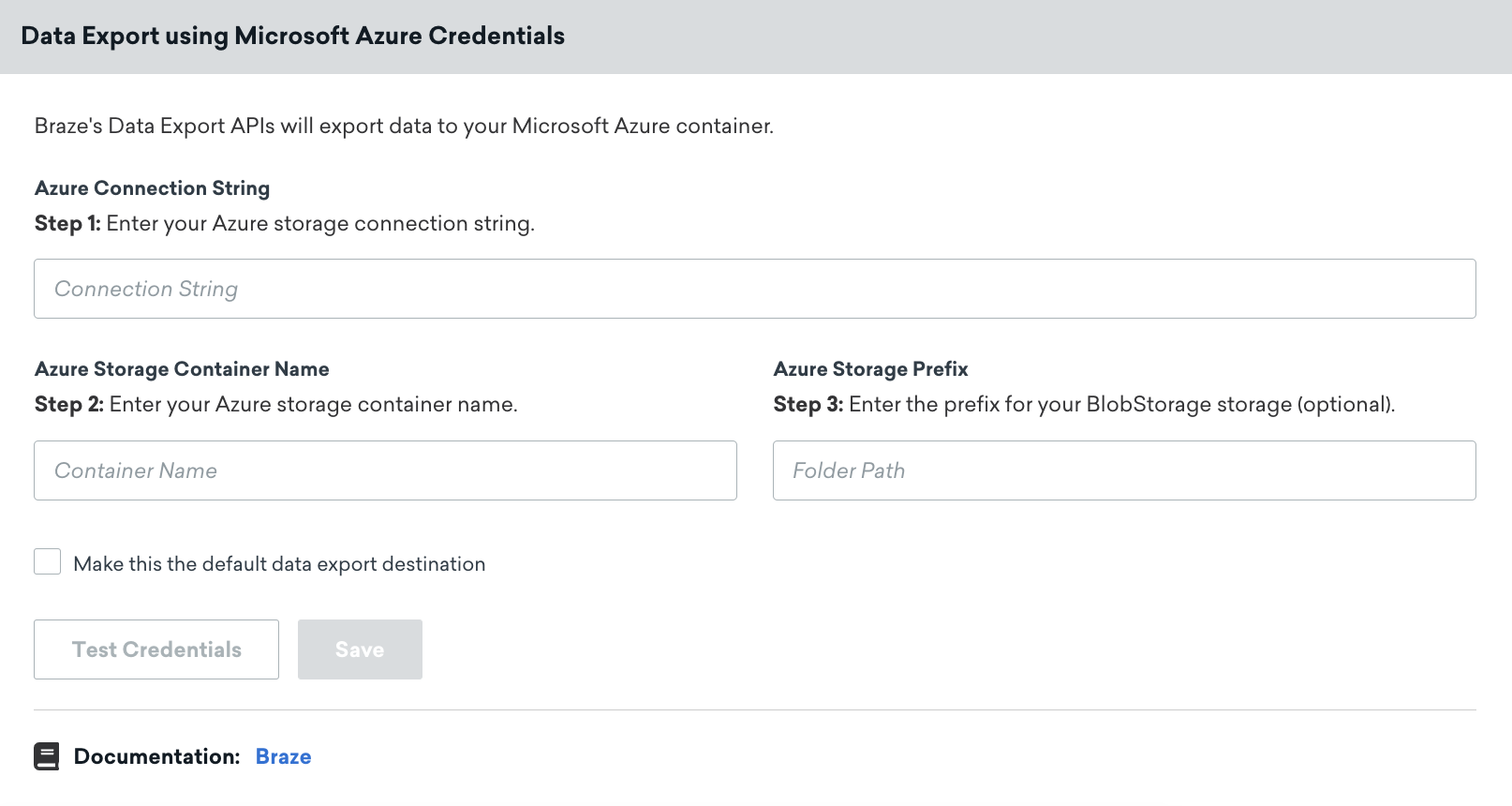
In Braze, navigate to Partner Integrations > Technology Partners > Microsoft Azure and provide your connection string, Azure storage container name, and Azure storage prefix.
Next, make sure the Make this the default data export destination box is checked, this will make sure your exported data is sent to Azure. When completed, save your integration.
It’s important to keep your connection string up to date; if your connector’s credentials expire, the connector will stop sending events. If this persists for more than 48 hours, the connector’s events will be dropped, and data will be permanently lost.
Export behavior
Users that have integrated a cloud data storage solution, and are trying to export APIs, dashboard reports, or CSV reports will experience the following:
- All API exports will not return a download URL in the response body and must be retrieved through data storage.
- All dashboard reports and CSV reports will be sent to the user’s email for download (no storage permissions required) and backed up on data storage.
JSON format requirement: For JSON exports, Braze uses JSONL (newline-delimited JSON) format, where each line contains a separate JSON object. This format differs from standard JSON, which is a single JSON array or object. Each line in the exported file is a valid JSON object, but the file as a whole is not a single valid JSON document. When processing these files, parse each line individually as a separate JSON object rather than attempting to parse the entire file as a single JSON document.
Currents exports use Apache Avro format (.avro files), not JSON. This JSON format requirement applies to dashboard data exports and API exports that use JSON format.
FAQ
Can Braze provide IP addresses to allowlist for Azure Blob storage?
Braze doesn’t publish a fixed IP allowlist for Currents or dashboard exports to Azure Blob storage. Braze writes to your container using the connection string and container name you provide, and Azure controls network access through your storage account settings (for example, firewall rules on the storage account or private endpoints).
If your security team requires IP-based restrictions, use Azure networking features on your storage account rather than an IP list from Braze. For setup steps, see Microsoft’s documentation on securing Azure Storage.