TV and OTT integrations
As technology evolves to new platforms and devices, so can your messaging with Braze! Braze offers different engagement channels for a number of different TV Operating Systems and Over-the-Top (OTT) content delivery methods.
Platforms and features
The following table summarizes messaging channel support for common TV and OTT platforms. All platforms also support data and analytics, Canvas, and Feature Flags. For Kindle Fire, use the same guidance as Amazon Fire TV. For Apple Vision Pro, see visionOS support.
| Device type | SDK | In-app messages | Content Cards | Push notifications | Banners |
|---|---|---|---|---|---|
| Amazon Fire TV | Vega SDK | Supported | Supported | Supported | Headless only |
| Android TV | Android SDK | Supported | Supported | Supported | Headless only |
| LG TV (webOS) | Web SDK | Headless only | Headless only | OTT platform unsupported | Headless only |
| Samsung Tizen TV | Web SDK | Headless only | Headless only | OTT platform unsupported | Headless only |
| Roku | Roku SDK | Headless only | Not supported by Braze | OTT platform unsupported | Not supported by Braze |
| Apple TV OS (tvOS) | Swift SDK | Headless only | Headless only | Not supported by Braze | Headless only |
- = Supported
- = Headless only (you’ll need to build a custom UI)
- = Not supported by the OTT platform
- = Not supported by Braze
Integration guides
Amazon Fire TV
Use the Braze Fire OS SDK to integrate with Amazon Fire TV devices.
Features include:
- Data and Analytics collection for cross-channel engagement
- Push Notifications (known as “Heads Up Notifications”)
- The priority must be set to “HIGH” for these to appear. All notifications appear in the Fire TV settings menu.
- Content Cards
- Feature Flags
- In-app messages
- To show HTML messages on non-touch environments like TVs, set
com.braze.configuration.BrazeConfig.Builder.setIsTouchModeRequiredForHtmlInAppMessagestofalse(available from Android SDK v23.1.0)
- To show HTML messages on non-touch environments like TVs, set
- Banners
- Use Banner placements to embed messages directly in your Fire TV app.
For more information, visit the Fire OS integration guide.
Kindle Fire
Use the Braze Fire OS SDK to integrate with Amazon Kindle Fire devices.
Features include:
- Data and Analytics collection for cross-channel engagement
- Push Notifications
- Content Cards
- Feature Flags
- In-app messages
- Banners
- Use Banner placements to embed messages directly in your Kindle Fire.
For more information, visit the Fire OS integration guide.
Android TV
Use the Braze Android SDK to integrate with Android TV devices.
Features include:
- Data and Analytics collection for cross-channel engagement
- Content Cards
- Feature Flags
- In-app messages
- To show HTML messages on non-touch environments like TVs, set
com.braze.configuration.BrazeConfig.Builder.setIsTouchModeRequiredForHtmlInAppMessagestofalse(available from Android SDK v23.1.0)
- To show HTML messages on non-touch environments like TVs, set
- * Push Notifications (Manual Integration Required)
- Push notifications are not supported natively on Android TV. To learn why, see Google’s Design Guidelines. You may however, do a manual integration of Push notification UI to achieve this. See our documentation on how to set this up.
- Banners
- Use Banner placements to embed messages directly in your Android TV app.
For more information, visit the Android SDK integration guide.

Make sure to create a new Android app in the dashboard for your Android OTT integration.
LG webOS
Use the Braze Web SDK to integrate with LG webOS TVs.
Features include:
- Data and analytics collection for cross-channel engagement
- Content Cards (via Headless UI)
- Feature Flags
- In-app messages (via Headless UI)
- Banners
- Use Banner placements to embed messages directly in your webOS app.
For more information, visit the Web Smart TV integration guide.
Samsung Tizen
Use the Braze Web SDK to integrate with the Samsung Tizen TVs.
Features include:
- Data and analytics collection for cross-channel engagement
- Content Cards (via Headless UI)
- Feature Flags
- In-app messages (via Headless UI)
- Banners
- Use Banner placements to embed messages directly in your Tizen app.
For more information, visit the Web Smart TV integration guide.
Roku
Use the Braze Roku SDK to integrate with Roku TVs.
Features include:
- Data and analytics collection for cross-channel engagement
- In-app messages (via Headless UI)
- Webviews are not supported by the Roku platform, so HTML in-app messages are therefore not supported.
- Feature Flags
For more information, visit the Roku SDK integration guide.
Apple TV OS
Use the Braze Swift SDK to integrate with tvOS. Keep in mind, the Swift SDK doesn’t include any default UI or views for tvOS, so you will need to implement your own.
Features include:
- Data and analytics collection for cross-channel engagement
- Content Cards (via Headless UI)
- Feature Flags
- In-app messages (via Headless UI)
- Webviews are not supported by the tvOS platform, so HTML in-app messages are therefore not supported.
- See our sample app to learn more about how to use a Headless UI for customized messaging on tvOS.
- Silent push notifications and update badging
- Banners
- Use Banner placements to embed messages directly in your tvOS app.
For more information, visit the iOS Swift SDK integration guide.
To avoid showing mobile in-app messages to your TV users, be sure to set up either App Targeting or use key-value pairs to filter out messages. For example, only displaying tvOS messages if they contain a special tv = true key-value pair.
Apple Vision Pro
Use the Braze Swift SDK to integrate with visionOS. Most features available on iOS are also available on visionOS, including:
- Analytics (sessions, custom events, purchases, etc.)
- In-App Messaging (data models and UI)
- Content Cards (data models and UI)
- Push Notifications (user-visible with action buttons and silent notifications)
- Feature Flags
- Location Analytics
- Banners
- Use Banner placements to embed messages directly in your visionOS app.
For more information, visit the iOS Swift SDK integration guide.

Some iOS features are partially-supported or unsupported. For the full list, see visionOS support.
App targeting
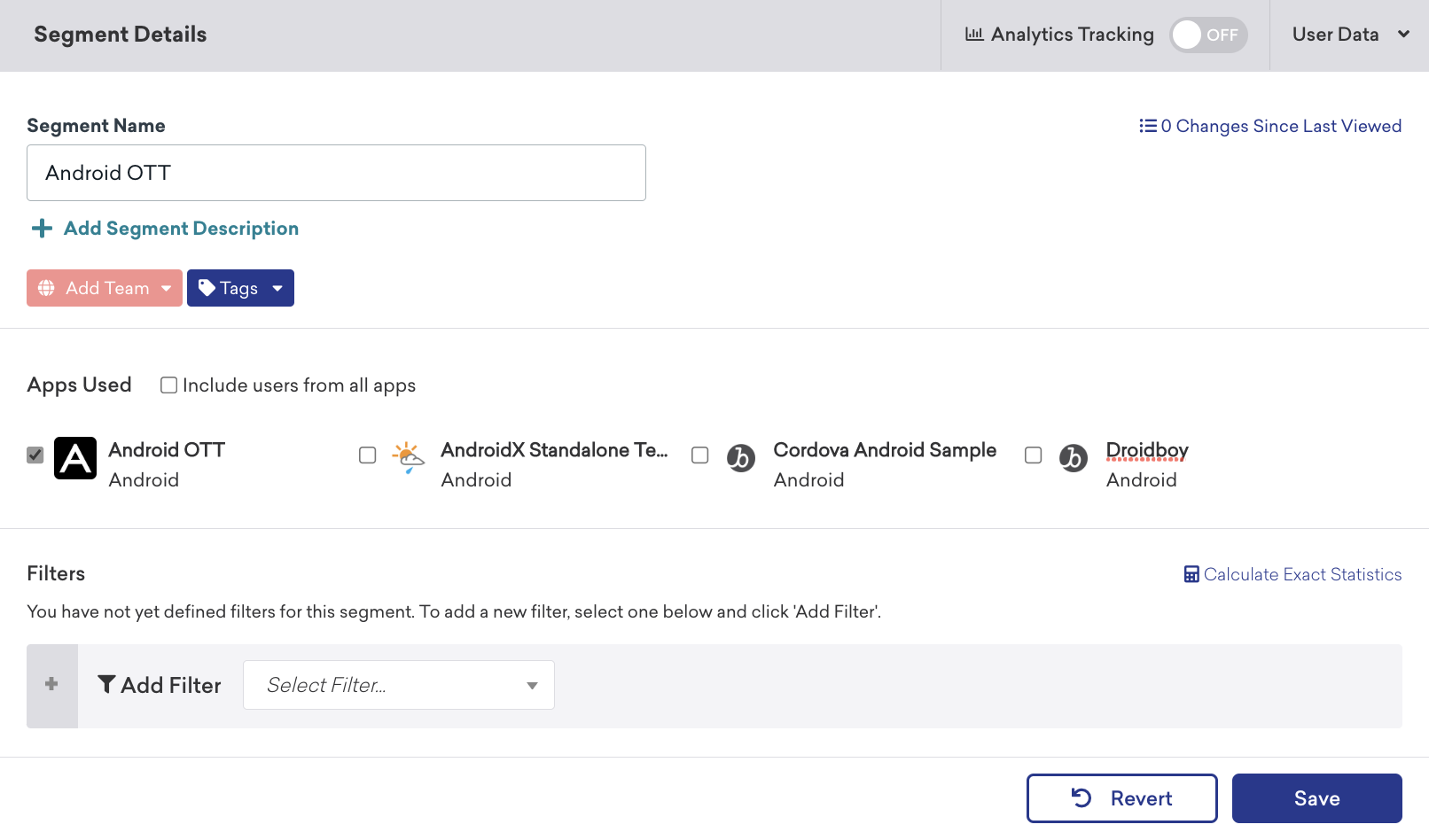
To target OTT apps for messaging, we recommend creating a segment specific to your OTT app.
Headless UI
Platforms that support in-app messages or Content Cards through headless UI do not include any default UI or views. Build your own custom UI (such as for in-app messages) and then use the SDK-provided data models to populate those UIs.
With headless UI, Braze will deliver a data model, such as JSON, that your app can read and use within a UI your app controls. This data will contain the fields configured in the dashboard (title, body, button text, colors, etc.) which your app can read and display accordingly. For more information about custom handling messaging, see the following:
Android SDK
Swift SDK
Web SDK