Mailizio
Mailizio is an email creation and management platform that makes it easy to design reusable, brand-safe content using an intuitive visual editor. With Mailizio’s integration to Braze, you can export your content blocks and email templates, then automatically generate in-app messages from those same assets, enabling fast and fully controlled campaign deployment.
This integration is maintained by Mailizio.
About the integration
The Mailizio and Braze integration lets you design dynamic email templates using Mailizio’s editor, leverage Liquid variables as used in your Braze configurations, and push them to Braze for streamlined campaign execution.
Use cases
- Push ready-to-send email templates directly into Braze for campaigns and transactional messages.
- Build reusable content modules (headers, footers, promotions, and more) to streamline production across multiple campaigns and channels.
- Generate in-app messages from emails: Mailizio identifies relevant sections of your email and lets you export the HTML for use in your in-app campaigns.
- Personalize at scale with Braze-compatible Liquid variables in both emails and in-app messages.
- Keep your branding consistent by managing creative assets in Mailizio and updating them in Braze with a single export.
Prerequisites
| Requirement | Description |
|---|---|
| Mailizio account | A Mailizio account is required to take advantage of this partnership. |
| Braze REST API key | A Braze REST API key with full Templates permissions. You can create a Braze REST API key in the Braze dashboard from Settings > API Keys. |
| Braze REST endpoint | Your REST endpoint URL. Your endpoint depends on the Braze URL for your instance. |
Integration
Provide your Braze REST API key and cluster instance to your Mailizio customer success manager. The Mailizio team then sets up the initial integration for you.

This is a one-time setup, and any exports in the future automatically utilize this API key.
Step 1: Create an email in Mailizio
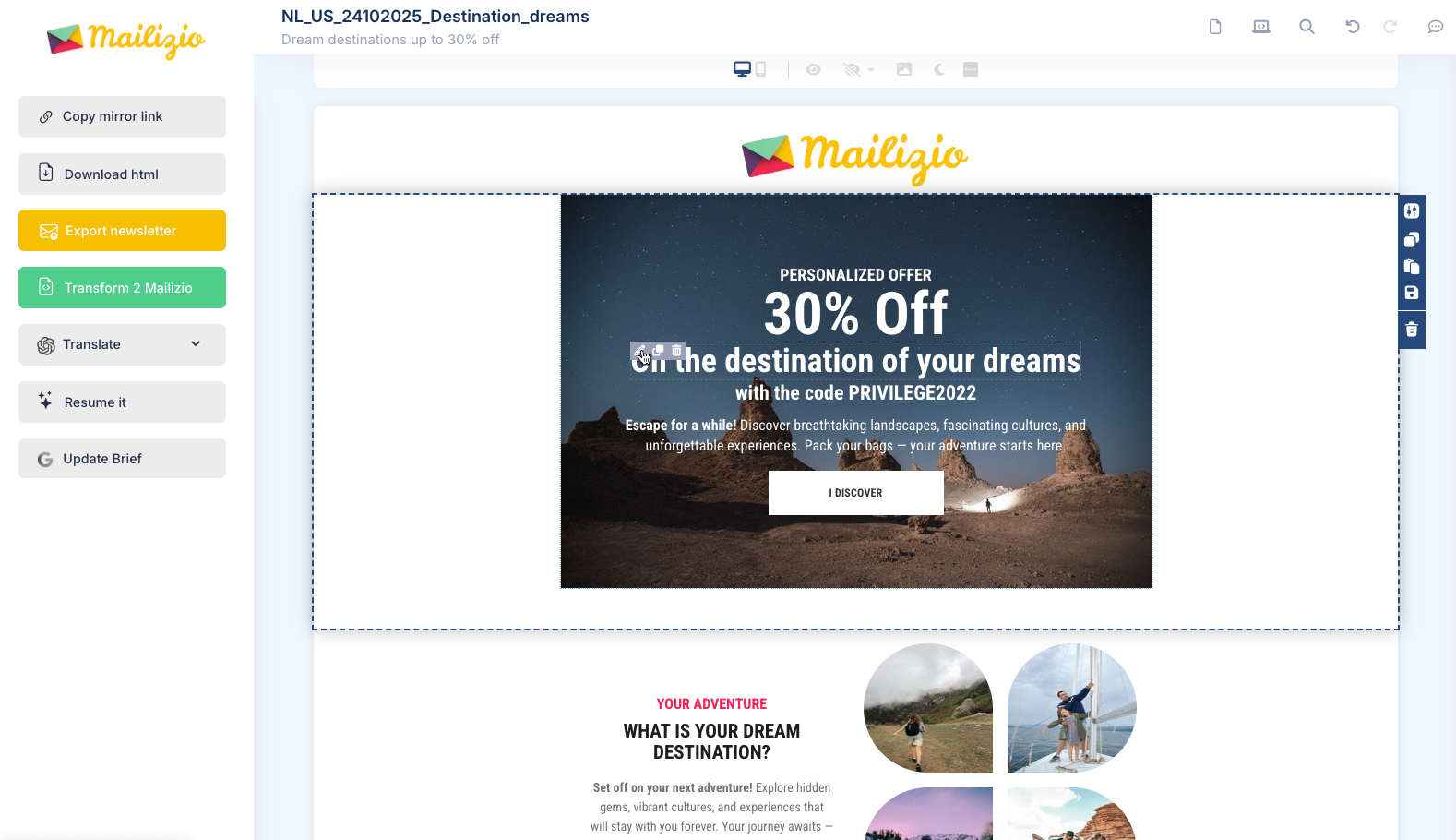
In Mailizio, use the drag-and-drop editor to build an email that reflects your brand identity, then click Save to preserve your work.
Step 2: Export your email template to Braze
When ready, click Export Newsletter. In the pop-up, select Braze-email and confirm the export.
If you update your content later, re-export from Mailizio to refresh it in Braze.
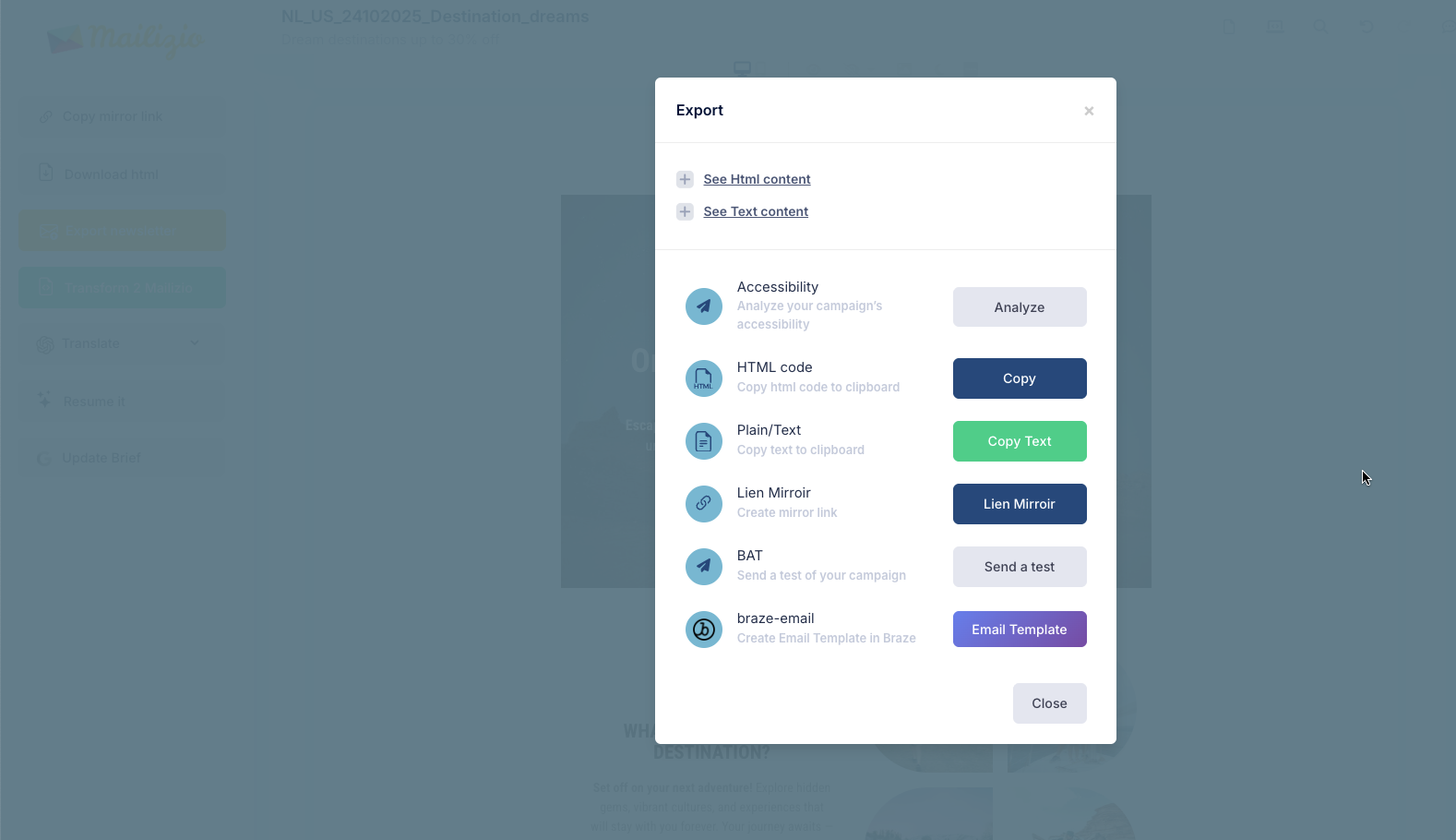
You can create and export content blocks the same way using Mailizio’s Module editor.
Usage
Find your uploaded Mailizio template in your Braze account’s Templates & Media > Email Templates section. You can now use this email template to start sending engaging email messages to your customers!