Treasure Data for Currents
Treasure Data is a customer data platform (CDP) that collects and routes information from multiple sources to a variety of other locations in your marketing stack.
The Braze and Treasure Data integration allows you to seamlessly control the flow of information between the two systems. With Currents, you can also connect data to Treasure Data to make it actionable across the entire growth stack.
Prerequisites
| Requirement | Description |
|---|---|
| Treasure Data | A Treasure Data account is required to take advantage of this partnership. |
| Currents | To export data back into Treasure Data, you need to have Braze Currents set up for your account. |
| Treasure Data URL | This can be obtained by navigating to your Treasure Data dashboard and copying the ingestion URL. |
Treasure Data logs each event in batches. For more information on how to query Treasure Data to get event counts, refer to Querying Data.
If you’re looking to integrate with Treasure Data’s new Braze streaming connector, refer to the detailed setup steps in Braze Currents Streaming Import Integration. For any questions about the integration or setup within Braze, contact your Braze account team.
Integration
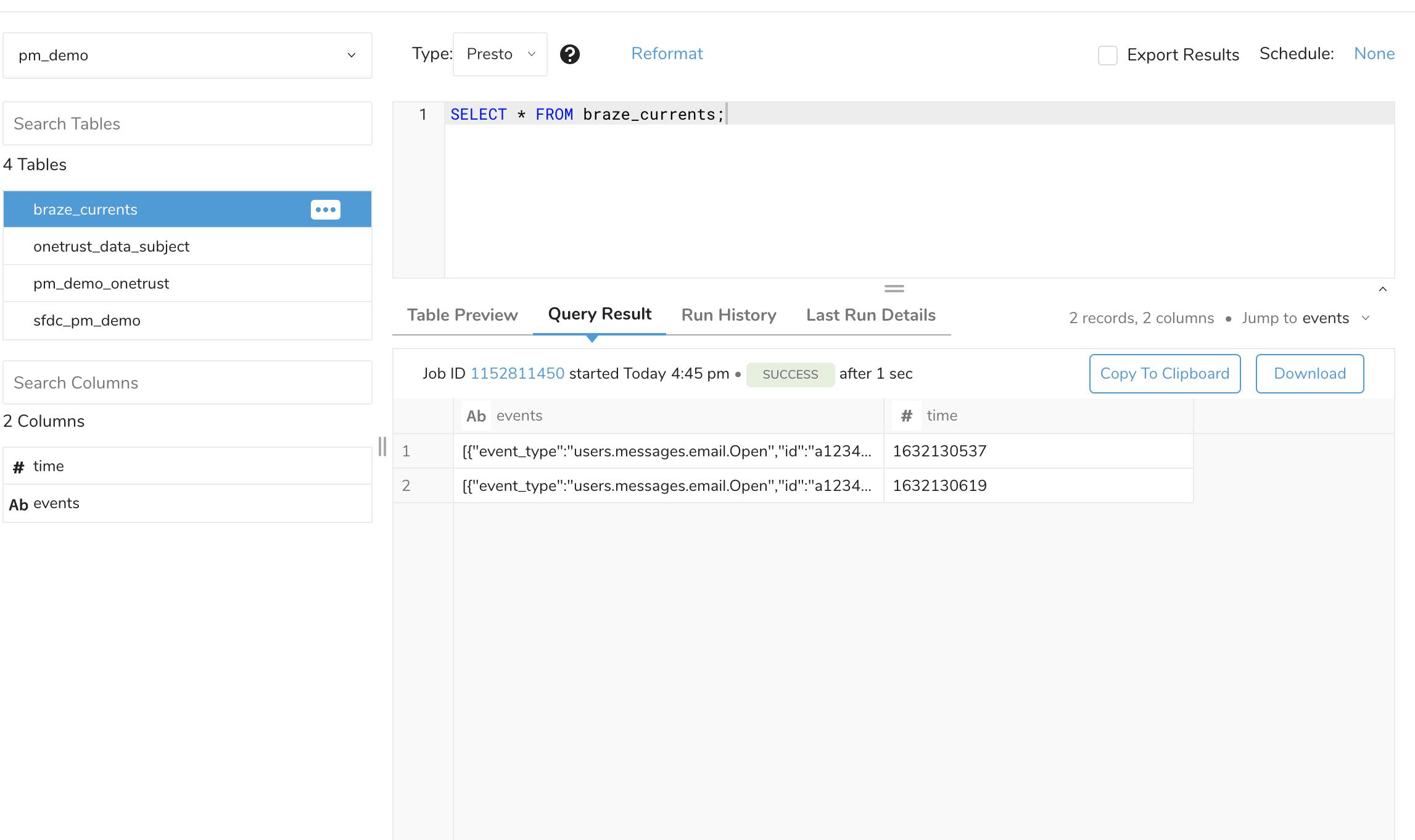
The recommended approach to connecting with Treasure Data is through Postback API. This method doesn’t require a default connector and data can be received through a push approach. All events sent in one data batch are inside of one field of one row in a JSON array, which needs to be parsed to get the required data.
Ingestion into Treasure Data through event-collector currently doesn’t happen in real-time and may take up to five minutes.
Step 1: Setup Treasure Data Postback API with Braze
Instructions for creating a Postback API can be found on the Treasure Data website. Braze will directly send the updated events to Treasure Data in real time, with the exception of ingestion through event-collector. When completed, Treasure Data will provide a data source URL to copy for use in the next step.
Step 2: Create Current
In Braze, navigate to Currents > + Create Current > Treasure Data Export. Provide an integration name, contact email, and your Treasure Data URL. Next, select what you want to track from the list of available events and click Launch Current.
All events sent to Treasure Data will include the user’s external_user_id. At this time, Braze does not send event data to Treasure Data for users who haven’t set their external_user_id.
Keep your Treasure Data URL up to date. If your connector’s URL is incorrect, Braze won’t be able to send events. If this persists for more than 5 days, the connector’s events will be dropped and data will be permanently lost.
Example event field value
1
2
3
4
5
6
7
8
9
10
11
12
13
14
15
16
17
18
19
20
21
22
{
    "events": [
        {
            "event_type": "users.message.email.Open",
            "id": "a1234567-89ab-cdef-0123-456789abcdef",
            "time": 1477502783,
            "user": {
                "user_id": "user_id",
                "timezone": "America/Chicago"
        },
            "properties": {
                "campaign_id": "11234567-89ab-cdef-0123-456789abcdef",
                "campaign_name": "Test Campaign",
                "dispatch_id": "12345qwert",
                "message_variation_id": "c1234567-89ab-cdef-0123-456789abcdef",
                "email_address": "[email protected]",
                "send_id": "f123456789abcdef01234567",
                "user_agent": "Mozilla/5.0 (Macintosh; Intel Mac OS X 10_13_5) AppleWebKit/537.36 (KHTML, like Gecko) Chrome/67.0.3396.99 Safari/537.36"
            }
        }
    ]
}
Example of the ingested view
Integration details
Braze supports exporting all data listed in the Currents event glossaries (including all properties in both message engagement and customer behavior events) to Treasure Data.
The payload structure for exported data is the same as the payload structure for custom HTTP connectors, which can be viewed in the examples repository for custom HTTP connectors.
 Edit this page on GitHub